WiFi has become such a normal part of the home that it is easy to forget your router is transmitting radiofrequency signals throughout the day and, in many homes, throughout the night. Routers are often placed wherever they provide the strongest connection, which might mean a bedroom, home office, hallway, or even a nightstand. If your router is near the place where you sleep, you may wonder whether you should move it. When considering WiFi router safe distance, there is no universally accepted number of feet that separates a “safe” location from an “unsafe” one. However, distance does affect the amount of radiofrequency energy that reaches you, which means router placement is worth understanding if reducing unnecessary RF exposure is important to you.
The good news is that reducing exposure from a WiFi router does not have to involve expensive equipment or major changes to your home. Increasing distance, changing the router’s location, using wired connections where practical, and turning WiFi off when it is not needed are all options. Understanding what a router emits and how distance affects exposure can help you decide what makes sense for your bedroom and home.
What Type of EMF Does a WiFi Router Produce?
A WiFi router communicates with phones, computers, televisions, tablets, smart-home equipment, and other devices using radiofrequency electromagnetic fields, commonly shortened to RF-EMF.
Traditional home WiFi networks commonly use the 2.4 GHz and 5 GHz frequency bands, while newer WiFi technology can also use the 6 GHz band. Your router transmits information wirelessly through these signals so that connected devices can communicate with the network without physical cables.
It is important to put this type of radiation into context. WiFi uses non-ionizing radiation. This is different from ionizing radiation such as X-rays and gamma rays, which contains enough energy to ionize atoms and can directly damage DNA.
That distinction does not mean someone cannot choose to reduce unnecessary RF exposure. It simply means WiFi should not be described as though it poses the same type of radiation hazard as an X-ray machine or radioactive material.
A router may also continue transmitting even when you are not actively browsing the internet. There can be network communications occurring in the background, and the wireless network itself remains available for devices to connect.
For someone who sleeps eight hours each night, this raises a reasonable practical question: if the router does not need to be beside your bed, why place it there?
What Is a WiFi Router Safe Distance From Your Bed?
There is no scientifically established distance at which a WiFi router suddenly changes from dangerous to safe.
You may encounter recommendations online suggesting three feet, six feet, ten feet, twenty feet, or even greater distances. These numbers should not be interpreted as medical safety boundaries. A router located nine feet from your bed does not automatically become safe when moved to ten feet.
A better approach is to think about distance as a method for reducing exposure rather than establishing an absolute safety line.
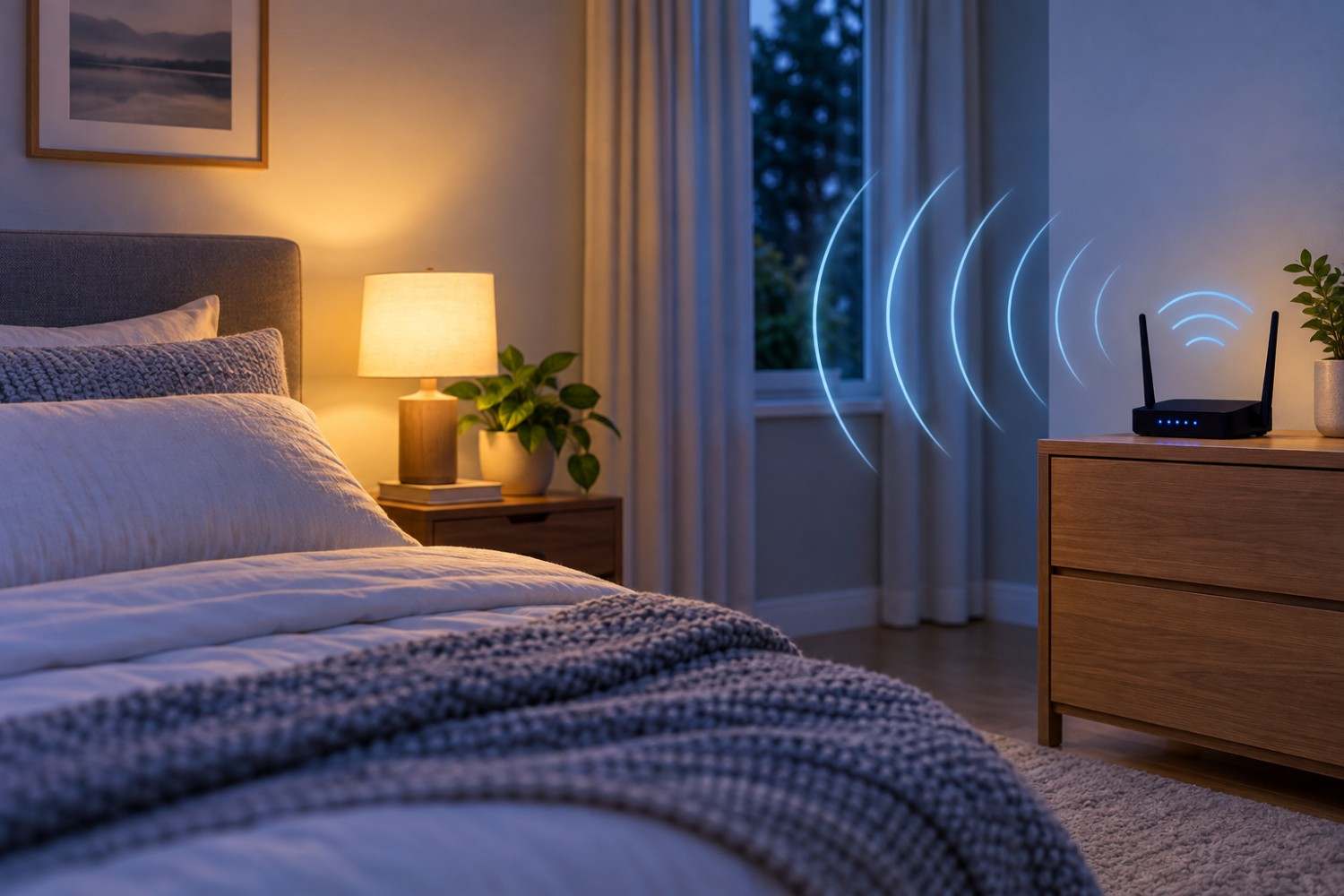
If your router currently sits directly beside your bed, moving it across the room increases the separation between your body and the RF source. Moving it outside the bedroom creates even more separation. If you can locate your router somewhere else while maintaining reliable WiFi coverage throughout the house, that may be an easy precautionary step.
For someone interested in WiFi router safe distance, a practical goal is therefore to avoid placing the router immediately beside the bed when there is no networking reason to do so.
You do not necessarily need to redesign your network because your router happens to be in the same room. Instead, look at your available options. Could it be moved to the other side of the room? Could it be placed in a hallway or office? Could your home’s network equipment be positioned in a central area away from places where family members spend long periods?
Increasing distance is free, and you may be able to do it without affecting the performance of your network.
If you want to see how changing your distance from a router may affect estimated exposure, try our Safe Distance from WiFi Router Calculator. Enter your approximate distance from the router and the calculator will estimate how exposure changes as you move farther away. It can be a helpful way to visualize why even a relatively small increase in distance can make a difference.
Try the Safe Distance from WiFi Router Calculator
Why Distance From a WiFi Router Matters
Distance is one of the simplest concepts to understand when discussing RF exposure.
In an idealized situation, electromagnetic power density from a point source decreases rapidly as distance increases, often described using the inverse-square relationship. Real homes are more complicated because walls, furniture, reflections, antennas, router power levels, connected devices, and other factors affect actual measurements.
The basic principle remains useful: being farther from an RF source generally reduces the exposure from that source.
Imagine four different router locations.
A router sitting on a nightstand might be only two or three feet from your head while you sleep. A router positioned across a large bedroom might be ten or fifteen feet away. A router located in another part of the house provides even more separation. A router that is completely powered down does not transmit WiFi signals at all.
This is why distance can be more useful than obsessing over a specific number.
You can also apply the same principle to other wireless devices. A phone pressed against your body is much closer than a phone sitting across the room. A wireless access point directly above a desk is closer than one positioned farther away.
Reducing unnecessary proximity can be a straightforward precaution that does not require you to stop using wireless technology entirely.
Is It Safe to Sleep Next to a WiFi Router?
Current scientific and public-health guidance has not established that normal exposure from properly operating WiFi equipment within applicable exposure limits causes adverse health effects.
That is an important point because discussions about WiFi sometimes jump from “WiFi produces RF radiation” to “WiFi is dangerous.” Those are not equivalent statements.
WiFi does produce RF electromagnetic fields. However, the existence of an electromagnetic field does not by itself demonstrate that the exposure causes harm.
At the same time, someone may decide that they prefer not to sleep immediately beside a transmitting router when there is no practical need to do so.
This is where a precautionary approach can make sense without becoming alarmist.
If your router is two feet from your pillow and you can move it ten or fifteen feet away without affecting your internet service, moving it is a simple way to reduce your exposure from that particular source.
You do not need to assume that the router was harming you in order to make that change.
Think of it as reducing an unnecessary exposure rather than responding to a known danger.
Does WiFi Affect Sleep?
The relationship between wireless technology and sleep deserves careful discussion because several factors can become mixed together.
There is not strong evidence establishing that ordinary residential WiFi exposure causes insomnia or sleep disorders. If you are having persistent difficulty sleeping, it would be inappropriate to automatically assume your WiFi router is responsible.
Technology can affect sleep in other ways, however.
Using a phone late at night may keep you mentally stimulated. Notifications can wake you. Bright screens can interfere with healthy bedtime routines. Social media, games, videos, work email, and other activities can keep people awake considerably later than they intended.
Removing unnecessary electronics from the bedroom may therefore improve the overall sleep environment even when RF exposure is not the reason.
If moving the router out of the bedroom also encourages you to create a quieter, darker, less technology-focused sleeping space, that may offer benefits beyond reducing RF exposure.
Should You Turn Your WiFi Router Off at Night?
If your primary objective is to reduce RF exposure from your router while sleeping, turning its WiFi function off is one of the most direct options.
After all, increasing distance reduces the RF energy reaching your location, while disabling the wireless transmitter eliminates WiFi transmissions from that router during the period it is disabled.
That does not necessarily mean everyone should turn off their router every night.
Before doing so, consider what depends on your home network. Security cameras, alarm equipment, smart thermostats, medical or monitoring equipment, smart-home devices, phones using WiFi calling, automated backups, and other devices may require an internet connection overnight.
Some people also have a modem and router combined into one unit. Others use separate equipment or mesh WiFi systems. Depending on your setup, you may be able to disable wireless networking without completely shutting down your internet equipment.
If nothing important requires WiFi overnight, turning the wireless network off may be worth considering. If your household depends heavily on connected equipment, simply increasing the distance between the router and your bed may be a more practical solution.
7 Ways to Reduce WiFi Exposure While Sleeping
If reducing RF exposure in the bedroom is your goal, there are several approaches that do not require giving up your internet connection. Start with the easiest changes first. In many cases, router placement and your normal technology habits can make more sense than purchasing products designed to block or shield signals.
1 – Move the Router Away From Your Bed
The simplest change is often the best one.
Avoid placing a WiFi router directly on your nightstand, headboard, or furniture immediately beside your bed if another location works equally well.
Even moving the router across the room increases your distance from the source.
2 – Consider Moving the Router Out of the Bedroom
If possible, place your router in a different room.
A central hallway, office, living area, or another suitable location may provide excellent WiFi coverage while increasing the distance between the router and your sleeping area.
The ideal location will depend on the layout of your home.
3 – Turn WiFi Off When You Do Not Need It
If your household does not require an active wireless network overnight, disabling WiFi can eliminate RF transmissions from that router while you sleep.
Just make sure important equipment does not depend on the connection before making this part of your nightly routine.
4 – Use Ethernet Where It Makes Sense
Desktop computers, televisions, gaming systems, and other stationary equipment may be good candidates for Ethernet connections.
You do not necessarily need to wire every device in your house. Instead, consider wired connections where they are convenient and useful.
A home office, for example, may already have several devices that rarely move.
5 – Look at Other Wireless Devices Near the Bed
Moving your router does not accomplish everything if you have several other wireless devices inches from your pillow.
Phones, tablets, smart speakers, wireless chargers, Bluetooth devices, smartwatches, and other electronics may be part of your bedroom environment.
Evaluate the entire room rather than focusing exclusively on the router.
6 – Don’t Forget About Mesh WiFi Nodes
Mesh networks deserve special attention.
You could move your main router out of the bedroom only to have a mesh access point sitting beside your bed. That node is also transmitting wireless signals.
When evaluating WiFi router safe distance, consider every wireless access point in your network, not simply the box connected to your modem.
7 – Measure Your Environment If You Want More Information
Homes vary considerably.
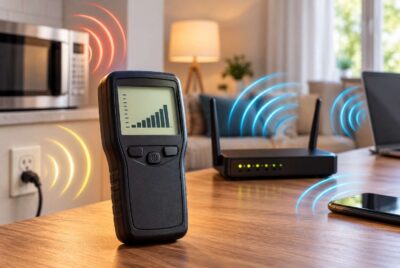
Instead of guessing how much RF energy is present at your bedside, an RF meter can provide actual measurements. You can measure near the router, several feet away, at your pillow, and in other rooms to see how readings change.
Measurements can also reveal that the strongest RF source in a particular location is not necessarily the device you expected.
Affiliate Advertisement

How to Measure WiFi RF Levels in Your Bedroom
An RF meter can be useful for people who want to move beyond arbitrary distance recommendations and see what is actually occurring in their homes.
One option is the Safe and Sound Pro II RF Meter – Rechargeable from Safe Living Technologies. The manufacturer states that the meter is designed to measure ambient RF and microwave signals and has a true response range of 400 MHz to 7.2 GHz, with detection extending from 200 MHz to 8 GHz.
If you use an RF meter, take measurements systematically rather than relying on a single reading.
Start near the router and note the measurement. Then move several feet away and measure again. Continue at different distances until you reach your bed. You can also compare measurements with the router operating and with WiFi disabled.
Try measuring at different times because wireless traffic can change.
Most importantly, remember what the meter is telling you. It measures RF levels; it does not diagnose health problems or tell you that a particular symptom was caused by electromagnetic fields.
For many people, measurement is simply a way to identify sources and determine whether moving equipment changes their exposure.
Where Is the Best Place to Put a WiFi Router?
The best router location involves more than EMF.
Your router has a job to do: provide reliable wireless coverage throughout your home. Moving it to the farthest corner of the basement may increase your distance from it, but it could also produce terrible WiFi performance.
Poor placement may even lead you to add more wireless access points or mesh nodes, defeating the original purpose.
A better strategy is usually to find a reasonably central location that provides good coverage without placing the router immediately beside an area where someone spends many consecutive hours.
For example, a central hallway may work better than a bedroom nightstand. A home office shelf several feet from your desk may make more sense than placing the router directly beside your chair.
You should also consider the physical environment around the router. Walls, floors, furniture, appliances, and building materials can affect wireless coverage.
The goal is balance: reliable internet access without unnecessary close-range exposure.
What About WiFi From Your Neighbors?
Turning off your router does not necessarily mean your bedroom becomes free of RF signals.
In an apartment building, condominium, townhouse, or densely populated neighborhood, you may be within range of numerous WiFi networks. Your phone or computer may show several neighboring networks whenever you open the WiFi settings.
There may also be cellular signals, Bluetooth devices, smart meters, wireless security equipment, broadcast signals, and other RF sources in the surrounding environment.
This is another reason an RF meter can be more informative than simply counting how many routers are nearby.
Your neighbor’s router may be visible as a network but produce a relatively low reading where you sleep because of distance and building materials. Meanwhile, a wireless device inside your own bedroom could be much closer.
The important factor is not simply whether a wireless source exists, but your actual proximity and exposure to it.
Frequently Asked Questions About WiFi Routers and Sleeping
Many questions about WiFi exposure come down to the same issues: distance, duration, router placement, and whether reducing exposure is practical. The following answers address some of the most common questions people have when deciding where to place their home networking equipment.
How Far Should a WiFi Router Be From Your Bed?
There is no universally established number of feet that defines a safe versus unsafe distance. If you want to reduce RF exposure as a precaution, increasing the distance between your router and bed is a simple strategy. Placing it across the room or outside the bedroom can provide more separation than keeping it on a nightstand.
Is 10 Feet Away From a WiFi Router Enough?
Ten feet should not be treated as a scientific boundary between safe and unsafe exposure. It does, however, provide considerably more separation than having the router immediately beside your body.
Rather than focusing exclusively on ten feet, use the greatest practical distance that still allows your network to operate properly.
Is It Bad to Have a WiFi Router in Your Bedroom?
Having a router in the bedroom does not automatically mean you are experiencing a hazardous exposure. However, if you prefer to reduce unnecessary RF exposure, there is little reason to position a router immediately beside your bed when another location provides adequate network coverage.
Does WiFi Go Through Walls?
Yes. WiFi signals can travel through many common building materials, which is precisely why you can often connect to a router located in another room.
Walls can weaken signals, however. The amount of attenuation depends on the material, thickness, frequency, and other characteristics of the building.
Should I Turn My Router Off While I Sleep?
You can if doing so works for your household. Turning off WiFi prevents that router from transmitting WiFi signals overnight.
Before doing so, make sure you do not have security equipment, smart-home devices, WiFi calling, or other important services that require an overnight connection.
Is Ethernet Better for Reducing WiFi Use?
Ethernet allows compatible devices to communicate through a physical cable instead of WiFi. For stationary equipment such as desktop computers, televisions, and gaming systems, it can be a practical way to reduce reliance on wireless networking.
How Can I Measure WiFi Radiation in My Bedroom?
An RF meter capable of detecting the frequencies used by WiFi can measure RF power levels at different locations.
Take readings near the router and then at progressively greater distances, including where you sleep. Comparing measurements can show how changing router placement affects the RF level in your particular environment.
Conclusion: Finding a Practical Distance From Your Router
There is no magic number that defines WiFi router safe distance for every home, and claims that a particular number of feet guarantees safety should be treated cautiously. Current evidence does not establish normal residential WiFi exposure within applicable limits as a health hazard, but that does not mean you cannot take simple steps to reduce exposure if doing so is important to you.
Distance is one of the easiest places to start. If your router is beside your bed, move it farther away. If it can be placed outside the bedroom without compromising your internet connection, consider doing so. If your household does not need WiFi overnight, disabling the wireless network is another option.
Most importantly, keep the issue in perspective. You do not need to fear your router or purchase a house full of shielding products. Start with simple changes that cost nothing: increase distance, improve router placement, use wired connections where practical, and remove unnecessary wireless devices from your sleeping area.
A good night’s sleep and a functional home network do not have to compete with each other. With thoughtful placement and a basic understanding of how RF exposure changes with distance, you can create a bedroom setup that works for both your connectivity needs and your personal preference for reducing unnecessary wireless exposure.
Before You Go…
Get Weekly EMF Protection Tips
Enjoy this article? Join the EMFLuLu newsletter for simple weekly tips to reduce everyday EMF exposure from phones, WiFi routers, laptops, and smart home devices.
Try Our Free EMF Calculators
Curious how much EMF exposure you may experience each day?
These simple tools can help you estimate your exposure and identify possible problem areas in your home.
Try these free calculators:
Like this article? Pin it on Pinterest!

More to Explore