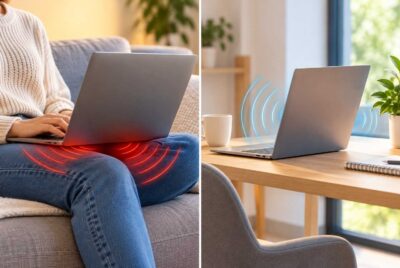
A weak WiFi signal can be frustrating, especially when you are trying to work in a home office, stream a movie upstairs, or connect a device in a room far from your router. One common solution is to install a WiFi range extender, a small device designed to improve wireless coverage in areas where the original router struggles to reach. However, adding another wireless device raises an important question: Does a WiFi extender increase electromagnetic field (EMF) exposure inside your home?
Concerns about WiFi extender radiation are understandable, particularly for households interested in reducing unnecessary wireless transmissions. After all, a WiFi extender communicates with other devices using radiofrequency (RF) energy, just like a wireless router. Adding another transmitter can change the RF environment in your home, but the actual effect on personal exposure is more complicated than simply counting the number of wireless devices.
The good news is that understanding how these devices operate can help you make informed decisions about your home network. You do not necessarily need to sacrifice a reliable internet connection to manage unnecessary wireless transmissions.
In this article, we will explain how WiFi extenders work, whether they produce additional EMF, how they compare with traditional routers, and what practical steps you can take to manage wireless exposure throughout your home.
What Is a WiFi Extender and How Does It Work?
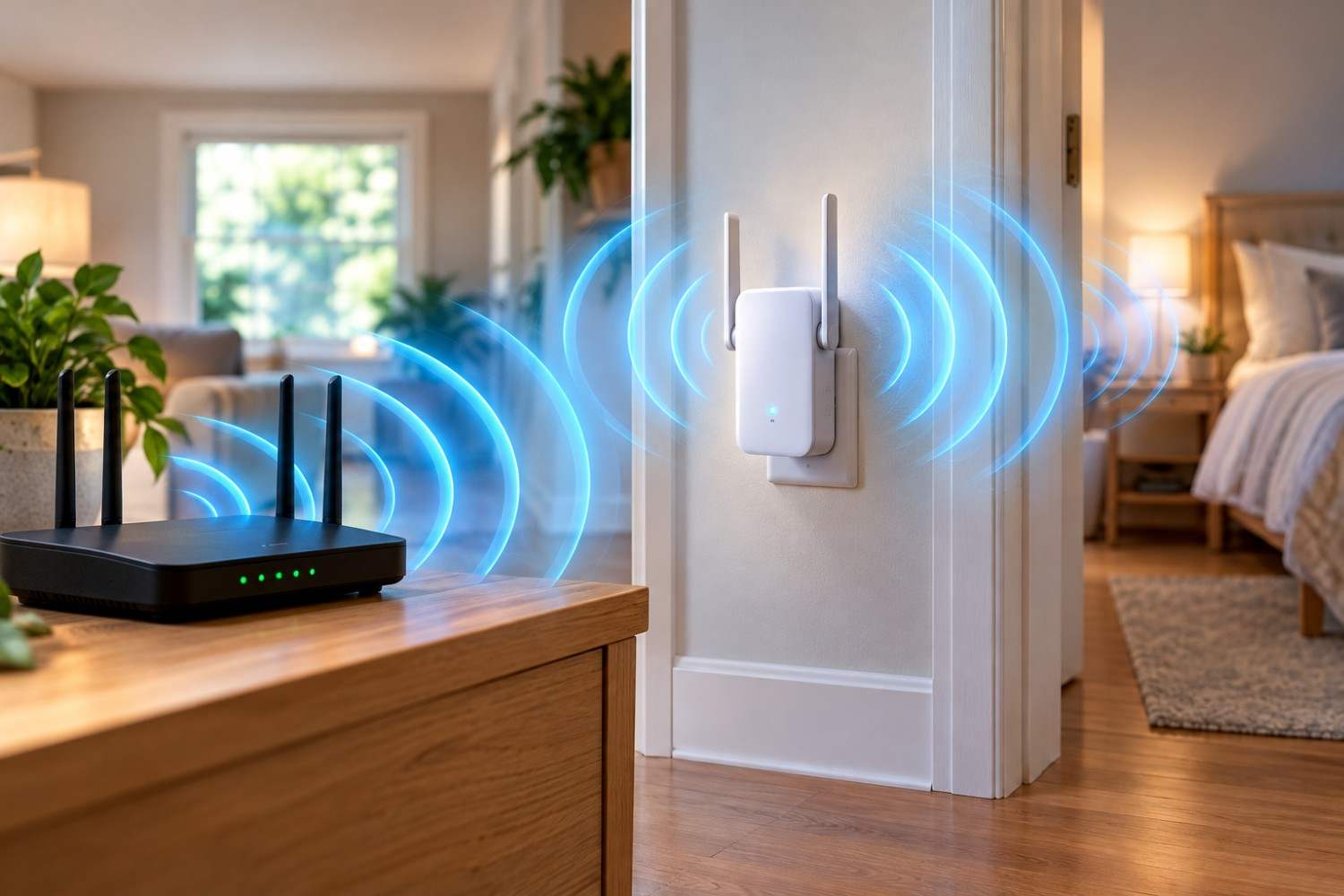
A WiFi extender, sometimes called a wireless range extender or repeater, is a networking device designed to improve wireless coverage in areas where the existing router’s signal is weak. These devices are commonly used in larger homes, multi-story houses, finished basements, garages, and rooms separated from the main router by thick walls or other obstacles.
To understand how an extender works, imagine that your wireless router is located in the living room on the first floor. Your upstairs bedroom receives only a weak connection because the signal must travel through floors, walls, and furniture. Installing an extender in a suitable location between the router and bedroom can help provide a stronger connection in that part of the house.
A traditional wireless extender receives information from the router and retransmits it to nearby wireless devices. It also forwards information traveling in the opposite direction, allowing your laptop, television, or smartphone to communicate with the main network.
This process requires the extender to transmit its own radiofrequency signals.
Most home WiFi extenders operate using the 2.4 GHz or 5 GHz frequency bands, although capabilities vary by model. Some newer networking equipment also supports 6 GHz operation, subject to device compatibility and regional regulations.
The 2.4 GHz band generally provides greater range and better penetration through some obstacles, while 5 GHz can provide faster connections under suitable conditions. Actual performance depends on interference, network congestion, antenna design, and the layout of the home.
An important distinction is that a wireless extender is not simply a passive antenna that stretches an existing signal. It contains electronic components that receive, process, and transmit wireless communications.
This means that installing an extender introduces another source of RF emissions into your home.
However, that does not automatically mean the additional emissions represent a health hazard. To understand the implications, it helps to examine what kind of radiation WiFi devices actually produce.
Do WiFi Extenders Emit Radiation?
Yes, WiFi extenders emit radiofrequency electromagnetic radiation whenever their wireless transmitters are operating.
This is the same general type of electromagnetic energy used by wireless routers, Bluetooth devices, smartphones, and many other communication technologies.
However, the word “radiation” can sometimes create unnecessary confusion because it describes several different forms of energy with very different properties.
WiFi devices produce non-ionizing radiation, meaning their radiofrequency signals do not carry enough energy per photon to ionize atoms or molecules. This is fundamentally different from ionizing radiation, such as X-rays and gamma rays, which can directly damage biological molecules through ionization.
WiFi operates within the radiofrequency portion of the electromagnetic spectrum.
When a WiFi extender communicates with a router or connected device, it generates electromagnetic waves that carry digital information. These signals travel through the surrounding environment and can be absorbed, reflected, or weakened by materials such as walls, furniture, and the human body.
The strength of the RF field at a particular location depends on several factors, including transmitter power, antenna characteristics, distance, and the surrounding environment.
It is also important to distinguish between the existence of an electromagnetic field and evidence of harmful exposure.
According to the World Health Organization, scientific research has not established that typical exposure to the low-level RF fields produced by wireless networks causes adverse health effects.
Radiofrequency energy can produce heating at sufficiently high exposure levels, which is the primary established biological effect underlying many RF exposure limits. However, ordinary household WiFi equipment generally operates at power levels far below those associated with substantial tissue heating.
Researchers continue to investigate possible long-term effects of RF exposure, but the presence of wireless signals alone should not be interpreted as evidence that a device is unsafe.
For homeowners interested in managing their environment, the most useful question is not simply whether an extender emits radiation. It is how adding the device changes RF exposure in the areas where people spend their time.
Does Adding a WiFi Extender Increase EMF Exposure?
Adding a WiFi extender introduces another RF transmitter, so it can increase measured RF levels in certain parts of a home. However, the change in a person’s overall exposure depends on where the extender is located, how frequently it transmits, and how the rest of the wireless network responds.
Consider a house with one router located in the living room. The router broadcasts wireless signals throughout the home, but the signal becomes weaker as it travels toward the upstairs bedrooms.
If an extender is installed in the upstairs hallway, it begins transmitting additional wireless signals in that area.
Someone standing close to the extender may experience higher RF field levels than they did before it was installed, particularly when the extender is actively transferring information.
However, the situation becomes more complicated when considering the entire wireless network.
A smartphone or laptop connected to a weak router signal may need to use more transmission power, lower data rates, or additional retransmissions to maintain communication. Improving the connection with an extender can sometimes reduce the transmitting demands on the connected device.
This means that adding an extender could increase exposure from the extender itself while reducing certain transmissions from another device.
The overall effect depends on the specific equipment and network conditions.
Why Distance Matters
Distance is one of the most important factors influencing RF exposure from a wireless transmitter.
In general, RF field strength decreases as you move farther away from the source, although reflections, walls, antenna direction, and other environmental factors can create variations.
For example, sitting immediately beside a WiFi extender may result in greater exposure from that extender than sitting several feet away.
Moving the extender from a desk directly beside your chair to a nearby shelf farther away can reduce the RF field contribution from that device at your seating position.
There is no universal distance that guarantees a particular exposure level because devices differ in power output and antenna design.
The manufacturer’s installation and RF exposure instructions should always take priority.
Why Network Activity Matters
A WiFi extender does not necessarily transmit at maximum power continuously.
Wireless networks use a combination of periodic management transmissions and communications associated with connected devices.
Even when nobody is actively browsing the internet, an extender may transmit periodic beacon signals and other network-management information.
When several devices are streaming video, downloading files, or participating in video calls, the extender may transmit more frequently.
Therefore, measurements taken during heavy network use can differ from measurements taken when the network is relatively idle.
Does More WiFi Equipment Always Mean More Exposure?
Not necessarily.
Adding wireless equipment changes the sources and distribution of RF energy within the home, but personal exposure is not determined by the number of transmitters alone.
A well-positioned extender may improve network efficiency, while a poorly positioned one may add transmissions without delivering much practical benefit.
The most accurate conclusion is that WiFi extender radiation can increase local RF exposure, but the magnitude and overall effect depend on how the network is configured and used.
WiFi Extender vs. Router Radiation: Is One Stronger?
A common assumption is that a WiFi router must produce more radiation than an extender because the router serves as the main connection point for the household.
In practice, this is not always true.
Both devices contain radio transmitters, and their emissions depend on factors such as transmission power, supported frequency bands, antenna design, and wireless activity.
Some routers support higher transmission power or more antennas than compact plug-in extenders. However, a person sitting very close to a smaller extender may experience a stronger RF field from that device than from a more powerful router located across the house.
The following comparison highlights the most relevant differences between the two devices.
| Feature | WiFi Router | WiFi Extender |
| Primary purpose | Provides network connectivity | Expands wireless coverage |
| Emits RF energy | Yes | Yes |
| Common frequency bands | 2.4 GHz and 5 GHz; sometimes 6 GHz | Commonly 2.4 GHz and 5 GHz |
| Typical location | Central room or network equipment area | Between router and weak-signal area |
| Transmission activity | Depends on network traffic | Depends on network traffic and backhaul communication |
| Exposure considerations | Distance, power, activity, placement | Distance, power, activity, placement |
One additional consideration is that traditional wireless repeaters often need to communicate with both the router and the connected devices.
This can create additional wireless transmissions compared with certain wired networking arrangements.
However, a repeater does not necessarily transmit twice as much RF energy as a router. Actual transmission activity varies with the equipment, traffic patterns, and network configuration.
For households interested in reducing unnecessary wireless activity, network efficiency may be just as important as the number of devices installed.
Where Should You Place a WiFi Extender to Manage Exposure?
Proper placement is essential for both network performance and managing unnecessary RF exposure.
A common mistake is installing a WiFi extender in the room where the wireless connection is weakest. Unfortunately, if the extender itself receives a poor signal from the router, it may struggle to provide a reliable connection.
A better approach is usually to position the extender somewhere between the main router and the area requiring improved coverage.
For example, if your router is downstairs and your home office is upstairs, an upstairs hallway may provide a more effective location than a far corner of the office.
The ideal position depends on your home’s construction, wireless interference, and the placement of connected devices.
Avoid Unnecessary Close Proximity
If you prefer to minimize RF exposure from nearby networking equipment, consider placing the extender away from locations where people remain seated or sleep for extended periods.
A shelf several feet from your desk may be more practical than plugging the extender into an outlet directly beside your chair.
Similarly, placing the extender in a hallway outside a bedroom may provide adequate coverage without positioning another transmitter immediately beside the bed.
These are reasonable exposure-management choices, not evidence that normal WiFi exposure at closer distances is necessarily dangerous.
Keep the Extender Away From Major Obstacles
Large metal objects, appliances, thick masonry walls, and certain building materials can interfere with wireless signals.
Placing an extender behind a refrigerator, inside a metal cabinet, or in a heavily obstructed corner may reduce its effectiveness.
Poor signal quality can also lead to additional retransmissions and less efficient communication.
A relatively open location with a dependable connection to the main router is generally preferable.
Avoid Installing More Extenders Than Necessary
Adding multiple extenders throughout a home may seem like an easy way to eliminate every weak signal area.
However, unnecessary extenders can introduce additional wireless traffic, increase interference, and complicate network management.
Before purchasing another device, determine whether relocating the router or an existing extender would solve the problem.
A single properly positioned extender may be more effective than several poorly placed devices.
How to Reduce Unnecessary WiFi Extender Radiation at Home
If you are concerned about unnecessary wireless exposure, there are several practical adjustments you can make without abandoning modern technology.
The goal is not to eliminate every electromagnetic field, which would be unrealistic in a typical home. Instead, focus on using the equipment you actually need and configuring it efficiently.
1. Use Ethernet Connections When Practical
Ethernet cables allow compatible devices to communicate over a physical wired connection rather than relying on WiFi.
For example, a desktop computer, smart television, or gaming console may be connected directly to a router or network switch using an Ethernet cable.
This can reduce wireless transmissions associated with that particular connection.
However, connecting one device through Ethernet does not automatically disable its WiFi radio. Depending on the device, you may need to turn off wireless connectivity separately.
A wired connection also does not eliminate all electromagnetic fields, because electrical equipment and cables can produce other types of fields.
Nevertheless, Ethernet can be a useful option for households that want reliable connections with less dependence on wireless networking.
2. Relocate Your Main Router
Sometimes the best solution is not another extender but a better location for the existing router.
A router positioned in a basement utility room, behind large furniture, or at one end of a house may struggle to provide consistent coverage.
Moving it to a more central and open location can improve signal distribution.
This may eliminate the need for an extender entirely.
Before purchasing additional equipment, experiment with router placement if your wiring and internet connection allow it.
3. Turn Off Unnecessary Wireless Equipment
If a WiFi extender serves a guest room, workshop, or other area that is rarely used, you may not need it operating around the clock.
Turning it off when it is not needed stops its RF transmissions.
Some networking devices support scheduled wireless operation, while others must be switched off manually.
Keep in mind that disabling an extender will interrupt connectivity for devices relying on it.
Also, check whether your extender supports separate wireless-band controls, as available settings vary considerably.
4. Avoid Overlapping Wireless Coverage Without a Purpose
Some homes have multiple extenders, access points, and routers broadcasting in relatively small spaces.
Although overlapping coverage can be useful for seamless connectivity, excessive or poorly configured overlap may create unnecessary interference.
Review whether each device serves a meaningful purpose.
If two extenders provide nearly identical coverage, one may be unnecessary.
The objective should be adequate wireless coverage with equipment that operates efficiently, rather than simply maximizing the number of visible WiFi networks.
5. Consider a Wired Access Point
A wired access point connects to the main network through Ethernet and provides WiFi coverage in another part of the home.
Unlike a traditional wireless repeater, it does not need to use a wireless connection to communicate with the main router.
This can improve network performance and reduce wireless traffic associated with the backhaul connection.
However, a wired access point still emits RF energy while its wireless radios are active.
For someone seeking to eliminate wireless transmissions from a particular device entirely, a fully wired connection with WiFi disabled is the more direct approach.
6. Evaluate Whether the Extender Is Actually Needed
Wireless equipment is often installed and forgotten.
A range extender purchased several years ago may no longer be necessary after a router upgrade, room rearrangement, or change in internet usage.
Try temporarily switching off the extender and checking whether your devices maintain adequate connectivity.
If everything works properly without it, removing the extender may simplify your network and eliminate an unnecessary RF transmitter.
Affiliate Advertisement

Can You Measure EMF From a WiFi Extender?
Yes, radiofrequency emissions from a WiFi extender can be measured using appropriate RF measurement equipment.
An RF meter detects electromagnetic energy within its supported frequency range and displays a measurement of the field or power density.
Depending on the meter, readings may be expressed in units such as microwatts per square meter (µW/m²), milliwatts per square meter (mW/m²), or volts per meter (V/m).
These measurements can help you compare RF levels at different locations around your home.
For example, you might measure the RF environment near your desk with the extender operating and then repeat the measurement after switching it off.
However, interpreting the results requires care.
What an RF Meter Can Tell You
An appropriately selected meter can help identify locations with stronger or weaker RF fields and show how readings change when wireless equipment is repositioned or disabled.
This can be useful for comparing different extender placements.
However, not every RF meter can accurately measure WiFi signals.
WiFi transmissions occur in bursts, and some consumer meters may not capture brief peaks accurately. Meter frequency coverage, sensitivity, response time, and measurement method all affect the results.
For example, a meter designed only for lower-frequency electrical fields would not be suitable for measuring 2.4 GHz or 5 GHz WiFi signals.
What an RF Meter Cannot Tell You
A consumer RF meter cannot determine whether a person has experienced a harmful biological effect.
It also cannot necessarily distinguish your extender’s emissions from nearby routers, smartphones, cellular equipment, or other wireless transmitters.
A reading taken near an extender may reflect several sources operating simultaneously.
To make meaningful comparisons, use consistent measurement locations and similar network conditions. Turn the extender on and off while observing changes, but recognize that other devices may alter their transmitting behavior in response.
For more rigorous RF exposure assessments, calibrated professional equipment and appropriate measurement procedures may be necessary.
Is an RF Meter Worth Purchasing?
For most households, purchasing an RF meter is not necessary to use a WiFi extender safely.
However, people who are particularly interested in understanding their home’s RF environment may find a suitable meter useful for comparing locations and equipment configurations.
The key is choosing an instrument with frequency coverage appropriate for the wireless signals being measured and understanding its limitations.
Are WiFi Extenders Safe to Use in Bedrooms?
WiFi extenders are commonly installed in bedrooms because these rooms are often located far from the main router.
For example, someone may need stronger wireless coverage for a laptop, smart television, or smartphone used upstairs.
From a scientific standpoint, current evidence has not established that typical low-level RF exposure from compliant WiFi equipment causes adverse health effects.
However, this does not mean every household must place wireless equipment directly beside a bed.
People may reasonably prefer to reduce unnecessary transmissions in sleeping areas, especially when doing so is easy and does not interfere with their daily activities.
If you want stronger bedroom WiFi coverage while keeping the extender farther from the bed, consider placing it in an adjacent hallway.
Another option is to use Ethernet for devices that remain in fixed locations, such as a desktop computer or television.
If wireless access is not needed overnight, switching off the extender may also be practical.
However, it is worth remembering that many households have multiple RF sources, including neighboring WiFi networks and cellular signals.
Turning off one extender does not eliminate every source of radiofrequency energy.
The most useful approach is to make practical choices based on your network requirements, personal preferences, and the available scientific evidence.
Frequently Asked Questions About WiFi Extender EMF
WiFi extenders are relatively simple devices, but their operation can raise questions about when they transmit, how they compare with routers, and whether alternative networking systems produce different exposure patterns.
The following answers address several common concerns.
Does a WiFi Extender Emit Radiation When Nobody Is Using the Internet?
Yes. An active WiFi extender may transmit periodic management signals even when nobody is actively browsing or streaming.
These transmissions help maintain the wireless network and allow compatible devices to discover and connect to it.
However, the amount of wireless activity can be much lower during idle periods than during heavy network use.
Switching off the extender stops its RF transmissions.
Does a WiFi Extender Produce More Radiation Than a Router?
Not necessarily.
The RF output of a router or extender depends on its design, transmitter settings, supported frequency bands, and network activity.
A router may have greater transmission capabilities, but an extender positioned much closer to a person may contribute more to that person’s local RF exposure.
It is not possible to determine which device produces stronger exposure without considering the equipment and measurement conditions.
Can I Turn Off My WiFi Extender at Night?
Yes, provided you do not need the wireless coverage it supplies overnight.
Turning off an extender stops its transmissions and reduces unnecessary electricity consumption.
However, devices connected through the extender may lose network access, which could affect smart-home equipment, security devices, or scheduled downloads.
Check which devices depend on the extender before disabling it.
Is a Mesh WiFi System Better Than a Range Extender for Managing EMF Exposure?
A mesh WiFi system uses multiple coordinated network nodes to provide coverage throughout a home.
Mesh systems can improve wireless performance and device roaming, particularly in larger houses.
However, each active wireless node may transmit RF energy.
Some mesh systems use wireless backhaul connections, while others support Ethernet backhaul.
Neither mesh networking nor traditional extenders are automatically better for minimizing RF exposure. The result depends on the number of nodes, their placement, transmission settings, and how devices use the network.
Conclusion: Should You Be Concerned About WiFi Extender Radiation?
Adding a WiFi range extender introduces another source of radiofrequency electromagnetic energy into your home. As a result, it can increase RF exposure in certain locations, particularly near the extender when it is actively transmitting.
However, WiFi extender radiation should be considered in the context of the entire wireless network rather than treated as an isolated hazard.
Distance, equipment placement, transmission power, network traffic, and the behavior of connected devices all influence actual exposure.
Current scientific evidence has not established that typical RF exposure from compliant household WiFi equipment causes adverse health effects. Nevertheless, reducing unnecessary wireless transmissions can be a reasonable personal preference, especially when simple changes also improve network performance.
For most households, the best approach is straightforward: Position the router and extender efficiently, use Ethernet where practical, avoid installing equipment that serves no useful purpose, and turn off unnecessary wireless devices when convenient.
A reliable home network does not have to be complicated. With thoughtful equipment placement and a basic understanding of how WiFi operates, you can enjoy dependable internet access while making informed decisions about the wireless environment in your home.
Before You Go…
Get Weekly EMF Protection Tips
Enjoy this article? Join the EMFLuLu newsletter for simple weekly tips to reduce everyday EMF exposure from phones, WiFi routers, laptops, and smart home devices.
Try Our Free EMF Calculators
Curious how much EMF exposure you may experience each day?
These simple tools can help you estimate your exposure and identify possible problem areas in your home.
Try these free calculators:
Like this article? Pin it on Pinterest!
More to Explore