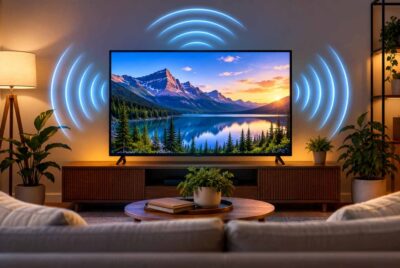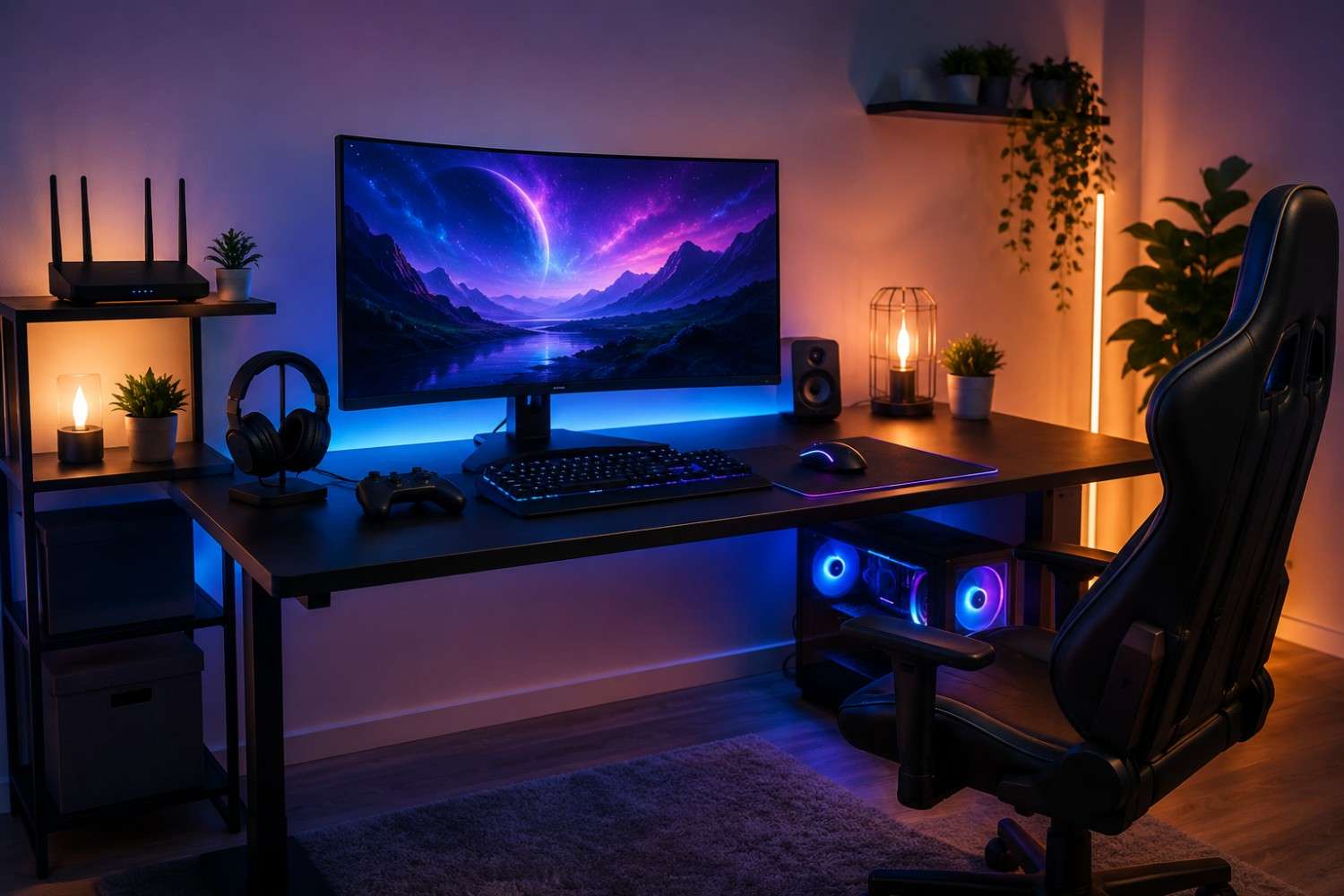
Gaming has become much more than an occasional hobby. For many people, it is a favorite way to relax after work, connect with friends online, or compete in organized tournaments. Whether you enjoy PC gaming, console gaming, racing simulators, or virtual reality experiences, chances are your gaming area contains several electronic devices operating at the same time. A powerful computer, multiple monitors, wireless accessories, smartphones, routers, and charging stations can all be part of a modern gaming station. If you’ve ever wondered how to create an EMF-friendly gaming setup, you’re certainly not alone.
Building an EMF-friendly gaming setup does not mean giving up the technology you enjoy. Instead, it focuses on making practical adjustments that may help reduce unnecessary electromagnetic field (EMF) exposure while maintaining the performance and comfort you expect from your gaming space. Many of the suggestions in this guide are simple, inexpensive, and can improve the overall organization of your gaming area at the same time.
In this article, we’ll look at what contributes to EMF exposure in a gaming room, how thoughtful equipment placement can make a difference, and several practical habits that may help you create a cleaner, more comfortable environment for long gaming sessions.
What Does “EMF-Friendly” Actually Mean?
Before making changes to your gaming space, it helps to understand what people mean when they refer to an EMF-friendly environment. The term does not imply eliminating every source of electromagnetic energy, since modern homes are filled with electrical devices that naturally produce electric and magnetic fields. Instead, it generally refers to reducing unnecessary exposure wherever practical while continuing to enjoy modern conveniences.
Electronic devices generate different types of electromagnetic fields. Household wiring creates electric and magnetic fields, while wireless devices such as Wi-Fi routers, Bluetooth accessories, and smartphones transmit radiofrequency (RF) signals to communicate with one another. These signals are a normal part of everyday life, but many people prefer to take reasonable steps to minimize exposure when possible.
Gaming areas can present a unique situation because players often remain seated within a relatively small space for extended periods. A gaming desk may place the player within close range of several powered devices simultaneously, including monitors, gaming computers, speakers, charging cables, and wireless accessories. While every individual will have different comfort levels regarding EMF awareness, organizing these devices thoughtfully can help create a gaming environment that feels cleaner, less cluttered, and more intentional.
It’s also important to remember that distance plays a significant role. In many situations, simply increasing the space between yourself and an electronic device can reduce your exposure far more effectively than purchasing additional accessories. Many of the recommendations throughout this guide focus on this simple principle.
Why Gaming Areas Can Have More EMF Than Other Rooms
Most rooms in a home contain a handful of electronic devices, but dedicated gaming spaces often bring many of them together into one compact location. While each individual device contributes only part of the overall picture, their combined presence makes the gaming area one of the more technology-heavy spots in many homes.
Think about a typical gaming desk. You may have a gaming PC with a powerful power supply, two or even three monitors, mechanical speakers, a Wi-Fi connection, wireless headphones, a Bluetooth controller, a smartphone charging nearby, and perhaps smart lighting that changes colors while you play. Each device serves a useful purpose, yet together they create a busy electronic environment.
Unlike watching television across the room, gaming usually places you within just a few feet of nearly everything. Your hands remain on the keyboard or controller, your eyes stay close to the monitor, and your body may sit near the computer tower for several hours at a time. This close proximity is one reason many gamers begin looking for simple ways to organize their equipment more effectively.
Wireless technology has also become increasingly common in gaming. Controllers, keyboards, mice, headphones, and even internet connections are often wireless by default. While these features add convenience, some gamers choose wired alternatives whenever practical to reduce the number of active wireless transmitters surrounding their gaming station.
Fortunately, creating a healthier gaming environment rarely requires replacing everything you own. Small adjustments to equipment placement, cable management, and wireless usage can often have a noticeable impact without affecting your overall gaming experience.
Start with the Right Desk Layout
One of the easiest improvements you can make involves the physical arrangement of your gaming equipment. Before purchasing any accessories or making major changes, take a few minutes to evaluate where everything sits in relation to your body. You may discover that a few simple adjustments can create a more comfortable and organized gaming station.
As you review your setup, consider the following recommendations:
- Position your gaming PC tower beneath or beside the desk instead of directly against your legs whenever possible.
- Leave several inches of open space behind your monitor to improve airflow and avoid pushing it directly against the wall.
- Keep frequently used accessories organized instead of piling electronics together in one area.
- Avoid placing your Wi-Fi router directly on the gaming desk if another nearby location works just as well.
- Route cables neatly using cable sleeves or clips to reduce clutter and improve airflow around electronic equipment.
- If you use multiple monitors, position them comfortably to avoid leaning forward unnecessarily during long gaming sessions.
These adjustments may seem minor individually, but together they can create a gaming area that feels more spacious and organized. Better cable management also makes cleaning easier, improves airflow around electronics, and can even extend the life of certain equipment by reducing dust buildup.
Laptop gamers have an additional consideration. Because laptops combine the processor, graphics card, battery, and display into one compact unit, they often rest directly on the user’s lap or very close to the body. Using a desk whenever possible provides greater separation while also improving posture during longer gaming sessions.
For those who regularly game on a laptop, the DefenderShield Laptop Pad is designed to provide a physical barrier between the laptop and your body while allowing comfortable use on your lap.
While products like this may appeal to individuals seeking additional peace of mind, thoughtful equipment placement should always be considered the first step. In many cases, increasing distance and organizing your gaming area effectively can be accomplished without spending much money at all.
Another factor worth considering is room ventilation. Gaming PCs and consoles generate heat during extended sessions, especially when running demanding games. Allowing adequate airflow around your equipment not only helps maintain performance but also encourages you to avoid stacking devices tightly together. A well-ventilated gaming area is generally more comfortable to spend time in and supports the long-term health of your electronics.
Finally, don’t overlook ergonomics. A monitor positioned at eye level, a supportive chair, and proper desk height can reduce physical strain during marathon gaming sessions. Although these adjustments are not directly related to EMF exposure, they contribute to an overall healthier gaming environment that supports comfort, posture, and long-term enjoyment.
Choose Wired Accessories When Possible
One of the simplest ways to reduce the number of active wireless signals around your gaming station is to use wired accessories whenever they make sense for your style of gaming. Fortunately, many wired peripherals are still extremely popular, especially among competitive gamers who appreciate their reliability and low latency. While wireless devices have improved dramatically over the years, a wired connection eliminates the need for Bluetooth or other wireless communication between the accessory and your computer or console.
If you’re setting up or upgrading your gaming area, consider which devices truly need to be wireless. A keyboard and mouse that rarely leave the desk may work just as well with a cable. Likewise, if your gaming console or PC sits close to your display, a wired controller might be just as convenient while reducing the number of wireless signals operating nearby.
Some gamers also choose wired headsets instead of Bluetooth models. Besides reducing wireless transmissions, wired headsets never need charging and often provide consistent audio quality without concerns about battery life during long gaming sessions.
Another worthwhile improvement is replacing a Wi-Fi internet connection with a wired Ethernet connection whenever practical. Ethernet cables provide fast, stable internet speeds and are often preferred for online gaming because they can reduce lag and connection interruptions.
If your router is close enough to your gaming station, using a quality Ethernet cable is one of the easiest upgrades you can make.
A dependable option is a Cat6 Ethernet Cable, available in several lengths to suit different room layouts. Link to Amazon.com.
Not every gaming setup can be completely wired, and that’s perfectly fine. The goal is not perfection but making reasonable choices that fit your home and your gaming habits. Even replacing one or two wireless accessories with wired alternatives may help simplify your setup while improving reliability.
Position Your Wi-Fi Router Carefully
Many people never think about where their Wi-Fi router sits after installing it. Unfortunately, convenience often places the router directly beside a computer monitor or even underneath a gaming desk. While this location may provide an excellent wireless signal, it also places an active transmitter very close to where you spend hours gaming.
Whenever possible, consider relocating the router to another area of the room or even another nearby room if your home’s layout allows it. Modern routers typically provide strong coverage throughout an average-sized home, so moving the device several feet away may have little effect on internet performance while increasing the distance between you and the router.
If moving the router is not practical, placing it on a shelf or cabinet a reasonable distance from your chair can still help. Avoid positioning it directly beside your legs or underneath your desktop where it remains only inches away throughout your gaming sessions.
Another useful habit is reviewing your router’s settings from time to time. Many people leave guest networks enabled even though they are rarely used. Disabling unnecessary features may simplify your home network while reducing background wireless activity. Likewise, older devices that no longer connect to your network can often be removed from your router’s management page.
Reduce Unnecessary Wireless Devices
Many gaming stations accumulate electronic devices over time. What starts as a simple monitor and console often grows into a collection of accessories that remain powered on whether you’re actively using them or not.
Take a look around your gaming desk. You may notice a smartwatch charging nearby, a tablet connected to Wi-Fi, Bluetooth headphones waiting on a stand, a smartphone charging beside your keyboard, and perhaps even a smart speaker listening for voice commands. While each device serves a purpose, not all of them need to remain active during every gaming session.
One useful habit is turning off wireless features when they are not needed. If you aren’t using Bluetooth headphones today, consider switching Bluetooth off until you need them again. If your tablet isn’t being used, placing it in airplane mode or turning it off entirely may reduce unnecessary wireless activity around your gaming space.
Many gamers also keep their smartphones directly beside their keyboard throughout an entire evening of play. Unless you’re expecting an important call or message, placing the phone a few feet away on another table can be an easy adjustment that also helps reduce distractions while gaming.
Gaming consoles themselves often include wireless functions that can be managed through their settings menus. Depending on your setup, you may have options to disable Bluetooth accessories that are no longer paired or disconnect unused devices.
These small changes require very little effort but encourage a more organized and intentional gaming environment. Instead of allowing electronics to remain active simply because they always have been, you become more aware of what is actually necessary during your gaming sessions.
Manage Charging Habits
Charging stations are another part of many gaming setups that often receive little attention. Controllers, headsets, smartphones, tablets, wireless keyboards, and rechargeable mice all need regular charging, which can quickly lead to a desk crowded with cables and power adapters.
Rather than plugging everything into one overloaded power strip beside your chair, consider creating a dedicated charging area slightly away from your primary gaming position. A nearby shelf, cabinet, or side table can keep charging devices organized without placing them directly next to where you spend most of your time.
It’s also a good habit to unplug chargers when they are no longer needed. While many modern chargers consume only a small amount of standby electricity, disconnecting unused adapters helps reduce clutter and keeps your gaming area looking cleaner.
Organizing cables can make a surprisingly big difference as well. Cable sleeves, reusable Velcro ties, and under-desk cable trays prevent cords from tangling while improving airflow around your equipment. An organized gaming station is easier to clean and often feels more enjoyable to use.
If you’re looking for a reliable way to organize multiple devices, a quality surge protector with plenty of outlets can simplify cable management.
One option is a Surge Protector Power Strip, available in several configurations. Link to Amazon.com.
Remember that good organization serves several purposes. Besides making your setup more visually appealing, it also encourages safer cable routing and makes it easier to identify devices that don’t need to remain plugged in all the time.
Measure Your Gaming Area
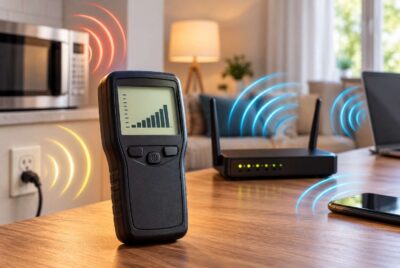
If you’re serious about understanding the electromagnetic environment in your gaming room, one of the most valuable tools you can own is an EMF meter. Rather than guessing where stronger readings might occur, a meter allows you to measure different parts of your gaming setup and make decisions based on actual observations.
Many people are surprised to discover that EMF levels can vary significantly depending on where they take measurements. Moving only a foot or two away from a device may produce noticeably different readings. Likewise, the back of a monitor may produce different measurements than the front, and a Wi-Fi router may show stronger readings nearby than across the room.
Using a meter also helps prioritize improvements. Instead of changing everything at once, you can identify which devices produce the strongest readings in your particular setup and decide whether relocating or reorganizing them makes sense.
As you explore your gaming area, consider measuring locations such as:
- Around your gaming PC or console.
- Near your Wi-Fi router.
- In front of and behind your monitors.
- Beside your gaming chair.
- Around charging stations and power strips.
- Near wireless accessories while they are in use.
Keeping notes of your readings before and after making adjustments can be both educational and reassuring. You may discover that simple changes, such as moving your router or repositioning your computer tower, have a measurable impact.
If you’re interested in monitoring your own environment, the Safe and Sound Pro II RF Meter is a respected option that allows homeowners to measure radiofrequency signals from wireless devices.
Remember that an EMF meter is best viewed as an educational tool. It helps you understand your surroundings and make informed decisions rather than relying on assumptions or generalized advice. By seeing actual measurements in your own gaming room, you can focus your efforts where they are likely to have the greatest benefit.
Affiliate Advertisement

Practical Daily Habits for an EMF-Friendly Gaming Setup
The equipment you choose is only part of the equation. Your daily habits can also influence how organized and comfortable your gaming environment feels. Fortunately, many of the best practices require very little effort and can become second nature after a few weeks.
Rather than trying to change everything at once, focus on building simple routines that fit naturally into your gaming schedule. Small adjustments made consistently are often easier to maintain than major changes that quickly become inconvenient.
Consider incorporating the following habits into your routine:
- Turn off your gaming console or PC completely instead of leaving it running overnight.
- Switch wireless accessories off when they are not in use.
- Place your smartphone a few feet away from your gaming position instead of keeping it beside your keyboard.
- Take a short break every hour to stretch, walk around, and rest your eyes.
- Keep drinks, snacks, and unnecessary electronics away from your gaming desk to reduce clutter.
- Use Ethernet instead of Wi-Fi whenever it is practical.
- Keep your gaming room well ventilated, especially during long gaming sessions.
- Dust your equipment regularly to improve airflow and help cooling systems work efficiently.
- Charge controllers and headsets after gaming instead of leaving everything plugged in continuously.
- Review your setup every few months to see if new accessories have created unnecessary clutter.
These habits are beneficial for more than just EMF awareness. They can also improve posture, reduce eye strain, keep your equipment running efficiently, and make your gaming space feel cleaner and more enjoyable. Many gamers discover that an organized desk naturally encourages better habits in other areas as well.
Another helpful practice is establishing a clear beginning and end to your gaming sessions. When you’re finished playing, spend a minute organizing cables, putting controllers away, and shutting down equipment that doesn’t need to remain powered. This simple routine keeps your setup looking its best while reducing unnecessary energy consumption.
If several family members share the same gaming area, encourage everyone to follow similar habits. A shared commitment to keeping the space organized makes it easier to maintain over time and ensures that chargers, controllers, and accessories are available when needed.
Common Myths About Gaming and EMF
Because EMF is frequently discussed online, it’s easy to encounter information that is exaggerated or lacks important context. Understanding a few common misconceptions can help you make practical decisions based on reasonable expectations rather than unnecessary worry.
One common myth is that gaming computers automatically produce significantly more EMF than gaming consoles. In reality, both types of devices generate electromagnetic fields because they rely on electricity to operate. The exact levels depend on factors such as the device’s design, components, power usage, and how close you are to it during use.
Another misconception is that simply buying one accessory will completely solve every EMF concern. While certain products may complement an overall strategy, there is no single item that replaces thoughtful equipment placement, sensible wireless use, and good organizational habits. Creating a comfortable gaming environment usually involves several small improvements working together.
Some people also assume that larger monitors automatically create much higher EMF exposure. Monitor size alone does not determine electromagnetic emissions. Technology, power consumption, and viewing distance all contribute to the overall picture. Maintaining a comfortable viewing distance often has a greater impact than choosing between two similarly designed displays.
RGB lighting is another area where confusion sometimes arises. Color-changing keyboards, light strips, and illuminated computer cases are popular features in modern gaming setups. Although these lighting systems require electricity to operate, they are generally not considered the primary source of EMF exposure within a gaming station. Devices such as Wi-Fi routers, smartphones, and wireless accessories usually receive more attention when people are evaluating their setup.
Finally, some articles create the impression that every wireless signal poses the same level of exposure. In reality, different devices operate at different power levels and for different purposes. Understanding how your own equipment functions—and making practical adjustments where appropriate—is generally more helpful than assuming every device contributes equally.
Keeping a balanced perspective is important. The goal of creating a healthier gaming area is not to become fearful of technology but to use it thoughtfully. Modern electronics provide incredible entertainment, communication, and educational opportunities. With a little planning, you can enjoy those benefits while reducing unnecessary sources of exposure where it makes sense.
Bringing Everything Together
When people first begin learning about EMFs, it’s easy to think they need to replace every electronic device in their home. Fortunately, that’s rarely necessary. In most cases, the biggest improvements come from thoughtful organization, sensible equipment placement, and developing a few consistent habits.
Creating a comfortable gaming environment isn’t about eliminating technology. After all, gaming depends on technology. Instead, it’s about using that technology in a way that supports both enjoyment and peace of mind. Many of the recommendations discussed throughout this guide—such as increasing distance from devices, organizing cables, choosing wired accessories when practical, and relocating a Wi-Fi router—are inexpensive changes that also improve the appearance and functionality of your gaming space.
As technology continues to evolve, gaming rooms will likely include even more connected devices than they do today. Smart lighting, virtual reality systems, wireless peripherals, and cloud gaming services are becoming increasingly common. Building good habits now makes it easier to adapt as your setup grows in the future.
You also don’t have to implement every suggestion immediately. Start with one or two improvements that fit your space and budget. Perhaps that means moving your router to another shelf, connecting your computer with an Ethernet cable, or organizing the charging station beside your desk. Once those changes become routine, you can evaluate whether additional adjustments would be worthwhile.
An EMF-friendly gaming setup isn’t about achieving perfection. It’s about making informed choices that reduce unnecessary exposure while creating a gaming area that is organized, comfortable, and enjoyable to use. By focusing on practical improvements instead of complicated solutions, you can continue enjoying your favorite games with confidence while maintaining a space that reflects your personal preferences and overall wellness goals.
Frequently Asked Questions
Does sitting farther away from my monitor reduce EMF exposure?
In many cases, increasing the distance between yourself and electronic devices can reduce exposure to certain electromagnetic fields. It also promotes better ergonomics by encouraging a more comfortable viewing position during long gaming sessions.
Is Ethernet better than Wi-Fi for gaming?
From a performance standpoint, many gamers prefer Ethernet because it often provides a more stable connection with lower latency. Some people also choose Ethernet as part of their efforts to reduce the number of active wireless signals around their gaming station.
Should I avoid wireless gaming accessories completely?
Not necessarily. Wireless keyboards, mice, controllers, and headsets are convenient and work well for many gamers. If reducing wireless devices is one of your goals, simply replacing the accessories that spend the most time near you with wired versions can be a reasonable approach.
Is an EMF meter worth buying?
An EMF meter can be a helpful educational tool if you’re interested in understanding your home environment. It allows you to compare different locations and evaluate how changes to your gaming setup affect measured levels rather than relying on guesswork.
Can I still have an RGB gaming setup?
Absolutely. RGB lighting is largely a matter of personal preference. If you enjoy the appearance of illuminated keyboards, computer cases, or LED light strips, you can still incorporate them into a well-organized gaming area while focusing your EMF reduction efforts on factors such as equipment placement, wireless devices, and router location.
Final Thoughts
Building a gaming space that supports both performance and comfort doesn’t require expensive renovations or replacing every device you own. In many cases, the most meaningful improvements come from paying attention to how your equipment is arranged and developing simple daily habits that reduce unnecessary clutter and wireless activity.
Whether you’re an occasional gamer or someone who spends several hours each day at your desk, taking a thoughtful approach to your setup can help create a space that feels cleaner, more organized, and easier to enjoy. An EMF-friendly gaming setup is ultimately about balance – embracing the technology that makes gaming fun while making practical choices that align with your personal comfort and wellness goals.
Before You Go…
Get Weekly EMF Protection Tips
Enjoy this article? Join the EMFLuLu newsletter for simple weekly tips to reduce everyday EMF exposure from phones, WiFi routers, laptops, and smart home devices.
Try Our Free EMF Calculators
Curious how much EMF exposure you may experience each day?
These simple tools can help you estimate your exposure and identify possible problem areas in your home.
Try these free calculators:
Like this article? Pin it on Pinterest!


More to Explore