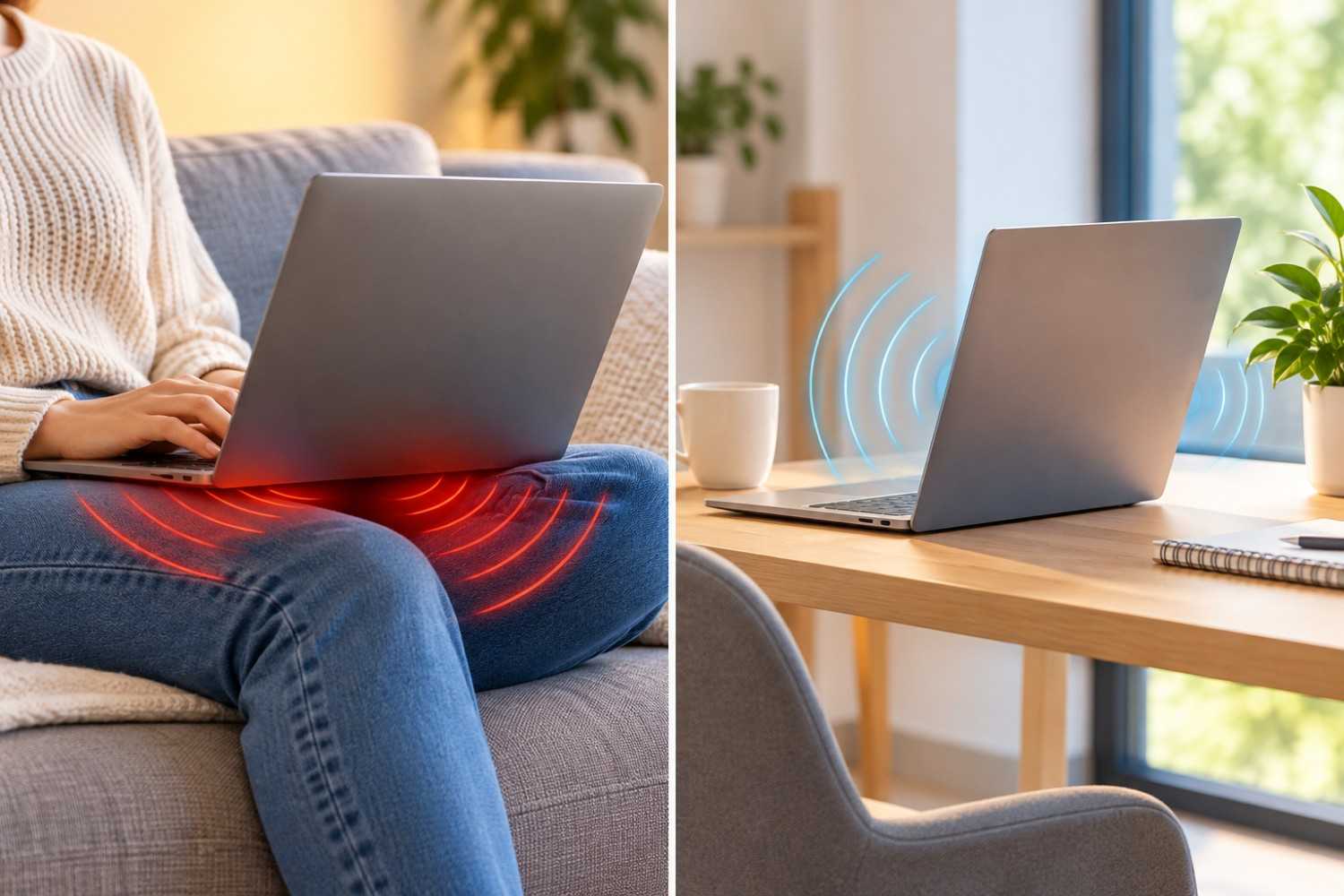
Laptops have become part of everyday life. Whether you are answering emails on the couch, watching a movie in bed, or finishing a work project at the kitchen table, the convenience of a portable computer is difficult to beat. However, placing a laptop directly on your legs raises an interesting question: Are you exposing your body to more electromagnetic fields than you would if the computer were sitting on a desk? Concerns about laptop EMF radiation have led some people to reconsider how and where they use their devices. While laptops do produce electromagnetic fields during normal operation, understanding what those fields are, how exposure changes with distance, and what scientific research actually shows is important before deciding whether there is a reason to change your habits.
The good news is that you do not have to stop using your laptop or purchase expensive protective equipment to make practical adjustments. In this article, we will examine where laptop EMF comes from, how using a desk compares with resting a computer on your lap, what researchers know about potential health effects, and several simple ways to reduce unnecessary exposure.
What Is Laptop EMF Radiation?
Electromagnetic fields, commonly called EMFs, are produced by electrical equipment and wireless communication systems. They exist throughout our environment, originating from sources such as electrical wiring, household appliances, smartphones, Wi-Fi routers, and computers.
A laptop is no exception. Because it contains electrical circuits, a processor, a battery, and often several wireless communication systems, it can produce different types of electromagnetic fields while operating.
However, not all EMFs are the same. Understanding the differences helps explain why laptop placement may affect exposure and why some commonly repeated claims about laptop radiation are misleading.
Radiofrequency Radiation From Wi-Fi and Bluetooth
Most modern laptops contain Wi-Fi and Bluetooth transmitters. These systems communicate using radiofrequency electromagnetic energy, which is a form of non-ionizing radiation.
Wi-Fi commonly operates in the 2.4 GHz, 5 GHz, and, on compatible devices and networks, 6 GHz frequency bands. Bluetooth generally uses the 2.4 GHz band.
When your laptop sends data over Wi-Fi, its wireless transmitter produces radiofrequency signals. The amount of energy transmitted varies depending on the device, connection quality, network activity, and other operating conditions.
For example, a laptop downloading a large file may have a different wireless transmission pattern than one displaying an offline document. However, the relationship is not always straightforward because receiving data and transmitting data are different activities.
Bluetooth devices also communicate using radiofrequency signals, although their transmission characteristics and power levels depend on the particular device.
These wireless emissions are different from ionizing radiation, such as X-rays, which carries enough energy per photon to remove electrons from atoms. Wi-Fi and Bluetooth signals do not have that capability.
Low-Frequency Electromagnetic Fields From Electrical Components
A laptop also contains electrical components that generate magnetic and electric fields during operation.
These fields can originate from power-management circuits, processors, internal wiring, charging equipment, and other components carrying electrical current.
Unlike Wi-Fi radiation, many of these fields occur at substantially lower frequencies. Their characteristics depend on the electrical activity inside the computer, the design of its circuitry, and the location where measurements are taken.
A laptop’s power adapter may also generate electromagnetic fields, particularly when connected to an electrical outlet and supplying power.
It is important to recognize that turning off Wi-Fi does not eliminate every electromagnetic field produced by a laptop. The computer still uses electricity, and its internal components continue operating.
Laptop Heat Is Not the Same as EMF Exposure
One of the most common sources of confusion involves laptop heat.
If you have ever used a laptop directly on your legs for an extended period, you may have noticed that its underside becomes warm. This heat is produced largely by the computer’s electrical components as they perform work.
Although thermal radiation is itself part of the electromagnetic spectrum, the warmth you feel from a laptop should not be confused with its Wi-Fi signals or low-frequency electromagnetic fields.
This distinction matters because heat-related effects are more clearly established than many of the health concerns attributed to everyday laptop EMF exposure.
Prolonged contact with a hot laptop can irritate the skin and, in some circumstances, contribute to a condition known as erythema ab igne, sometimes called toasted skin syndrome.
Therefore, even if electromagnetic exposure is not your primary concern, avoiding prolonged direct contact with a hot laptop is sensible.
Does Using a Laptop on Your Lap Increase EMF Exposure?
One of the most important factors affecting exposure to an electromagnetic field is the distance between your body and the source.
When a laptop rests directly on your legs, certain components may be only a small distance from your skin. If you move the same laptop onto a desk, the distance between those components and your thighs, abdomen, and reproductive organs generally increases.
That change can reduce exposure to some of the fields produced by the computer.
However, the amount of reduction depends on the laptop’s design, the location of its antennas and electrical components, its operating conditions, and your position relative to the device.
Why Distance Matters
Electromagnetic fields generally become weaker as you move farther from their source, although the precise relationship depends on the field and the measurement conditions.
You may have heard that electromagnetic radiation follows the inverse-square law, meaning that intensity decreases with the square of the distance.
That relationship can describe certain conditions involving radiation spreading from a source at sufficiently large distances. However, it should not automatically be applied to every electromagnetic field measured near a laptop.
Close to electrical circuits and antennas, the situation can be more complicated. The geometry of the source, the operating frequency, and whether the measurement occurs in the near field all influence the results.
Nevertheless, the practical principle remains useful: Increasing distance from an electromagnetic source can often reduce exposure.
What Happens When a Laptop Rests Directly Against Your Body?
When a laptop is placed directly on your thighs, your body is positioned close to the computer’s underside.
Depending on the model, electrical circuits, batteries, and other components may be located near that surface. Wireless antennas are often positioned around the display assembly, although their exact locations vary.
This means that placing the laptop on your legs does not necessarily put every EMF source at the same distance from your body.
Your thighs may be close to certain electrical components while your upper body remains relatively close to wireless antennas in the screen.
The actual exposure pattern can therefore vary considerably between laptop models.
Another consideration is that your body may affect the performance of nearby wireless antennas. Wireless devices are designed and tested with attention to how they operate near people, but their transmission behavior can change with positioning and signal conditions.
For these reasons, it would be inaccurate to claim that every laptop produces a specific amount of additional exposure simply because it is resting on someone’s lap.
Does Moving the Laptop to a Desk Help?
Moving a laptop onto a desk generally increases the distance between its underside and your legs. It also eliminates direct contact with the warm surface of the computer.
These are two meaningful differences.
First, increasing the distance from electrical components may reduce exposure to their electromagnetic fields at certain parts of the body.
Second, removing the laptop from your legs reduces direct heat exposure.
Using a desk also makes it easier to adjust the screen position and use an external keyboard, potentially improving comfort during longer sessions.
However, a desk does not automatically eliminate EMF exposure. The laptop continues producing electromagnetic fields while operating, and your hands, torso, or head may still be relatively close to certain components.
The main advantage is that you can create more separation and arrange your workspace more comfortably.
Laptop on a Desk vs. Laptop on Your Lap: What Actually Changes?
If you are deciding between using your laptop on your legs or placing it on a desk, it helps to compare the two arrangements across several practical factors.
EMF exposure is only one consideration. Heat, ventilation, posture, and the length of time you spend working can also affect your experience.
| Factor | Laptop on Your Lap | Laptop on a Desk |
| Distance from thighs | Usually direct contact | Generally greater separation |
| EMF exposure near legs | Potentially higher because of proximity | Often reduced through distance |
| Heat exposure | Warm underside may contact skin | Direct contact is avoided |
| Ventilation | Soft clothing or blankets may obstruct vents | Firm surfaces generally allow better airflow |
| Posture | May encourage bending the neck | Easier to improve screen position |
| Extended use | Can become uncomfortable | Usually more practical for long sessions |
The most important distinction is that moving a laptop onto a desk can change the exposure experienced by particular parts of your body. It does not necessarily reduce every type of exposure by the same amount.
For example, if you move a laptop from your thighs to a desk but continue leaning directly toward its screen, your upper body may remain close to its wireless antennas.
Using an external keyboard and positioning the screen at a comfortable distance can provide additional separation.
From a practical standpoint, a desk is generally the better arrangement for extended laptop use, even without assuming that normal laptop EMF exposure is dangerous.
Is Laptop EMF Radiation Harmful to Your Health?
The health implications of laptop EMF radiation deserve careful attention because online discussions sometimes combine established findings, preliminary research, and unsupported claims.
A laptop can produce measurable electromagnetic fields. However, detecting an electromagnetic field does not automatically mean that the exposure is harmful.
To evaluate health risks, researchers must consider the type of field, its intensity, the duration of exposure, and whether studies consistently demonstrate an adverse biological effect.
What Does Scientific Research Show?
Research into electromagnetic fields has examined a wide variety of possible health effects, including cancer, neurological symptoms, reproductive health, and other outcomes.
For radiofrequency exposure, the best-established adverse effect at sufficiently high levels is tissue heating. International exposure guidelines are designed to limit established adverse effects.
Ordinary wireless devices operate at much lower power levels than equipment designed to produce substantial heating.
Some studies have investigated whether long-term exposure to lower levels of radiofrequency energy could produce other biological effects. The findings have not established that normal laptop use causes cancer or other serious diseases.
In 2011, the International Agency for Research on Cancer classified radiofrequency electromagnetic fields as possibly carcinogenic to humans, known as Group 2B.
This classification reflects limited evidence and scientific uncertainty. It does not mean that laptop Wi-Fi has been proven to cause cancer.
It is also important to distinguish research involving different exposure sources. Findings from studies of mobile phones, occupational equipment, or experimental exposure systems cannot automatically be applied to laptops.
The World Health Organization provides additional background on electromagnetic fields and public-health considerations.
Can Using a Laptop on Your Lap Affect Fertility?
Fertility is one of the more frequently discussed concerns surrounding laptop use, particularly among men.
There are two separate issues to consider: heat exposure and electromagnetic exposure.
The testes function best at temperatures somewhat below normal core body temperature. Research has examined whether placing a warm laptop on the thighs can increase scrotal temperature.
A study published in Human Reproduction in 2005 investigated scrotal temperature changes associated with laptop positioning. The researchers observed increased temperatures during laptop use on the lap, influenced by both the computer’s heat and the position of the legs.
This finding is relevant because elevated testicular temperature can affect sperm production under certain conditions.
However, observing a temporary temperature increase does not establish that occasional laptop use causes infertility.
Other laboratory studies have examined whether radiofrequency exposure associated with wireless laptops affects sperm characteristics. Some have reported changes under experimental conditions, but these results do not establish that normal laptop use causes fertility problems in people.
Laboratory experiments involving sperm samples outside the body have limitations, including differences in exposure conditions and the absence of normal physiological processes.
For men who are concerned about reproductive health, using a desk is a straightforward way to avoid prolonged direct heat exposure.
It is a reasonable precaution, but it should not be presented as a proven treatment or prevention strategy for infertility.
Affiliate Advertisement

What About Children and Teenagers?
Children and teenagers frequently use laptops for school assignments, entertainment, communication, and online learning.
Parents may wonder whether younger people are more vulnerable to electromagnetic exposure.
Research continues to examine potential differences in exposure and health outcomes across age groups. However, there is no established evidence that ordinary laptop EMF exposure causes specific diseases in children.
For younger users, practical concerns such as posture, screen time, eye strain, sleep habits, and device temperature are often more immediate.
A stable desk, comfortable chair, appropriate screen position, and regular breaks can help create a healthier computer-use environment.
Parents who wish to reduce unnecessary wireless exposure can also consider turning off unused wireless features or using a wired connection when convenient.
These adjustments should be viewed as optional precautions rather than responses to a demonstrated danger from everyday laptop use.
What Do Public Health Organizations Say?
Public-health organizations generally evaluate electromagnetic exposure according to frequency, intensity, and established scientific evidence.
The World Health Organization and other scientific bodies recognize that electromagnetic fields can produce biological effects under certain conditions, while also emphasizing the importance of exposure levels and the quality of available evidence.
For consumers, the important distinction is between a measurable field and a demonstrated health hazard.
A laptop producing electromagnetic emissions does not, by itself, establish that its use is unsafe.
At the same time, people who prefer to reduce unnecessary exposure can make simple adjustments without needing to assume that serious health consequences will occur if they do not.
How to Reduce Laptop EMF Exposure Without Giving Up Your Computer
If you want to reduce unnecessary electromagnetic exposure, several practical steps can help you change how you use your laptop.
These adjustments generally require little effort, and many provide additional benefits related to comfort, ventilation, and workspace organization.
You do not need to follow every suggestion. The most useful changes are those that fit naturally into your daily routine.
1. Use a Desk or Table Whenever Possible
Placing your laptop on a desk is one of the easiest ways to increase the distance between its underside and your body.
Instead of resting directly against your thighs, the computer sits on a separate surface.
This can reduce exposure to electromagnetic fields from components near the bottom of the laptop, while also preventing prolonged contact with its heat.
A desk is particularly helpful when working for several hours because it allows you to maintain a more consistent and comfortable position.
2. Increase the Distance Between Your Laptop and Your Body
You do not necessarily need to move your laptop across the room to change your exposure.
Even modest adjustments in positioning can increase your distance from certain electromagnetic sources.
For example, using an external keyboard allows you to position the laptop screen farther away while keeping your hands in a comfortable typing position.
An external monitor can provide even more flexibility, allowing the laptop itself to remain off to the side.
There is no single scientifically established distance that every laptop user must maintain to prevent EMF-related health problems.
The appropriate arrangement depends on the equipment, its operating conditions, and your comfort.
3. Turn Off Wi-Fi When You Do Not Need It
Wi-Fi is a source of radiofrequency emissions, so disabling it stops the laptop’s Wi-Fi radio from transmitting while it remains disabled.
This may be useful when writing an offline document, reviewing downloaded files, or working with software that does not require an internet connection.
However, turning off Wi-Fi does not eliminate electromagnetic fields generated by the laptop’s other electrical components.
If Bluetooth remains active, it may continue producing radiofrequency signals as well.
4. Consider Using a Wired Ethernet Connection
A wired Ethernet connection allows a laptop to communicate with a network without relying on its Wi-Fi radio.
If you connect through Ethernet and disable Wi-Fi, you eliminate the laptop’s Wi-Fi transmissions during that period.
This can be a practical option for someone who works at the same desk every day.
A wired connection may also offer advantages in connection stability, depending on your network.
However, Ethernet equipment and laptop electronics still use electricity and can generate electromagnetic fields. A wired setup is not an entirely EMF-free environment.
5. Disable Bluetooth When It Is Not Being Used
Bluetooth is convenient for connecting wireless headphones, keyboards, mice, and other accessories.
However, if you are not using Bluetooth devices, there is little reason to keep the feature enabled solely for convenience.
Turning it off prevents the laptop’s Bluetooth radio from transmitting while disabled.
The reduction in overall exposure may be small, particularly because many Bluetooth devices operate at relatively low power.
Still, disabling unused wireless functions is an uncomplicated option for people who prefer to minimize unnecessary transmissions.
6. Keep the Laptop’s Ventilation Openings Clear
Proper ventilation is important for both performance and comfort.
When a laptop rests on a blanket, pillow, or soft clothing, its ventilation openings may become partially obstructed.
This can cause the cooling system to work harder and may allow the computer’s surface temperature to increase.
A firm desk or properly designed laptop stand generally provides a more stable surface and helps keep vents unobstructed.
This recommendation primarily addresses heat management rather than electromagnetic radiation.
7. Position Charging Equipment Sensibly
Laptop chargers and power adapters contain electrical components that can generate electromagnetic fields during operation.
The intensity and distribution of these fields depend on the adapter’s design and electrical load.
You can keep the adapter on the floor or another suitable surface rather than resting it directly against your body.
Make sure it remains dry, well ventilated, and positioned according to the manufacturer’s instructions.
There is no need to assume that a properly functioning laptop charger is dangerous simply because it produces measurable electromagnetic fields.
Do Laptop EMF Shields and Radiation-Blocking Pads Actually Work?
A growing number of products are marketed as laptop radiation shields, EMF-blocking pads, and protective barriers.
Some are designed to sit between the laptop and the user’s legs, while others claim to block or redirect electromagnetic energy.
Before purchasing one, it is important to understand what these products can and cannot do.
How Laptop EMF Shields Are Supposed to Work
Certain shielding materials can attenuate electromagnetic fields under specific conditions.
For example, conductive materials may reduce some radiofrequency emissions when appropriately designed and positioned.
However, effectiveness depends on several factors, including the frequency of the field, the properties of the shielding material, its coverage, and the direction from which the field reaches the user.
A product that reduces exposure to one frequency range may not provide the same reduction at another.
Some low-frequency magnetic fields are especially difficult to shield using ordinary conductive fabrics or thin barriers.
Therefore, a general claim that a product blocks nearly all EMF should be examined carefully.
What Should You Look for Before Buying?
If you are considering a laptop EMF shield, review its specifications rather than relying only on promotional language.
Useful information includes the frequencies tested, the measurement methods, the position of the shield during testing, and whether independent laboratory results are available.
It is also worth checking whether the product blocks ventilation openings or affects wireless connectivity.
A shield positioned near a wireless antenna can sometimes alter antenna performance, and a device may adjust its transmission behavior in response to connection conditions.
This means that a shielding claim does not necessarily describe how the entire laptop-and-user system behaves during normal use.
Is a Laptop Stand a Better First Step?
For many readers, a regular laptop stand or desk is a more practical starting point than specialized shielding equipment.
A stand can elevate the laptop, improve its position, and create additional separation between the computer and your body.
Unlike products marketed for radiation protection, a conventional stand does not need to make special EMF-blocking claims to provide these benefits.
If your main concern is using a warm laptop directly on your legs, a firm lap desk that supports the computer without obstructing its vents may also be useful.
At present, there is insufficient evidence to conclude that buying a consumer laptop EMF shield improves health outcomes compared with ordinary laptop use.
For that reason, I would prioritize distance, comfortable positioning, and ventilation before considering specialized accessories.
Frequently Asked Questions About Laptop EMF
Several questions come up repeatedly when people learn that laptops generate electromagnetic fields.
The answers below address common concerns while separating practical exposure-reduction measures from claims that have not been established by scientific research.
Is It Safe to Use a Laptop on Your Lap Every Day?
There is no established evidence that ordinary laptop EMF exposure during normal use causes serious health problems. However, prolonged direct contact with a hot laptop can irritate the skin and increase local temperature. Using a desk is a sensible option for comfort and heat management.
Does a Laptop Emit EMF When Wi-Fi Is Turned Off?
Yes. Disabling Wi-Fi stops the Wi-Fi radio from transmitting, but the laptop still contains electrical circuits that generate electromagnetic fields during operation. Bluetooth may also continue transmitting unless it is disabled separately.
Is Laptop EMF Higher When the Computer Is Charging?
Charging can change the electrical currents and electromagnetic fields associated with the laptop and its power adapter. However, this does not mean that every laptop produces higher exposure at every location while charging. Actual measurements depend on the device, operating conditions, and measurement position.
How Far Should a Laptop Be From Your Body?
There is no universal distance that every person must maintain to avoid health effects from ordinary laptop use. Increasing separation can reduce exposure to certain fields, but the amount varies. A desk and external keyboard can make additional distance easier to maintain.
Can a Laptop Stand Reduce EMF Exposure?
A laptop stand may reduce exposure at certain parts of the body by increasing the distance from the computer. However, an ordinary stand should not be assumed to block electromagnetic fields. Its primary benefits are improved positioning, ventilation, and reduced direct contact.
Is Laptop Heat More Concerning Than Laptop Radiation?
For everyday laptop use, direct heat exposure has more clearly established potential effects than the unproven health concerns often associated with low-level laptop EMF. Prolonged contact with a hot laptop can cause skin irritation and may increase temperature around the thighs and reproductive organs.
Conclusion: Should You Keep Your Laptop Off Your Lap?
Using a laptop on a desk is generally a sensible choice, particularly when you spend long periods working, studying, or browsing the internet.
Moving the computer away from your legs can reduce exposure to some electromagnetic fields by increasing distance. It also eliminates direct contact with the laptop’s warm underside and makes it easier to maintain comfortable posture and proper ventilation.
However, the presence of laptop EMF radiation does not automatically mean that using a laptop on your lap is dangerous. Current scientific evidence has not established that ordinary laptop EMF exposure causes serious health problems.
If you want to reduce unnecessary exposure, start with simple adjustments. Use a desk when practical, consider an external keyboard, turn off wireless functions when they are not needed, and keep ventilation openings clear.
These changes can make laptop use more comfortable while reducing some sources of exposure, without requiring expensive accessories or dramatic changes to your routine.
Ultimately, the best approach is to understand what your laptop emits, recognize what research has and has not demonstrated, and make informed decisions based on reliable evidence.
Before You Go…
Get Weekly EMF Protection Tips
Enjoy this article? Join the EMFLuLu newsletter for simple weekly tips to reduce everyday EMF exposure from phones, WiFi routers, laptops, and smart home devices.
Try Our Free EMF Calculators
Curious how much EMF exposure you may experience each day?
These simple tools can help you estimate your exposure and identify possible problem areas in your home.
Try these free calculators:
Like this article? Pin it on Pinterest!


More to Explore