Summer is the perfect time for family vacations, weekend getaways, camping adventures, and cross-country drives. Whether you’re heading to a national park, relaxing at the beach, or visiting relatives, today’s road trips often include plenty of technology. Smartphones provide navigation, passengers stream music and movies, Bluetooth keeps us connected hands-free, and many newer vehicles even offer built-in Wi-Fi hotspots. These conveniences make traveling easier than ever, but they also create questions for people interested in reducing unnecessary electromagnetic field (EMF) exposure.
Understanding road trip EMF exposure doesn’t mean avoiding technology or feeling anxious every time you get behind the wheel. Instead, it’s about learning where common sources of EMFs are found inside a vehicle and making practical choices that fit your comfort level. Small adjustments, such as downloading entertainment before leaving home or placing your phone somewhere other than your pocket during a long drive, can be simple habits that many travelers choose to adopt.
In this guide, we’ll explore where EMFs may come from during summer road trips, discuss practical ways to reduce unnecessary exposure, and offer realistic tips that allow you to stay connected while enjoying your vacation. The goal is to provide balanced information so you can decide which strategies make the most sense for you and your family.
Why Summer Road Trips Can Increase EMF Exposure
Summer road trips often mean spending several hours – or sometimes entire days – inside a vehicle. During that time, it’s common for multiple electronic devices to operate simultaneously. A driver may be following GPS directions on a smartphone while music streams through Bluetooth speakers. Children in the back seat might be watching downloaded movies on tablets, while other passengers browse social media or answer emails. Every device contributes to the electronic environment inside the vehicle.
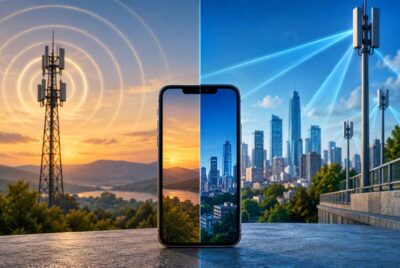
Unlike being at home, road trips also involve constant movement through different cellular coverage areas. As your vehicle travels from one town to another, your phone regularly communicates with nearby cell towers to maintain service. In areas where the signal is weaker, such as rural highways or mountainous regions, a phone may increase its transmitting power as it works to stay connected. This doesn’t necessarily mean exposure levels become dangerous, but it helps explain why some people who are interested in EMF awareness pay closer attention to how they use their devices while traveling.
Vehicles themselves have also become increasingly sophisticated. Modern cars feature advanced infotainment systems, wireless key fobs, backup cameras, radar sensors, tire pressure monitoring systems, satellite radio, Bluetooth connectivity, and, in many models, built-in Wi-Fi capabilities. While each individual system serves a useful purpose, together they create a different electronic environment than drivers experienced just a couple of decades ago.
For most travelers, these technologies provide significant convenience and improve safety. GPS navigation helps prevent getting lost, hands-free calling allows drivers to keep their attention on the road, and emergency communication is always within reach. Understanding these benefits alongside potential sources of EMF allows people to make informed decisions rather than reacting out of fear.
Another reason summer travel deserves special attention is simply the amount of time spent inside the vehicle. Someone who commutes twenty minutes each day has a different experience than a family driving eight hours to a vacation destination. Longer trips naturally increase the amount of time electronic devices are being used, making it worthwhile to consider small habits that may help reduce unnecessary exposure whenever practical.
Common Sources of EMF Inside a Vehicle
When many people think about EMFs in a car, smartphones immediately come to mind. While phones are certainly one of the primary sources of radiofrequency (RF) energy inside a vehicle, they are far from the only one. Understanding where EMFs originate can help you prioritize simple adjustments without feeling the need to eliminate every electronic device. Most sources are everyday technologies that millions of people use without giving them much thought, and many of them serve important purposes during travel.
Smartphones
Your smartphone is typically the largest source of radiofrequency emissions you’ll personally use during a road trip. It communicates with nearby cellular towers for phone calls, text messages, internet access, navigation updates, and app notifications.
Signal strength plays an important role in how much power a phone uses. When coverage is excellent, the phone generally doesn’t need to work as hard to maintain a connection. During long stretches of highway, especially in remote areas, the phone may increase its transmission power while searching for stronger service.
Navigation apps deserve particular attention because many people use them continuously for hours. Real-time traffic updates, alternate routes, weather alerts, and map downloads all require regular communication with cellular networks unless maps have been downloaded ahead of time.
This doesn’t mean you should avoid using navigation apps. Instead, placing the phone in a dashboard mount rather than carrying it in a pocket or resting it directly against your body can be one simple adjustment for those interested in minimizing close-range exposure.
Bluetooth Connections
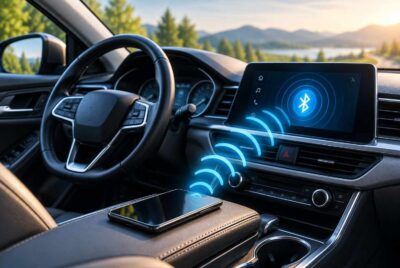
Bluetooth has become one of the most common wireless technologies inside vehicles. Drivers use it for hands-free phone calls, streaming music, podcasts, and connecting various accessories.
Compared with cellular signals, Bluetooth typically operates at much lower power levels and over much shorter distances. Even so, some people prefer to disable Bluetooth whenever they are no longer actively using it. Doing so also helps conserve battery life on mobile devices.
If Bluetooth is only being used occasionally during a trip, turning it off between uses is a simple habit that requires very little effort.
Built-In Vehicle Wi-Fi
Many newer vehicles include integrated Wi-Fi hotspots that allow passengers to connect laptops, tablets, gaming systems, and multiple smartphones during long trips.
For families traveling with children, this feature can be incredibly convenient. Kids can stream movies, complete schoolwork, or browse the internet without relying entirely on cellular data.
However, if nobody plans to use the hotspot during a particular drive, leaving it turned off eliminates one additional wireless signal operating inside the vehicle. Many owners don’t even realize their hotspot is enabled because it activates automatically after being configured.
Checking your vehicle’s settings before beginning a long trip can help ensure only the wireless features you actually need are running.
Tablets and Entertainment Devices
Tablets have become nearly essential for keeping children entertained during long drives. Downloaded movies, educational games, digital books, and coloring apps can make hours on the road much more enjoyable.
When content has already been downloaded over Wi-Fi at home, tablets placed in Airplane Mode can often continue playing movies, reading books, or running many games without requiring continuous wireless communication. This approach not only reduces battery consumption but also eliminates unnecessary cellular or Wi-Fi transmissions during the drive.
Parents may find that preparing entertainment before leaving home creates a smoother travel experience while reducing the temptation to constantly stream new content.
Smart Watches and Wearable Devices
Many travelers now wear smart watches that remain connected to their smartphones throughout the day. These devices exchange information using Bluetooth and may also connect directly to cellular networks if equipped with independent service plans.
Health tracking, notifications, navigation prompts, and emergency features all make smart watches useful travel companions. Individuals who wish to reduce wireless activity can often customize which features remain active during a road trip without giving up the device entirely.
USB Chargers and Charging Cables
Charging phones throughout a long drive has become second nature for many travelers. While USB charging cables themselves are not significant sources of radiofrequency emissions, charging often goes hand in hand with continued phone use. Navigation apps, streaming music, and internet browsing all continue operating while the device charges.
If you’ve downloaded maps and entertainment in advance, your phone may spend less time transmitting data while connected to the charger. This can also help preserve battery life during extended trips.
Keeping charging cables organized also reduces clutter around the driver, helping maintain focus on the road.
Vehicle Electronics
Today’s automobiles contain dozens of electronic systems working together behind the scenes. Backup cameras, adaptive cruise control, blind-spot monitoring, collision avoidance sensors, wireless key systems, satellite radio, digital dashboards, and tire pressure monitoring systems all contribute to the vehicle’s functionality.
Hybrid and electric vehicles add additional electrical components, including high-voltage battery systems and electric motors. These systems naturally produce electromagnetic fields as part of their operation. Research continues to evaluate exposures in different vehicle designs, and measurements vary considerably depending on the manufacturer, model, operating conditions, and seating position.
For the average traveler, these built-in systems provide important safety and convenience benefits. Rather than trying to eliminate them, many people interested in EMF awareness focus primarily on reducing unnecessary wireless device usage that is easier to control.
Practical Ways to Reduce Road Trip EMF Exposure
Understanding where EMFs originate inside a vehicle is only the first step. The next question many travelers ask is, “What can I realistically do about it?” Fortunately, reducing unnecessary exposure doesn’t require giving up modern conveniences or purchasing expensive equipment. Many of the most practical strategies involve changing a few everyday habits before and during your trip.
The goal isn’t to create a perfectly EMF-free vehicle, which simply isn’t realistic in today’s connected world. Instead, many people choose a precautionary approach by reducing wireless activity whenever it can be done without sacrificing safety or convenience. These small adjustments are often easy to incorporate into your travel routine and may also improve battery life, reduce distractions, and make the trip more enjoyable.
Download Maps Before You Leave Home
Navigation apps have become one of the most valuable travel tools available. Whether you’re driving across town or across the country, having turn-by-turn directions helps eliminate stress and keeps your trip on schedule.
One easy way to reduce unnecessary wireless communication is to download maps before leaving home. Many popular navigation apps allow users to save maps for offline use while connected to a home Wi-Fi network.
With offline maps already stored on your phone, the app doesn’t need to continuously download map data throughout the drive. You’ll still receive basic navigation in many situations while reducing the amount of cellular data being transmitted. This approach also provides an added benefit if you travel through rural areas where cell service becomes unreliable.
It’s a simple step that takes only a few minutes before your vacation begins but can provide convenience throughout the trip.
Download Movies, Podcasts, and Music
Streaming entertainment has become second nature for many families, especially during long drives. However, continuous streaming requires an ongoing wireless connection that remains active for hours.
Instead, consider downloading your favorite entertainment while you’re still at home using your home internet connection. Most major music and video services allow subscribers to save content for offline playback.
Downloaded playlists, podcasts, audiobooks, and movies continue working even when your phone or tablet is placed in Airplane Mode. Besides reducing wireless activity, downloaded content prevents interruptions caused by poor cellular coverage and often conserves battery power.
Children especially benefit from this preparation because their favorite shows remain available even when traveling through areas with little or no cell service.
Use Airplane Mode Whenever Practical
Airplane Mode is one of the easiest tools available for reducing wireless communication from smartphones and tablets.
Many people assume Airplane Mode is only useful while flying, but it can also be helpful during road trips. If a child is watching a movie that has already been downloaded, there’s often no need for the tablet to remain connected to Wi-Fi or cellular networks throughout the drive.
Similarly, if you’re taking a break from checking messages or browsing social media, temporarily enabling Airplane Mode allows the device to stop searching for cellular signals while still performing many offline functions.
Of course, Airplane Mode isn’t practical when you’re actively using navigation, making calls, or waiting for important messages. The key is simply recognizing when an internet connection isn’t necessary.
Keep Your Phone Away From Your Body
One of the simplest habits many EMF-conscious travelers adopt has nothing to do with changing phone settings. Instead, it’s simply about where the phone is kept during the drive.
It’s common for people to carry their phone in a front pocket, jacket pocket, or directly against their body while seated in the vehicle for several hours. Placing the phone in a cup holder, center console, dashboard mount, or another nearby location creates additional distance between the device and your body.
Distance is important because radiofrequency energy decreases rapidly as you move farther from the source. Even moving a phone several inches away instead of keeping it pressed against your body can significantly reduce direct exposure.
If you’re using the phone for GPS navigation, a dashboard mount also improves visibility and allows you to glance at directions without taking your eyes far from the road.
Use Speakerphone or Wired Earbuds
Long conversations while driving can make a road trip pass more quickly, especially during solo travel. If you expect to spend time on phone calls, consider using speakerphone or a pair of wired earbuds when it is safe and legal to do so.
These options create more distance between the phone itself and your head compared to holding the device directly against your ear throughout a lengthy conversation.
Many newer vehicles also offer integrated hands-free calling systems that allow drivers to keep both hands on the wheel while speaking.
No matter which option you choose, keeping your attention focused on driving should always remain the highest priority.
Turn Off Bluetooth When You Don’t Need It
Bluetooth is extremely convenient, and many drivers rely on it every day. However, there are plenty of times during a trip when it simply isn’t being used.
If you’re no longer streaming music or expecting phone calls, disabling Bluetooth is a quick way to eliminate another active wireless connection. The same applies to wireless earbuds, smart watches, or other accessories that remain paired even when they aren’t actively doing anything.
Although Bluetooth operates at relatively low power, turning it off when unnecessary is a simple habit that takes only a few seconds.
Disable Vehicle Wi-Fi If Nobody Is Using It
Many modern vehicles include built-in Wi-Fi hotspots, but not every trip requires internet access for every passenger.
If everyone has already downloaded movies, music, or books before leaving home, the hotspot may not be needed at all. Checking your vehicle settings before departing allows you to confirm whether the feature is enabled.
Besides reducing one wireless signal inside the cabin, disabling unused Wi-Fi may also help reduce unnecessary battery usage within the vehicle’s electronic systems.
Save Longer Phone Calls for Rest Stops
Road trips naturally create opportunities to catch up with friends and family, but not every conversation needs to happen while the vehicle is moving.
If a discussion is likely to last twenty or thirty minutes, consider waiting until your next fuel stop or rest area. You’ll be able to focus more completely on the conversation while also giving yourself an opportunity to stretch your legs.
Regular breaks benefit drivers in many ways. They help reduce fatigue, improve concentration, and encourage healthier travel habits during long summer drives.
Affiliate Advertisement

Road Trip EMF Tips for Families
Family vacations often involve more electronic devices than solo travel. Parents may have smartphones for navigation and communication, while children bring tablets, handheld gaming systems, wireless headphones, and portable chargers. It’s easy for several devices to be operating at the same time without anyone giving it much thought.
Rather than eliminating these conveniences, families can make a few thoughtful decisions before leaving home that simplify the trip while reducing unnecessary wireless activity. Many of these habits also reduce stress because everyone knows their entertainment is ready before the vehicle even leaves the driveway.
Prepare Children’s Entertainment Before Departure
Children become restless much more quickly when they’re bored during a long drive. Downloading favorite movies, television shows, educational apps, audiobooks, and games before leaving home helps avoid constant streaming throughout the trip.
Parents often find that a little preparation leads to fewer interruptions, fewer requests for internet access, and a smoother vacation overall.
Keep Devices Off Children’s Laps When Possible
When children spend several hours watching movies or playing games, many naturally rest tablets directly on their laps.
Whenever practical, consider using seat-back tablet holders or travel trays that position the screen slightly farther away. Besides creating additional viewing comfort, these accessories also help children maintain better posture during long rides.
Create Charging Times Instead of Constant Charging
It’s common for every device to remain plugged in throughout an entire vacation drive, even when batteries are nearly full.
Instead, consider charging devices only when necessary. Rotating charging times among family members keeps batteries topped off without having every cable and charger operating continuously.
This approach also encourages children to take occasional breaks from screens and enjoy the scenery outside.
Encourage Screen Breaks
Road trips create wonderful opportunities to notice landscapes, wildlife, interesting towns, and roadside attractions.
Every hour or so, encourage everyone to put devices away for a few minutes and simply enjoy the journey. Besides reducing screen time, these breaks often lead to memorable conversations and shared experiences that become part of the vacation itself.
Many families discover that some of their favorite travel memories come from spontaneous moments rather than from staring at a screen.
Organize Electronics Before Leaving
One overlooked way to make a trip smoother is simply organizing electronics before departure.
Gather charging cables, battery packs, earbuds, tablets, and phones into one travel organizer so everything has a designated place. This reduces clutter inside the vehicle and prevents passengers from constantly searching for cables while driving.
A well-organized vehicle is not only more comfortable but also allows the driver to remain focused on the road instead of helping locate misplaced electronics.
Camping Stops and Hotel Stays
A summer road trip rarely consists only of driving. Most vacations include overnight hotel stays, campground visits, cabin rentals, or time spent relaxing at a destination before continuing the journey. These breaks offer a good opportunity to recharge both yourself and your electronic devices. They also provide another chance to reduce unnecessary wireless activity if that aligns with your personal preferences.
Just as you may establish a comfortable bedtime routine at home, you can adopt similar habits while traveling. None of these suggestions require major changes, but together they can help create a more relaxing environment after a long day on the road.
Charge Devices Away From the Bed
Many travelers place their phone on the nightstand while it charges overnight. Although this is certainly convenient, some people prefer charging phones, tablets, and smart watches several feet away from the bed whenever possible.
Doing so has a couple of practical benefits. First, it helps reduce the temptation to continue checking emails, social media, or news long after it’s time to sleep. Second, if the device is actively communicating with cellular networks or downloading updates overnight, it isn’t located immediately beside your head.
A desk, dresser, or countertop across the room often works just as well for overnight charging.
Use Airplane Mode While Sleeping
If you don’t expect important overnight phone calls or messages, placing your phone in Airplane Mode before going to bed is another simple option.
Many people already do this to conserve battery life while traveling. If you still want to use your phone as an alarm clock, Airplane Mode generally allows that function to continue working without interruption.
Of course, if you’re waiting for emergency calls or important travel updates, remaining connected may be the better choice. The goal is simply to use the setting when it fits your travel plans.
Turn Off Wireless Features You Aren’t Using
After arriving at your hotel or campsite, it’s easy to forget that Bluetooth, Wi-Fi, or other wireless connections remain enabled even when they aren’t being used.
Taking a quick look through your device settings before settling in for the evening allows you to disable features that aren’t needed until the following morning.
This habit also helps extend battery life, which can be especially useful while camping or staying somewhere with limited charging opportunities.
Enjoy Time Outdoors
One of the greatest benefits of a summer vacation is spending more time outside.
Whether you’re hiking, relaxing beside a lake, enjoying a picnic, or simply sitting around a campfire with family, these activities naturally encourage people to spend less time focused on electronic devices.
Choosing to unplug for part of the day doesn’t require complicated planning. Even setting your phone aside for an hour while enjoying nature can help create a more relaxing travel experience.
Should You Be Concerned About EMFs During Road Trips?
After learning about the different electronic systems inside today’s vehicles, it’s natural to wonder whether they present a meaningful health concern. The honest answer is that researchers continue to study EMFs, particularly radiofrequency energy from wireless devices, and scientific discussion remains ongoing.
Major public health organizations generally state that current exposure limits for consumer devices are designed to provide a substantial safety margin for the general public. At the same time, some researchers and health advocates encourage additional study and support practical precautionary measures, especially when those measures are easy to adopt and don’t interfere with everyday life.
For many people, this balanced perspective makes the most sense.
Rather than feeling worried every time they use a smartphone or drive a newer vehicle, they simply choose habits that reduce unnecessary wireless activity whenever practical. Downloading maps ahead of time, keeping a phone off the body during long drives, or disabling unused wireless features are all examples of reasonable steps that require very little effort.
Ultimately, every traveler has a different comfort level. Some people may decide to make only one or two small changes, while others may adopt several of the suggestions discussed throughout this article. There isn’t a single right approach, and understanding your options allows you to make informed decisions based on your own preferences.
Conclusion
Summer road trips create lasting memories with family and friends, allowing us to explore new places while enjoying the freedom of the open road. Modern technology has undoubtedly made traveling easier, providing instant navigation, emergency communication, entertainment, and countless conveniences that previous generations never experienced.
At the same time, becoming more aware of road trip EMF exposure allows travelers to make thoughtful decisions about how they use those technologies. Downloading entertainment before leaving home, placing your phone somewhere other than your pocket, turning off wireless features you aren’t using, and taking occasional breaks from screens are all simple habits that many people find worthwhile.
The purpose of these suggestions isn’t to create fear or encourage anyone to avoid technology altogether. Instead, they’re intended to help you become a more informed traveler who uses technology intentionally while still enjoying all the benefits it provides.
Whether your next summer adventure is a weekend getaway, a cross-country vacation, or a family camping trip, even a few small adjustments can help create a more organized, comfortable, and mindful travel experience. By focusing on practical choices rather than perfection, you can spend less time thinking about your devices and more time making memories that will last long after the journey ends.
Before You Go…
Get Weekly EMF Protection Tips
Enjoy this article? Join the EMFLuLu newsletter for simple weekly tips to reduce everyday EMF exposure from phones, WiFi routers, laptops, and smart home devices.
Try Our Free EMF Calculators
Curious how much EMF exposure you may experience each day?
These simple tools can help you estimate your exposure and identify possible problem areas in your home.
Try these free calculators:
Like this article? Pin it on Pinterest!


More to Explore