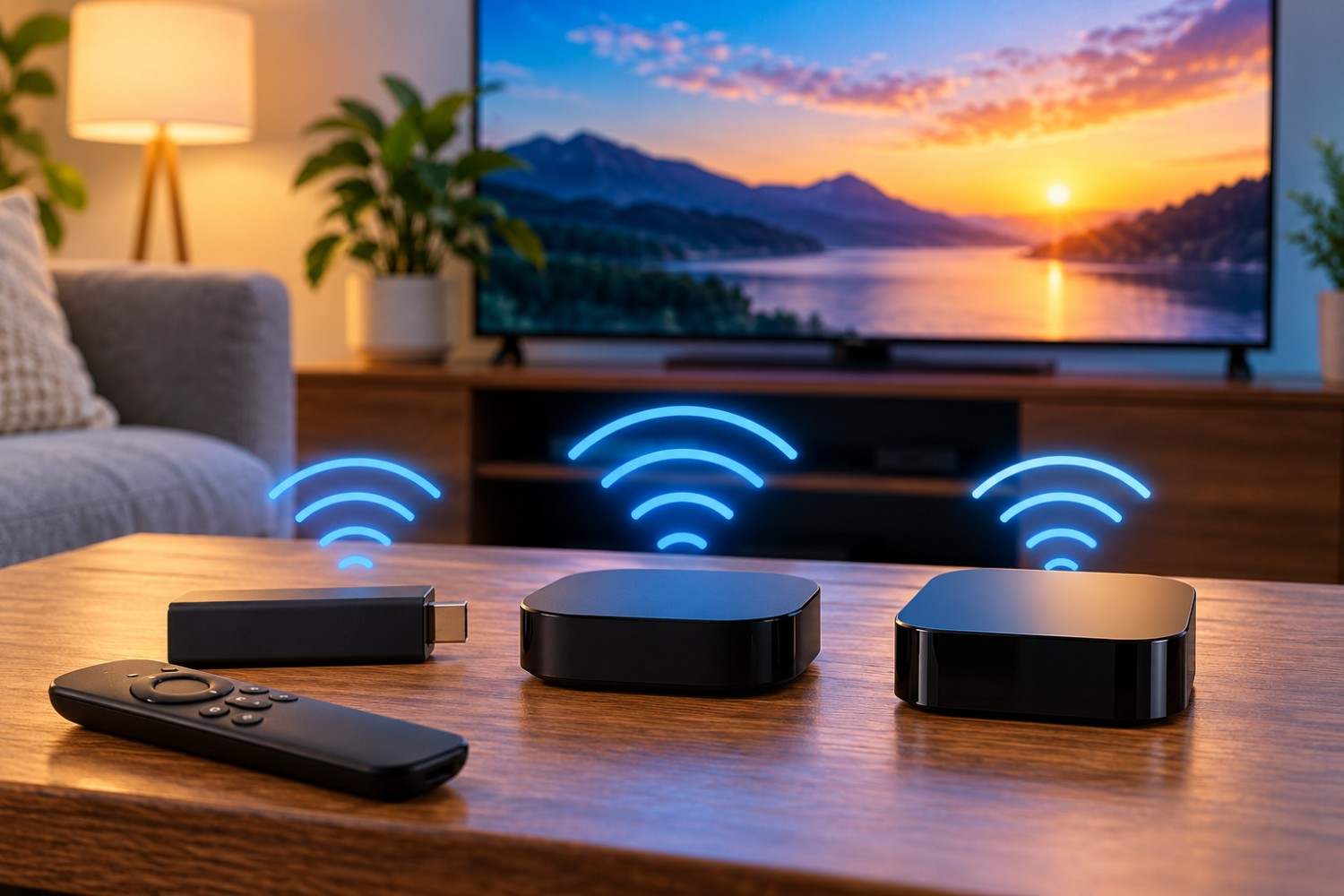
Streaming devices have changed how people watch television. Instead of relying on traditional cable boxes or satellite receivers, millions of households now use compact devices such as Roku, Amazon Fire TV, and Apple TV to access movies, television shows, live sports, and streaming services. These devices are convenient, relatively inexpensive, and easy to install. However, because many depend on wireless technology, some homeowners have questions about the electromagnetic fields they produce.
Streaming device radiation refers primarily to the radiofrequency (RF) electromagnetic energy associated with wireless communications such as WiFi and Bluetooth. Although these signals are an ordinary part of modern electronics, understanding where they originate, how they operate, and whether they present any established health risks can help consumers make informed decisions.
A streaming device may be small enough to hide behind a television, but it can communicate with a router, remote control, wireless headphones, and other connected equipment. The type and amount of wireless activity depend on the particular device, its settings, and how it is being used.
This article examines how Roku, Amazon Fire TV, and Apple TV produce electromagnetic fields, how their wireless features compare, what scientific research says about RF exposure, and what practical steps homeowners can take if they prefer to reduce unnecessary wireless transmissions.
What Is Streaming Device Radiation?
To understand the electromagnetic fields associated with streaming devices, it helps to understand what radiation means in the context of consumer electronics. The word radiation sometimes creates unnecessary concern because people associate it with X-rays, radioactive materials, or nuclear energy. However, electromagnetic radiation includes a much broader range of energy, including visible light, radio waves, and infrared energy.
Streaming devices that use WiFi and Bluetooth transmit and receive radiofrequency electromagnetic energy. This energy is classified as non-ionizing radiation, meaning its individual photons do not carry enough energy to remove tightly bound electrons from atoms or molecules.
That distinction is important because ionizing radiation, such as X-rays and gamma rays, can directly damage biological molecules through ionization. Radiofrequency signals operate through a different physical mechanism.
WiFi commonly operates in the 2.4 GHz and 5 GHz frequency bands, with some newer devices supporting 6 GHz connections. Bluetooth generally uses the 2.4 GHz band. These frequencies allow electronic devices to exchange information without physical network cables.
The presence of RF emissions does not automatically mean that a device presents a health hazard. Whether an exposure creates a biological effect depends on several factors, including signal strength, frequency, duration, and the amount of energy absorbed by the body.
For consumers, the useful distinction is between a device producing measurable electromagnetic energy and scientific evidence demonstrating that a particular exposure is harmful. These are not the same thing.
How Do Streaming Devices Produce EMF?
Streaming devices contain electronic components that process video, connect to networks, and communicate with accessories. Each function may involve different types of electromagnetic fields.
The most relevant sources for a typical household are WiFi connections, Bluetooth communications, and electrical components inside the device and its power supply.
WiFi Signals
WiFi is usually the primary wireless connection for a streaming device. When someone selects a movie on Netflix, Hulu, YouTube, or another streaming service, the device requests data through the home network.
The router sends information to the streaming device, and the streaming device sends information back. This communication allows the equipment to establish connections, request additional video data, and maintain network activity.
A streaming device does not necessarily transmit continuously at its maximum available power. Wireless communication typically occurs in bursts, and the amount of activity changes according to network conditions, streaming quality, background processes, and other factors.
For example, a device playing a high-resolution video may exchange more data than one sitting idle on its home screen. However, increased data traffic does not necessarily translate into a proportionate increase in measured RF exposure because transmission power and timing also matter.
WiFi signals may also remain active when a television is turned off, particularly if the streaming device continues receiving electrical power.
Bluetooth Connections
Bluetooth is another common wireless technology found in streaming equipment. Depending on the model, it may connect remote controls, headphones, speakers, game controllers, or other accessories.
Bluetooth uses short-range radiofrequency communication. Its power levels vary according to the device and Bluetooth implementation.
A Bluetooth remote generally exchanges much smaller amounts of information than a streaming device receiving video over WiFi. Nevertheless, both technologies contribute to the wireless environment surrounding the television.
Not every streaming device or remote uses Bluetooth. Some models use infrared commands, proprietary radiofrequency connections, or combinations of technologies.
Electrical and Power-Related EMF
Streaming devices also contain processors, circuit boards, voltage regulators, and power supplies. Like other electrical equipment, these components produce electromagnetic fields during operation.
These fields differ from the radiofrequency signals used for wireless networking.
For example, a power adapter may produce low-frequency or switching-related electromagnetic fields, while the WiFi radio produces signals at much higher frequencies.
Understanding these differences matters when measuring EMF. A meter designed to measure low-frequency magnetic fields may not detect WiFi radiation accurately, while an RF meter may not measure the magnetic fields surrounding a power adapter.
Roku Radiation: What Wireless Signals Does Roku Emit?
Roku is one of the most recognizable streaming platforms, offering compact streaming sticks, standalone players, and televisions with built-in Roku functionality.
Although these products share the Roku operating system, their wireless capabilities are not identical.
Most Roku streaming devices use WiFi to connect to the internet. Depending on the model, the connection may operate over 2.4 GHz, 5 GHz, or other supported wireless bands.
When a Roku device streams a television program, it receives video and audio data through the home network. It also communicates with Roku services and may perform software updates or other background activities.
The type of remote control matters as well. Some Roku remotes use infrared technology, while others communicate through radiofrequency connections. Bluetooth features are available on certain Roku products, but should not be assumed to exist on every model.
Does Roku Emit Radiation When the Television Is Off?
One important consideration is that turning off a television does not always turn off an attached Roku streaming player.
Many streaming sticks receive power through a USB connection or external power adapter. If that connection continues supplying electricity, the Roku may remain powered even when the television screen is dark.
The device may maintain its network connection or perform occasional background communication.
This does not mean it is transmitting continuously at full power. It simply means that television power status and streaming-device power status are not necessarily identical.
Someone interested in reducing unnecessary wireless activity can check how their particular Roku receives power and whether it remains connected when the television is off.
Can Roku Use a Wired Internet Connection?
Some Roku devices support Ethernet connections. For example, Roku Ultra models have offered built-in Ethernet ports, allowing them to connect directly to a compatible router or network switch.
Certain other Roku configurations may support wired connections through compatible accessories, although compatibility must be checked for the exact model.
A wired connection can eliminate the need to use WiFi for streaming data when the device is properly configured. However, it does not automatically establish that every wireless radio inside the equipment has been disabled.
For someone selecting a new streaming player and interested in wired networking, Ethernet compatibility is worth considering before purchasing.
Amazon Fire TV Stick EMF: How Does It Compare?
Amazon Fire TV devices are popular alternatives to Roku. The Fire TV family includes compact HDMI streaming sticks and other streaming products with different hardware capabilities.
Like Roku, most Fire TV Stick models rely primarily on WiFi for internet access.
When a Fire TV Stick streams video, it communicates with the home router using supported wireless frequencies. The particular WiFi standards depend on the device generation.
Some newer Fire TV products support more advanced wireless technologies, including WiFi 6 or WiFi 6E. These standards can improve network performance, especially in homes with multiple connected devices.
However, a newer wireless standard does not automatically mean a device produces more or less RF exposure than an older model.
Actual emissions depend on operating conditions, transmission power, signal quality, and other technical characteristics.
Fire TV Remotes and Bluetooth Accessories
Fire TV devices may also use Bluetooth to communicate with compatible accessories, including headphones, controllers, and certain remotes.
Alexa Voice Remote functionality allows users to search for entertainment, control playback, and interact with supported features.
When someone presses a button or uses voice commands, the remote communicates with the Fire TV device using the technology supported by that particular model.
The wireless activity associated with remote-control commands is generally different from the much larger flow of data involved in streaming a movie.
Does a Fire TV Stick Transmit When Not in Use?
A Fire TV Stick may remain powered while the television is turned off, depending on how it receives electricity.
Some devices remain connected to WiFi while idle and may periodically communicate with network services.
Software updates, background processes, and connection maintenance can contribute to this activity.
Placing the device into a sleep or standby state may reduce some operations, but it should not be assumed to disable all wireless communication.
If a homeowner wants to ensure that a Fire TV Stick is no longer transmitting, disconnecting its power is a more definitive option than simply turning off the television.
Can Fire TV Use Ethernet Instead of WiFi?
Certain Fire TV devices support wired internet connections through compatible Ethernet adapters.
An Ethernet adapter allows the streaming device to receive network data through a physical cable rather than relying on WiFi for its primary internet connection.
However, not every adapter works with every Fire TV model. Compatibility, power requirements, and network capabilities should be confirmed before purchasing an accessory.
For households seeking to minimize wireless networking around the television, a compatible wired configuration may be useful.
Apple TV Radiation: Is Apple TV Different?
Apple TV differs from many streaming sticks because it is a standalone streaming box rather than a small device designed to plug directly into an HDMI port.
Apple TV models combine powerful processors, wireless connectivity, and integration with other Apple products.
Modern Apple TV devices support WiFi and Bluetooth, while selected configurations also include Ethernet connectivity.
Some Apple TV models support additional smart-home networking features, such as Thread, which uses low-power radio communications.
These capabilities make Apple TV versatile, but they also mean the device may contain several wireless communication systems.
Apple TV WiFi Activity
Like Roku and Fire TV, Apple TV uses WiFi to receive streaming content when connected wirelessly.
It may also communicate with Apple services, download updates, synchronize information, and interact with other devices on the home network.
The amount of network activity changes depending on whether someone is actively streaming, navigating menus, or leaving the device idle.
Apple TV’s wireless capabilities do not, by themselves, establish that it creates higher or lower RF exposure than competing products.
Reliable comparisons would require controlled measurements of specific devices under comparable operating conditions.
Bluetooth and Other Wireless Features
Apple TV supports Bluetooth connections for compatible accessories, including certain controllers and audio devices.
Depending on the model and configuration, it may also communicate with smart-home accessories or participate in other wireless functions.
These additional capabilities are useful, but homeowners who want to limit wireless activity should understand which features are enabled and whether they are necessary.
Disabling an unused feature may reduce a particular type of communication, but the effect depends on how the device is designed.
Apple TV and Ethernet Connections
One advantage of certain Apple TV models is built-in Ethernet connectivity.
For example, the third-generation Apple TV 4K was offered in a WiFi-only 64GB configuration and a 128GB WiFi + Ethernet configuration.
The Ethernet-equipped version can connect directly to a home network through a cable.
This provides an alternative to WiFi for internet streaming and may improve connection stability in locations where wireless signals are weak or congested.
However, connecting an Apple TV to Ethernet does not necessarily turn off Bluetooth, Thread, or every other wireless feature.
Consumers should review the specifications and settings for their exact model rather than assuming that a wired connection disables all RF transmissions.
Roku vs. Fire TV vs. Apple TV: Which Produces Less EMF?
After examining the three platforms, it is reasonable to wonder which produces the least electromagnetic energy.
Unfortunately, there is no reliable universal ranking that applies to every Roku, Fire TV, and Apple TV model.
Streaming devices vary in their wireless hardware, antenna designs, operating systems, and networking features. Even two identical devices may operate differently depending on their surroundings.
For example, a streaming player located far from its router may behave differently from one with an excellent wireless connection. Nearby interference, connected accessories, and background activity can also influence transmissions.
The following comparison summarizes common connectivity features rather than attempting to rank devices by radiation levels.
| Feature | Roku | Amazon Fire TV | Apple TV |
| WiFi connectivity | Yes | Yes | Yes |
| Bluetooth connectivity | Model-dependent | Available on many models | Yes on modern models |
| Ethernet option | Select models or compatible accessories | Select models or compatible adapters | Select models |
| Wireless remote functionality | Model-dependent | Model-dependent | Model-dependent |
| Wireless activity while idle | Possible | Possible | Possible |
There is not enough comparable measurement data to conclude that one streaming platform consistently produces less RF exposure than the others.
For someone who wants to reduce wireless networking, the more useful question may be which specific model supports the desired wired connections and allows unnecessary wireless features to be turned off.
Is Streaming Device Radiation Harmful to Your Health?
Health concerns are often the main reason people investigate streaming device radiation. Since streaming equipment can remain powered for many hours, some homeowners wonder whether prolonged exposure to its wireless signals could affect their health.
The scientific evidence requires a careful distinction between established effects, ongoing research, and claims that have not been demonstrated.
Radiofrequency energy can produce heating when absorbed at sufficiently high levels. This is a well-established biological effect and an important consideration in RF exposure standards.
Consumer wireless equipment operates under applicable regulatory requirements intended to limit exposure.
Major public-health organizations have reviewed research on radiofrequency electromagnetic fields, particularly from mobile phones and wireless communication technologies.
The U.S. Food and Drug Administration has stated that the weight of scientific evidence has not linked cell phone RF exposure with health problems. The World Health Organization has also reviewed the broader evidence concerning wireless technologies and health.
However, the absence of established harm from typical compliant wireless exposures should not be confused with a claim that every possible long-term question has been definitively answered.
Research continues into radiofrequency exposure, including potential biological effects and long-term health outcomes.
Affiliate Advertisement

What About Cancer Concerns?
In 2011, the International Agency for Research on Cancer classified radiofrequency electromagnetic fields as possibly carcinogenic to humans, known as Group 2B.
This classification reflected limited evidence available at the time and did not establish that ordinary WiFi exposure causes cancer.
It is also important to recognize that much of the research underlying public discussions of RF exposure concerns mobile phones, which are often used directly against the body.
A streaming device positioned near a television may create a different exposure situation.
The distance between the device and the person, its transmitting power, and its operating behavior all influence exposure.
Scientific findings involving one category of wireless equipment should not automatically be treated as direct measurements of another.
Does Distance Make a Difference?
Distance is an important factor in RF exposure.
In general, the strength of radiofrequency fields decreases as a person moves farther from a transmitting source, although the exact relationship depends on antenna characteristics, reflections, and the surrounding environment.
A streaming device located several feet away from a couch will generally create a different exposure situation from a transmitting device held directly against the body.
This is one reason the physical placement of equipment matters when discussing household wireless exposure.
For most people, ordinary use of compliant streaming devices does not represent an established health hazard. Still, homeowners who prefer to minimize unnecessary wireless activity can take straightforward steps without sacrificing access to entertainment.
How to Reduce Wireless Signals From Streaming Devices
Reducing unnecessary wireless activity does not require abandoning streaming services or purchasing expensive accessories.
The most practical approach is to understand which connections are necessary and whether a simpler configuration can accomplish the same task.
The following methods can help homeowners who prefer to limit wireless transmissions around their televisions.
1. Use Ethernet Whenever Practical
One of the most direct ways to reduce reliance on WiFi is to connect a compatible streaming device to the home network using Ethernet.
A wired connection carries network data through a physical cable instead of using WiFi for that connection.
This can also provide a stable connection for high-resolution streaming, particularly in homes with weak wireless coverage or network congestion.
It is important to remember that Ethernet does not automatically disable every wireless radio. Bluetooth remotes and other features may continue functioning.
For readers who already own Ethernet-compatible equipment, a standard network cable may be all that is needed.
2. Avoid Placing Streaming Equipment Immediately Beside Seating Areas
Streaming devices are often installed behind televisions, on entertainment stands, or inside media cabinets.
When arranging a room, there is usually no reason to place a streaming device directly beside someone’s head or another frequently occupied position.
Keeping the equipment near the television rather than immediately beside a chair or bed is a simple way to increase separation.
This is a precautionary preference rather than a response to demonstrated harm from normal streaming-device use.
3. Review Unused Wireless Accessories
Some streaming setups include Bluetooth headphones, wireless speakers, game controllers, and additional remote controls.
Each connected accessory may introduce another wireless communication link.
If an accessory is rarely used, disconnecting it or turning it off may eliminate unnecessary transmissions from that accessory.
However, removing an accessory will not necessarily change the WiFi activity required for streaming video.
4. Turn Off Devices That Are Not Needed
Many streaming devices remain powered even after the television is turned off.
This can be convenient because it allows faster startup, automatic updates, and background connectivity.
However, if a device will not be used for an extended period, disconnecting its power can stop its own wireless transmissions.
Users should follow manufacturer instructions and avoid disconnecting power during software updates or other important operations.
Unplugging a streaming device is not necessary for health protection under ordinary conditions, but it can be an option for someone who wants to reduce unnecessary powered equipment.
5. Review Network and Device Settings
Streaming platforms may offer settings related to wireless networking, Bluetooth accessories, automatic updates, and other connected features.
The available options depend on the model and software version.
Before changing settings, homeowners should identify which connections are required for their preferred streaming services.
For example, turning off WiFi without configuring a working Ethernet connection may prevent a streaming device from accessing the internet.
A sensible approach is to make one change at a time and confirm that the device continues working as expected.
Should You Measure EMF Around Your Streaming Device?
Some homeowners prefer to measure electromagnetic fields rather than relying only on device specifications.
An RF meter can provide information about radiofrequency signals in a particular location. However, selecting the correct instrument and understanding its limitations are important.
Not every EMF meter measures the same frequencies. Some instruments detect low-frequency magnetic fields, while others are designed for radiofrequency signals such as WiFi.
An RF meter may detect signals from several sources simultaneously, including a router, neighboring wireless networks, smartphones, and streaming equipment.
This makes it difficult to attribute every reading to one particular device.
How to Compare Readings
A homeowner interested in investigating a streaming setup can begin by measuring the room under ordinary conditions.
Next, the streaming device can be disconnected from power, and the measurement repeated from the same position.
The device can then be powered on and measured while idle and during active streaming.
Repeating these measurements may reveal differences in the local RF environment, although the results should not be treated as laboratory-grade exposure assessments.
Because WiFi signals are intermittent and reflected by nearby objects, readings can fluctuate substantially.
A consumer meter may be useful for identifying signal activity, but it cannot diagnose a health condition or establish that a particular reading is harmful.
For most households, purchasing a specialized meter is not necessary simply because a streaming device is present.
Frequently Asked Questions About Streaming Device EMF
Does Roku Emit Radiation When the Television Is Off?
It can. If a Roku streaming device continues receiving power after the television is turned off, it may remain connected to WiFi and perform background communications.
Whether this occurs depends on the Roku model, its power source, and its operating state.
Does a Fire TV Stick Continuously Transmit WiFi Signals?
A Fire TV Stick may periodically transmit wireless signals while connected to a network, including during idle periods.
However, this does not mean it is transmitting continuously at maximum power.
The timing and intensity of transmissions vary with network activity and device behavior.
Does Apple TV Still Emit Wireless Signals When Connected to Ethernet?
It may. Ethernet can replace WiFi as the primary network connection, but Bluetooth, Thread, or other wireless features may remain available depending on the Apple TV model and settings.
A wired internet connection should not be assumed to disable every wireless transmitter.
Is It Better to Unplug a Streaming Device at Night?
Unplugging a streaming device stops wireless transmissions originating from that device while it is unpowered.
Whether doing so is worthwhile depends on personal preferences, convenience, and the desire to reduce unnecessary electricity use.
There is no established medical requirement to unplug a compliant streaming device at night solely to prevent RF exposure.
Can a Streaming Device Affect EMF Levels in a Bedroom?
Yes. A powered streaming device using wireless communications can contribute to the radiofrequency environment of a bedroom.
However, the overall exposure may also include signals from the router, smartphones, smart televisions, neighboring networks, and other equipment.
The presence of detectable RF energy does not, by itself, establish a health risk.
Conclusion: Understanding Streaming Device Radiation
Roku, Amazon Fire TV, and Apple TV make it easy to access entertainment without traditional cable television. Their wireless capabilities are central to that convenience, allowing streaming devices to communicate with home routers, remote controls, headphones, and other accessories.
Understanding streaming device radiation begins with recognizing that WiFi and Bluetooth use non-ionizing radiofrequency energy. These emissions can be measured, but their presence does not automatically indicate that a device is harmful.
Current scientific evidence has not established that ordinary use of compliant streaming equipment creates a health hazard. At the same time, understanding the technology can help homeowners make informed choices about how their devices operate.
For those who prefer to reduce unnecessary wireless activity, practical options include using Ethernet where supported, reviewing unused wireless accessories, increasing distance from equipment, and powering off devices when they are not needed.
The most useful approach is to focus on accurate information and straightforward adjustments rather than assuming that every wireless signal represents a danger.
Before You Go…
Get Weekly EMF Protection Tips
Enjoy this article? Join the EMFLuLu newsletter for simple weekly tips to reduce everyday EMF exposure from phones, WiFi routers, laptops, and smart home devices.
Try Our Free EMF Calculators
Curious how much EMF exposure you may experience each day?
These simple tools can help you estimate your exposure and identify possible problem areas in your home.
Try these free calculators:
Like this article? Pin it on Pinterest!

More to Explore