Smart TVs have become the center of many home entertainment systems. Instead of simply receiving a cable signal or displaying a DVD, today’s televisions can stream movies, connect to apps, communicate with wireless speakers, pair with Bluetooth remotes, and stay connected to a home WiFi network. All of that connectivity may lead to a reasonable question: What about smart TV radiation? Does a WiFi-connected television emit electromagnetic fields, and if it does, should you do anything about it?
The short answer is that a smart TV can emit several forms of non-ionizing electromagnetic energy. WiFi and Bluetooth communication involve radiofrequency (RF) electromagnetic fields, while the electrical components inside the television can also produce low-frequency electric and magnetic fields. That does not mean a smart TV should automatically be considered dangerous. “Radiation” is a broad term, and the non-ionizing RF energy associated with consumer wireless devices is fundamentally different from ionizing radiation such as X-rays.
For people interested in reducing unnecessary EMF exposure in their homes, however, a smart TV is worth understanding. In this article, we’ll look at where its EMF comes from, how WiFi and Bluetooth contribute, why distance matters, whether Ethernet can reduce wireless activity, and how you can measure your own television setup instead of simply guessing.
Do Smart TVs Emit Radiation?
Yes. A smart TV can emit electromagnetic energy from several sources, including its wireless communication systems and electrical components.
The most important distinction is the type of radiation involved. The word “radiation” can sound alarming because many people immediately associate it with X-rays or radioactive materials. Those are forms of ionizing radiation, which carry enough energy to ionize atoms.
WiFi and Bluetooth use radiofrequency electromagnetic energy, which is non-ionizing. Your television’s electrical components can also create extremely low-frequency electric and magnetic fields.
Therefore, asking whether a television emits radiation is only the beginning of the discussion. More useful questions include what type of EMF is being produced, how strong it is where you normally sit, how often the wireless transmitters are active, and whether there are simple ways to reduce unnecessary exposure if that is your goal.
A television connected through WiFi may communicate with your router while you’re streaming a movie, opening an app, downloading an update, or performing other network activities. Bluetooth may also be active if the television communicates with a remote, headphones, speakers, game controller, or another accessory.
Where Does Smart TV EMF Come From?
A modern television is really a collection of technologies contained within one device. Understanding smart TV radiation is easier when you separate those technologies instead of thinking of the television as one single EMF source.
WiFi
WiFi is one of the most obvious sources of radiofrequency energy from a smart television.
If your television connects wirelessly to your home network, information must travel between the TV and the router. When you stream Netflix, YouTube, Hulu, or another service, the television receives data through that wireless connection.
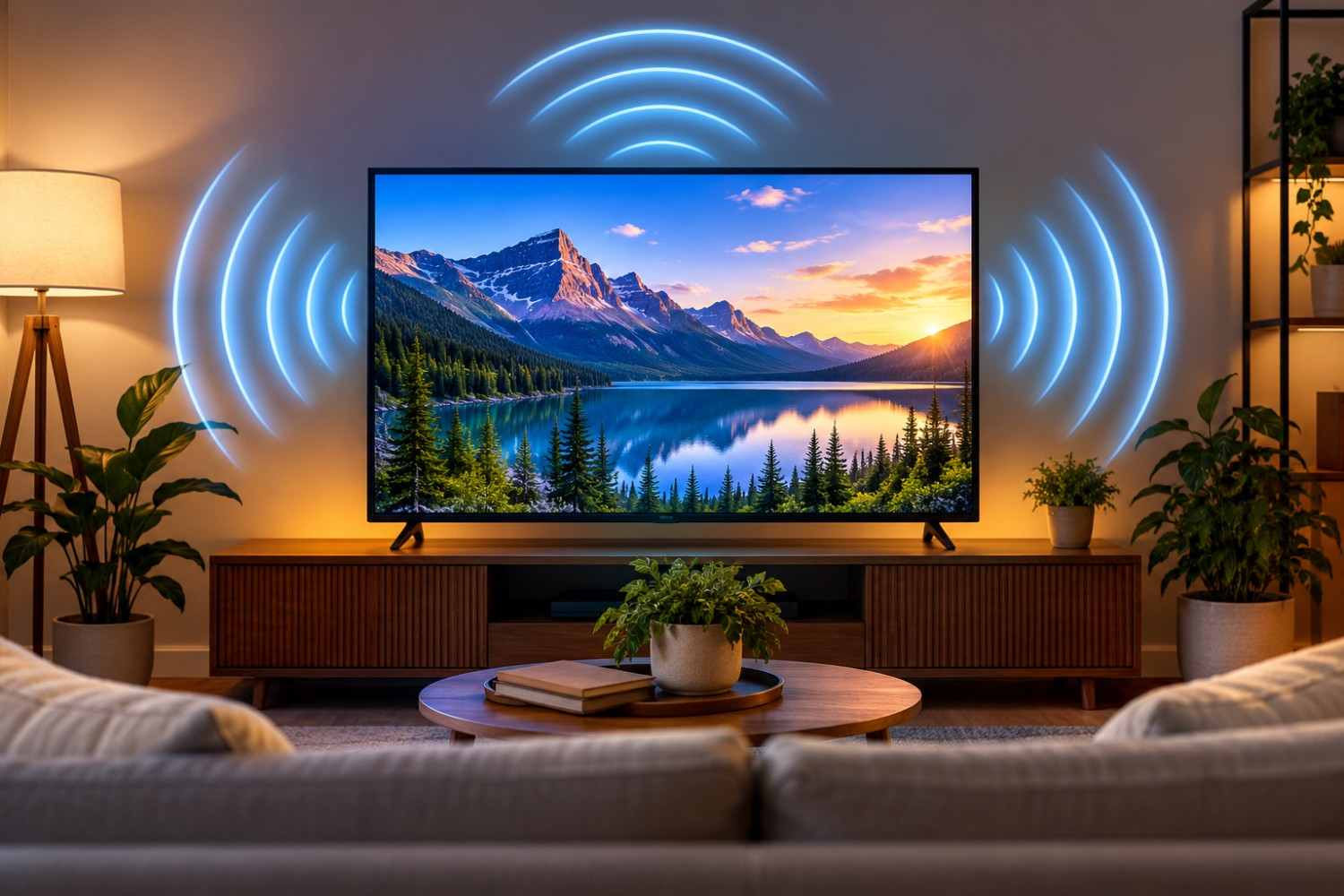
WiFi communication uses RF electromagnetic fields. The amount and pattern of RF activity can vary depending on what the television is doing, the network configuration, signal strength, and the specific hardware.
This also means the TV is not the only source involved. The wireless router is another RF transmitter, so an EMF assessment of your entertainment area should consider the router’s location as well.
Bluetooth
Many smart TVs also use Bluetooth.
Bluetooth can be used for remote controls, wireless headphones, speakers, soundbars, keyboards, game controllers, and other accessories. Like WiFi, Bluetooth uses non-ionizing radiofrequency energy.
You may therefore have multiple wireless signals operating around the television at the same time.
If you don’t use your television’s Bluetooth capabilities, check its settings to see whether the feature can be disabled. The options vary considerably between manufacturers and models.
Electrical and Magnetic Fields
Wireless communication isn’t the only potential source of EMF.
A television contains a power supply and numerous electronic components. Electrical equipment can produce low-frequency electric and magnetic fields while operating.
These are different from the higher-frequency RF fields associated with WiFi and Bluetooth. This distinction is important when measuring EMF because not every meter measures every type of electromagnetic field.
An RF meter, for example, is intended for radiofrequency sources. A different meter or a multi-function EMF meter may be needed to evaluate lower-frequency electric or magnetic fields.
Other Devices Around Your Television
One easily overlooked part of evaluating a smart TV is everything connected to it.
A typical entertainment center might include the television, streaming device, cable box, WiFi router, soundbar, gaming console, wireless subwoofer, Bluetooth remote, and other equipment.
If you take an RF measurement near the television and see an elevated reading, you shouldn’t immediately assume the TV itself is responsible.
The source could be the television, but it could also be another wireless device nearby.
This is why testing individual devices can be useful.
WiFi vs. Ethernet: Can a Wired Connection Reduce RF?
One of the simplest options for someone who wants to reduce wireless activity associated with a television is using a wired Ethernet connection when the television supports it.
Ethernet carries network data through a physical cable rather than requiring the television to receive that data over WiFi.
For example, if your router is located near your entertainment center, you may be able to connect an Ethernet cable from the router directly to the television. Streaming data can then travel through the wired connection.
However, there is an important detail to understand.
Plugging an Ethernet cable into your television does not necessarily guarantee that every wireless transmitter inside the TV has been turned off.
Your television may continue to have WiFi or Bluetooth features enabled unless you disable them in the settings. How a television behaves varies by manufacturer and model.
If reducing wireless activity is important to you, don’t simply connect Ethernet and assume the job is finished. Check your television’s network settings and owner’s manual. Look for WiFi, wireless networking, Bluetooth, device connectivity, remote-control connectivity, or similar options.
You can also use an RF meter to compare your setup before and after making changes.
How Much EMF Does a Smart TV Produce?
There isn’t one measurement that applies to every smart television.
A small television connected through Ethernet with its wireless features disabled presents a different measurement situation than a large smart TV actively streaming through WiFi while communicating with several wireless accessories.
Other nearby equipment also affects what you measure.
Several factors can influence RF measurements around your television, including the TV model, whether WiFi is enabled, whether Bluetooth is enabled, network activity, distance from the router, streaming activity, connected wireless accessories, nearby wireless equipment, and your distance from the television.
This is one reason I prefer measuring your own environment rather than relying on a number someone recorded from a completely different television.
Distance Matters
Distance is particularly important when thinking about EMF exposure.
You generally don’t use a television the same way you use a smartphone. A phone may be held in your hand, placed in a pocket, or held close to your head. A television is usually positioned several feet away.
That difference matters.
If you’re concerned about your television setup, measure at different distances. You might take one reading very close to the television to help identify a source, then another at the couch or chair where you actually watch TV.
The measurement at your normal seating position is particularly useful because it better represents the environment where you spend your time.
Does a Smart TV Emit EMF When It’s Turned Off?
This question gets a little more complicated because “off” doesn’t always mean electrically disconnected.
When you press the power button on many modern televisions, the screen turns off, but the TV enters standby rather than becoming completely disconnected from electricity.
Some functions may remain available in standby. Exactly what remains active depends on the television, its settings, and the manufacturer.
If you want to determine what your particular television is doing, an RF meter can be useful. Compare readings while the TV is operating, while it is in standby, and when it is completely unplugged.
You may find very different results between those three conditions.
This is another reason measurements can be more informative than general statements about all smart TVs.
How to Measure RF From Your Smart TV
If you really want to understand the RF around your television, performing a simple home experiment can be more useful than trying to find a universal number online.
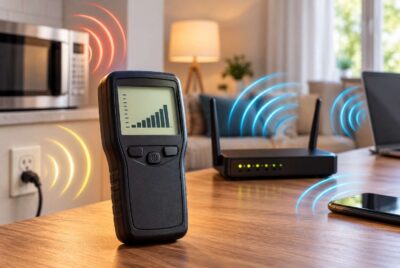
An RF meter can help detect RF energy from sources such as WiFi and Bluetooth. Safe Living Technologies, for example, states that its Safe and Sound Pro II RF Meter has an effective detection range from 200 MHz to 8 GHz, with a specified response range of 400 MHz to 7.2 GHz. The manufacturer specifically lists WiFi routers and Bluetooth devices among the RF sources it can detect.
If you already own a suitable RF meter, there is no need to buy another one simply for this test. The goal is to understand what is happening in your particular environment.
Before testing, remember that RF signals can come from many sources. Your phone, router, tablet, smart speaker, security system, neighboring WiFi networks, and other devices may affect your readings.
A useful test can be performed in stages.
Start by measuring the RF level in your TV room with the television unplugged. This provides a rough baseline for the room.
Next, plug the television in but leave it in standby and take another measurement.
Then turn the television on and measure again.
After that, open a streaming application and play a video over WiFi. Observe what happens to the meter.
Take measurements close to the television for source identification, but also take measurements at the couch or chair where you normally sit.
If your television supports Ethernet, you can then connect it using a wired network connection, disable WiFi if the TV allows it, and repeat the measurements.
You can perform similar tests with Bluetooth. Measure with Bluetooth devices connected, then disable unnecessary Bluetooth connections and compare the results.
Don’t become overly focused on one momentary number. Wireless communication can occur in bursts, and readings can fluctuate. Looking at the overall pattern and repeating measurements under similar conditions can give you a much more useful picture.
Seven Practical Ways to Reduce Smart TV EMF
You don’t necessarily need to stop using your smart television if you want to reduce unnecessary wireless exposure. Several practical changes may reduce RF activity or increase your distance from the source without significantly changing how you enjoy television.
The objective isn’t to create a zero-EMF house. Modern homes contain many electrical and wireless devices. Instead, you can identify changes that are simple, inexpensive, and don’t interfere with everyday life.
1. Increase Your Distance From the Television
Distance is one of the simplest variables you can control.
Avoid sitting unnecessarily close to a large television, particularly when your room already provides enough space for comfortable viewing farther away.
Rather than choosing an arbitrary “safe distance,” use a suitable meter if you want to see how RF levels change between the TV and your normal seating position.
2. Use Ethernet When Practical
If your television and router have Ethernet connections, consider using a wired connection.
This can remove the need to stream your television content through WiFi.
Remember, though, that connecting Ethernet doesn’t automatically prove the television’s WiFi radio has been disabled. Check your settings.
3. Turn Off WiFi When You Don’t Need It
If you use Ethernet, see whether your television allows you to disable WiFi.
Menus vary by manufacturer, so you may need to check the network settings or owner’s manual.
You don’t have to disconnect your entire home’s WiFi network simply because you’re watching television. The objective here is to eliminate a wireless connection that isn’t needed.
4. Disable Unnecessary Bluetooth Features
Take a look at what is paired with your TV.
Perhaps you use Bluetooth headphones every evening. In that case, Bluetooth serves a purpose.
But if Bluetooth is enabled and you never use Bluetooth accessories, check whether your TV allows you to turn the feature off.
5. Pay Attention to Bedroom TVs
Distance deserves additional consideration in a bedroom because you may spend seven or eight hours sleeping in roughly the same location every night.
If a television is positioned very close to your bed, consider whether it could simply be moved farther away.
You can also check what happens when the television enters standby. If you’re interested in minimizing unnecessary overnight activity, test the room with the TV in standby and compare that with the TV unplugged.
6. Consider Disconnecting Equipment That Is Rarely Used
Entertainment centers can slowly accumulate electronics.
You might have an old streaming device, game console, wireless speaker, or other connected equipment that you rarely use but leave powered continuously.
Rather than focusing exclusively on the television, look at the entertainment center as a complete system.
You may find wireless devices that serve little purpose but remain connected around the clock.
7. Measure Before and After Making Changes
This may be the most useful step of all.
Don’t assume that every EMF-reduction technique you see online is accomplishing something meaningful in your house.
Measure first.
Make one change.
Measure again.
For example, record your RF reading at the couch while streaming over WiFi. Connect Ethernet and disable WiFi if possible. Then repeat the same measurement from the same location.
This gives you information about your actual home rather than someone else’s television.
Affiliate Advertisement

Is a Smart TV a Major Source of EMF in Your Home?
It depends on your home, equipment, and how everything is configured.
A smart television can be an RF source, but that doesn’t necessarily mean it is the largest or most important source in your house.
Your WiFi router, smartphones, tablets, computers, smart speakers, wireless security equipment, cordless phones, and other connected devices may also contribute to the RF environment.
Proximity also deserves consideration.
A television is typically watched from across a room. A smartphone may spend hours inches from your body. A laptop may be used directly on your lap. A WiFi router might be located next to a desk where someone works for eight hours every day.
Rather than becoming overly concerned about one device because it has “smart” in its name, look at your home as a whole.
Ask three simple questions:
Where is the source? How close am I to it? How much time do I spend there?
This Source + Distance + Time approach can make evaluating your home much more manageable.
Should You Get Rid of Your Smart TV?
For most people interested in reducing EMF exposure, getting rid of the television would be an extreme first step.
There are much simpler options.
If you’re concerned about wireless activity, see whether Ethernet is practical. Turn off wireless features that you don’t use. Keep a reasonable distance between the television and seating area. Don’t position wireless electronics unnecessarily close to a bed or other location where you spend many hours.
Most importantly, if you want to know what’s happening in your home, measure it.
You may discover that changing one setting significantly changes your measurement. You may also discover that the television isn’t the primary RF source in the room at all.
That’s useful information either way.
Frequently Asked Questions About Smart TV EMF
Smart televisions combine several technologies, so it’s understandable that people have questions about exactly what is transmitting and when. Here are answers to some of the most common questions.
Do Smart TVs Give Off Radiation?
Yes. Smart TVs can produce non-ionizing electromagnetic energy. WiFi and Bluetooth use radiofrequency electromagnetic fields, while the television’s electrical system can also produce lower-frequency electric and magnetic fields.
This should not be confused with ionizing radiation such as X-rays.
Does a Smart TV Emit Radiation When Using WiFi?
A television communicating over WiFi uses radiofrequency electromagnetic signals to send and receive data.
Streaming video is one activity that requires network communication. Other network activity can occur as well, including software updates and communication with online services.
Does Bluetooth on a Smart TV Produce EMF?
Yes. Bluetooth is a wireless RF technology.
A Bluetooth remote, wireless headphones, speakers, game controllers, or other Bluetooth accessories can therefore be part of the RF environment around your entertainment system.
Is Ethernet Better Than WiFi for Reducing RF From a Television?
Ethernet allows network data to travel through a physical cable rather than requiring a WiFi connection between the television and router.
If your goal is reducing wireless communication from the TV, Ethernet can therefore be useful.
However, you should verify that the television’s WiFi is actually disabled after switching to Ethernet. Also remember that Bluetooth may operate separately from WiFi.
How Far Should You Sit From a Smart TV?
There isn’t one universal EMF-based distance that applies to every television and every home.
TV size, wireless configuration, nearby equipment, room layout, and other factors vary.
If EMF is your concern, measure at several distances and pay particular attention to readings where you normally sit.
Your ideal viewing distance may also depend on the television’s screen size and resolution, which is a separate consideration from EMF.
Can an EMF Meter Detect Radiation From a Smart TV?
It depends on the meter.
An RF meter designed for the relevant frequencies can detect RF energy associated with sources such as WiFi and Bluetooth.
Electric and magnetic fields at lower frequencies require appropriate measurement capabilities as well.
Before purchasing or using a meter, check exactly what types of fields and frequency ranges it measures.
Can I Completely Eliminate EMF From My TV?
Not necessarily while the television is operating.
A television is an electrical device, and its electronic components require electricity to function.
However, if your objective is reducing unnecessary wireless RF, you may be able to use Ethernet, disable WiFi or Bluetooth when they aren’t needed, increase distance, and eliminate unnecessary wireless accessories.
Conclusion
Smart TV radiation is a useful topic to understand, but it doesn’t need to become a source of fear. Modern smart televisions can produce non-ionizing electromagnetic fields through WiFi, Bluetooth, electrical components, and connected wireless accessories. How much RF you encounter at your normal viewing position depends on your particular equipment, configuration, activity, and distance.
If reducing unnecessary EMF exposure is important to you, start with simple changes. Increase distance where practical, consider Ethernet instead of WiFi, disable wireless features you don’t use, and pay attention to other connected devices around your entertainment center.
Most importantly, consider measuring rather than guessing. Testing your television under different conditions can help you determine whether a change actually reduces RF where you spend your time.
Your television is only one part of your home’s overall electromagnetic environment. Understanding the source, considering your distance from it, and looking at how much time you spend nearby provides a practical way to make informed choices without allowing concern about EMF to interfere unnecessarily with everyday life.
Before You Go…
Get Weekly EMF Protection Tips
Enjoy this article? Join the EMFLuLu newsletter for simple weekly tips to reduce everyday EMF exposure from phones, WiFi routers, laptops, and smart home devices.
Try Our Free EMF Calculators
Curious how much EMF exposure you may experience each day?
These simple tools can help you estimate your exposure and identify possible problem areas in your home.
Try these free calculators:
Like this article? Pin it on Pinterest!

More to Explore