As more people work from home, attention has shifted toward the electronic devices that surround us throughout the day. Computers, monitors, Wi-Fi routers, smartphones, and printers have become permanent fixtures in many home offices. While most people think of printers simply as tools for producing documents, some homeowners have started asking whether these devices generate electromagnetic fields and whether those emissions deserve attention. The topic of printer EMF radiation has become increasingly common among individuals interested in reducing unnecessary exposure to electromagnetic fields in their homes.
The short answer is yes. Printers do produce electromagnetic fields whenever electricity flows through their internal components. However, understanding what those emissions mean requires a closer look at how printers operate, the different types of EMFs they produce, and how exposure changes depending on distance and usage patterns. This article explores the science behind printer EMFs, compares different printer types, and discusses practical ways to reduce exposure without turning your home office upside down.
What Is EMF Radiation?
Before discussing printers specifically, it helps to understand what EMFs are and why they exist.
Electromagnetic fields, often shortened to EMFs, are invisible areas of energy created whenever electricity is generated, transmitted, or used. Nearly every electrical device in your home creates some type of electromagnetic field. These fields can come from power lines, appliances, televisions, computers, and even the wiring inside your walls.
EMFs are generally categorized into two broad groups. The first is ionizing radiation, which includes X-rays and gamma rays. These forms carry enough energy to potentially alter atoms and molecules. The second category is non-ionizing radiation, which includes the low-frequency and radiofrequency fields produced by everyday electronics. Printers fall into the non-ionizing category.
Many discussions about EMFs focus on reducing unnecessary exposure rather than eliminating exposure entirely. Since modern life depends on electricity, completely avoiding EMFs is virtually impossible. Instead, people often seek practical ways to minimize exposure from devices that remain close to them for extended periods.
Do Printers Emit EMF Radiation?
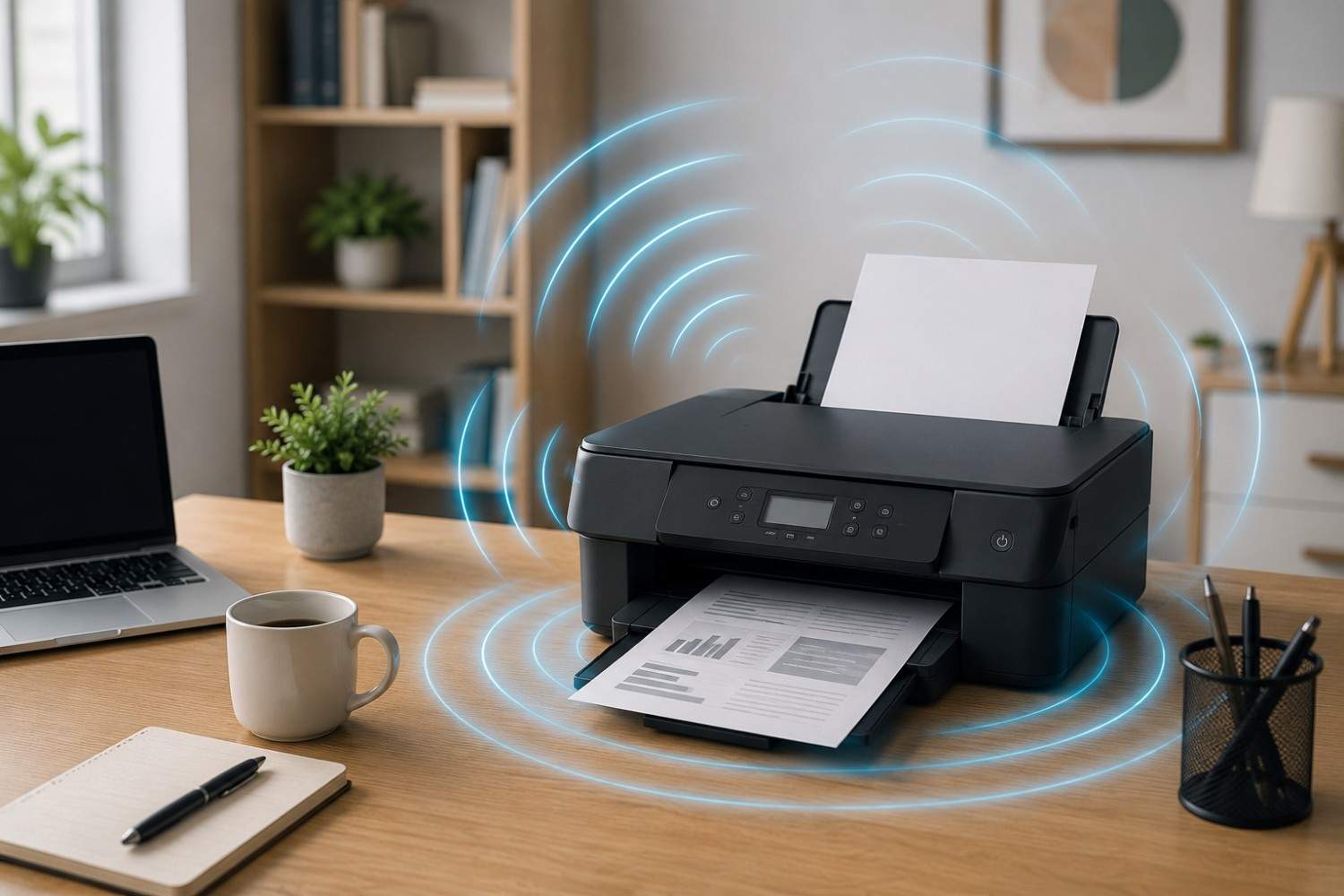
Yes, printers emit EMFs whenever they are powered on. The amount and type of EMF produced varies depending on the printer’s design, power requirements, and connectivity features.
Every printer contains electrical circuits, motors, power supplies, and communication systems. Each of these components generates electromagnetic fields while operating. The fields may increase when the printer is actively printing because more electrical activity occurs during that time.
A printer does not need to be printing to produce EMFs. As long as it remains plugged in and powered on, some level of electromagnetic activity exists. Wireless printers may continue transmitting signals periodically even when idle.
This does not necessarily mean printers are high-EMF devices. In many home offices, other electronics such as Wi-Fi routers, smartphones, and laptops may generate greater overall exposure because they operate continuously and often remain closer to the user.
Where Does Printer EMF Radiation Come From?
Many people picture EMFs coming from a single source inside a device. In reality, several printer components contribute to electromagnetic field production.
The following systems commonly generate EMFs inside a printer:
- Power supply units
- Electrical wiring
- Circuit boards
- Print head motors
- Paper feed motors
- Heating elements in laser printers
- Wireless communication hardware
- Ethernet networking components
When electricity moves through these components, electromagnetic fields are created. The intensity varies depending on how much power the component uses and how close you are to it.
Laser printers often contain high-powered heating elements known as fusers. These units use significant electricity to bond toner to paper. During printing, the electrical activity associated with the fuser can increase magnetic field measurements compared with periods when the printer is idle.
Inkjet Printers Versus Laser Printers
One common question involves whether certain printer types produce more EMFs than others.
In general, laser printers tend to consume significantly more electricity than inkjet printers. Since EMF production is closely tied to electrical activity, laser printers may produce stronger electromagnetic fields during operation.
Inkjet printers typically spray tiny droplets of ink onto paper. Their printing process requires less power and fewer high-energy components. For this reason, many home users find that inkjet printers operate with lower energy demands.
Laser printers, on the other hand, rely on toner, electrostatic charges, and heated fuser assemblies. The additional electrical requirements can contribute to higher EMF readings near the device while printing.
That does not automatically mean laser printers are unsafe. It simply means that users interested in minimizing exposure may want to pay more attention to placement and distance if they use a laser printer regularly.
Wireless Printers and Radiofrequency Signals
When discussing printer EMF radiation, wireless connectivity deserves special attention.
Modern printers often connect through Wi-Fi. This feature allows convenient printing from laptops, smartphones, and tablets without requiring physical cables.
Wi-Fi communication relies on radiofrequency signals. These signals represent a different type of EMF than the electric and magnetic fields generated by power supplies and motors.
Wireless printers may transmit data when:
- Receiving print jobs
- Connecting to a network
- Updating firmware
- Maintaining network communication
- Communicating with mobile apps
Because of these transmissions, wireless printers can create radiofrequency exposure in addition to standard electrical EMFs.
Many people choose wireless printers because of convenience. Others prefer wired Ethernet connections when available because they reduce wireless transmissions while maintaining network functionality.
Does Distance Matter?
One of the most important concepts in EMF exposure is distance.
Electromagnetic fields generally decrease rapidly as you move farther away from their source. A device that produces a measurable field directly beside it may generate a much weaker field only a few feet away.
This principle becomes especially relevant in home office environments.
Many people place printers directly beside their desks for convenience. In some cases, the printer may sit less than two feet from where they spend eight hours each day. While this arrangement makes document retrieval easy, it also places the user very close to the source.
Moving the printer across the room often requires little effort yet can significantly increase the distance between the device and the user.
For individuals concerned about EMF exposure, distance is often the simplest and least expensive strategy available.
Measuring EMFs From Printers
People who want a clearer understanding of their environment sometimes choose to measure EMFs directly.
Various EMF meters are available that can detect different types of electromagnetic fields. Some focus on radiofrequency signals, while others measure electric fields, magnetic fields, or multiple categories.
Testing can reveal how readings change based on:
- Printer model
- Wireless settings
- Printing activity
- Distance from the printer
- Room layout
For those interested in measuring radiofrequency signals in a home environment, the Safe and Sound Pro II RF Meter is a commonly used option available from Safe Living Technologies.
Measurements often show that EMF levels vary substantially depending on how close the meter is positioned to the printer. This reinforces the importance of placement when evaluating overall exposure.
Affiliate Advertisement

Practical Ways to Reduce Printer EMF Exposure
Many people assume reducing EMF exposure requires expensive equipment or dramatic lifestyle changes. Fortunately, several straightforward adjustments can lower exposure without affecting productivity.
The goal is not necessarily to eliminate EMFs completely. Instead, these strategies focus on reducing unnecessary exposure where practical.
Move the Printer Away From Your Desk
Relocating a printer just a few feet farther away may reduce your exposure considerably. If space allows, placing the printer on a shelf, side table, or dedicated workstation can create meaningful separation.
Turn the Printer Off When Not Needed
Many home office printers remain powered on continuously. Turning the printer off at the end of the workday eliminates electrical activity when the device is not being used.
Use Ethernet Instead of Wi-Fi
If your printer supports wired networking, an Ethernet connection may reduce wireless transmissions while still providing convenient network access.
Avoid Sitting Beside Large Office Printers
High-volume laser printers designed for business environments often consume more power than smaller residential units. Keeping these devices farther away can be beneficial.
Reduce Device Clustering
Many home offices place routers, printers, monitors, laptops, and chargers within a small area. Spreading devices throughout the room may help reduce concentrated exposure from multiple sources.
Are EMF Protection Products Necessary?
The answer depends largely on personal preference.
Many people find that basic strategies such as increasing distance, turning devices off when not in use, and reducing unnecessary wireless activity address most of their concerns.
Others choose to explore products designed to support a lower-EMF lifestyle.
For laptop users who spend long hours working at a desk, the DefenderShield Laptop Pad is one option designed for use beneath portable computers.
As with any product category, it is wise for consumers to review manufacturer information carefully and decide whether such products align with their personal goals and preferences.
Other Home Office Devices That May Produce More EMFs
When discussing printer EMF radiation, it is helpful to maintain perspective. In many home offices, printers are only one piece of a much larger technology ecosystem.
Other devices often deserve equal or greater attention.
Wi-Fi routers typically operate around the clock and may continuously transmit signals. Smartphones remain close to the body for much of the day and regularly communicate with cellular towers and wireless networks. Laptops often stay directly in front of users for extended periods. Wireless headsets place transmitting electronics close to the head. Smart speakers and connected home devices may also remain active continuously.
Because exposure is influenced by both intensity and duration, it often makes sense to evaluate the entire office rather than focusing solely on the printer.
Frequently Asked Questions
Do laser printers produce more EMFs than inkjet printers?
Laser printers generally use more electricity and contain high-powered heating components. As a result, they may produce stronger EMFs during operation compared with many inkjet models.
Does turning off Wi-Fi reduce printer emissions?
Disabling Wi-Fi may reduce radiofrequency emissions associated with wireless communication. The printer will still generate electric and magnetic fields whenever it is powered on.
Is it safe to sit near a printer all day?
Most people use printers without issues. Individuals seeking to minimize exposure may choose to place the printer farther away from their primary workspace.
Can EMF meters detect printer emissions?
Yes. Appropriate EMF meters can detect electric fields, magnetic fields, and radiofrequency emissions produced by printers.
Should I replace my printer because of EMFs?
For most people, simple adjustments such as relocating the printer or reducing wireless activity are more practical than replacing the device.
Conclusion
Home office printers do generate electromagnetic fields, which means printer EMF radiation is a real phenomenon. These emissions come from electrical components, motors, power supplies, and, in the case of wireless models, radiofrequency communication systems. While printers are not usually the largest source of EMF exposure in a home office, understanding how they operate can help you make informed decisions about placement and usage. Simple steps such as increasing distance, turning printers off when not in use, and using wired connections where possible can reduce exposure while allowing you to maintain a productive and efficient workspace.
Before You Go…
Get Weekly EMF Protection Tips
Enjoy this article? Join the EMFLuLu newsletter for simple weekly tips to reduce everyday EMF exposure from phones, WiFi routers, laptops, and smart home devices.
Try Our Free EMF Calculators
Curious how much EMF exposure you may experience each day?
These simple tools can help you estimate your exposure and identify possible problem areas in your home.
Try these free calculators:
Like this article? Pin it on Pinterest!

More to Explore