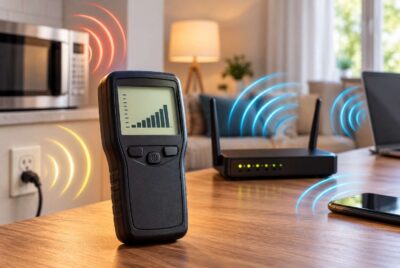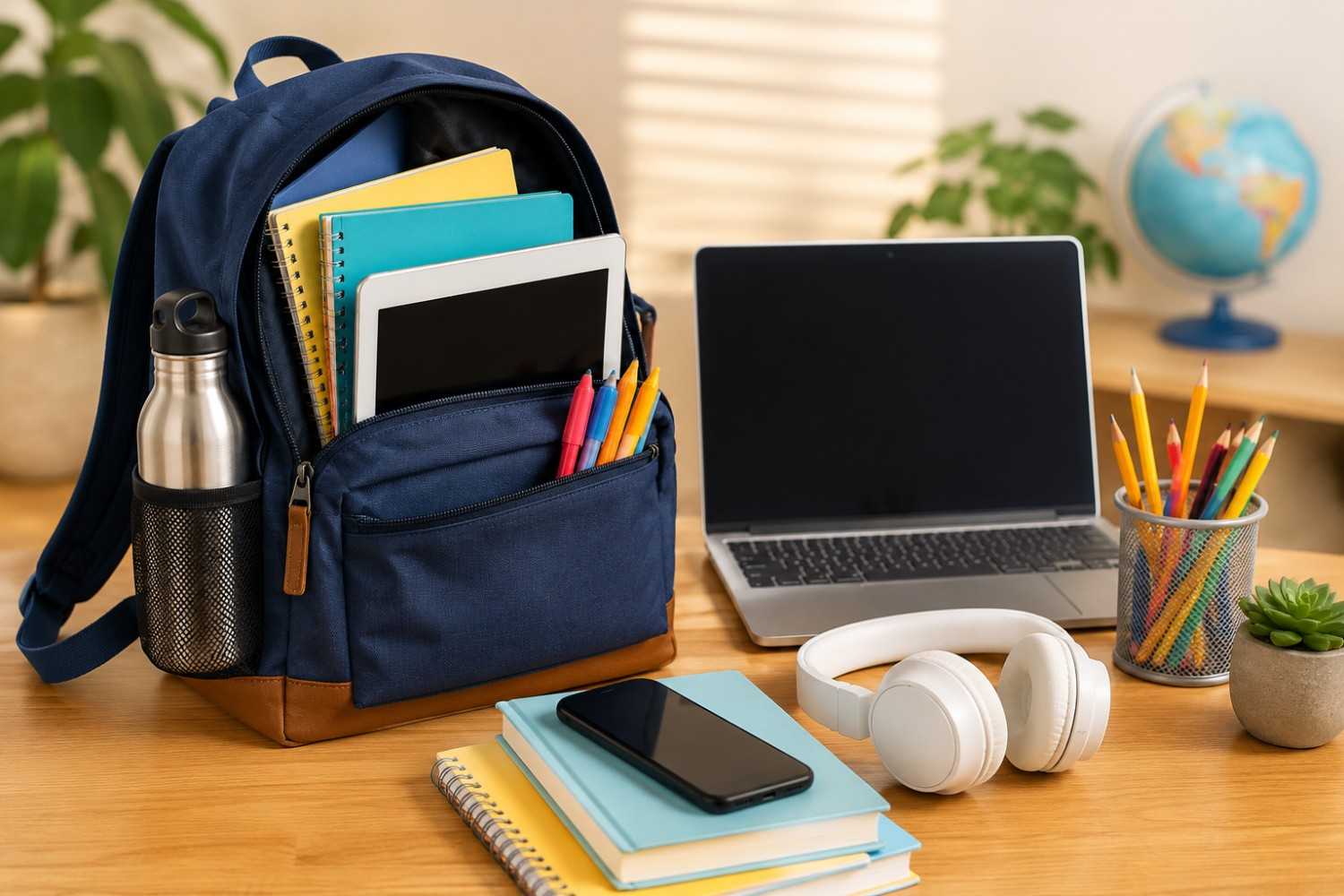
Back-to-school season is an exciting time filled with new teachers, fresh school supplies, updated schedules, and the anticipation of another year of learning. Today’s classrooms, however, look very different from those of just a decade ago. Students of nearly every age regularly use laptops, tablets, smartphones, wireless headphones, smartboards, and school-wide Wi-Fi networks as part of their daily education. Technology has become an important learning tool, helping students research information, complete assignments, collaborate with classmates, and stay connected with teachers.
While these devices offer many educational advantages, many parents also wonder how they can encourage healthy technology habits without making school more complicated. Fortunately, reducing unnecessary electromagnetic field (EMF) exposure doesn’t require eliminating electronics or avoiding modern classrooms. In many cases, small changes in how devices are used can make a meaningful difference while allowing students to enjoy all of the benefits technology provides.
These back-to-school EMF tips are designed to be practical rather than extreme. Instead of creating unnecessary worry, the goal is to help families make informed decisions that fit naturally into everyday routines. Whether your child is entering elementary school, starting high school, or heading off to college, simple habits can help reduce unnecessary exposure while encouraging responsible technology use.
Throughout this guide, you’ll find realistic suggestions that are easy to incorporate into daily life. Rather than focusing on fear, these recommendations emphasize awareness, balance, and common-sense approaches that families can feel good about long after the first day of school has passed.
Why Students Experience More EMF Exposure Than Ever Before
Education has changed dramatically over the past several years. Many classrooms now rely heavily on connected technology, with students logging into assignments online, participating in interactive lessons, submitting homework electronically, and communicating through digital learning platforms. Schools have embraced technology because it creates flexibility and offers students access to enormous amounts of educational material.
At the same time, this increased reliance on wireless technology means students spend more hours around electronic devices than previous generations. A typical school day may involve using a Chromebook during math, a tablet during science, a smartphone after school, and a laptop for homework in the evening. Add wireless printers, Bluetooth accessories, smart watches, gaming systems, and home Wi-Fi, and it becomes clear why many families begin thinking about EMF awareness.
It’s important to remember that EMFs are not all the same. Different devices produce different types and strengths of electromagnetic fields, and exposure depends on several factors including distance from the device, transmission power, and how long the device is actively communicating. Simply moving a device farther away from your body often reduces exposure more effectively than many people realize.
Understanding where these exposures typically occur allows families to focus their attention on habits that are both realistic and effective. Rather than trying to eliminate every source of wireless technology, many parents choose to concentrate on situations where simple adjustments are easy to make.
Some of the most common sources of everyday EMF exposure for students include:
- Smartphones carried in pockets or backpacks
- School-issued Chromebooks and laptops
- Tablets used during classroom instruction
- Classroom Wi-Fi access points
- Bluetooth headphones and earbuds
- Smart watches and wearable devices
- Wireless printers and classroom technology
- Home Wi-Fi routers used for homework
Looking at this list might seem overwhelming at first, but it’s worth remembering that students don’t need to avoid these devices entirely. Instead, developing thoughtful habits around how and when they use technology can help reduce unnecessary exposure without interfering with learning.
One of the most encouraging aspects of EMF awareness is that many improvements cost nothing at all. Often, it simply comes down to changing where a device is placed or when wireless features are actually needed.
Start with the Device Students Use the Most
If parents only make a few changes during the school year, it makes sense to begin with the devices children use every day. Phones, tablets, and laptops account for much of a student’s technology use both inside and outside the classroom. Fortunately, these devices also provide several opportunities to reduce unnecessary exposure through simple adjustments.
The goal isn’t to make technology inconvenient. Instead, it’s about using devices in ways that are both comfortable and mindful. Over time, these habits become second nature and require very little extra effort.
Smartphones
For many students, smartphones rarely leave their side. They serve as calculators, planners, cameras, communication devices, and entertainment centers all in one. Because phones are carried so often, they represent one of the easiest places to establish healthier technology habits.
One helpful practice is avoiding prolonged contact between an active phone and the body whenever possible. Instead of keeping a phone in a pants pocket throughout the day, students can place it inside a backpack, purse, or locker when it isn’t needed. Even a small increase in distance can significantly reduce direct exposure from the device.
During voice calls, speakerphone can be a useful option when privacy allows. Holding the phone several inches away from the head increases the distance between the wireless transmitter and the body. When privacy is important, wired earbuds offer another practical alternative.
Text messaging also naturally limits the amount of time a phone is held directly against the head during conversations. Since many students already communicate primarily through text, this habit often fits easily into everyday routines.
Another simple practice is enabling Airplane Mode whenever wireless communication isn’t necessary. For example, if a student downloads music, documents, or videos before leaving home, those files can often be accessed later without maintaining an active wireless connection.
Parents looking for additional protection may also consider a shielding phone case. One well-known option is the DefenderShield EMF Blocking Phone Case, which is designed to reduce exposure from one side of the phone while maintaining normal functionality.
Like any accessory, a shielding case should be viewed as one part of an overall strategy rather than a complete solution. Good technology habits remain the foundation of reducing unnecessary exposure.
Tablets
Many elementary and middle schools now assign tablets for reading assignments, educational games, note taking, and classroom activities. Tablets are convenient because they are lightweight and portable, but they are often used very close to the body.
Whenever practical, encourage children to use tablets on a desk or table instead of resting them directly on their lap. Creating even a modest amount of space between the device and the body can help reduce exposure while also promoting better posture during homework sessions.
Downloading assignments, ebooks, or videos before leaving home can also reduce the need for continuous wireless communication throughout the day. Many educational apps continue working perfectly even when the device is offline.
Parents may also find it helpful to review which apps truly require Bluetooth or location services. Turning off wireless features that aren’t actively being used may improve battery life while reducing unnecessary wireless activity.
If a child spends long periods completing assignments on a tablet or laptop, a shielding lap pad may be worth considering. One such product is offered by DefenderShield – DefenderShield EMF Radiation Protection Laptop & Tablet Shield.
This accessory is intended to create a protective barrier between the device and the user’s lap during extended use. While it’s still best to use electronics on a desk whenever possible, products like this can provide an additional layer of precaution during longer study sessions.
Laptops and Chromebooks
Older students and college students often spend several hours each day using laptops for research, writing papers, attending virtual classes, and completing homework. Because these sessions can last much longer than phone use, establishing comfortable work habits becomes especially important.
Whenever possible, use a desk or table instead of balancing a laptop directly on your legs. Pairing the computer with an external keyboard and mouse can make studying more comfortable while naturally increasing the distance between the screen and your body.
Students should also avoid blocking cooling vents by placing laptops on blankets or pillows. A hard, stable surface allows the device to operate more efficiently and often provides a more ergonomic working position.
When internet access isn’t required, switching to offline work can reduce wireless activity. Many word processors and note-taking applications allow students to continue working without an active connection until it’s time to upload assignments later.
For students who spend hours working on large projects, creating an organized workspace with proper lighting, comfortable seating, and thoughtful device placement can improve both productivity and comfort. Small improvements made today often become lifelong habits that support healthier technology use well beyond the school years.
Smart Backpack Habits That Can Reduce EMF Exposure
A backpack has become much more than a place to carry books and notebooks. Many students now leave home each morning with a smartphone, tablet, laptop, wireless earbuds, smart watch charger, portable battery pack, and other electronic accessories. These devices make learning more convenient, but they also communicate with wireless networks throughout the day unless certain settings are adjusted.
Fortunately, creating smarter backpack habits doesn’t require buying new equipment or making major lifestyle changes. A few thoughtful routines can help reduce unnecessary wireless activity while keeping everything organized and ready for the school day.
One of the simplest habits is encouraging students to place devices in Airplane Mode whenever they are not actively using wireless features. For example, if homework has already been downloaded or music has been saved to the device, there may be little reason for a phone or tablet to continuously search for Wi-Fi or cellular connections while sitting inside a backpack.
Another good practice is making sure electronics are fully asleep or powered off instead of simply closing the lid or locking the screen. Some devices continue syncing emails, downloading updates, or communicating with cloud services even when they appear inactive. Reviewing power settings can help reduce unnecessary background activity and extend battery life at the same time.
Portable battery packs have also become common school accessories. While they are excellent for keeping phones and tablets charged during long days, they should be stored carefully so cables don’t remain connected longer than necessary. Disconnecting devices once charging is complete helps reduce unnecessary battery drain and prevents clutter inside the backpack.
Wireless headphones and earbuds are another accessory that often stays connected longer than intended. Many models automatically reconnect to nearby phones whenever they are removed from their case. Simply returning earbuds to their charging case after use helps prevent constant Bluetooth communication throughout the day.
Organization also plays a role in healthier technology habits. Keeping electronics in dedicated compartments reduces the chance of accidentally activating devices while walking between classes. It also makes it easier to know which items are turned on before leaving for school.
Parents don’t need to monitor every electronic device their children carry. Instead, teaching students to be aware of how their devices work encourages responsibility and creates habits they can continue using into adulthood.
Classroom Wi-Fi Tips That Are Actually Practical
One question many parents ask is whether there is anything they can realistically do about school Wi-Fi. The honest answer is that families have very little control over how a school’s wireless network is designed or operated. Schools install Wi-Fi to support educational technology, and students are generally expected to use those networks throughout the day.
Rather than worrying about factors outside their control, it is often more productive to focus on choices students can make themselves.
Distance remains one of the simplest principles to remember. Whenever practical, encourage children to work with tablets or laptops on their desks instead of resting them directly against their bodies. This small adjustment is easy to make and doesn’t interfere with classroom activities.
Students should also understand that not every wireless feature needs to remain active all day. Bluetooth, for example, may only be necessary while using wireless headphones or another accessory. If those devices aren’t being used, Bluetooth can often be switched off until it’s needed again.
Closing apps that are no longer in use is another worthwhile habit. Many applications continue refreshing information in the background, checking for notifications, or syncing files even after students have finished using them. While this activity is generally automatic, limiting unnecessary background processes may reduce wireless communication while improving battery performance.
Streaming high-definition videos during every free period also increases wireless activity. If educational videos can be downloaded ahead of time for offline viewing, students may spend less time continuously transmitting data over Wi-Fi networks.
It’s equally important to maintain perspective. Students shouldn’t become anxious every time they connect to a classroom network. Technology has become an essential educational tool, and schools rely on reliable internet access for instruction. The purpose of EMF awareness is not to create fear but to encourage thoughtful use of technology whenever reasonable opportunities exist.
Parents can also have positive conversations with their children about responsible screen habits in general. Taking occasional breaks, maintaining good posture, and limiting unnecessary recreational screen time after homework is complete often provide benefits that extend well beyond EMF awareness.
Back-to-School EMF Tips for College Students Living in Dorms
College students often experience a different technology environment than younger children. Dormitories are filled with connected devices, shared Wi-Fi networks, gaming systems, smart televisions, wireless printers, Bluetooth speakers, and countless smartphones. Unlike elementary or high school students, college students also have much greater control over how they arrange their living spaces.
This makes dorm life an excellent opportunity to establish healthy technology habits from the beginning of the semester.
One of the easiest improvements is thinking carefully about where electronic devices spend the night. Many students charge their phones directly beside their pillow because they use them as alarm clocks. While convenient, placing a phone on a nearby desk or dresser allows the alarm to remain audible while increasing the distance from the bed during sleep.
If a dorm room includes its own wireless router, students can also consider positioning it away from the head of the bed whenever the room layout allows. Even moving the router several feet farther away can be an easy adjustment without affecting internet performance.
Students who spend long hours studying on laptops may also benefit from creating a dedicated workspace instead of completing assignments while sitting in bed. A simple desk setup often improves posture, concentration, and overall comfort while naturally creating better device placement.
Many colleges now provide Ethernet connections in addition to Wi-Fi. When available, a wired internet connection can offer faster speeds and more reliable performance for downloading large assignments, participating in virtual meetings, or streaming lectures. Not every dorm offers this option, but it’s worth checking during move-in week.
Bluetooth speakers have become another common dorm accessory. While they are convenient for listening to music, students should remember to disconnect them when they’re no longer being used rather than leaving them paired around the clock.
Late-night study sessions also provide an opportunity to reduce unnecessary wireless activity. If research is complete and students are simply writing papers or reviewing downloaded notes, switching a laptop to Airplane Mode may be perfectly practical until it’s time to submit assignments.
College is often the first time students develop independent daily routines. Learning balanced technology habits during these years can benefit them long after graduation.
Affiliate Advertisement
Creating an EMF-Conscious Homework Space
The place where students complete homework often receives less attention than the devices themselves, yet the study environment can have a significant impact on both productivity and comfort. A thoughtfully arranged workspace encourages better posture, fewer distractions, and more intentional technology use.
Fortunately, creating an EMF-conscious homework area doesn’t require an expensive remodel or a dedicated home office. Even a small corner of a bedroom or family room can become an effective study space with a few practical adjustments.
Start by selecting a sturdy desk or table whenever possible. Working at a proper desk encourages students to sit upright while keeping laptops and tablets off their laps. This simple change often improves comfort during longer homework sessions while naturally increasing the distance between electronic devices and the body.
Lighting is another important consideration. Good task lighting reduces eye strain, especially during evening homework. Positioning the light so it illuminates the workspace without creating glare on the screen helps students stay comfortable while reading or typing.
Keeping charging cables organized also makes the workspace more efficient. Instead of leaving multiple chargers permanently plugged into every outlet, students can develop the habit of charging devices when needed and unplugging accessories that are no longer in use. Besides reducing clutter, this creates a cleaner, more organized study area.
Whenever practical, avoid placing the homework desk immediately beside the home’s Wi-Fi router. While not every home offers flexibility in furniture placement, even moving a desk several feet farther away may be an easy adjustment during room organization.
Students who frequently use external keyboards and mice may also find that these accessories improve both ergonomics and overall comfort. They allow the laptop screen to be positioned farther away while maintaining a comfortable typing position.
Noise and distractions deserve attention as well. Constant notifications from phones and messaging apps interrupt concentration far more often than many people realize. Placing a phone across the room or enabling “Do Not Disturb” during homework sessions can improve focus while reducing the temptation to constantly check incoming alerts.
Families may also consider setting aside a regular homework period each afternoon or evening. Predictable routines often reduce stress and encourage students to complete assignments efficiently before enjoying recreational screen time later.
Creating an organized study environment isn’t about eliminating technology. Instead, it’s about arranging that technology in ways that support learning while encouraging mindful daily habits.
Simple Daily Habits Families Can Build Together
The best routines are usually the ones that don’t feel like chores. Instead of creating a long list of complicated rules, families can focus on a handful of habits that naturally fit into everyday life. These small decisions may seem minor on their own, but practiced consistently, they become part of a healthy relationship with technology.
A good place to begin is the morning routine. Before leaving for school, students can check that devices are fully charged and disconnect chargers that are no longer needed. If homework, music, or reading materials have already been downloaded, there may also be opportunities to use Airplane Mode during portions of the commute or throughout the day when wireless communication isn’t required.
During school hours, students can develop the habit of placing phones in backpacks or lockers instead of carrying them in clothing pockets whenever school policies permit. Tablets and laptops can remain on desks during classroom use rather than resting directly against the body. These adjustments require very little extra effort yet encourage more mindful technology use.
Homework time provides another opportunity to reinforce healthy routines. Creating a dedicated study space helps students separate schoolwork from recreation while promoting better posture and fewer distractions. Turning off unnecessary notifications during homework sessions often leads to improved concentration and a more productive evening.
Families may also benefit from establishing technology-free moments throughout the day. Sharing dinner without phones on the table, taking an evening walk, reading a printed book before bed, or spending time outdoors all encourage a healthier balance between connected and offline activities.
One of the easiest evening habits is reviewing which devices truly need to remain active overnight. Many students use phones as alarm clocks, but placing the phone on a nearby dresser instead of directly beside the pillow creates a little extra distance while keeping the alarm easy to hear. If a device doesn’t need to stay connected throughout the night, Airplane Mode may be another practical option.
As these back-to-school EMF tips become routine, students often stop thinking of them as special precautions. They simply become part of using technology responsibly, much like wearing a seat belt or maintaining good posture while studying.
Common Myths About EMF at School
Discussions about EMFs often include misinformation, making it difficult for parents to know what advice is actually helpful. Separating common myths from practical reality allows families to make decisions based on balance instead of unnecessary concern.
One common misconception is that every classroom is dangerous because it contains Wi-Fi. While schools do use wireless technology extensively, exposure levels vary depending on many factors, including device usage, distance, and network activity. The presence of Wi-Fi alone doesn’t mean students should fear attending school. Instead, it’s more productive to focus on practical habits that families can control.
Another myth is that reducing EMF exposure requires expensive equipment. In reality, many of the most effective changes cost nothing. Keeping phones in backpacks instead of pockets, using devices on desks rather than laps, turning off wireless features when they aren’t needed, and limiting unnecessary screen time are all free strategies that fit easily into everyday life.
Some people also believe children should avoid technology whenever possible. While limiting recreational screen time can certainly be beneficial, technology itself has become an essential educational resource. Students use digital tools to research information, complete assignments, collaborate with classmates, and prepare for future careers. The objective isn’t to eliminate technology but to encourage thoughtful use of it.
Another misunderstanding is that one accessory completely solves every EMF concern. No product can replace healthy habits. Accessories should be viewed as optional additions that complement good technology practices rather than substitutes for them.
Finally, some parents feel they must make every possible change immediately. In reality, gradual improvements are often easier to maintain. Choosing one or two habits at a time allows families to build routines that last throughout the school year instead of becoming overwhelming after the first week of classes.
Approaching EMF awareness with patience, education, and realistic expectations helps students develop a balanced relationship with technology that supports both learning and overall well-being.
Conclusion
Technology will continue to play an important role in education for years to come. From elementary classrooms to college campuses, digital learning tools help students access information, collaborate with teachers, and develop valuable skills that prepare them for the future. Fortunately, embracing technology doesn’t mean families have to ignore opportunities to use it more thoughtfully.
The most effective approach is usually the simplest one. Small adjustments like keeping devices off the body when practical, creating organized homework spaces, limiting unnecessary wireless activity, and establishing healthy daily routines can all become natural parts of everyday life. These habits don’t interfere with learning or require dramatic lifestyle changes, yet they encourage students to be more aware of how they use the technology around them.
Parents don’t have to strive for perfection, and students certainly don’t need to feel anxious about every electronic device they encounter. Instead, focusing on education, moderation, and practical decision-making creates a positive foundation that supports both academic success and long-term technology habits.
As another school year begins, these back-to-school EMF tips offer a balanced way to reduce unnecessary exposure while still enjoying the many advantages that modern technology brings to the classroom. By making small, consistent choices throughout the year, families can help students build habits that serve them well both in school and beyond.
Before You Go…
Get Weekly EMF Protection Tips
Enjoy this article? Join the EMFLuLu newsletter for simple weekly tips to reduce everyday EMF exposure from phones, WiFi routers, laptops, and smart home devices.
Try Our Free EMF Calculators
Curious how much EMF exposure you may experience each day?
These simple tools can help you estimate your exposure and identify possible problem areas in your home.
Try these free calculators:
Like this article? Pin it on Pinterest!


More to Explore