Our homes are filled with technology that makes everyday life easier. Smartphones keep us connected, tablets provide entertainment, smart TVs stream our favorite shows, and wireless devices have become part of nearly every room. While these conveniences offer many benefits, they can also lead to habits that place electronics closer to us than we may realize. Chargers end up on bedside tables, laptops migrate to the couch, and phones often stay within arm’s reach from morning until bedtime.
Creating a low EMF home does not require removing every electronic device or spending thousands of dollars on new equipment. In many cases, the biggest improvements come from organization. By arranging your living space with intention and developing simple daily habits, you can make your home feel cleaner, more organized, and better suited to mindful technology use.
The goal is not perfection. Technology is an important part of modern life, and most people are not interested in giving it up. Instead, this guide focuses on practical ideas that are easy to maintain over time. Small adjustments made consistently often become second nature, allowing your home to work for you rather than against you.
Whether you live in a small apartment or a large family home, every room presents opportunities to organize electronics more thoughtfully. From the bedroom to the kitchen, each space can support healthier habits without sacrificing convenience.
Why Home Organization Matters for EMF Awareness
When most people think about organizing their homes, they picture closets, cabinets, or garages. Electronics are rarely included in the discussion, even though they are often one of the biggest contributors to household clutter. Chargers pile up in drawers, old phones collect dust on shelves, and wireless gadgets gradually spread throughout the house.
Taking a fresh look at where technology lives inside your home can make everyday routines more intentional. Instead of allowing devices to accumulate wherever they happen to be used, you can assign them permanent locations that make sense for your lifestyle. This not only creates a tidier appearance but also encourages healthier habits surrounding technology use.
One of the easiest exercises is simply walking through each room with fresh eyes. Ask yourself a few simple questions:
- Does this device really need to stay here?
- Could it be stored somewhere else when not in use?
- Is there a better location for charging?
- Am I keeping electronics farther away when I am resting or sleeping?
- Are there older devices that no longer serve a purpose?
These questions often reveal surprising opportunities to simplify your living space.
Organization also reduces decision fatigue. When every charger has a designated location and every family member knows where devices belong, electronics are less likely to end up scattered across bedrooms, dining tables, and living room furniture. The result is a home that feels calmer while naturally encouraging better technology habits.
Perhaps most importantly, organization shifts the focus from buying more products to making better use of what you already own. Before purchasing anything new, it is worth considering whether simply rearranging your environment could accomplish much of the same goal.
Start With a Whole-Home EMF Walkthrough
Before moving furniture or purchasing organizational products, it helps to understand how technology is currently distributed throughout your home. Think of this as creating a simple inventory rather than conducting a complicated inspection.
Walk through every room slowly and take note of the electronic devices you see. You may be surprised by how many wireless products have accumulated over the years. Many families discover forgotten tablets in drawers, unused Bluetooth speakers on shelves, or charging cables that no longer match any current device.
Rather than making changes immediately, begin by writing everything down. This allows you to identify patterns that might otherwise go unnoticed.
During your walkthrough, consider looking for the following:
- Wi-Fi routers and mesh network devices
- Smartphones and tablets
- Smart speakers
- Smart televisions
- Streaming devices
- Gaming consoles
- Wireless printers
- Smart home hubs
- Baby monitors
- Smartwatches
- Bluetooth headphones and earbuds
- Wireless security cameras
- Laptop computers
- Desktop workstations
After creating your inventory, look for opportunities to simplify. Ask yourself whether every device still serves a useful purpose or whether some have simply remained plugged in out of habit.
You might also notice duplicate devices. Perhaps there are three Bluetooth speakers when one would be enough, or multiple charging stations spread across the house when a single organized charging area could serve everyone more effectively.
If you enjoy measuring rather than guessing, an EMF meter can provide additional information about your home’s environment. Measurements should not replace common-sense organization, but they can help identify devices that deserve a closer look.
One option many homeowners consider is the Safe and Sound Pro II RF Meter by Safe Living Technologies.
This handheld meter measures radiofrequency (RF) signals from common wireless sources and can be useful for those who want a better understanding of the technology operating inside their homes. For many people, it offers peace of mind by replacing assumptions with actual measurements.
Remember that the purpose of this walkthrough is not to eliminate every wireless device. Instead, it helps you understand your home’s current setup so you can make thoughtful decisions moving forward.
Organize Your Bedroom for Better Low-EMF Habits
Among every room in the house, the bedroom is often the best place to begin making changes. It is where we spend many uninterrupted hours each day, making it an ideal starting point for improving organization and creating technology routines that support relaxation.
Bedrooms have gradually become extensions of our offices and entertainment centers. Phones charge beside the bed, tablets rest on nightstands, smartwatches recharge overnight, and televisions remain on standby long after they have been turned off. Over time, these devices create unnecessary clutter that can make the room feel busier than it needs to be.
Instead of trying to remove everything at once, begin by simplifying.
A helpful first step is choosing one dedicated location for overnight charging. Rather than charging multiple devices beside the bed, consider creating a charging station on a dresser across the room or even outside the bedroom if it fits your family’s routine. This keeps surfaces cleaner while reducing the temptation to scroll through notifications before going to sleep.
Nightstands deserve special attention as well. They often become catch-all storage areas for charging cables, earbuds, watches, tablets, medications, receipts, loose change, and countless other small items. Clearing unnecessary electronics from these spaces creates a calmer environment and makes it easier to find the items you genuinely use every evening.
As you organize, consider asking yourself these questions:
- Does this device need to stay in the bedroom?
- Could it charge somewhere else overnight?
- Is it being stored here simply because there is an available outlet?
- Do I actually use this device every day?
Many people discover that their bedrooms contain electronics they rarely touch.
Another habit worth considering involves smartphones. Instead of placing your phone directly beside your pillow, placing it farther away on a dresser or shelf may help reduce late-night checking of messages while encouraging a more consistent bedtime routine.
Those who use their phones frequently throughout the day sometimes choose products designed to add an extra layer of convenience during normal use. One example is the DefenderShield Universal EMF Protection Phone Pouch (link to Amazon.com).
Rather than replacing sensible habits like maintaining reasonable distance from your device whenever practical, accessories such as this can complement an overall strategy that includes thoughtful organization and mindful technology use.
Another area that often gets overlooked is wearable technology. Smartwatches have become incredibly popular, but many people leave them charging on crowded bedside tables surrounded by phones, earbuds, and tangled cables. A small charging tray or drawer organizer can keep everything neatly contained while reducing visual clutter.
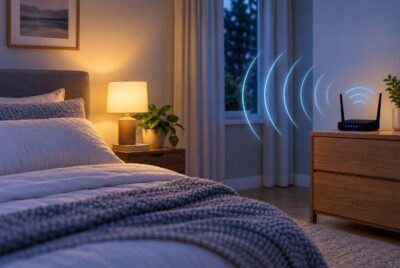
If your bedroom includes a Wi-Fi router because of internet service installation, it may be worth evaluating whether another location in the home could provide similar wireless coverage. Every home has different construction and networking needs, so there is no single solution, but reviewing the placement of networking equipment during your organization project can be worthwhile.
Finally, remember that bedrooms should primarily support rest. The fewer unnecessary distractions surrounding your sleeping area, the easier it becomes to establish routines that separate relaxation from constant connectivity.
A well-organized bedroom does not have to look minimalist to be effective. Instead, it should feel intentional. Every electronic device should have a purpose, every charger should have a home, and every item on your nightstand should contribute to a peaceful end to the day.
Create a Smarter Living Room
The living room is often the busiest space in the house. It is where families watch television, play games, stream movies, work on laptops, and charge phones throughout the day. Because so many activities happen in one room, electronics can quickly accumulate and create unnecessary clutter. Fortunately, a few organizational changes can make the room feel more inviting while encouraging healthier technology habits.
One of the simplest improvements is giving every electronic device a permanent home. Instead of leaving tablets on the coffee table or charging cables stretched across furniture, create designated storage areas that keep frequently used items accessible but out of sight when they are not needed.
Entertainment centers are another place where organization can make a noticeable difference. Many households have gaming consoles, streaming boxes, soundbars, routers, and surge protectors tucked behind the television. Over time, cords become tangled and forgotten equipment continues drawing power even if it is rarely used.
Take a few minutes to identify every cable. Labeling cords with inexpensive tags or reusable cable labels makes future maintenance much easier. You will also find it much simpler to unplug or relocate devices when everything is clearly identified.
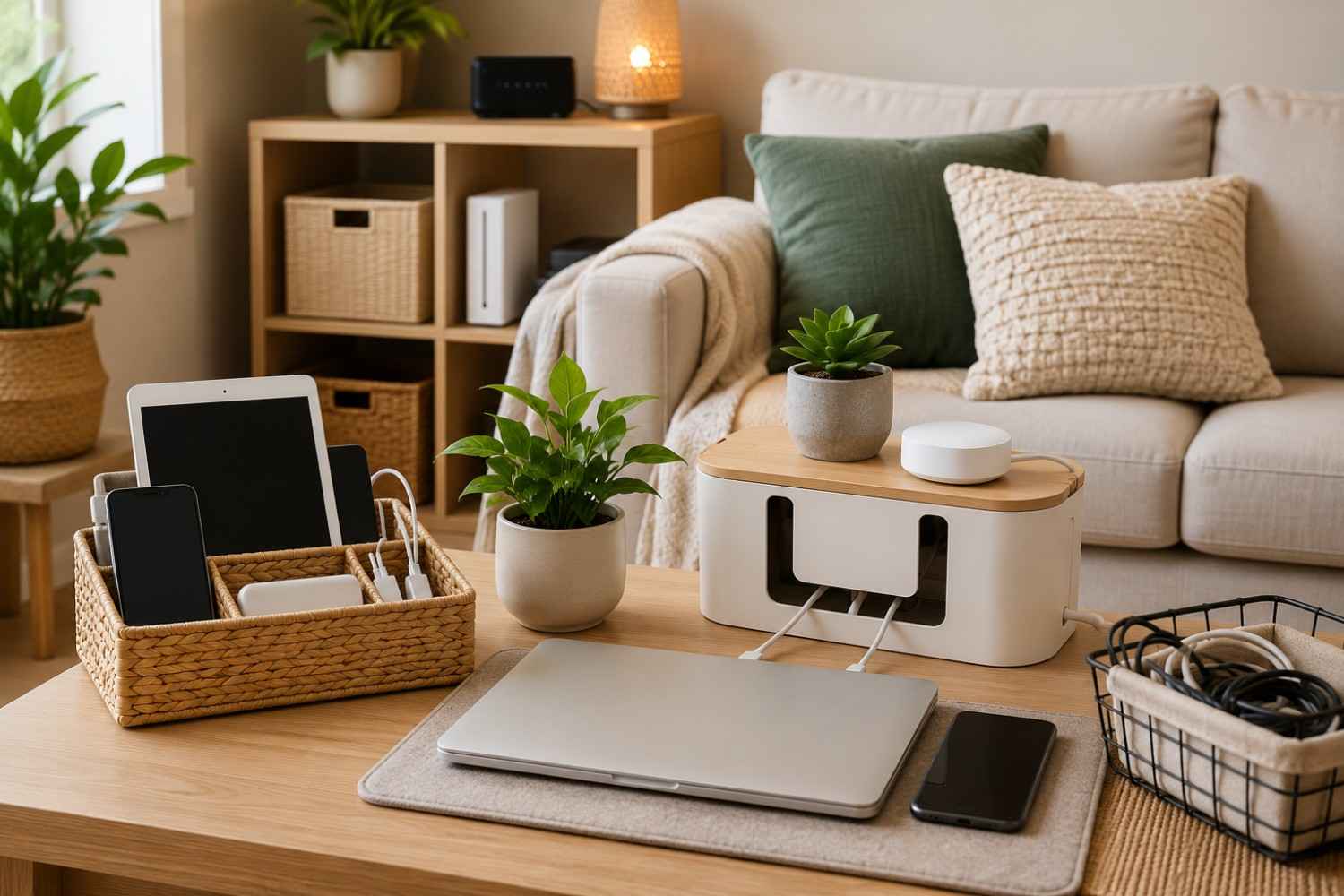
If your family regularly charges phones in the living room, consider creating a shared charging station inside a decorative basket or cabinet rather than leaving chargers plugged into multiple outlets throughout the room. This keeps surfaces cleaner and helps everyone know exactly where to place their devices.
Many homeowners also find that placing laptops on desks or tables instead of using them for extended periods on couches encourages better posture while creating a more organized environment. It also keeps electronics from constantly moving between rooms.
Cable management products, like the D-Line Cable Management Box (link to Amazon.com, can help reduce visual clutter without changing how you use your electronics.
This simple organizer helps hide power strips, charging adapters, and excess cords while keeping everything easily accessible. Although it does not reduce EMFs, it supports better organization and makes it easier to maintain an orderly technology area.
As you organize your living room, remember that the objective is not to remove technology. Instead, it is about arranging devices thoughtfully so they support your lifestyle without becoming the focus of the room.
Organize Your Home Office
Home offices have changed dramatically over the past several years. Even people who do not work remotely often have a dedicated space for paying bills, managing finances, attending virtual meetings, or helping children with schoolwork. As computers and accessories accumulate, office spaces can quickly become crowded with electronics.
The first step toward a more organized workspace is identifying which devices you actually use every day. Old printers, outdated routers, unused monitors, and extra keyboards often remain connected long after they have stopped serving a purpose.
Removing unnecessary equipment immediately creates a cleaner workspace while making the remaining devices easier to manage.
Next, think about how your primary workstation is arranged. Positioning your monitor at a comfortable viewing height, keeping frequently used items within easy reach, and organizing cables underneath the desk all contribute to a workspace that feels less stressful.
Whenever practical, many people also choose wired accessories instead of wireless ones. Wired keyboards, wired mice, and Ethernet connections provide dependable performance while reducing the number of wireless devices operating around the desk. This is a personal choice, but one that naturally fits into an organized office setup.
If your internet connection allows it, using an Ethernet cable for your desktop computer can also free up wireless bandwidth for other devices in the home.
An Ethernet cable offers a simple way to create a reliable wired connection for desktop computers, gaming systems, or docking stations without requiring complicated installation.
Charging habits deserve attention here as well. Rather than plugging phones, tablets, headphones, and smartwatches into separate outlets around the office, create one organized charging location. This keeps desks clear and prevents cables from becoming tangled.
Storage drawers can also be organized using small containers for flash drives, chargers, batteries, adapters, and external hard drives. Knowing exactly where everything belongs reduces frustration and makes it easier to keep your workspace tidy throughout the year.
Finally, make it a habit to shut down or unplug equipment that is not needed for extended periods. While many devices use very little standby power, turning off unused equipment helps reinforce intentional technology habits.
Build Better Charging Habits
Charging has become such an automatic part of daily life that many of us rarely think about where it happens. Phones charge beside beds, tablets charge on kitchen counters, earbuds recharge in backpacks, and smartwatches sit on nightstands every evening. Over time, charging locations multiply throughout the house, bringing along extension cords, power strips, and cable clutter.
A more organized approach begins with centralization.
Instead of maintaining charging stations in nearly every room, consider creating one primary charging area that serves your entire household. A family charging station can be placed on a hallway table, inside a kitchen cabinet, or on a dedicated shelf where everyone knows to leave devices when they are not in use.
Centralized charging offers several advantages. It reduces clutter, keeps devices from disappearing under couch cushions or blankets, and encourages family members to separate from their electronics during meals or bedtime.
As you evaluate your charging setup, consider these simple ideas:
- Assign one outlet for daily charging.
- Label charging cables for each family member.
- Remove chargers that are no longer needed.
- Coil excess cable length using reusable cable ties.
- Store backup chargers in one clearly labeled container.
- Keep charging stations clean and dust free.
These small organizational habits save time while helping your home feel less cluttered.
Charging stations can also benefit from organizers that keep multiple devices upright rather than stacked on top of one another.
A charging organizer helps reduce cable clutter while giving phones, tablets, and smartwatches dedicated spaces during charging.
Another helpful habit is performing a quick charging station cleanup once each month. Remove broken cables, recycle outdated chargers, and confirm that every device still belongs in the station. Five minutes of maintenance can prevent months of clutter from building up.
Affiliate Advertisement

Simplify the Kitchen
The kitchen may not seem like an obvious place to focus on technology, but many modern kitchens now contain more electronics than ever before. Smart refrigerators, Wi-Fi coffee makers, tablets displaying recipes, Bluetooth speakers, and phones resting on countertops have become common sights.
Without a plan, these devices can gradually occupy valuable workspace.
Begin by identifying which electronics truly belong in the kitchen. A tablet used regularly for recipes may deserve a permanent stand, while an old phone charging beside the toaster probably does not.
Try to keep food preparation areas as open as possible. Limiting unnecessary electronics on countertops creates more room for cooking while making the kitchen feel cleaner and more organized.
Charging phones in another room is another simple habit that prevents cables from crossing food preparation surfaces. A nearby charging station in a hallway or dining room often serves the same purpose without taking up valuable counter space.
Kitchen drawers can also benefit from organization. Chargers, batteries, smart appliance manuals, and extra cables often end up mixed with cooking utensils. Separating electronics into dedicated storage bins keeps everything easier to find.
If your family enjoys listening to music while cooking, consider assigning one permanent location for your speaker rather than moving it around the kitchen each day.
The goal is to allow technology to support your daily routine without becoming the center of attention.
Make Entryways Technology-Friendly
Entryways are one of the easiest places to improve daily organization because they naturally connect life inside and outside the home. A thoughtfully arranged entryway can reduce clutter while helping everyone develop more intentional technology habits.
Many families already have designated spots for shoes, coats, backpacks, and keys. Extending this idea to electronics creates a smoother daily routine.
A small basket or tray for phones, wallets, earbuds, and smartwatches gives everyone a convenient place to set down their belongings after arriving home. Instead of carrying phones from room to room all evening, they have a designated location that is easy to remember.
This habit also reduces the common frustration of searching for misplaced devices before leaving the house.
As you organize your entryway, consider adding:
- A tray for keys and wallets.
- A basket for phones.
- A drawer for charging accessories.
- Hooks for backpacks containing tablets or laptops.
- A small shelf for portable battery packs.
These simple additions encourage consistency without requiring major changes to your routine.
Families with children often find that entryway organization helps establish healthy expectations. Tablets can be stored with backpacks after school, headphones can return to the same drawer each afternoon, and devices are less likely to end up scattered throughout the house.
Over time, these small routines become automatic. Instead of wondering where electronics belong, everyone knows exactly where to place them.
Perhaps the greatest benefit of organizing your entryway is that it creates a natural transition between the outside world and the comfort of home. Rather than remaining constantly attached to every device, you create opportunities to set technology aside – even if only for a little while – and focus on the people and activities waiting inside.
Organize Children’s Rooms
Children’s bedrooms often become the fastest-changing rooms in a home. New toys, school supplies, gaming systems, tablets, and phones can gradually accumulate, making it difficult to keep everything organized. Rather than focusing only on cleaning up clutter, consider creating simple routines that encourage responsible technology use from an early age.
The first step is assigning every device a permanent storage location. Tablets can have one shelf, handheld gaming systems another, and charging cables can be stored in a small drawer organizer instead of becoming tangled in toy bins or under beds. When children know exactly where their electronics belong, cleaning up becomes much easier.
It can also be helpful to separate “active” devices from those that are simply being stored. For example, a tablet used for homework may stay on a desk, while older electronics that are rarely used can be moved to another part of the home until they are needed.
Charging habits are another area where organization can make a difference. Instead of charging multiple devices beside the bed, many families choose a shared charging location outside bedrooms. This not only reduces clutter but also creates a more consistent bedtime routine by removing the temptation to check notifications late into the evening.
As you organize your children’s rooms, consider asking a few simple questions together:
- Which devices do you actually use every week?
- Which chargers belong to which device?
- Are there electronics that could be donated or recycled?
- Is there a better place to store this when it isn’t being used?
Involving children in these decisions helps them develop organizational skills that will serve them well beyond technology.
The goal is not to eliminate electronics from children’s lives. Instead, it is to create an environment where technology has a purpose, a designated place, and healthy boundaries.
Build Daily Low-EMF Habits That Stick
Organizing your home is only part of the process. Long-lasting improvements come from habits that become second nature over time. Fortunately, most of these habits require very little effort once they are part of your daily routine.
Rather than trying to change everything at once, choose one or two habits to practice consistently for a few weeks. Once those become automatic, add another small improvement. This gradual approach is much easier to maintain than making dozens of changes all at once.
Some simple habits that many people find helpful include:
- Placing phones on a table instead of carrying them in a pocket whenever practical.
- Using speakerphone or wired headphones for longer conversations.
- Charging devices outside the bedroom when possible.
- Turning off electronics that are not being used.
- Keeping laptops on desks or tables instead of directly on your lap for extended periods.
- Creating technology-free times during meals or family activities.
- Keeping charging cables organized so devices return to the same place every day.
These habits are less about perfection and more about creating consistency. Even small changes can make your home feel less cluttered and reduce the constant pull of technology throughout the day.
If your household includes several family members, consider making these habits part of everyone’s routine. Shared expectations are often easier to maintain than individual ones, especially when charging stations, storage baskets, and device locations are clearly established.
Remember that organization is never a one-time project. Every few months, take a quick walk through your home and ask yourself whether your current setup is still working. As technology changes, your organization system can evolve along with it.
When Products Actually Make Sense
There is no shortage of products marketed to people who are interested in reducing everyday EMF exposure. While some can be useful, the most valuable improvements usually begin with organization and daily habits rather than shopping.
That said, there are situations where a thoughtfully chosen product can complement the changes you have already made.
If you would like a better understanding of the wireless devices operating throughout your home, an EMF meter, such as the Safe and Sound Pro II RF Meter by Safe Living Technologies, can provide useful information.
Rather than relying on assumptions, this meter allows you to measure radiofrequency signals from common household devices. It can be especially helpful when deciding where to place networking equipment or identifying sources of wireless activity.
Cable organization is another area where a simple product can make a noticeable difference. Products such as the D-Line Cable Management Box (link to Amazon.com), can make a difference.
Keeping surge protectors, charging bricks, and extra cables neatly contained reduces visual clutter while making electronics easier to manage and clean.
The most important point is that products should support good habits – not replace them. Organizing your home thoughtfully, reducing unnecessary clutter, and using technology intentionally will always provide a strong foundation.
Small Changes Add Up
One of the biggest misconceptions about organizing a home is that everything needs to be completed in a single weekend. In reality, lasting organization usually happens one small improvement at a time.
Perhaps this week you reorganize your bedroom charging station. Next month you tidy your home office. Later you simplify your living room entertainment center. Before long, these individual projects begin working together to create a home that feels calmer and more intentional.
This gradual approach also makes it easier to determine which changes genuinely improve your daily routine. Instead of following a long checklist all at once, you have time to evaluate what works well for your family and what could be adjusted.
Another benefit of moving slowly is that organization becomes easier to maintain. Small projects rarely feel overwhelming, and they are much more likely to become permanent habits.
You may even discover benefits beyond reducing clutter. Organized charging stations save time, labeled cables reduce frustration, and dedicated storage areas make everyday cleaning quicker. These practical improvements often have as much value as the original goal itself.
Keep in mind that every household is different. A home with young children will naturally have different technology needs than a retired couple or someone working remotely full-time. There is no perfect setup—only the one that works best for your lifestyle.
Conclusion
Creating a more organized home does not require dramatic lifestyle changes or expensive renovations. In many cases, the greatest improvements begin by simply paying closer attention to where technology lives inside your home and how it fits into your daily routine.
By assigning electronics permanent locations, simplifying charging areas, reducing unnecessary clutter, and establishing consistent habits, you can create spaces that feel more comfortable and easier to maintain. These practical changes often make technology feel like a helpful tool rather than a constant distraction.
Remember that building a low EMF home is a gradual process, not a race. Every organized charging station, thoughtfully arranged workspace, and device-free bedtime routine contributes to a home that better supports your everyday life.
Start with one room, make a few intentional improvements, and allow those small successes to build over time. You may be surprised by how much difference thoughtful organization can make—not only in how your home looks, but also in how it feels.
Before You Go…
Get Weekly EMF Protection Tips
Enjoy this article? Join the EMFLuLu newsletter for simple weekly tips to reduce everyday EMF exposure from phones, WiFi routers, laptops, and smart home devices.
Try Our Free EMF Calculators
Curious how much EMF exposure you may experience each day?
These simple tools can help you estimate your exposure and identify possible problem areas in your home.
Try these free calculators:
Like this article? Pin it on Pinterest!


More to Explore