Wearable sleep trackers have made it remarkably easy to learn more about what happens while we sleep. A smartwatch or smart ring can estimate how long you slept, how often you woke up, your resting heart rate, and even how much time you may have spent in different sleep stages. But wearing an electronic device against your body for seven or eight hours naturally raises another question: what about sleep tracker EMF? Does a wearable continuously transmit electromagnetic fields throughout the night, or is the situation more complicated than that?
The answer depends largely on the type of tracker, its wireless technology, and the settings you use. Most modern wearable trackers use Bluetooth to communicate with a smartphone, but collecting sleep information and wirelessly transmitting that information are two different processes. Some trackers can collect information internally for hours and synchronize it with a phone later.
If you enjoy sleep tracking but would also like to reduce unnecessary wireless exposure in your bedroom, understanding this distinction can help you make practical decisions without giving up technology that you find useful.
What Is a Wearable Sleep Tracker?
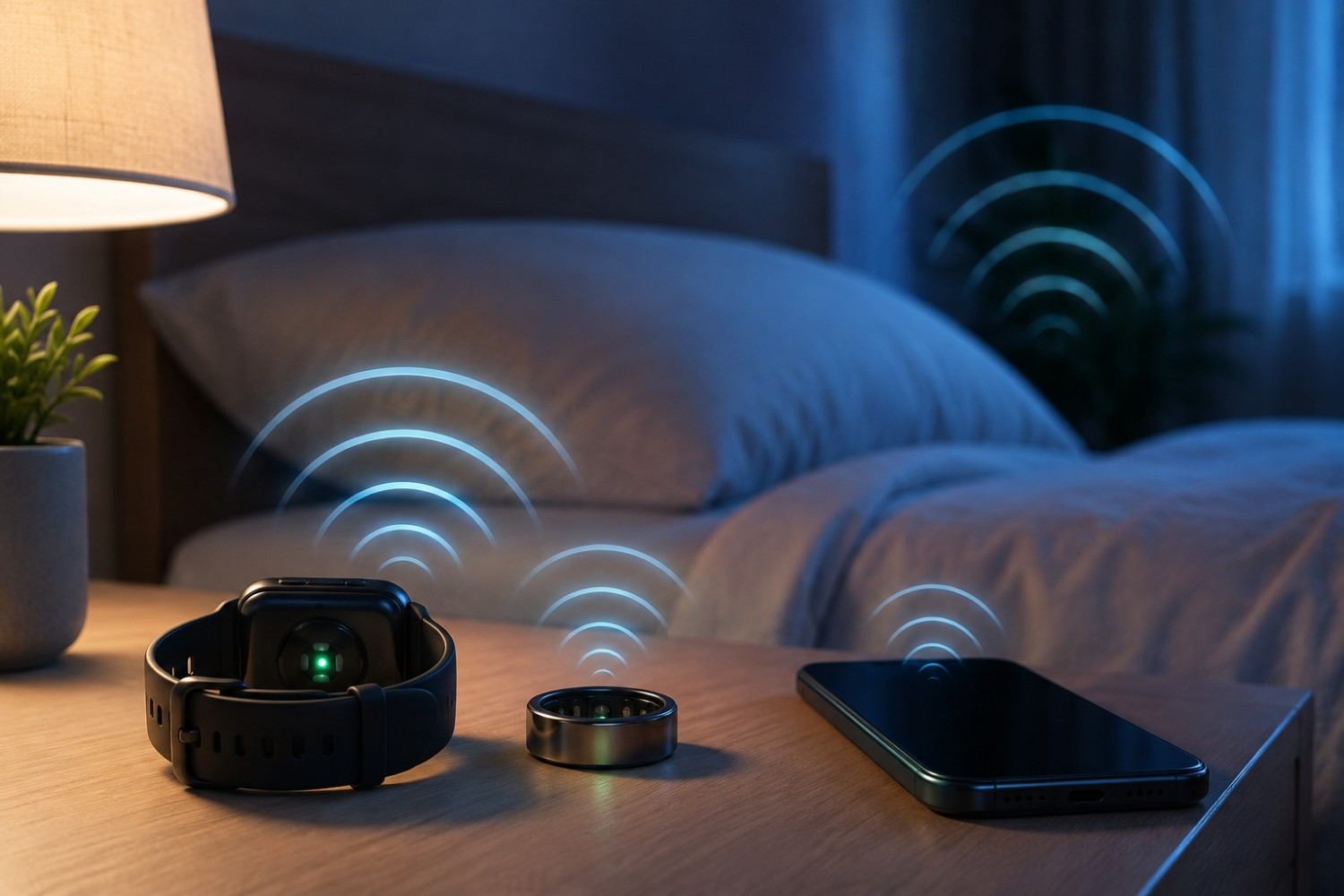
A wearable sleep tracker is a small electronic device designed to collect information about your body and movement while you sleep. Smartwatches and fitness bands are probably the most familiar examples, although smart rings have become increasingly popular because they are smaller and can be comfortable to wear overnight.
These devices don’t actually watch you sleep. Instead, their sensors collect measurements that software uses to estimate what happened during the night.
Depending on the device, a sleep tracker may monitor several different measurements, including:
- Movement
- Heart rate
- Heart-rate variability
- Skin temperature
- Blood oxygen levels
- Breathing patterns
- Sleep duration
- Estimated sleep stages
Not every tracker measures all of these things, and consumer sleep trackers should not be confused with medical sleep studies. Their primary purpose is usually to help you identify trends in your sleep rather than provide a medical diagnosis.
The important distinction for an EMF discussion is that the sensors collecting these measurements do not necessarily require the wearable to continuously communicate with your smartphone.
A tracker can potentially collect and store information internally and transfer it later.
Do Sleep Trackers Emit EMF?
Yes, electronic sleep trackers can produce electromagnetic fields. However, saying that a device “emits EMF” does not tell us very much by itself.
EMF is an extremely broad term.
Electronic devices can produce lower-frequency electric and magnetic fields associated with their electrical components. Wireless devices can also produce radiofrequency electromagnetic fields when communicating through technologies such as Bluetooth, Wi-Fi, or cellular networks.
For most wearable sleep trackers, Bluetooth is particularly relevant.
Bluetooth uses radiofrequency energy to send information wirelessly over relatively short distances. Many wearables use Bluetooth Low Energy, commonly abbreviated BLE, which was designed for devices that need wireless connectivity while consuming relatively little battery power.
That low power requirement makes sense for a wearable. A tiny ring or watch cannot support the same battery capacity as a smartphone, so conserving energy is extremely important.
It is also important to keep the issue in perspective. The fact that a wearable uses radiofrequency communication does not establish that wearing it causes health problems. Bluetooth uses non-ionizing radiofrequency energy, and exposure depends on factors such as transmission power, duration, distance, and how frequently the device communicates.
For someone who follows a precautionary approach to EMF, however, it can still be reasonable to ask whether every wireless connection needs to remain active while sleeping.
Do Wearable Sleep Trackers Transmit EMF All Night?
This is where the question becomes particularly interesting.
A wearable may be operating throughout the night without transmitting continuously throughout the night. Those are not necessarily the same thing.
The sensors inside the device may continuously or periodically measure movement, pulse, temperature, or other information. That information can then be stored in the device’s internal memory.
Wireless communication is a separate function.
Depending on the model and configuration, the wearable may communicate periodically with a paired phone, maintain a Bluetooth connection, synchronize information at certain intervals, or wait until later to transfer stored data.
Therefore, there isn’t a single answer that applies to every wearable.
This is an important point when discussing sleep tracker EMF because it is easy to assume that a tracker collecting information for eight hours must also be transmitting wirelessly for eight hours. That isn’t necessarily how the technology works.
The best approach is to investigate the specific tracker you own or are considering buying. Look for information about Bluetooth, airplane mode, offline tracking, onboard storage, and whether sleep data continues to be recorded when wireless communication is disabled.
Sleep Tracker EMF vs. Smartphone EMF
If you are concerned about wireless exposure while sleeping, it helps to consider your sleep tracker as part of the larger bedroom environment.
A Bluetooth wearable and a smartphone aren’t identical sources.
Bluetooth Low Energy was specifically developed for low-power communications. Smartphones, meanwhile, can contain multiple wireless transmitters and may communicate using cellular, Wi-Fi, Bluetooth, and other technologies.
The wearable has one characteristic that makes people interested in EMF reduction pay attention to it: proximity.
A smartwatch sits directly against your wrist. A smart ring remains against your finger. If you wear either for eight hours, there is essentially no distance between the device and your body.
Distance is one of the simplest tools available when trying to reduce exposure to many sources of electromagnetic fields. You obviously cannot add several feet of distance between yourself and a device that must remain on your wrist to collect measurements.
That doesn’t mean the wearable is therefore dangerous. It simply explains why someone who wants to minimize unnecessary wireless exposure may be interested in disabling wireless communication when it isn’t needed.
What About Smart Rings?
Smart rings have become especially popular for sleep monitoring because they are much smaller than watches.
For someone who dislikes sleeping with a smartwatch strapped around the wrist, a ring may feel considerably less intrusive. The small device can contain multiple sensors and collect substantial amounts of information while you sleep.
From an EMF perspective, the important question isn’t simply whether the tracker is shaped like a ring or watch.
The more useful questions are: What wireless technology does it use? When does it transmit? Can wireless communication be disabled? And will it continue recording sleep data when that communication is turned off?
Some wearable devices offer airplane modes or similar features that disable radio transmissions while allowing measurements to continue. The stored information can then be synchronized after wireless communication is restored.
This type of functionality can provide an appealing compromise for someone who wants sleep information but would rather not maintain an unnecessary Bluetooth connection overnight.
Before purchasing a device specifically for this reason, however, verify its current specifications and instructions. Features can change between models and software versions.
Does Airplane Mode Stop Sleep Tracking?
Not necessarily.
This is another situation where separating “tracking” from “transmitting” is useful.
Airplane mode is generally intended to disable wireless communication. The sensors used to collect information may still function independently.
If a particular tracker supports offline sleep tracking, you may be able to synchronize the device before going to bed, disable wireless communication, sleep with the tracker on, restore its wireless connection in the morning, and then synchronize the night’s information.
For a compatible tracker, a nighttime routine might look something like this:
- Synchronize your wearable with its app before bed.
- Activate airplane mode or the manufacturer’s equivalent wireless-off setting.
- Wear the device while sleeping and allow its sensors to collect information.
- Turn wireless communication back on after waking.
- Synchronize the stored sleep information with the app.
The exact procedure depends on the manufacturer. Don’t assume that every airplane mode works the same way or that every device will record all measurements with Bluetooth disabled.
If reducing wireless transmissions is one of your reasons for choosing a sleep tracker, this is a feature worth researching before buying.
Should You Be Worried About Wearing a Sleep Tracker All Night?
This question deserves a measured answer.
Bluetooth-enabled consumer wearables use non-ionizing radiofrequency energy, generally at low power. The fact that a device produces an electromagnetic field does not by itself establish that it is harmful.
That distinction is important because discussions about EMF sometimes treat all electromagnetic radiation as though it were equivalent. It isn’t.
Ionizing radiation, such as X-rays, has enough energy to ionize atoms. Radiofrequency signals from technologies such as Bluetooth are non-ionizing.
At the same time, some people choose to follow a precautionary approach toward wireless exposure. That can mean reducing exposures that aren’t necessary, particularly when doing so requires little effort or inconvenience.
For example, if your sleep tracker can record the exact same information with Bluetooth disabled overnight, you may decide there is little reason to keep Bluetooth active.
That is different from claiming Bluetooth exposure has been proven to disrupt your sleep or cause disease.
You are simply deciding whether a particular wireless transmission is necessary.
Simple Ways to Reduce Sleep Tracker EMF Exposure
You don’t necessarily need to stop tracking your sleep if you want to reduce unnecessary wireless activity at night. Depending on your wearable, several relatively simple adjustments may allow you to continue collecting useful information while limiting wireless communication.
Before making changes, check your device’s manual or manufacturer’s support information because disabling certain features may affect what the tracker records.
Some practical options include:
- Use airplane mode or an offline mode if your tracker supports sleep tracking without an active wireless connection.
- Synchronize your sleep information after waking rather than keeping unnecessary connections active overnight.
- Disable wireless features you don’t use.
- Keep your paired smartphone farther away from your bed.
- Consider putting your smartphone into airplane mode overnight when you don’t need to receive calls or messages.
- Track sleep periodically instead of automatically wearing a tracker every night.
- Consider a non-wearable sleep-monitoring system if you don’t want an electronic device directly against your body.
None of these steps has to be an all-or-nothing decision. You can experiment with different approaches and determine how much sleep tracking you actually need.
Don’t Forget About the Smartphone Beside Your Bed
One potential mistake when thinking about sleep tracker EMF is concentrating entirely on the tiny device around your wrist or finger while leaving a smartphone inches from your pillow.
Your phone deserves consideration as part of the overall bedroom environment.
Depending on its settings and connection, a smartphone can communicate through cellular networks, Wi-Fi and Bluetooth. Apps may also perform background activities throughout the night.
Fortunately, a phone is much easier to move away from your body than a wearable.
If you don’t need your phone within reach, simply moving it farther from your bed is one of the easiest changes you can make. You don’t necessarily need a special product to create distance.
If you use your phone as an alarm, consider placing it across the room rather than on your nightstand. That also has the secondary benefit of making you physically get out of bed to turn off the alarm.
Airplane mode may be another option if you don’t need incoming calls, texts, or internet connectivity overnight. Check which wireless features remain enabled on your particular phone after activating airplane mode, because settings can vary.
Affiliate Advertisement
Can You Measure EMF From Your Sleep Tracker?
If you’re curious about what your own wearable is doing, measurement can be more useful than guessing.
However, you need the appropriate type of meter for the signal you’re investigating.
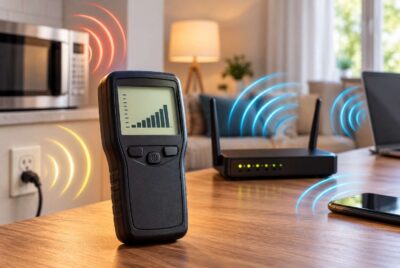
A meter capable of detecting radiofrequency signals can help you investigate wireless transmissions from devices using Bluetooth or Wi-Fi. Other meters are designed to measure lower-frequency electric or magnetic fields.
If you decide to perform your own experiment, consistency matters.
Rather than taking a single measurement, compare the device under several conditions. For example, measure it while it is actively synchronizing with the phone, while it is idle, and – if supported – while it is in airplane mode.
You could also compare readings with the paired smartphone beside the tracker and then again with the smartphone farther away.
This type of comparison may give you a better idea of when wireless activity is occurring.
Safe Living Technologies sells specialized EMF measurement equipment, but purchasing a meter isn’t necessary simply because you own a sleep tracker. A meter makes more sense for someone who wants to investigate multiple EMF sources throughout a home and learn how different devices and settings affect measurements.
Are Non-Wearable Sleep Trackers Better?
If you like sleep data but dislike wearing electronics overnight, another possibility is a non-wearable sleep tracker.
Some sleep-monitoring systems are designed to sit near the bed or use sensors positioned under a mattress rather than attaching directly to your body.
Removing a device from direct body contact provides additional distance, but don’t automatically assume that a non-wearable tracker produces no EMF.
It may still contain electronic components or communicate wirelessly.
The same questions apply: How does it collect information? Does it use Wi-Fi or Bluetooth? How often does it communicate? Can wireless functions be disabled?
For an EMF-conscious shopper, understanding how a device works is usually more useful than simply choosing one based on whether it is worn on the body.
Do You Really Need to Track Your Sleep Every Night?
There is another option that doesn’t require replacing your tracker at all: use it less often.
Sleep tracking can be useful for identifying patterns. You might discover that you sleep longer when you exercise, that going to bed at a consistent time seems to help, or that certain habits correspond with more nighttime awakenings.
Once you have identified useful patterns, however, you may not need to collect data every single night.
You could track your sleep for a week each month, for example, or use the tracker when you are testing a change in your routine.
There is also a psychological side to sleep tracking worth considering.
Researchers and sleep specialists sometimes use the term “orthosomnia” to describe an unhealthy preoccupation with achieving ideal sleep data. Someone may wake up feeling rested, check a wearable, see a disappointing sleep score, and suddenly believe they had a terrible night’s sleep.
Sleep data should be a tool rather than a source of anxiety.
If tracking helps you improve your habits, it may be useful. If you find yourself worrying about every score or constantly checking whether you achieved the “correct” amount of deep sleep, taking occasional breaks from tracking may be worthwhile.
Look at Your Entire Bedroom, Not Just Your Wearable
For someone interested in reducing nighttime EMF, the sleep tracker is only one piece of the bedroom environment.
Modern bedrooms can contain numerous electronic and wireless devices. Focusing entirely on a low-power wearable while ignoring everything else may not be the most practical approach.
If you want to evaluate your bedroom more broadly, consider the location and use of devices such as:
- Smartphones
- Wi-Fi routers or mesh nodes
- Tablets
- Bluetooth speakers
- Smart speakers
- Wireless security devices
- Smart-home products
- Chargers beside the bed
- Electric blankets or powered bedding
- Other electronic equipment close to where you sleep
Again, this doesn’t mean every electronic device in your home represents a health threat.
Instead, look for easy opportunities to eliminate unnecessary exposure.
A Wi-Fi router doesn’t usually need to be sitting beside your bed. A phone doesn’t necessarily need to be under your pillow. A Bluetooth speaker doesn’t need to remain connected all night if you aren’t using it.
Simple changes involving distance and turning off features you don’t need may accomplish what you want without purchasing anything.
Should You Stop Wearing Your Sleep Tracker?
For most people, there isn’t a universal yes-or-no answer.
If you enjoy tracking your sleep and aren’t particularly concerned about low-power Bluetooth exposure, you may decide to continue using your wearable exactly as you do now.
If you prefer a precautionary approach, you have other options.
You might use airplane mode when supported, synchronize information only after waking, wear the tracker only periodically, or investigate non-wearable alternatives.
You can also question whether every feature needs to remain active.
Technology tends to arrive with everything switched on by default. That doesn’t mean every feature is necessary for every person.
Learning how your tracker operates allows you to decide which functions provide genuine value.
A Practical Low-EMF Sleep Tracking Routine
If you want the benefits of sleep tracking while taking a simple precautionary approach, you can develop a nighttime routine that requires very little additional effort.
The exact steps depend on your wearable, but the basic idea is straightforward.
Before bed, synchronize the tracker and check that it has enough battery power for the night. If the manufacturer confirms that sleep tracking continues in airplane or offline mode, enable that setting.
Next, consider your phone.
If you don’t need it overnight, put it in airplane mode or turn it off. If you need the phone to remain connected for emergency calls or other reasons, move it farther from the bed rather than keeping it directly beside your head.
In the morning, restore your tracker’s wireless connection and synchronize your sleep information.
The entire process can take less than a minute once it becomes part of your routine.
More importantly, it avoids turning EMF reduction into something complicated or stressful.
Conclusion
Wearable sleep trackers are impressive little devices. A ring or watch can collect an enormous amount of information while you sleep, helping you recognize patterns that would otherwise be difficult to see.
But collecting information isn’t necessarily the same as continuously transmitting it.
When considering sleep tracker EMF, the most important questions are what type of wireless communication your device uses, when it communicates, whether wireless functions can be disabled, and whether sleep tracking continues when those functions are turned off.
Bluetooth-enabled wearables generally use low-power, non-ionizing radiofrequency signals, and the presence of EMF does not automatically mean a device is dangerous. At the same time, someone who prefers a precautionary approach can often reduce unnecessary nighttime wireless activity without giving up sleep tracking altogether.
Check whether your wearable offers airplane or offline tracking. Synchronize your data in the morning when possible. Keep your smartphone away from the bed rather than directly beside your head. Look at the entire bedroom rather than focusing on one tiny device.
And perhaps most importantly, remember why you’re using a sleep tracker in the first place.
The goal is better sleep.
If the data helps you develop healthier habits, it can be a valuable tool. If the device or its readings cause you to worry about sleep, technology, or achieving a perfect score every morning, it may be worth using it less often.
A sensible approach doesn’t require fearing wireless technology or ignoring it. It simply means understanding what your devices are doing and making informed choices about when you actually need them connected.
Before You Go…
Get Weekly EMF Protection Tips
Enjoy this article? Join the EMFLuLu newsletter for simple weekly tips to reduce everyday EMF exposure from phones, WiFi routers, laptops, and smart home devices.
Try Our Free EMF Calculators
Curious how much EMF exposure you may experience each day?
These simple tools can help you estimate your exposure and identify possible problem areas in your home.
Try these free calculators:
Like this article? Pin it on Pinterest!

More to Explore