Phones used to be one of the few rechargeable devices found around the house. Today, a typical household may have smartphones, tablets, smartwatches, wireless earbuds, laptops, fitness trackers, portable speakers, and battery packs that all need regular charging. As a result, chargers and powered devices can gradually spread throughout bedrooms, kitchens, offices, and living areas. Creating a low EMF charging station provides a simple way to organize these electronics while also making thoughtful choices about distance, wireless connectivity, and where powered equipment is located in relation to the places where people spend the most time.
The idea isn’t to eliminate technology from your home or to suggest that ordinary charging is inherently dangerous. Instead, a designated charging area can help reduce unnecessary exposure while solving a very practical problem: electronic clutter. A few changes in where and how devices are charged can create a cleaner setup without making everyday life inconvenient.
What EMF Sources Are Present Around a Charging Station?
Before reorganizing your chargers, it helps to understand that “EMF” is a broad term. The electromagnetic fields associated with a phone charging area don’t necessarily come from one source or operate at the same frequencies.
A traditional plug-in charger uses electricity from the home’s electrical system and converts it to the voltage required by the device. Powered adapters and electrical equipment can produce extremely low-frequency electric and magnetic fields.
The phone itself introduces another consideration. A smartphone can communicate with cellular towers, Wi-Fi routers, Bluetooth accessories, and other wireless equipment. These communications involve radiofrequency electromagnetic fields, often referred to as RF-EMF.
Wireless charging adds another component. Qi-style wireless chargers transfer energy through magnetic induction rather than sending electricity through a physical cable directly into the phone. Coils inside the charging pad and compatible device interact through an alternating magnetic field.
This distinction matters because moving a charging phone away from your bed, for example, can address several things at once. You increase your distance from the charger itself and from a phone that may continue communicating wirelessly throughout the night.
Start With Distance Before Buying Anything
One of the easiest mistakes to make when trying to reduce EMF exposure is assuming that you need to purchase a specialized product first. In many situations, changing the location of electronics is a much simpler starting point.
Electromagnetic field strength generally decreases as distance from the source increases, although the exact relationship depends on the source, frequency, and surrounding environment. This makes distance one of the most practical considerations when arranging household electronics.
Think about where your devices currently charge. A phone may sit inches from your head on a nightstand for seven or eight hours. A tablet charger may be underneath your desk near your legs. Several phones and wireless accessories may charge on an end table immediately beside the couch.
None of these arrangements are necessary simply because an outlet happens to be nearby.
Instead, look for locations where devices can charge without being immediately beside someone for long periods. A hallway console, entryway table, home office shelf away from the desk chair, kitchen counter away from seating, or mudroom may provide a practical alternative.
The goal isn’t to place the charging station as far away as physically possible. It needs to remain convenient enough that everyone will actually use it.
Choose Wired Charging When Practical
Wireless charging is undeniably convenient. Instead of connecting a cable, you place the phone on a pad and charging begins. But convenience doesn’t necessarily mean it needs to be the default charging method throughout your home.
Wireless chargers typically use magnetic induction. A transmitting coil inside the charging pad produces an alternating magnetic field, which interacts with a receiving coil inside the compatible device.
Wired charging eliminates the need to transfer power between the charger and phone using this type of wireless power transfer.
For someone intentionally organizing a low EMF charging station, conventional wired charging is therefore a logical option when practical. A centralized station can have several charging cables ready to go, reducing much of the inconvenience that makes wireless charging attractive in the first place.
You don’t necessarily have to throw away every wireless charger you own. Instead, consider whether you actually need one in every location where you currently use one.
For readers interested specifically in wireless charging, see our guide, Hidden Electromagnetic Fields From Qi Wireless Chargers and How to Reduce Exposure, for a closer look at how the technology works and practical ways to use it more thoughtfully.
How to Choose the Best Location for Your Charging Station
Location is arguably more important than the organizer, cables, or accessories you ultimately use. The ideal location will vary depending on the layout of your home, but several principles can help narrow down your options.
First, look at where people spend long periods of time. Bedrooms deserve particular consideration because sleeping areas are occupied for many consecutive hours. Instead of automatically charging phones on bedside tables, consider whether they could charge somewhere farther from the bed.
You can apply the same thinking to your living room and home office. A charging station positioned directly beside your favorite chair may be less desirable than one several feet away.
Next, consider convenience. If you place the family’s charging station in an obscure corner of the basement, there’s a good chance everyone will eventually return to plugging their phones in wherever they happen to be sitting.
You also need access to appropriate electrical outlets without creating an unsafe arrangement of extension cords.
Finally, consider ventilation. Chargers and rechargeable batteries can generate heat. Phones, tablets, battery packs, and charging adapters shouldn’t be piled into a tightly enclosed container where heat cannot dissipate properly.
The best location balances distance, convenience, electrical safety, and ventilation.
How to Build a Household Low EMF Charging Station
Once you’ve selected a location, setting up the station doesn’t have to be complicated. In fact, simplicity makes it more likely that the system will remain organized.
Before setting everything up, gather all of the charging equipment your household regularly uses. You may be surprised by how many duplicate chargers, outdated cables, and unnecessary adapters have accumulated over the years. This is a good opportunity to determine what you actually need.
A practical setup can follow these steps:
- Choose one centralized location. Pick an area that isn’t immediately beside a bed, couch, desk chair, or another location occupied for long periods.
- Identify the devices that need regular charging. Include smartphones, tablets, smartwatches, earbuds, fitness trackers, portable battery packs, and other rechargeable electronics.
- Use wired charging where practical. Keep the appropriate cables at the station so family members don’t need to search for them.
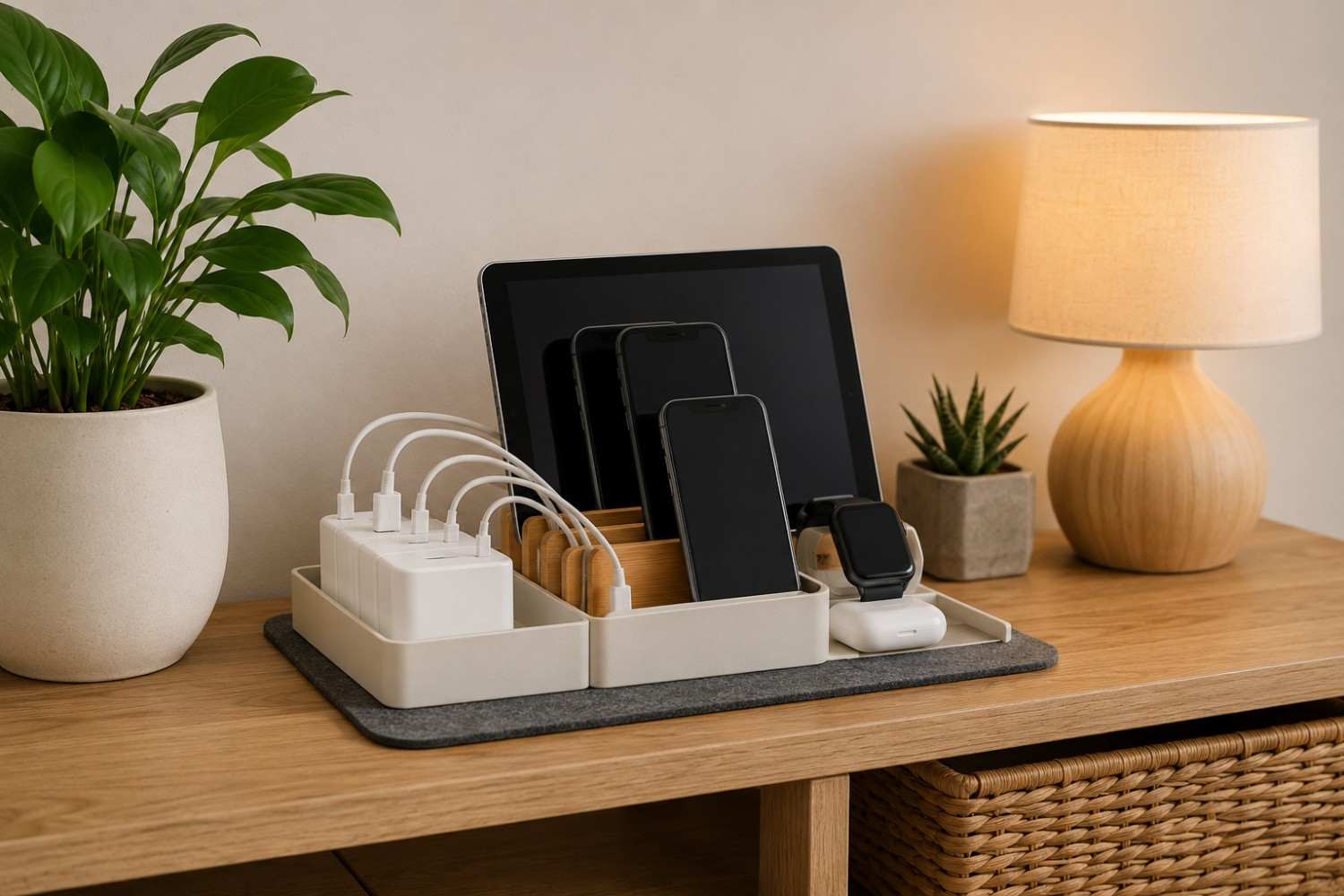
- Organize devices rather than stacking them. A basic nonmetallic desktop organizer or charging rack can keep phones and tablets upright and separated.
- Label cables when necessary. If several family members use different connectors, small labels can prevent confusion.
- Keep charging adapters accessible and ventilated. Don’t bury powered adapters underneath piles of clothing, paperwork, or other objects.
- Remove chargers that aren’t actually needed. There is little benefit to keeping ten adapters plugged in if the household routinely uses only four.
- Consider a switched power strip when appropriate. This can make it easier to disconnect several chargers from power when they aren’t being used.
- Keep the station organized. Periodically remove abandoned cables, broken chargers, and devices that no longer belong there.
This type of system has benefits beyond EMF considerations. It reduces cable clutter, makes chargers easier to find, and can help keep devices from disappearing into different rooms.
Should You Use Airplane Mode While Charging?
One common misconception is that plugging a phone into a cable somehow stops its wireless activity. Charging and wireless communication are separate functions.
A smartphone can continue communicating with cellular networks while charging. Depending on its settings, it may also maintain Wi-Fi and Bluetooth connections.
If you don’t need connectivity while you’re sleeping, airplane mode can be one option for reducing unnecessary wireless transmissions from the device. However, airplane mode changes how your phone functions.
Depending on the device and settings, you may not receive regular cellular calls or text messages while airplane mode is enabled. Some phones also allow Wi-Fi or Bluetooth to be manually enabled while airplane mode remains active.
This makes airplane mode a personal decision rather than a universal recommendation.
Someone who needs to remain reachable overnight may reasonably decide to keep cellular service enabled while simply placing the phone farther away. Someone who doesn’t need overnight connectivity might prefer airplane mode.
The important point is recognizing that you have options.
Should You Unplug Chargers When They’re Not Being Used?
Once a charging station is organized, another question often arises: Should everything stay plugged in around the clock?
There usually isn’t much reason to keep unnecessary chargers powered when they aren’t being used. Unplugging them can reduce standby electricity consumption and remove unnecessary powered equipment from the area.
The inconvenience is obvious, though. Few people want to crawl underneath furniture every morning to unplug five individual chargers.
This is where a properly rated switched power strip can be useful. Several charging adapters can be connected to one strip, allowing the power to be switched off when charging is finished.
Electrical safety should always come first. Avoid overloading outlets or power strips, don’t use damaged cords or adapters, and follow the manufacturer’s instructions for the equipment you use.
Rethink Charging Phones Beside the Bed
The bedroom is one of the first places to consider when reorganizing your charging habits.
Phones have gradually replaced traditional alarm clocks for many people, making the nightstand a natural charging location. But needing a phone alarm doesn’t necessarily mean the phone has to be six inches from your pillow.
One option is simply moving the phone farther across the room.
This can have another unexpected benefit: If the alarm is across the room, you have to physically get out of bed to turn it off.
Another possibility is returning to a basic alarm clock and charging the phone outside the bedroom altogether.
You don’t need to establish a rigid rule that every electronic device must leave the bedroom. Instead, consider whether each device actually needs to be immediately beside you throughout the night.
Create a Family Charging Zone
A centralized charging area becomes particularly useful in homes with several people.
Imagine a family with four smartphones, two tablets, three pairs of wireless earbuds, two smartwatches, and a portable battery pack. Without a system, that’s potentially twelve rechargeable devices scattered throughout the house.
A family charging zone can provide a designated “parking spot” for electronics.
Give each family member a slot or portion of the organizer. Keep compatible charging cables ready. Children can place tablets or phones in the station at a designated time, and everyone knows where devices should be when they aren’t being used.
This can also help establish boundaries around electronics at bedtime. Instead of arguing over whether a phone is being used under the covers, the household can have a consistent location where devices charge overnight.
The solution isn’t specifically about EMF at that point. It’s also about organization, screen habits, and creating a more predictable household routine.
Don’t Forget Smartwatches and Wireless Earbuds
Smartphones tend to receive most of the attention in discussions about wireless devices, but modern households contain many smaller rechargeable electronics.
Wireless earbuds, smartwatches, fitness trackers, portable speakers, and other accessories frequently use Bluetooth or other wireless technologies during normal operation.
Because they’re small, their chargers often end up scattered around the house.
Include these devices when planning your charging station.
A small compartment can hold earbuds. Smartwatch charging cables can remain permanently organized at the station. Fitness trackers can have their own designated cable.
The idea is to prevent the gradual return of charging equipment to nightstands, desks, and end tables.
Avoid Turning Your Charging Station Into a Cable Jungle
Centralizing every rechargeable device can create a new problem if you aren’t careful: a huge pile of tangled wires.
Cable management matters.
Start by eliminating unnecessary length whenever possible. You don’t need a six-foot cable when the phone will sit twelve inches from the power source.
Reusable cable ties can bundle excess cable without permanently fastening it. Cable clips can prevent connectors from falling behind furniture when devices are removed.
You can also label connectors.
For example, one cable might be labeled “tablet,” another “watch,” and another “earbuds.” If family members have identical devices, labels can include names instead.
Keep charging bricks organized rather than piling them on top of one another, and leave enough open space for heat to dissipate.
A charging station should make your electronics easier to manage, not create a new source of clutter.
What About Charging Inside a Drawer or Cabinet?
Hidden charging stations have become popular because they eliminate visual clutter. A drawer full of electronics certainly looks cleaner than a countertop covered with phones and cables.
But hiding electronics inside furniture introduces another consideration: heat.
Lithium-ion batteries and charging equipment can warm during charging. Completely enclosing multiple powered devices in a small drawer may restrict airflow.
If you want a hidden charging area, make ventilation part of the design. Don’t cram devices together or cover them with papers, clothing, or other materials.
Also make sure cords aren’t pinched by drawers or cabinet doors.
A visually attractive charging station isn’t worth compromising basic electrical and battery safety.
Affiliate Advertisement

Do You Need EMF-Shielding Products Around Your Charging Station?
It can be tempting to search for a product that promises to block, neutralize, harmonize, or otherwise eliminate EMF from a collection of electronics.
This shouldn’t be the first step.
Before spending money, address the factors you can control for free: distance, placement, wired versus wireless charging, unnecessary wireless connections, and whether equipment needs to remain powered.
These changes are straightforward and don’t depend on claims made by a specialized product manufacturer.
It’s also important to be cautious about products that make sweeping health or protection claims without credible supporting evidence.
A specialized product shouldn’t become an excuse to keep a collection of powered wireless devices immediately beside your bed because you assume the product has eliminated all exposure.
Start with the physical setup.
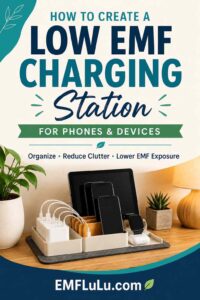
Example of a Simple Charging Station
It can be easier to picture the concept with a realistic example.
Suppose there’s a small console table in a hallway outside the bedrooms. The table has access to a wall outlet and isn’t immediately beside a chair or other place where someone spends significant time.
A properly rated switched power strip provides power for several conventional wired chargers. A simple organizer on top of the console has separate slots for phones and tablets. Smaller compartments hold earbuds and smartwatches.
Each cable remains attached to the station and is labeled.
At night, family members place their electronics in the organizer. Phones that don’t need to remain connected can be switched to airplane mode. Other phones remain connected for calls but are no longer sitting directly beside someone’s pillow.
In the morning, devices are removed. Once everything has finished charging, the power strip can be switched off.
That’s essentially it.
There is no complicated shielding system and no need to redesign the home’s electrical wiring. The main changes are organization, distance, and intentional use of wireless technology.
Common Charging Station Mistakes
Even a well-intentioned setup can become less useful over time. Knowing the most common mistakes beforehand makes them easier to avoid.
Here are several issues worth watching for when setting up and maintaining your charging area:
- Putting the station next to a bed or favorite chair. Centralizing devices doesn’t accomplish much from an exposure-reduction perspective if the entire collection ends up immediately beside someone for hours.
- Using wireless charging simply because it’s available. Consider whether wired charging would work just as well for a particular device.
- Buying protection products before addressing placement. Moving a charger or phone is free and often far simpler.
- Leaving unused equipment connected indefinitely. If a charger is no longer needed, remove it from the setup.
- Piling devices together. Give phones, tablets, and battery packs adequate space and ventilation while charging.
- Hiding powered devices underneath objects. Chargers should not be buried beneath papers, blankets, clothing, or other materials.
- Making the station inconvenient. A technically perfect charging area won’t accomplish anything if nobody wants to walk across the house to use it.
- Allowing clutter to return. Every few months, remove obsolete cables and chargers.
The most effective setup is usually the one that becomes part of the household routine without requiring much thought.
A Practical Low-EMF Charging Checklist
You don’t need to implement every possible exposure-reduction idea to improve the way electronics are organized in your home. A handful of practical changes can make a meaningful difference in the setup.
Use this checklist as a starting point:
- Choose a charging location away from beds and prolonged seating areas.
- Prefer conventional wired charging when it works for your needs.
- Consolidate chargers instead of scattering them throughout the house.
- Keep phones and tablets separated and properly ventilated.
- Consider airplane mode when you don’t need wireless connectivity.
- Turn off unnecessary Bluetooth or Wi-Fi connections when appropriate.
- Remove charging adapters you no longer use.
- Consider a properly rated switched power strip for convenient shutoff.
- Don’t cover chargers or rechargeable devices while they’re charging.
- Replace damaged cables, adapters, or power strips.
- Keep the charging area simple enough that everyone will actually use it.
- Periodically review the setup as new devices enter the household.
You don’t have to obsess over every cable or electronic device. The objective is to create sensible habits that reduce unnecessary exposure while making your electronics easier to manage.
Conclusion
Technology has become an unavoidable part of everyday life, but the way we arrange that technology is still largely under our control. Phones don’t have to charge beside our pillows simply because there’s an outlet there. Wireless charging doesn’t have to be the default simply because a phone supports it. And every charger in the house doesn’t need to remain powered around the clock.
Creating a low EMF charging station is ultimately about making a few deliberate choices: increase distance where practical, use wired charging when it meets your needs, keep equipment away from sleeping and prolonged seating areas, reduce unnecessary wireless activity, and organize devices in one convenient location.
Perhaps the biggest advantage is how simple the concept can be. You don’t necessarily need specialized equipment or an expensive home makeover. In many households, a better charging setup can begin with nothing more complicated than choosing a better location, gathering the cables you already own, and changing where everyone leaves their phone at night.
Before You Go…
Get Weekly EMF Protection Tips
Enjoy this article? Join the EMFLuLu newsletter for simple weekly tips to reduce everyday EMF exposure from phones, WiFi routers, laptops, and smart home devices.
Try Our Free EMF Calculators
Curious how much EMF exposure you may experience each day?
These simple tools can help you estimate your exposure and identify possible problem areas in your home.
Try these free calculators:
Like this article? Pin it on Pinterest!

More to Explore