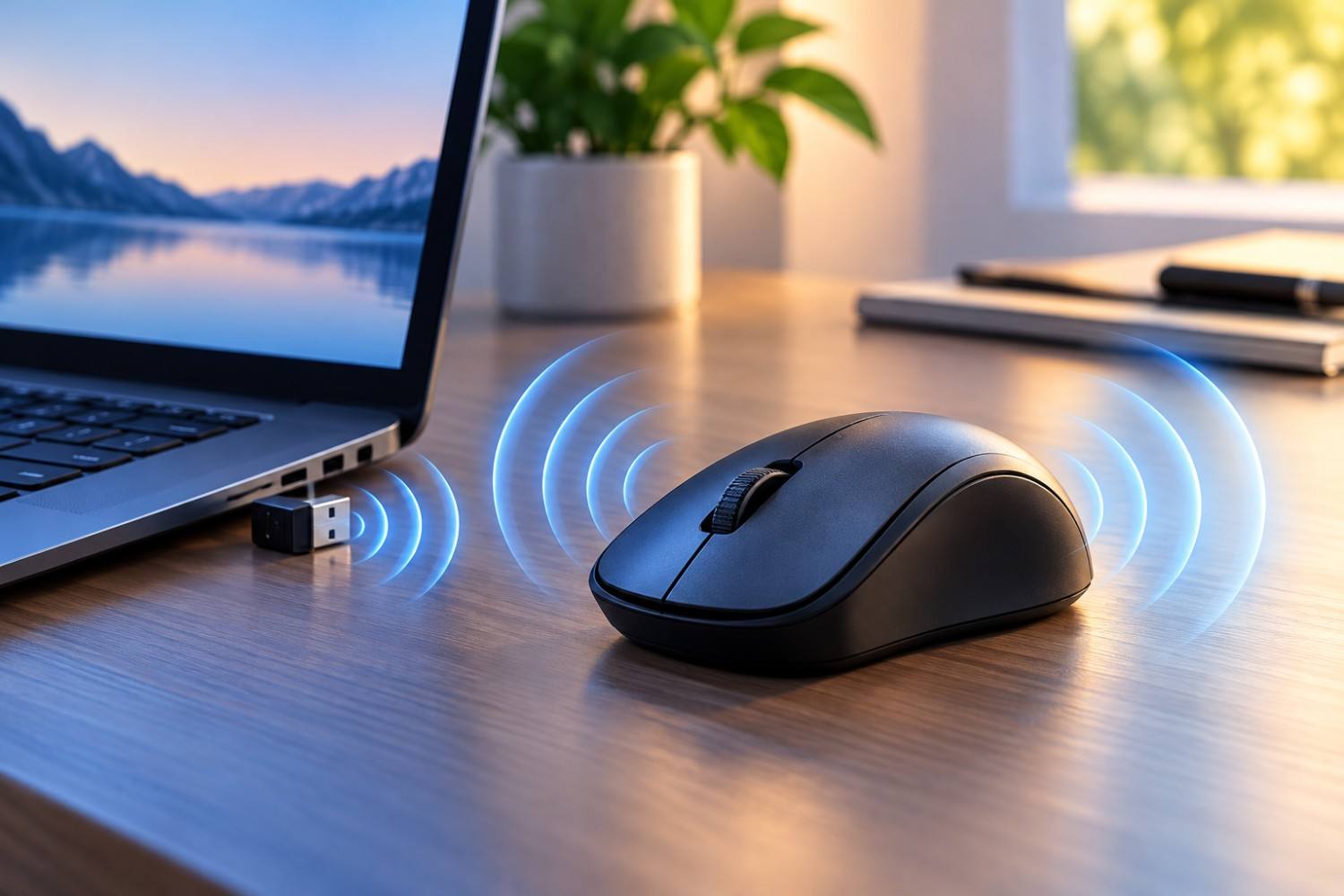
A wireless mouse can make a computer setup cleaner and more convenient, eliminating the cord that once connected nearly every mouse to a desktop or laptop. For many people, it is also a device that sits directly beneath the hand for several hours each day. That close contact can raise an understandable question about wireless mouse radiation: Does a wireless mouse expose your hand to radiofrequency electromagnetic fields, and does it matter whether you use Bluetooth or a mouse with a 2.4 GHz USB receiver?
The short answer is that wireless mice do use radiofrequency (RF) electromagnetic energy to communicate, so they can produce measurable RF electromagnetic fields. However, that fact alone does not establish that ordinary wireless mouse use is dangerous. Wireless mice are generally low-powered devices, and the RF energy they use is non-ionizing radiation.
There is also an important point that can make comparisons confusing. A Bluetooth mouse and a mouse advertised as a “2.4 GHz wireless mouse” are not necessarily operating at completely different frequencies. Bluetooth itself operates in the 2.4 GHz industrial, scientific and medical (ISM) band. The major differences involve the communication protocols, transmitters and how the mouse connects to the computer.
Understanding those differences provides a much better picture of what is actually happening underneath your hand.
Does a Wireless Mouse Emit EMF?
Yes. A wireless mouse emits electromagnetic energy as part of its normal operation.
A traditional wired mouse communicates with the computer through its cable. A wireless mouse has to transmit information through the air instead. When you move the mouse, click a button or scroll, information needs to travel from the mouse to the computer.
Depending on the model, this communication may take place through Bluetooth or through a proprietary wireless connection that usually uses a small USB receiver plugged into the computer.
These transmissions involve radiofrequency electromagnetic fields.
RF energy belongs to the non-ionizing portion of the electromagnetic spectrum. This distinction is important because the word “radiation” can sometimes create the impression that all radiation works in the same way.
It doesn’t.
Ionizing radiation, such as X-rays and gamma rays, contains enough energy to ionize atoms. Radiofrequency energy from common wireless consumer electronics does not have enough energy to do this.
Bluetooth devices, Wi-Fi equipment, cell phones and wireless computer accessories all use non-ionizing RF energy, although their frequencies, transmission powers, duty cycles and operating characteristics can vary considerably.
The fact that an RF meter detects energy coming from a wireless mouse therefore does not, by itself, demonstrate a health risk. It demonstrates that a wireless transmitter is operating.
Bluetooth Mouse vs. 2.4 GHz Wireless Mouse: What’s the Difference?
When shopping for a wireless mouse, you will commonly encounter two descriptions: “Bluetooth” and “2.4 GHz wireless.”
That terminology can be misleading if you are looking at the products specifically from an EMF perspective. It sounds as though Bluetooth represents one frequency and 2.4 GHz represents another.
In reality, Bluetooth also commonly operates within the 2.4 GHz band.
The distinction is largely about the technology being used to establish and maintain the connection.
A Bluetooth mouse can communicate directly with a Bluetooth-equipped laptop, tablet or desktop computer. In many cases, no separate receiver is required.
A proprietary 2.4 GHz wireless mouse generally comes with a small USB receiver. Plug that receiver into the computer, and the mouse communicates with it using the manufacturer’s wireless protocol.
Here is a simple comparison of the two technologies:
| Feature | Bluetooth Mouse | 2.4 GHz Wireless Mouse |
| Common frequency band | 2.4 GHz | 2.4 GHz |
| Wireless RF transmission | Yes | Yes |
| USB receiver required | Usually no | Usually yes |
| Connects through | Bluetooth | Proprietary wireless protocol |
| RF transmitter in mouse | Yes | Yes |
| Exact transmission power | Depends on device | Depends on device |
| Eliminates wireless RF from mouse | No | No |
This distinction matters when discussing wireless mouse radiation because choosing Bluetooth instead of a 2.4 GHz USB mouse does not automatically mean that you have eliminated 2.4 GHz RF exposure.
Both technologies can use that part of the radio spectrum.
Which Produces More EMF: Bluetooth or 2.4 GHz?
It would be convenient to say that Bluetooth always produces less RF exposure than a proprietary 2.4 GHz mouse, or the other way around. Unfortunately, the comparison isn’t that simple.
The amount of RF energy produced by a particular wireless mouse can depend on its transmitter power, antenna, wireless protocol, data activity, duty cycle, power-management system and other aspects of its design.
Different models can behave differently.
This means the label on the box doesn’t necessarily tell you exactly how much RF energy you will measure near the device.
Bluetooth technology was designed in part for relatively short-range communication and can operate at low power. Many computer peripherals don’t need to transmit over particularly long distances because the mouse is usually only a few feet from the computer.
Proprietary 2.4 GHz mice are also typically designed for short-range communication and can operate at low power.
For someone attempting to compare two specific models, actual measurements or technical documentation for those models would be more useful than simply assuming that one protocol must always produce less exposure.
The most reasonable takeaway is that both Bluetooth and proprietary 2.4 GHz mice are low-powered RF devices, and neither technology should automatically be labeled the “high-EMF” or “low-EMF” choice without information about the particular devices being compared.
How Much RF Exposure Comes From a Wireless Mouse?
One reason people become concerned about a wireless mouse is proximity.
You aren’t sitting several feet away from it. Your hand is resting directly on the mouse.
That is a legitimate difference compared with something such as a Wi-Fi router located across a room.
However, distance is only one part of RF exposure. The strength of the source also matters.
A wireless mouse generally does not require the transmission power needed by a device communicating across much greater distances. It only needs to maintain a reliable connection with a nearby computer or receiver.
The mouse may also change its transmission behavior depending on what you are doing. Moving the mouse, clicking, scrolling and leaving it idle do not necessarily produce identical communication patterns.
Many wireless peripherals also incorporate power-saving features because battery life is an important selling point. A battery-powered mouse that transmitted at unnecessarily high power continuously would quickly become inconvenient.
For this reason, simply saying that a person’s hand touches the mouse for eight hours doesn’t mean the device is transmitting at maximum power continuously for eight hours.
If you want to understand wireless mouse radiation from a particular device, factors such as transmitter power, distance, activity and transmission duty cycle all matter.
Is Wireless Mouse Radiation Dangerous?
This is the question most readers ultimately want answered.
Based on current knowledge, there is not good evidence showing that normal use of a compliant wireless computer mouse creates a significant health hazard.
The RF energy produced by Bluetooth and other wireless peripherals is non-ionizing. It does not have enough energy to ionize atoms in the way that X-rays and other forms of ionizing radiation can.
Regulatory agencies have established RF exposure limits for wireless devices, and wireless equipment sold in the United States is subject to applicable Federal Communications Commission requirements.
This doesn’t mean that every scientific question involving long-term RF exposure has been permanently settled. RF health research continues, particularly around technologies that produce greater exposure or are used close to the body.
It is useful, however, to keep the relative scale of exposure in perspective.
A wireless mouse is a short-range, low-powered transmitter. The fact that it produces RF energy should not be interpreted as evidence that the device is causing harm.
At the same time, some people prefer to follow a precautionary approach and reduce wireless exposure when doing so is inexpensive and doesn’t create a significant inconvenience.
A computer mouse is actually one of the easiest places to do that.
You don’t need shielding material or a specialized EMF accessory. If eliminating RF transmissions from the mouse itself is important to you, you can simply use a wired mouse.
How to Reduce EMF Exposure From a Wireless Mouse
If you prefer to reduce unnecessary RF sources around your workstation, there are several practical options. These steps shouldn’t be interpreted as medically necessary precautions for everyone. Instead, they are simple choices for people who prefer to minimize wireless transmissions when there is an easy alternative.
Use a Wired Mouse
This is by far the simplest solution.
A wired USB mouse sends its data through the cable rather than using a Bluetooth or proprietary RF connection. If your specific concern is the radiofrequency transmission generated by a wireless mouse, changing to a wired model removes the need for that wireless link.
You don’t need an expensive product marketed specifically for EMF reduction.
An ordinary wired mouse will do the job.
Turn the Wireless Mouse Off When You Aren’t Using It
Many wireless mice have a physical power switch on the bottom.
Turning the mouse off when you finish using your computer can stop unnecessary wireless operation while also conserving the battery.
This may not dramatically change your overall daily RF exposure, but it is an easy habit if reducing unnecessary wireless activity is your goal.
Look at Your Entire Workstation
It can be easy to focus on the mouse because your hand is touching it, but a modern workstation may contain numerous RF sources.
Your computer environment could include Wi-Fi, a Bluetooth keyboard, wireless headphones, a smartphone, smartwatch, wireless printer and other connected devices.
For someone who wants to reduce RF exposure, looking at the entire workstation may be more useful than concentrating exclusively on the mouse.
You may discover, for example, that you can easily replace both the wireless mouse and keyboard with wired versions.
Use Wired Connections Where They Make Sense
You don’t have to turn your office into a completely wireless-free environment to reduce the number of RF transmitters around you.
A practical strategy is simply to use wired connections where they don’t create much inconvenience.
A wired mouse is easy. A wired keyboard is easy for many desktop users. Ethernet may also be practical if your desk is located close to your router or network connection.
The objective doesn’t have to be zero exposure. It can simply be reducing wireless connections that you don’t really need.
Should You Switch to a Wired Mouse?
For most people, there isn’t a compelling health reason to throw away a functioning wireless mouse.
If you like your Bluetooth or 2.4 GHz mouse, its wireless functionality is useful, and you aren’t particularly concerned about minimizing RF sources, continuing to use it is reasonable.
The situation is different for someone who is deliberately trying to create a lower-RF workstation.
In that case, switching to a wired mouse is almost unusually easy.
A basic wired mouse is inexpensive, requires no batteries and doesn’t need a radio connection to communicate with the computer.
It is also worth distinguishing between reducing exposure and reducing risk.
Switching to a wired mouse clearly reduces the RF transmissions associated with the mouse because that wireless communication is no longer necessary. That doesn’t mean research has established that using a wireless mouse would otherwise have harmed you.
Those are two very different statements.
That distinction is important whenever discussing EMF.
Can You Measure a Wireless Mouse With an EMF Meter?
A suitable RF meter may be able to detect transmissions from a wireless mouse.
However, not every EMF meter measures the same thing.
Some meters measure extremely low frequency electric or magnetic fields, while others are designed to detect radiofrequency electromagnetic fields. A meter intended to investigate Bluetooth, Wi-Fi and 2.4 GHz wireless devices needs to cover the relevant RF frequencies.
Measurements can also be surprisingly easy to misinterpret.
Moving a meter a few inches can change the reading. Nearby Wi-Fi networks, phones, Bluetooth devices and other RF sources can contribute to what the meter detects.
A high instantaneous reading also isn’t necessarily representative of average exposure over an entire workday.
If you experiment with an RF meter, one useful approach is comparison rather than trying to assign a health meaning to every number.
For example, measure the area around your desk with the mouse turned off. Then turn the mouse on and repeat the measurement under similar conditions. Try moving and clicking the mouse while watching the meter.
You could also compare Bluetooth and 2.4 GHz peripherals if you have both available.
That type of experiment can help demonstrate when wireless devices are transmitting without assuming that every detected signal represents a health danger.
Affiliate Advertisement

What About the USB Receiver?
The tiny USB receiver used with many 2.4 GHz wireless mice is another part of the system worth considering.
Wireless communication requires both ends of the connection. The mouse transmits and receives information, while the USB receiver communicates with the mouse.
This means the receiver is also part of the RF environment around the computer.
For most desktop setups, however, the USB receiver isn’t normally pressed directly against the body. It may be plugged into the side of a laptop or into the front or back of a desktop computer.
If your goal is minimizing wireless devices rather than simply moving them farther away, replacing the mouse with a wired model eliminates the need for the wireless receiver as well.
What About a Wireless Keyboard?
Wireless keyboards operate according to many of the same basic principles.
Bluetooth keyboards communicate using RF energy, while many other wireless keyboards communicate with a USB receiver using a proprietary 2.4 GHz system.
The major difference is how you physically interact with the device.
Your hands may rest directly on or just above a keyboard for long periods, much as your hand remains in contact with a mouse.
If you are setting up a low-RF computer workstation, it therefore makes sense to consider the keyboard and mouse together rather than replacing one while ignoring the other.
A wired keyboard and wired mouse provide an extremely straightforward way to eliminate two wireless connections.
Wireless Mouse EMF Frequently Asked Questions
There are several related questions people commonly have about wireless mice and EMF. The following answers help clarify the most important points without assuming that all wireless devices operate identically.
Does a wireless mouse emit radiation?
Yes. A wireless mouse uses radiofrequency electromagnetic energy to communicate with a computer or USB receiver. This is non-ionizing RF radiation, not the ionizing radiation associated with X-rays or gamma rays.
Does a Bluetooth mouse produce EMF?
Yes. Bluetooth is a radiofrequency wireless technology, so a Bluetooth mouse produces RF electromagnetic fields while communicating.
Is Bluetooth lower EMF than a 2.4 GHz mouse?
Not necessarily. Bluetooth devices can operate at very low power, but proprietary 2.4 GHz mice can also be low-powered. The actual RF exposure depends on the design and operation of the individual device. You can’t reliably determine exposure simply from the words “Bluetooth” or “2.4 GHz.”
Isn’t Bluetooth also 2.4 GHz?
Yes. This is one of the most important points when comparing the two types of wireless mice. Bluetooth commonly operates in the 2.4 GHz ISM frequency band. A mouse marketed as “2.4 GHz wireless” generally uses a different communication protocol and USB receiver, rather than necessarily using an entirely different frequency band.
Does a wireless mouse transmit continuously?
Transmission behavior varies by device and activity. Wireless mice commonly incorporate power-management features, and communication patterns can change depending on whether the mouse is moving, clicking or sitting idle.
Is a wired mouse better for reducing EMF?
If your objective is specifically to eliminate RF transmissions from your mouse, yes. A wired mouse communicates through its cable and doesn’t need the Bluetooth or proprietary 2.4 GHz RF link used by a wireless mouse.
Can an EMF meter detect a Bluetooth mouse?
An RF meter covering the appropriate frequencies may detect activity from a Bluetooth mouse. Results depend on the meter, distance, device and other RF signals in the surrounding environment.
Should I be worried about using a wireless mouse all day?
There isn’t good evidence showing that ordinary use of a compliant, low-powered wireless mouse represents a significant health hazard. If you nevertheless prefer minimizing unnecessary RF sources, replacing it with a wired mouse is an inexpensive and simple precaution.
The Bigger Picture: Keep Wireless Mouse EMF in Perspective
Wireless technology has become so common that it is easy to forget how many transmitters may be operating around us.
That doesn’t mean each transmitter should automatically become a source of concern.
When assessing EMF exposure, context matters.
The frequency matters. Transmitter power matters. Distance matters. Duration matters. Duty cycle matters. And the type of biological interaction being considered matters.
A wireless mouse represents a particularly interesting example because it combines very close proximity with relatively low transmission power.
Rather than labeling the device “safe” or “dangerous” based solely on the presence of RF energy, a better approach is to understand what it emits and make practical choices based on your personal preference for wireless technology.
If convenience matters most to you, there is little reason to panic about having a Bluetooth mouse on your desk.
If minimizing RF sources matters more, a wired mouse is one of the easiest changes you can make.
No elaborate solution is necessary.
Conclusion
Wireless mouse radiation comes from the RF communication that allows a mouse to send information to a nearby computer without a cable. Both Bluetooth mice and proprietary 2.4 GHz wireless mice can use frequencies within the 2.4 GHz band, so choosing Bluetooth doesn’t automatically mean avoiding 2.4 GHz RF energy.
There also isn’t a simple rule saying that every Bluetooth mouse produces less EMF than every 2.4 GHz USB mouse. Actual emissions depend on the transmitter, protocol, power level, activity and design of the individual device.
Most importantly, detecting RF energy from a wireless mouse does not demonstrate that the device is dangerous. These are generally low-powered, non-ionizing wireless devices, and current evidence does not establish that ordinary use of a compliant wireless mouse presents a significant health hazard.
For people who still prefer to reduce unnecessary RF sources, the solution couldn’t be much simpler. A standard wired mouse eliminates the need for the mouse’s wireless RF connection without requiring expensive shielding or specialized EMF products.
Ultimately, understanding the technology is more useful than fearing it. Once you know what your mouse is transmitting and why, you can decide whether the convenience of wireless connectivity or the simplicity of a wired connection makes more sense for your workstation.
Before You Go…
Get Weekly EMF Protection Tips
Enjoy this article? Join the EMFLuLu newsletter for simple weekly tips to reduce everyday EMF exposure from phones, WiFi routers, laptops, and smart home devices.
Try Our Free EMF Calculators
Curious how much EMF exposure you may experience each day?
These simple tools can help you estimate your exposure and identify possible problem areas in your home.
Try these free calculators:
Like this article? Pin it on Pinterest!


More to Explore