Smart home technology has become part of everyday life for millions of homeowners. From voice assistants and connected lighting to security cameras and automated locks, many devices now communicate wirelessly to make homes more convenient and energy efficient. Among the most popular upgrades is the smart thermostat, which allows users to control heating and cooling from a smartphone, automatically adjust temperatures based on schedules, and even learn household routines over time.
As these devices become more common, questions about smart thermostat EMF exposure naturally arise. Because smart thermostats often use Wi-Fi or other wireless communication methods, some homeowners wonder whether they produce electromagnetic fields (EMFs) and, if so, whether those emissions should be a cause for concern. Others simply want to understand how these devices work before deciding whether a smart thermostat is the right choice for their home.
The good news is that understanding EMFs does not have to be complicated. Once you know the different types of electromagnetic fields, how smart thermostats communicate, and what influences exposure levels, it becomes much easier to evaluate your own situation. Rather than focusing on fear or speculation, this article will explain what current research tells us, compare smart thermostats to other common household electronics, and share practical ways to reduce wireless exposure if that is one of your personal goals.
What Is a Smart Thermostat?
Before discussing EMFs, it helps to understand exactly what a smart thermostat does and why it differs from a traditional programmable thermostat.
A standard thermostat simply turns your heating or cooling equipment on and off when the indoor temperature reaches a preset level. Programmable models added the ability to create schedules, allowing homeowners to automatically lower temperatures during work hours or overnight.
A smart thermostat takes those features several steps further. In addition to maintaining comfortable temperatures, these devices connect to your home’s wireless network, allowing remote access from nearly anywhere through a mobile app. Many models can also learn your daily routines, detect when you’re away from home, monitor energy usage, and integrate with other smart home devices.
Popular smart thermostat brands include Nest, Ecobee, Honeywell Home, and Amazon Smart Thermostat. Although each model offers different features, they all share one common characteristic—they communicate using one or more wireless technologies.
That wireless communication is what leads many people to ask about EMF exposure.
How Does a Smart Thermostat Communicate?
To understand smart thermostat EMF exposure, it’s helpful to know how these devices actually send and receive information. Most people imagine a thermostat constantly broadcasting signals throughout the house, but the reality is usually much different.
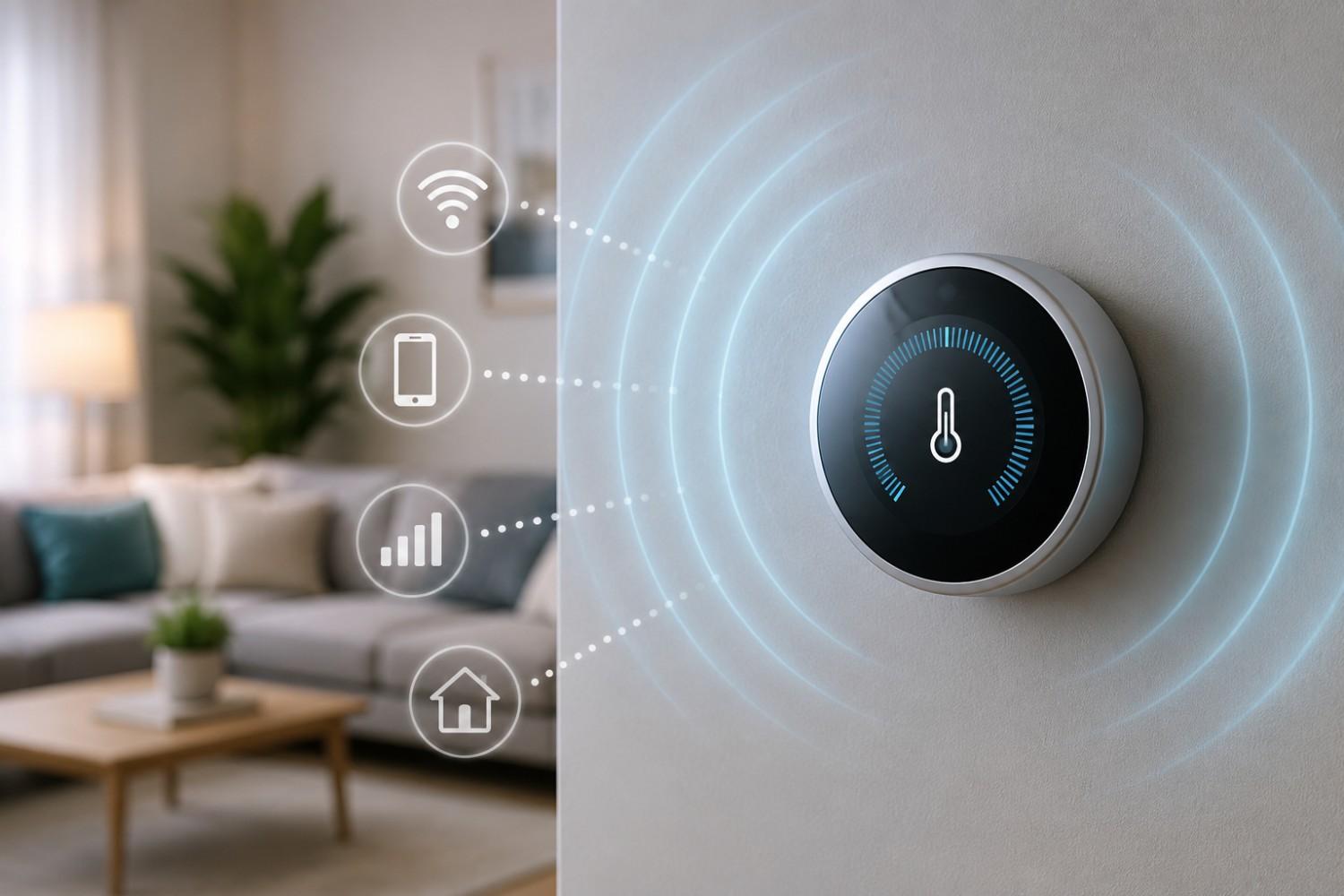
Most smart thermostats communicate in short bursts rather than transmitting continuously throughout the day. They exchange information with your home’s Wi-Fi router, cloud servers, mobile applications, or other smart devices only when necessary. This allows them to check for software updates, send temperature information, receive new settings, or communicate with connected sensors.
Several different wireless technologies may be used depending on the thermostat model.
Wi-Fi
Wi-Fi is the primary communication method for most smart thermostats.
It allows you to:
- Adjust temperatures from your phone
- Receive maintenance notifications
- Monitor energy usage
- Integrate with smart home platforms
- Update firmware automatically
The thermostat communicates with your home’s wireless router whenever information needs to be exchanged. Because these transmissions are generally brief, the radio inside the thermostat spends much of its time idle.
Bluetooth
Some smart thermostats also include Bluetooth capability.
Bluetooth is commonly used during the initial installation process, allowing a smartphone to quickly pair with the thermostat. After setup, Bluetooth may rarely be used unless additional accessories are connected.
Bluetooth generally operates at relatively low transmission power because it is designed for short-range communication.
Zigbee and Thread
Many newer smart homes use communication protocols such as Zigbee or Thread instead of relying entirely on Wi-Fi.
These protocols are designed specifically for smart home devices. They consume very little power while allowing devices to communicate efficiently with one another.
If your thermostat works with smart sensors, occupancy detectors, or home automation hubs, it may use one of these technologies behind the scenes.
Matter Compatibility
Matter is a newer smart home standard that improves compatibility between products from different manufacturers.
Rather than being a wireless signal itself, Matter is a communication standard that can operate over technologies such as Thread or Wi-Fi. As more manufacturers adopt Matter, homeowners may find it easier to mix products from different brands without compatibility issues.
Understanding the Three Types of EMFs
One of the biggest sources of confusion surrounding smart thermostats is the term “EMF.” Many people use it to describe every type of electromagnetic energy, even though several different categories exist.
Understanding these categories helps put smart thermostat emissions into proper perspective.
Electric Fields
Electric fields exist whenever electricity is present.
Even if a device is switched off but remains plugged into household power, an electric field may still be present.
These fields are measured in volts per meter and are common throughout virtually every modern home.
Magnetic Fields
Magnetic fields occur when electrical current actually flows.
Whenever your furnace blower starts, your air conditioner compressor turns on, or your thermostat activates heating equipment, electrical current moves through wiring and creates magnetic fields.
Magnetic fields are measured differently than electric fields and decrease rapidly as distance increases.
Radiofrequency (RF) Fields
Radiofrequency energy is the type most often discussed when people ask about wireless devices.
RF fields are produced whenever devices transmit information using wireless signals.
Examples include:
- Wi-Fi routers
- Smartphones
- Tablets
- Bluetooth devices
- Wireless baby monitors
- Smart speakers
- Smart thermostats
Since smart thermostats use wireless communication, they produce RF energy during transmission periods.
Does a Smart Thermostat Actually Produce EMF?
The simple answer is yes.
Like nearly every electronic device in your home, a smart thermostat produces electromagnetic fields. However, understanding what kind of EMF it produces – and when – is much more important than simply answering yes or no.
Because a smart thermostat plugs into your home’s electrical system, it naturally produces electric and magnetic fields associated with household wiring. In addition, models that communicate wirelessly produce radiofrequency energy whenever they send or receive information.
This does not mean the thermostat is transmitting continuously throughout the day. Most modern smart thermostats communicate only when necessary. For example, they may send updated temperature readings, check for software updates, synchronize schedules, or respond when you change the temperature using your smartphone.
These communications generally occur in short bursts. Between transmissions, wireless activity is often minimal.
Another important factor is location. Unlike smartphones, tablets, or laptops that people hold close to their bodies for extended periods, thermostats are permanently mounted on a wall. That distance alone significantly changes the amount of RF energy a person is typically exposed to during everyday use.
Distance is one of the simplest and most effective ways to reduce exposure to many types of EMFs. Even moving a few feet farther from a transmitting device can noticeably reduce exposure because electromagnetic energy weakens rapidly as distance increases.
How Much EMF Does a Smart Thermostat Produce Compared to Other Devices?
When people first hear that a smart thermostat emits EMFs, it’s easy to assume it belongs in the same category as other wireless electronics. In reality, comparing devices helps paint a much clearer picture.
A smart thermostat is designed to exchange relatively small amounts of information. Unlike a smartphone streaming high-definition video or participating in a lengthy video call, a thermostat usually sends only small packets of data related to temperature settings, system status, or scheduled adjustments.
For that reason, many experts consider a thermostat to be a relatively low-duty-cycle wireless device. Its wireless radio may remain inactive for long periods before briefly transmitting data and then returning to an idle state.
By comparison, several household devices often communicate much more frequently or operate at higher power levels, including:
- Wi-Fi routers
- Smartphones
- Tablets
- Video doorbells
- Wireless security cameras
- Smart speakers
- Streaming devices
- Wireless gaming systems
This comparison doesn’t mean homeowners should ignore smart thermostat placement or wireless exposure altogether. Rather, it provides useful context. Looking at the entire home’s collection of wireless devices often gives a more complete picture than focusing on a single thermostat mounted on the wall.
Factors That Affect Smart Thermostat EMF Exposure
Not every smart thermostat produces identical wireless activity. Even two units from the same manufacturer may communicate differently depending on how they are configured and how they are used. While every home is unique, several factors play a role in the amount of smart thermostat EMF exposure that may occur.
Understanding these variables can help homeowners make informed decisions without feeling the need to eliminate smart technology altogether.
Distance Makes the Biggest Difference
Perhaps the most important concept to understand about EMFs is that distance matters.
Electromagnetic energy decreases rapidly as you move farther away from the source. This means someone standing directly beside a thermostat may experience a higher RF level than someone sitting twenty feet away. Since thermostats are usually mounted on walls rather than carried throughout the day, most people naturally spend very little time in close proximity to them.
Think about how you use your home. You may walk past the thermostat several times each day, glance at the display, or occasionally adjust the temperature manually. Those brief interactions are very different from holding a smartphone against your head for a lengthy phone call or resting a tablet on your lap while watching a movie.
For many homeowners, simply understanding this relationship between distance and exposure provides helpful perspective.
Installation Location
Where a thermostat is installed can also influence personal exposure.
Manufacturers generally recommend placing thermostats in central locations where they can accurately measure the home’s average temperature. Hallways, living rooms, and common areas often provide the best performance.
Problems can arise when a thermostat is installed in an unusual location. For example, placing one directly behind the headboard of a bed or immediately beside a favorite reading chair means you could spend many hours relatively close to the device each day.
While there is no requirement to relocate an existing thermostat solely because of EMF concerns, homeowners planning a remodel or new construction may choose locations that balance temperature accuracy with personal preference.
Wi-Fi Signal Strength
Many people assume a stronger Wi-Fi signal automatically means more EMF.
In reality, signal strength can affect how efficiently a device communicates. If a thermostat struggles to maintain a connection because it is located far from the wireless router, it may need to retry transmissions more often. On the other hand, a stable connection usually allows information to be exchanged quickly and efficiently.
Keeping your home’s Wi-Fi network functioning properly benefits overall smart home performance while reducing unnecessary communication attempts.
Software Updates and Smart Features
Modern smart thermostats receive periodic firmware updates that improve security, add features, or correct software issues.
These updates do not occur continuously. Instead, the thermostat typically checks occasionally to see whether new software is available. Once installed, the device returns to its normal operating pattern.
Likewise, enabling advanced smart home features may increase communication activity. Voice assistant integration, occupancy sensors, weather forecasting, energy reports, and remote monitoring all require additional data exchange.
Homeowners who prefer a simpler setup can often disable features they never use, reducing unnecessary network activity while still enjoying the thermostat’s primary heating and cooling functions.
Affiliate Advertisement

Practical Ways to Reduce Smart Thermostat EMF Exposure
Many readers visit EMFLuLu because they are interested in practical steps they can take around the home. The goal is not to remove every wireless device but to make thoughtful choices that fit your family’s comfort level.
Fortunately, reducing exposure around a smart thermostat usually involves straightforward adjustments rather than expensive renovations.
Here are several ideas worth considering.
Install the Thermostat in a Common Area
If you are installing a new thermostat, choose a location where people do not spend long periods sitting or sleeping. Hallways, entryways, or central living areas often satisfy both temperature control recommendations and personal preference.
Avoid Mounting It Directly Beside a Bed
If you’re remodeling a bedroom or relocating a thermostat, avoid placing it directly behind the headboard or immediately next to where someone sleeps every night.
Even if wireless transmissions are relatively brief, many homeowners simply feel more comfortable keeping electronic devices a reasonable distance from sleeping areas whenever practical.
Keep Your Wi-Fi Network Healthy
A strong, reliable home network allows smart devices to communicate efficiently.
Simple improvements such as updating your router, positioning it properly, and reducing interference from other electronics can help connected devices maintain stable communication.
Disable Features You Don’t Use
Many thermostats offer optional services that not every homeowner needs.
Examples include:
- Voice assistant integration
- Weather notifications
- Occupancy detection
- Energy reports
- Smart home routines
If these features are never used, turning them off may reduce background communication while simplifying your home’s smart ecosystem.
Consider Whether Remote Access Is Necessary
One of the biggest advantages of a smart thermostat is controlling temperatures from anywhere.
However, if you rarely adjust your thermostat while away from home, you might decide that constant internet connectivity isn’t especially important. Some models still function well as programmable thermostats even if certain online features are disabled.
Look at Your Home as a Whole
Rather than focusing entirely on one thermostat, it often makes more sense to evaluate your entire wireless environment.
For many households, devices such as Wi-Fi routers, streaming boxes, smart speakers, wireless security cameras, baby monitors, tablets, and smartphones account for far more wireless communication than a thermostat ever will.
Taking a balanced view often leads to practical improvements without unnecessary worry.
Should You Be Concerned About Smart Thermostat EMFs?
This is probably the question most readers hope to answer.
The honest response is that opinions vary, and current scientific research continues to evolve.
Organizations responsible for developing exposure guidelines generally state that consumer wireless devices, including smart home products, operate well below established safety limits when used as intended.
At the same time, some researchers continue studying possible long-term health effects associated with chronic radiofrequency exposure. Because research continues, some individuals choose to follow a precautionary approach by reducing unnecessary wireless exposure where it can be done easily.
These two viewpoints are not necessarily incompatible.
Someone may recognize that their smart thermostat operates within current safety guidelines while still deciding to keep unnecessary wireless devices out of the bedroom or turn off equipment they rarely use.
Ultimately, each homeowner can make decisions based on personal comfort, available evidence, and their own household priorities.
Measuring EMF Around Your Smart Thermostat
Some people prefer measuring rather than guessing.
An EMF meter can help identify radiofrequency signals, electric fields, or magnetic fields around various household devices. Measuring allows you to compare different rooms, evaluate device placement, and better understand where the strongest sources of EMFs are located within your home.
It’s important to remember that wireless signals naturally fluctuate. A thermostat may produce very little RF energy most of the time, then briefly transmit data when checking in with your router or responding to a temperature adjustment.
Because of this, taking multiple readings over several minutes often provides a better overall picture than relying on a single measurement.
For homeowners who enjoy learning about their home’s EMF environment, an RF meter can be a valuable educational tool.
One of the most respected consumer meters available is the Safe and Sound Pro II RF Meter from Safe Living Technologies.
This handheld meter is designed to detect radiofrequency signals from Wi-Fi routers, smart home devices, cell phones, cordless phones, and many other wireless electronics. It is frequently recommended by EMF consultants because it provides real-time readings while remaining relatively easy for homeowners to operate.
Other Smart Home Devices That May Produce More Wireless Activity Than a Thermostat
One helpful way to understand a smart thermostat is to compare it with the many other connected devices found in today’s homes. While thermostats certainly communicate wirelessly, they are only one small part of a much larger smart home ecosystem.
Many people are surprised to learn that some of the devices they use every day may communicate far more often than a thermostat. The amount of wireless activity depends on the device’s purpose, how frequently it exchanges information, and how close it is to the people using it.
Below are several common household devices that often generate more wireless communication than a smart thermostat.
Wi-Fi Routers
A home’s Wi-Fi router serves as the communication hub for dozens of connected devices. Unlike many smart home products that send information only when needed, a router continually manages traffic between phones, computers, televisions, gaming systems, and internet services.
Because routers operate throughout the day and night, many EMF-conscious homeowners choose to place them in a home office or another location where family members do not spend extended periods of time.
Smartphones
Smartphones are among the most frequently used wireless devices in modern life. They communicate through cellular networks, Wi-Fi, Bluetooth, GPS, and sometimes near-field communication (NFC).
Unlike a thermostat mounted on a wall, a phone may spend hours each day in a person’s hand, pocket, or against the head during calls. For many households, reducing unnecessary smartphone use or using speakerphone when practical may have a greater impact on overall RF exposure than replacing a thermostat.
Tablets and Laptops
Tablets and laptops often remain connected to Wi-Fi for long periods while streaming videos, attending virtual meetings, browsing the internet, or downloading software updates.
When used on a desk, these devices are usually farther from the body than a smartphone. However, using a laptop directly on the lap for extended periods places the wireless antennas much closer to the user.
Smart Speakers
Voice assistants such as Amazon Alexa or Google Home remain connected to your network so they can respond to commands, play music, answer questions, and control other smart home devices.
Although they do not constantly transmit large amounts of information, they remain connected and periodically communicate with cloud services.
Security Cameras and Video Doorbells
Wireless security cameras often upload video clips, send motion alerts, or stream live video. Depending on the settings, these devices may communicate much more frequently than a thermostat.
If your home contains several wireless cameras, they may represent a larger source of wireless activity simply because of the amount of data they handle.
Frequently Asked Questions
Many homeowners have similar concerns when researching smart thermostats. The following questions summarize some of the topics that arise most often.
Does turning off the thermostat display reduce EMF?
In most cases, no. The display itself is not responsible for the wireless communication. Turning off or dimming the screen may save a small amount of electricity, but it generally does not change how the thermostat communicates with your home’s network.
Is a programmable thermostat lower in EMF than a smart thermostat?
Traditional programmable thermostats that do not include Wi-Fi or Bluetooth typically have fewer wireless components. Since they operate without internet connectivity, they generally do not produce radiofrequency emissions associated with wireless communication.
For homeowners who do not need remote access or smart home integration, a programmable thermostat may be a perfectly suitable option.
Does putting a smart thermostat in the bedroom increase exposure?
If a thermostat is mounted close to the bed, a person naturally spends more time near it while sleeping. Many homeowners simply prefer installing thermostats in hallways or common living areas whenever possible.
This approach usually aligns with good thermostat placement for accurate temperature readings as well.
Should I turn off Wi-Fi at night?
Some homeowners choose to turn off their Wi-Fi router overnight as part of their personal approach to reducing household wireless exposure. Others prefer leaving it on because they use smart security systems, internet-connected appliances, or overnight software updates.
There is no single answer that fits every household. Your decision depends on how you use your home’s connected devices and what level of convenience you prefer.
Can I measure my own home’s EMFs?
Yes. Consumer EMF meters allow homeowners to observe radiofrequency, electric field, or magnetic field levels around household electronics.
Taking measurements in different rooms often helps people better understand which devices contribute most to their home’s wireless environment.
Creating a Balanced Approach to Smart Home Technology
Technology continues to evolve, and today’s smart homes offer conveniences that would have seemed remarkable just a decade ago. Smart thermostats can help reduce energy consumption, improve comfort, simplify scheduling, and provide remote access when you’re away from home.
At the same time, it is perfectly reasonable to ask questions about wireless communication and electromagnetic fields. Learning how devices operate allows homeowners to make informed choices instead of relying on rumors or alarming headlines.
For many families, a practical approach works best. Rather than focusing on eliminating every wireless device, they look for simple improvements that fit naturally into everyday life. Choosing sensible installation locations, maintaining a reliable Wi-Fi network, reducing unnecessary smart features, and understanding how distance affects exposure are all examples of practical steps that require little effort.
Education is often the most valuable tool. Once you understand how your home’s electronics communicate, it becomes much easier to separate realistic considerations from unnecessary worry.
Optional Tool for Learning More About Your Home
If you’re curious about how various devices compare, measuring your home’s wireless signals can be an interesting project. Seeing actual readings often provides more useful information than relying on assumptions.
One highly respected option is the Safe and Sound Pro II RF Meter, which is designed specifically for measuring radiofrequency emissions from common household electronics, including Wi-Fi routers, smart home devices, cordless phones, and wireless cameras.
Using an RF meter doesn’t tell you whether a device is “good” or “bad.” Instead, it gives you objective information that can help you better understand your home’s wireless environment and make informed decisions about device placement.
Conclusion
As smart homes continue to grow in popularity, it’s understandable that homeowners want to learn more about the technology they use every day. Smart thermostat EMF exposure is one topic that often comes up because these devices rely on wireless communication to provide convenient features such as remote control, scheduling, and energy monitoring.
The available evidence shows that smart thermostats do produce electromagnetic fields, including radiofrequency emissions during wireless communication. However, these transmissions are typically brief, and the devices are usually mounted on walls where people spend relatively little time in close proximity. Compared with many other connected electronics found throughout a typical home, a smart thermostat often represents only a small part of the overall wireless environment.
If reducing household EMF exposure is one of your goals, practical steps such as thoughtful device placement, limiting unnecessary wireless features, and understanding how distance affects exposure can make more sense than focusing on a single device. By taking a balanced, informed approach, you can enjoy the convenience of modern home technology while making decisions that align with your own comfort level and priorities.
Before You Go…
Get Weekly EMF Protection Tips
Enjoy this article? Join the EMFLuLu newsletter for simple weekly tips to reduce everyday EMF exposure from phones, WiFi routers, laptops, and smart home devices.
Try Our Free EMF Calculators
Curious how much EMF exposure you may experience each day?
These simple tools can help you estimate your exposure and identify possible problem areas in your home.
Try these free calculators:
Like this article? Pin it on Pinterest!

More to Explore