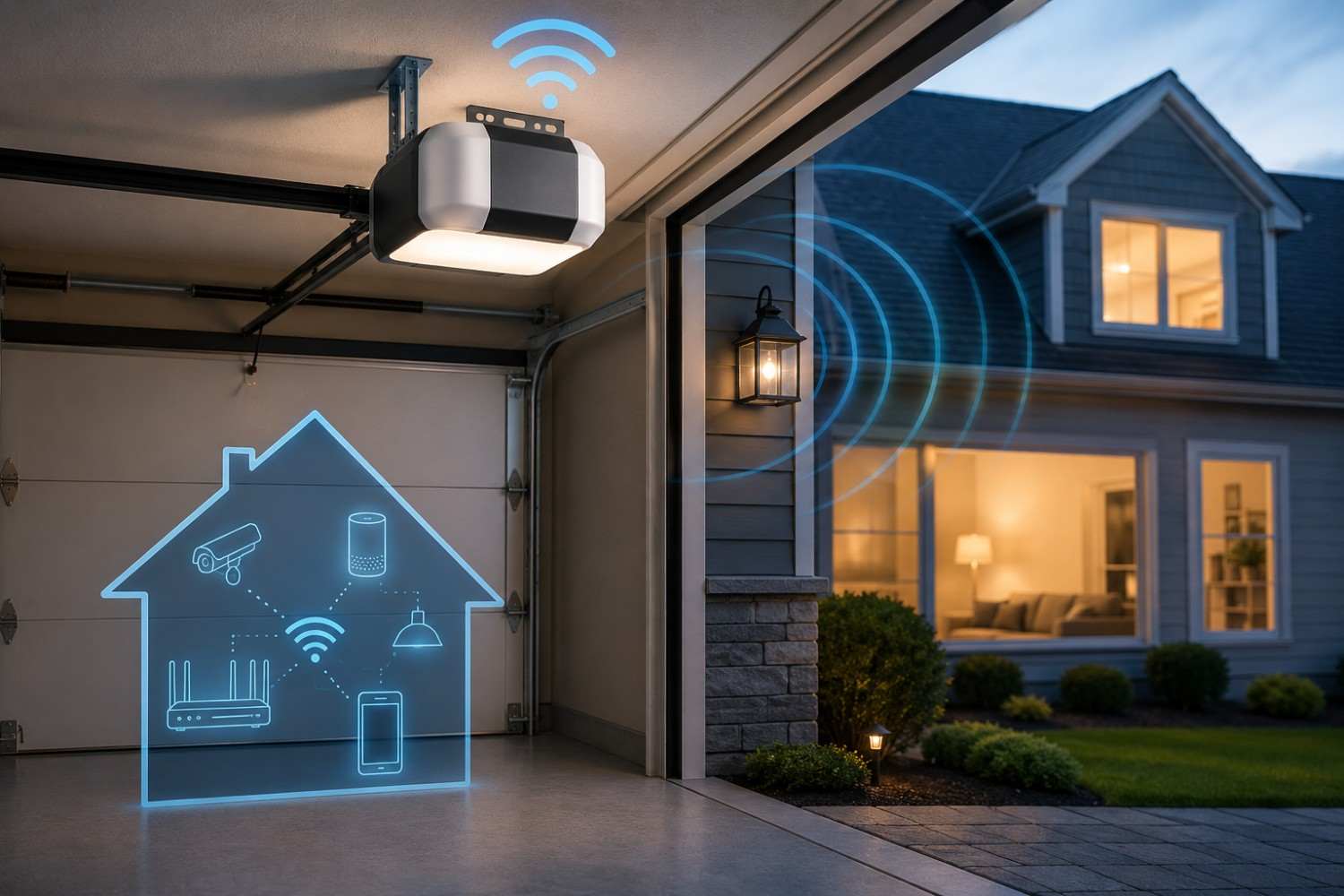
Smart technology has gradually moved into almost every part of the home. We have Wi-Fi routers, security cameras, smart speakers, connected thermostats, wireless appliances, and even garage doors that can be opened or checked from a smartphone. That convenience raises an understandable question for people trying to reduce wireless exposure: Does WiFi garage door opener EMF noticeably add to the electromagnetic environment inside your home? A Wi-Fi-enabled garage door opener does produce radiofrequency electromagnetic fields when it communicates wirelessly, but that does not automatically mean it represents a significant source of personal exposure. Where the opener is located, how frequently it transmits, how far you are from it, and what other wireless devices are nearby all matter.
A smart garage is therefore worth looking at as part of your home’s overall EMF environment, but it should be considered in context rather than treated as an isolated danger. In many homes, a garage door opener sits several feet above the floor and may be separated from frequently occupied rooms. In other homes, however, the garage may sit directly beneath a bedroom, home office, or living space.
Understanding how smart garage door openers communicate can help you make practical choices without giving up technology you find useful.
What Is a Wi-Fi Garage Door Opener?
A traditional garage door opener is primarily an electrically powered motor that raises and lowers the garage door. A wireless remote sends a radio signal to the opener when you press its button, allowing the door to operate without a physical connection between the remote and opener.
Modern smart garage door openers take this concept further.
A Wi-Fi-enabled garage door opener or smart garage controller can connect to your home’s wireless network. This allows you to check whether the garage door is open, close it remotely, receive notifications, or integrate the garage with other smart-home systems.
Some homeowners purchase a garage door opener with Wi-Fi capabilities already built in. Others add a separate smart controller to an existing opener.
Depending on the model, a smart garage system may communicate with several devices or services, including:
- Your home’s Wi-Fi router
- A smartphone application
- Cloud-based services operated by the manufacturer
- Door-position sensors
- Smart-home hubs
- Security cameras
- Voice-assistant systems
This doesn’t necessarily mean every component is constantly transmitting. However, compared with a basic garage door opener, a smart system adds another wireless device to the home’s connected network.
What Type of EMF Does a Smart Garage Door Opener Produce?
There are actually two different aspects of EMF worth understanding when discussing garage door openers.
The first involves the electricity used to power the opener itself.
Like other electrically powered equipment, a garage door motor and its wiring can produce low-frequency electric and magnetic fields. These fields are associated with electrical current rather than the Wi-Fi connection.
The second involves radiofrequency, or RF, electromagnetic fields.
Wi-Fi communication relies on radiofrequency electromagnetic energy. Health Canada identifies Wi-Fi equipment as a source of RF electromagnetic fields and specifically notes that garage-door remote controls are among common household products that use radiofrequency signals.
Radiofrequency EMF is a form of non-ionizing radiation.
That distinction is important because the word “radiation” can sound alarming without context. Non-ionizing radiofrequency radiation does not have enough photon energy to ionize atoms the way higher-energy forms of radiation such as X-rays can.
A smart garage door opener therefore should not be thought of as producing the same type of radiation associated with medical X-rays.
It is much more comparable to the wireless signals produced by your Wi-Fi router, Bluetooth devices, smart-home equipment, and other wireless electronics.
Does a Smart Garage Door Opener Transmit Constantly?
One common misunderstanding about wireless devices is that a connected device must be transmitting continuously at maximum power.
That generally isn’t how smart-home devices operate.
Many wireless devices transmit information intermittently. They may send short packets of information, communicate when something happens, or periodically maintain a network connection.
A garage system may communicate when you open the door, close it, request its current status, receive an alert, or use the manufacturer’s smartphone application.
Depending on the design of the system, wireless communication could occur when:
- The garage door changes position.
- You check the door through the app.
- The system sends an open-door notification.
- The controller checks in with the manufacturer’s server.
- A firmware or software update occurs.
- The device reconnects with your Wi-Fi network.
- Another connected smart-home device requests information.
These transmission patterns matter when evaluating WiFi garage door opener EMF because a single meter reading taken while the device is actively communicating may not represent its average output throughout the entire day.
The opposite is also true.
Taking one measurement while the system is completely idle might miss brief transmission spikes.
That is why anyone attempting to measure a smart garage system should observe readings over a period of time and under several operating conditions.
How Much EMF Does a Wi-Fi Garage Door Opener Add to Your Home?
Technically, every additional wireless transmitter adds another RF source to the environment.
That does not necessarily mean it adds a large amount of personal exposure.
Research published in 2024 looked at RF exposure from smart and Internet of Things devices. Researchers evaluated 55 individual devices covering 23 categories and also measured smart apartments containing more than 50 and more than 100 IoT devices.
Even when the devices were intentionally operated heavily, the measured RF exposures remained far below the ICNIRP public exposure limits used for comparison in the study. For example, one smart apartment containing more than 100 connected devices produced a six-minute average exposure reported at 0.44% of the applicable ICNIRP public exposure limit.
That doesn’t tell us exactly what every garage door opener will produce. Different products, antennas, Wi-Fi environments, distances, building materials, and operating patterns can create different measurements.
It does, however, provide useful perspective.
One additional smart device does not automatically create a high-RF environment.
Several factors are particularly important when considering your personal exposure.
Distance From the Garage Door Opener
Distance is one of the simplest factors to consider with wireless equipment.
Radiofrequency field strength generally becomes lower as you move farther away from the source. The World Health Organization notes that RF fields are strongest near their source and diminish with increasing distance.
This makes a ceiling-mounted garage door opener quite different from a smartphone held directly against your body.
You may walk underneath your garage opener several times a day, but most people do not sit directly beneath it for hours.
Someone whose garage is detached from the house has even more separation.
By contrast, a bedroom immediately above the opener deserves a little more consideration simply because someone could spend seven or eight hours every night in the room above it.
That still doesn’t mean the exposure is dangerous. It simply means the geometry of the situation makes measurement more relevant if you are trying to minimize unnecessary RF exposure.
How Often the Device Transmits
A second factor is how frequently the garage controller communicates.
A device that sends small amounts of data occasionally represents a different exposure pattern than equipment continuously transferring large amounts of wireless data.
A garage controller usually doesn’t need bandwidth comparable with streaming high-definition video through a Wi-Fi-connected television, for example.
The garage opener may simply be exchanging status information and commands.
This is why looking only at the fact that a device “uses Wi-Fi” does not give you the full picture.
Time Spent Near the Device
Exposure also depends on where you spend your time.
You may have several wireless devices in your garage, but if you spend only a few minutes there each day, your personal exposure from those devices may be relatively limited.
On the other hand, someone who converted part of the garage into a workshop, gym, office, or recreation area may spend hours underneath the same equipment.
The same garage door opener can therefore have different practical significance depending upon the household.
Attached Garage vs. Detached Garage
The location of the garage can have a major influence on how relevant the opener is to the rest of the home.
A detached garage generally provides substantial separation between the garage opener and living areas. If your garage sits 30 or 50 feet from the house, the opener’s contribution to RF levels in a bedroom on the opposite side of the property will likely be quite different from that of a wireless device sitting beside the bed.
An attached garage creates more possibilities.
Perhaps the garage shares a wall with the kitchen. Maybe a bedroom sits directly above it. Some homes have family rooms, offices, or bonus rooms built over garages.
This makes it useful to think about the layout rather than simply asking whether you own a smart opener.
For example, consider these questions:
- What room is directly above or beside the garage opener?
- How much time does anyone spend in that room?
- How far is the opener from beds, desks, sofas, or other frequently occupied areas?
- Is the Wi-Fi router also located nearby?
- Are there additional wireless devices in the garage?
A home with a smart garage opener in a detached building is a very different exposure scenario from a house with several wireless garage devices immediately underneath a bedroom.
Smart Garage Door Opener vs. Traditional Garage Door Opener
If your goal is minimizing wireless devices, a traditional garage door opener has one obvious advantage: it doesn’t need to maintain a Wi-Fi connection to provide its basic function.
That doesn’t mean a traditional opener is completely free of EMF.
The motor, wiring, and electrical components still generate electric and magnetic fields when powered and operating. The remote control also uses RF communication when you activate the door.
The difference is that the wireless portion of a traditional opener tends to be simpler.
A smart garage door opener adds internet connectivity.
In return, you gain features that many homeowners genuinely appreciate.
You can check your garage from work, receive an alert when the door is left open, allow someone access while you are away, and potentially integrate the door into your security or smart-home system.
For some people, those features are extremely valuable.
For others, they may simply create another connected device that rarely gets used.
Rather than automatically deciding smart or traditional is better, consider whether the additional functionality is actually useful to you.
Could Your Wi-Fi Router Be More Important?
When investigating WiFi garage door opener EMF, it is easy to become focused on the garage opener itself while overlooking the equipment responsible for providing its connection.
That equipment is your Wi-Fi router.
The router often communicates with many devices throughout the day and may sit in a much more frequently occupied area than the garage opener.
Imagine two houses.
In the first house, the garage opener is 25 feet away from the main living space, while the Wi-Fi router sits directly behind the sofa.
In the second house, the router sits in a central hallway several feet from frequently occupied areas, while the garage opener is located underneath a bedroom.
The most useful exposure-reduction strategy could be different for each home.
Rather than simply counting wireless devices, consider distance, location, transmission patterns, and the amount of time you spend near each source.
How Can You Measure EMF Around a Garage Door Opener?
Homeowners interested in their own environment can take measurements rather than relying entirely on assumptions.
This is particularly useful because every home’s layout is different.
Before measuring, it is important to understand that EMF meters do not all measure the same thing.
Some meters measure radiofrequency signals. Others measure lower-frequency magnetic fields, electric fields, or some combination of the three.
Since the Wi-Fi component of the opener involves RF, you would need a meter capable of detecting the appropriate radiofrequency range if your goal is to observe its wireless transmissions.
A useful testing procedure might involve establishing a baseline and then repeating measurements under different operating conditions.
For example, you could measure:
- With the garage opener sitting idle.
- While opening the garage door.
- While closing the garage door.
- While checking the garage door through your smartphone app.
- Directly underneath the garage opener.
- Several feet away from the opener.
- In the room directly above the garage.
- Near the wall separating the garage from the house.
Take several readings rather than relying on one number.
You should also remember that an RF meter isn’t automatically identifying which device produced the signal it detects.
Your garage may also contain a Wi-Fi security camera, smartphone, Bluetooth connection, wireless vehicle system, smart light, router or extender, or other wireless equipment.
Turn devices on and off individually where practical if you are attempting to isolate a particular source.
Consumer meters also have limitations, so measurements should be viewed as useful screening information rather than a professional health or safety assessment.
If you want to experiment further with distance and exposure calculations, you can also visit the EMF calculators section on EMFLuLu.
Practical Ways to Reduce Garage Door Opener EMF Exposure
If you prefer minimizing unnecessary wireless exposure, you don’t necessarily need to remove a functioning smart garage opener.
Simple changes involving distance, placement, and device use may be much easier.
The ideas below are designed to reduce unnecessary exposure without turning your garage into a technology-free space.
Create More Distance
Avoid creating a permanent seating area or workstation immediately underneath wireless garage equipment when there is an equally convenient location farther away.
This matters more if you spend several hours per day in the garage.
Someone who enters the garage only long enough to get into the car has a very different usage pattern.
Look at What Is Above the Garage
If there is a bedroom above the garage, determine where the opener sits relative to the bed.
The motor may be directly beneath one corner of the room rather than underneath the sleeping area.
If the bed happens to sit immediately above the opener and you are deliberately trying to create more separation from wireless sources, rearranging the room may be an easy option.
There is no need to assume that doing so is medically necessary. It is simply a low-cost way to increase distance.
Don’t Put the Router Somewhere Worse Just to Reach the Garage
A weak garage Wi-Fi signal sometimes leads homeowners to reposition the router.
Be careful not to solve one problem by creating another.
Moving the router beside a bed, desk, recliner, or other high-occupancy location solely to improve garage coverage may not make sense if your objective is reducing close-range exposure.
A central router position that provides reasonable household coverage may be a better compromise.
Review All the Smart Devices in the Garage
The garage door opener may not be the only wireless device in the area.
Modern garages can contain security cameras, smart lights, EV equipment, smart plugs, connected vehicles, wireless speakers, door sensors, and Wi-Fi extenders.
If you want to reduce the number of RF sources in your home, review the whole collection rather than focusing exclusively on the opener.
Ask yourself which devices provide meaningful benefits.
You may discover that you use the smart garage opener every day but haven’t used a Wi-Fi smart plug in the garage for two years.
Removing an unnecessary device is easier than worrying about one you find genuinely useful.
Disable Features You Don’t Use
Some smart devices allow certain connectivity features or integrations to be disabled.
If your opener offers functionality you never use, check the manufacturer’s settings and documentation.
Don’t disable security, safety, obstruction-detection, or other essential garage-door features. The objective is simply to evaluate optional wireless functions.
Affiliate Advertisement

Should You Replace a Smart Garage Door Opener?
For most homeowners, replacing a perfectly functional garage door opener purely because it connects to Wi-Fi would be difficult to justify based on current evidence.
Current public-health guidance does not establish that typical low-level Wi-Fi exposure causes adverse health effects. Health Canada states that Wi-Fi devices emit RF electromagnetic fields and must meet applicable exposure requirements, while WHO states that current evidence has not confirmed harmful effects from low-level electromagnetic-field exposure, although research continues.
That doesn’t mean you must use every wireless technology available.
Someone intentionally designing a home with fewer wireless devices may reasonably prefer a basic garage opener the next time replacement becomes necessary.
The decision can be based on preference rather than fear.
Ask yourself a simple question:
Do I use the smart features?
If you frequently check whether the garage is closed, let family members in remotely, or depend on open-door alerts, the convenience may easily justify keeping the smart connection.
If you installed the feature years ago and haven’t opened the app since, you may decide that internet connectivity offers little value.
Do You Need an EMF-Blocking Product for Your Garage Door Opener?
Probably not.
This is an area where it is particularly easy to turn an informational topic into an unnecessary shopping recommendation.
You may encounter stickers, chips, pendants, shields, or other accessories marketed as ways to protect against wireless radiation.
I would be cautious about purchasing a product simply because it claims to “neutralize” or “harmonize” EMF.
If you are curious about the RF environment around your garage opener, measurement and distance are much more useful starting points.
Determine whether the opener is actually producing a meaningful reading where you spend time before attempting to solve a problem you may not have.
For that reason, there isn’t an Amazon affiliate product I feel needs to be recommended specifically for this article. An EMF meter could be useful for someone who plans to measure multiple areas of the home, but you do not need to purchase one solely because you have a Wi-Fi garage door opener.
Does One More Smart Device Really Matter?
This may be the most useful way to look at the entire issue.
One additional wireless device technically adds another RF transmitter.
But modern homes frequently contain many transmitters already.
The important question isn’t simply:
“How many Wi-Fi devices do I own?”
A more useful set of questions is:
Where are those devices located? How close am I to them? How much time do I spend there? Which devices transmit frequently? Which devices are unnecessary?
Research on connected homes provides some useful perspective. In the previously mentioned study involving dozens of smart devices and heavily connected apartments, measured exposure levels remained substantially below the public limits used for comparison.
Still, reducing unnecessary wireless exposure can be done without dramatic changes.
You can create distance.
You can move equipment away from beds and desks when practical.
You can remove smart devices you no longer use.
You can avoid placing several wireless products directly beside areas where you spend many hours.
And you can measure your own home if you want more information about a particular location.
That approach is far more useful than assuming every additional smart device represents the same exposure.
The Bottom Line on WiFi Garage Door Opener EMF
A smart garage door opener does add another source of radiofrequency electromagnetic fields to a connected home. Its Wi-Fi functionality requires wireless communication, while its motor and electrical components can also produce lower-frequency electric and magnetic fields associated with electrical operation.
However, simply detecting WiFi garage door opener EMF does not mean the device presents a demonstrated health hazard.
Current evidence and public-health guidance generally indicate that everyday low-level RF exposures from wireless technologies are well below established public exposure limits, and studies of heavily connected smart homes have similarly reported low measured levels.
If you would still like to reduce unnecessary exposure, focus on the factors you can easily control.
Consider the opener’s distance from frequently occupied areas. Look at what rooms are above or beside the garage. Keep Wi-Fi routers and other transmitters reasonably separated from beds and long-term seating areas when practical. Remove wireless devices you no longer use. And if you are particularly interested in your own environment, take measurements rather than assuming every smart device contributes equally.
A garage door that can tell you from 20 miles away that you forgot to close it can be genuinely useful technology. Understanding how it communicates allows you to enjoy that convenience while making informed choices about the wireless environment in your home.
Before You Go…
Get Weekly EMF Protection Tips
Enjoy this article? Join the EMFLuLu newsletter for simple weekly tips to reduce everyday EMF exposure from phones, WiFi routers, laptops, and smart home devices.
Try Our Free EMF Calculators
Curious how much EMF exposure you may experience each day?
These simple tools can help you estimate your exposure and identify possible problem areas in your home.
Try these free calculators:
Like this article? Pin it on Pinterest!

More to Explore