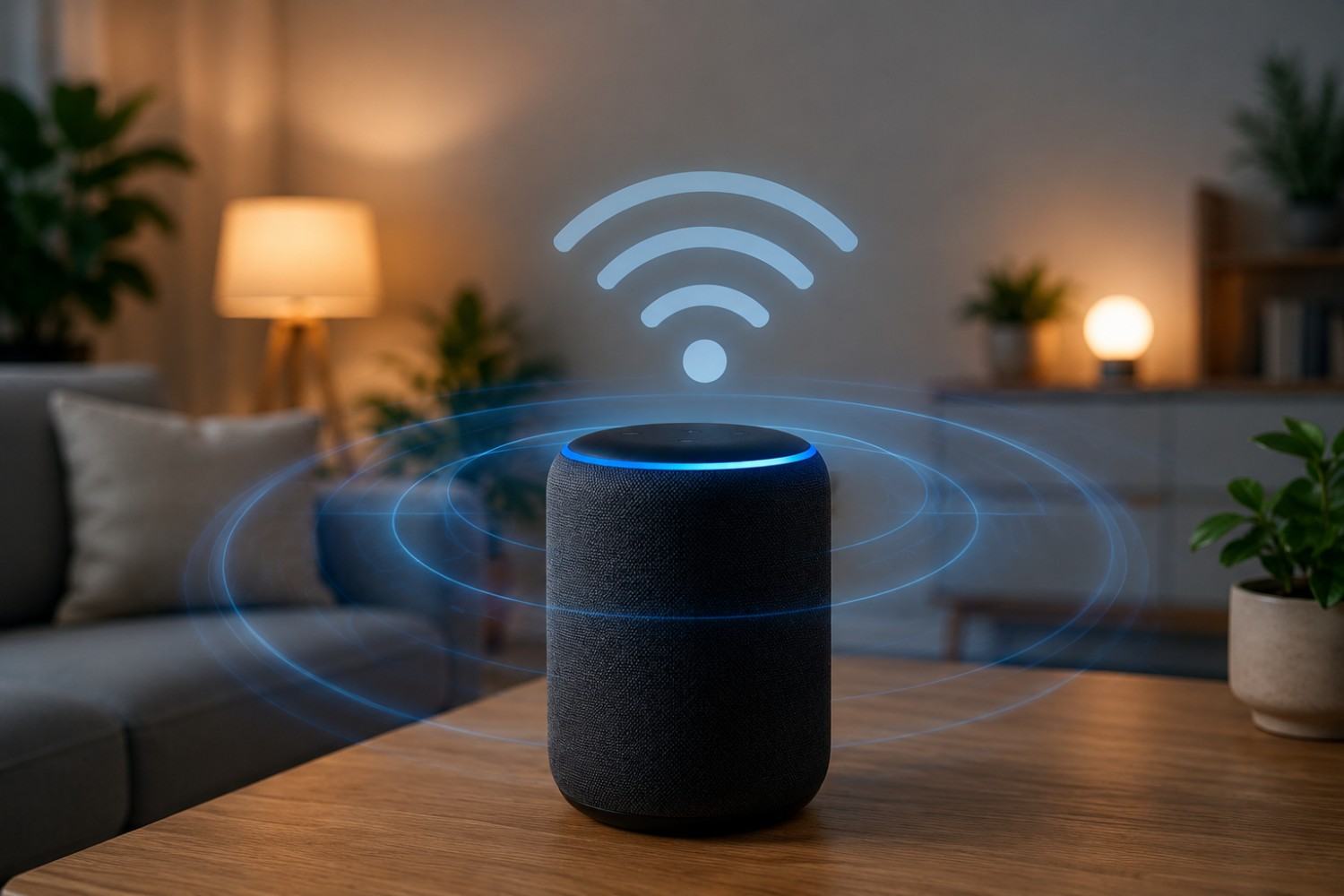
Smart speakers have become a normal part of many homes. Amazon Echo devices can play music, answer questions, control lights, set timers, and connect with other smart-home technology, all through simple voice commands. Google Home and Google Nest devices offer many of the same conveniences. But because these devices rely heavily on wireless communication, you may wonder what they add to the electromagnetic environment inside your home. Alexa EMF exposure is particularly worth understanding if you keep an Echo beside your bed, on your desk, or in another location where you spend hours each day.
The presence of electromagnetic fields does not automatically mean that a device is dangerous. Wi-Fi and Bluetooth use non-ionizing radiofrequency energy, which is different from ionizing radiation such as X-rays. Still, people interested in reducing their overall wireless exposure may want to understand where that exposure comes from and what practical steps can reduce it.
Fortunately, this does not have to be an all-or-nothing decision. You can understand how smart speakers communicate, consider where you place them, and decide whether every wireless device in your home needs to remain powered on around the clock.
What Is Smart Speaker EMF?
EMF stands for electromagnetic field. EMFs are produced by many electrical and wireless devices we use every day, including phones, Wi-Fi routers, computers, televisions, appliances, Bluetooth accessories, and smart-home products.
A smart speaker can be associated with several types of electromagnetic fields. Its electrical components and power supply can produce extremely low-frequency electric and magnetic fields, while wireless communication produces radiofrequency, or RF, electromagnetic fields.
For most people investigating smart speakers, RF is the primary area of interest because devices such as Amazon Echo and Google Nest speakers communicate wirelessly.
Wi-Fi allows the speaker to connect with your home network and internet services. Bluetooth may also be available for connecting directly to phones, speakers, or other devices. Some smart-home configurations can involve additional wireless communication.
It is important to distinguish this type of RF energy from ionizing radiation. Wi-Fi and Bluetooth operate using non-ionizing RF energy. X-rays and gamma rays, by comparison, have enough energy to ionize atoms and are categorized differently.
Understanding this distinction helps keep the conversation about smart-speaker EMF grounded. You do not need to treat an Echo like an X-ray machine to decide that you would prefer not to keep an unnecessary wireless transmitter six inches from your head throughout the night.
Why Do Alexa and Google Home Produce Wireless EMF?
Smart speakers are useful largely because they are connected.
When you say, “Alexa, what’s the weather?” or ask Google Assistant to play a song, the device needs to process the request and, for many functions, communicate through your network with remote services.
The speaker therefore needs a way to communicate with your router and other devices. Wi-Fi is one of the primary technologies that makes this possible.
Smart speakers may also support Bluetooth, allowing them to communicate directly with compatible devices.
This means wireless activity isn’t limited to the moment you hear Alexa speaking back to you. A connected device may exchange data at different times for normal networking functions, updates, synchronization, commands, and other services.
The amount and pattern of RF activity can vary depending on the device, network conditions, what the speaker is doing, and which wireless features are enabled.
That is one reason measuring your own environment can be more informative than assuming every smart speaker behaves identically.
Alexa EMF: What Does an Amazon Echo Emit?
When people search for Alexa EMF, they are usually referring to RF exposure from an Amazon Echo or another Alexa-enabled device rather than the Alexa software itself.
Alexa is Amazon’s voice-assistant technology. The physical Echo, Echo Dot, Echo Show, or other Alexa-enabled hardware contains the electronic and wireless components.
An Echo typically connects to your home network through Wi-Fi. Depending on the model and how you use it, Bluetooth and other smart-home wireless technologies may also be available.
This distinction matters because you are not receiving an electromagnetic field from a “voice.” You are dealing with emissions associated with the electronic hardware and its wireless communications.
The exposure you receive from that device also depends heavily on where you are in relation to it.
An Echo placed directly beside your pillow creates a very different exposure situation than the same device sitting across the room. This leads to one of the most useful concepts for anyone interested in lowering EMF exposure: distance.
Google Home and Google Nest EMF
Google Home and Google Nest speakers work on similar basic principles. They are connected electronic devices that use wireless communication to provide many of their features.
Depending on the specific model, Google’s smart-speaker lineup includes devices such as the Nest Mini and Nest Audio, as well as smart displays and other connected products.
Like an Echo, these devices are typically connected to a Wi-Fi network. That means they contribute RF signals to the wireless environment in your home.
The exact amount of exposure should not be assumed to be identical across every model. Hardware changes over time, wireless specifications differ, software is updated, and the way you configure and use the device can affect wireless activity.
Instead of assuming that every Google Home or Amazon Echo produces exactly the same RF levels, it makes more sense to focus on principles you can control: distance, placement, usage, the number of wireless devices in the home, and whether devices remain powered when you are not using them.
Alexa vs. Google Home: Is One Lower EMF?
It would be convenient to say that one smart-speaker brand is always the lower-EMF choice, but the comparison is not that simple.
Amazon and Google have produced numerous generations and models of smart speakers. Each can have different wireless capabilities, antennas, hardware, and software.
Even two people using the same model may have different wireless environments because one speaker could be sitting three feet from a Wi-Fi router while another is across the house.
Several variables can influence your actual exposure, including the exact device, distance from it, wireless activity, router placement, Bluetooth use, network conditions, and other wireless equipment nearby.
For someone trying to create a lower-EMF home, placement may therefore be more useful to think about than brand alone.
Instead of asking only, “Should I buy Alexa or Google Home?” consider another question:
“Where am I going to put it?”
If one device is kept several feet away while another is placed six inches from your head for eight hours every night, placement could be a much more meaningful difference in your personal exposure.
Does Distance From a Smart Speaker Matter?
Distance is one of the simplest tools available for reducing exposure to RF sources.
RF energy generally decreases substantially as you move farther from a source, although the exact relationship depends on the source and surrounding environment.
This makes smart-speaker placement worth considering.
Imagine an Echo Dot sitting directly on your nightstand. You may spend seven or eight hours each night within a relatively short distance of it.
Move that same Echo across the bedroom, and your distance from the device increases without requiring you to stop using it.
The same principle applies to your home office. If you spend eight hours each day sitting at a desk, do you need your smart speaker directly beside your keyboard? Moving it to a shelf several feet away may allow you to continue using voice commands without keeping the device inches from you throughout the workday.
Distance is especially attractive as a precaution because it costs nothing.
You do not have to purchase a shielding product or replace your entire smart-home system. Sometimes moving a device is the simplest first step.
Should You Keep Alexa or Google Home in the Bedroom?
The bedroom deserves special attention because it is one of the few places where you may remain in approximately the same location for many consecutive hours.
People often use smart speakers as alarm clocks, white-noise machines, music players, weather stations, or controllers for smart lights. This makes the nightstand an obvious place to put one.
But convenience does not necessarily require the speaker to sit within arm’s reach.
If you want to reduce unnecessary wireless exposure while sleeping, consider moving the speaker farther from your bed. A dresser on the other side of the room may still allow Alexa or Google Assistant to hear your voice.
You can also ask whether you need the device operating overnight at all.
If its only nighttime purpose is serving as an alarm clock, a basic non-wireless alarm clock can perform that job without maintaining a Wi-Fi connection.
If you use Alexa to control lights before bed, another possibility is keeping the Echo farther away rather than eliminating it.
The goal is not to convince everyone to remove smart speakers from bedrooms. It is to consider whether having a wireless device inches from your head for hours provides enough benefit to justify that placement.
7 Practical Ways to Reduce Smart Speaker EMF Exposure
Reducing smart-speaker exposure does not have to mean abandoning smart-home technology. A few practical changes can reduce unnecessary proximity to wireless devices while allowing you to keep the features you actually use.
Increase Your Distance
Start with the simplest change: move the smart speaker away from your body.
Instead of keeping an Echo Dot immediately beside your chair, couch, bed, or workstation, consider placing it farther away while making sure voice commands still work reliably.
You may discover that the device works perfectly well from across the room.
Move Smart Speakers Away From Beds
If you spend approximately eight hours sleeping each night, your bedroom accounts for roughly one-third of your day.
That makes bedside placement worth reconsidering.
Moving an Echo or Nest speaker from the nightstand to a more distant dresser or shelf is a simple change that does not eliminate its functionality.
Avoid Keeping One Inches From Your Desk
The same logic applies to your workspace.
Someone working from home may spend more time beside a desk than almost anywhere else during waking hours. There is rarely a need for a smart speaker to be inches from your keyboard.
Move it farther away and see whether it still performs the tasks you need.
Reconsider How Many Smart Speakers You Need
Smart speakers can multiply quickly.
One goes in the kitchen. Another goes in the bedroom. Then you add one to the office, basement, living room, and children’s rooms.
Before long, wireless devices are distributed throughout the entire house.
Ask whether each device provides enough value to justify keeping it. You may find that a few strategically located smart speakers provide most of the convenience you want.
Disable Wireless Features You Don’t Use
Check the settings and instructions for your particular device.
If you have wireless functions enabled that you never use, see whether the device allows you to disable them. Available settings vary by model, so consult the manufacturer’s current instructions rather than assuming every Echo or Google device has the same options.
Unplug Devices You Rarely Use
A device that is physically unplugged from its power source cannot continue operating as a wireless smart speaker.
If you have an Echo in a guest room that gets used twice a month, there may be little reason to keep it operating 24 hours a day.
Unplugging seldom-used electronics is a straightforward way to eliminate emissions from those devices while they are off.
Measure Instead of Guessing
If EMF exposure is important to you, measurement can provide useful information about your particular home.
An RF meter can help identify wireless sources and compare relative RF levels in different locations.
For example, you can take a reading near your smart speaker and then move several feet away and compare it. You can also compare readings when the speaker is idle and when it is actively communicating.
This can help you make decisions based on what is happening in your home rather than assuming that every wireless device is producing the same exposure.
Affiliate Advertisement

Do You Need to Get Rid of Alexa or Google Home?
Not necessarily.
There are several ways to approach EMF reduction, and people have different goals.
Someone attempting to create an extremely low-wireless home may decide that a voice-controlled smart speaker isn’t necessary. That person might replace wireless devices with wired or non-connected alternatives whenever practical.
Someone else may enjoy using Alexa every day and simply want to reduce unnecessary exposure.
In that case, keeping one Echo in a central location instead of five throughout the house may be a reasonable compromise. Moving it away from the bed or desk can be another simple change.
You can also unplug smart speakers that are rarely used.
This approach allows you to decide which technology provides genuine value and which devices are operating simply because you never thought about turning them off.
Frequently Asked Questions About Smart Speaker EMF
Smart speakers raise several common questions because they behave differently from devices that are obviously “on” only when you are actively using them. The following answers address some of the practical questions people may have about Alexa, Google Home, and wireless exposure.
Does Alexa Give Off EMF When It Isn’t Being Used?
An Echo is still an electronic and connected device while it is powered and connected to a network. Wireless communication is not necessarily limited to the moments when you actively issue a voice command.
The amount and pattern of RF activity can change depending on the device and what it is doing.
If you want to know what is occurring with your particular Echo, an RF meter can help you compare idle and active periods.
Does Alexa Emit Radiation All the Time?
“Radiation” is a broad term, so context matters. Amazon Echo devices use wireless RF communication, which falls within the non-ionizing portion of the electromagnetic spectrum.
Wireless transmissions may occur at different times while a device is powered and connected. That does not mean its transmission pattern or level remains identical every second of the day.
Does Google Home Produce EMF?
Yes. Like other electronic and wireless devices, Google Home and Nest products produce electromagnetic fields. Their wireless connections can produce RF emissions as the devices communicate.
The exact exposure depends on the model, activity, distance, network, and surrounding environment.
Is It Bad to Sleep Next to an Alexa?
There is no need to make an unsupported claim that sleeping beside an Alexa will cause a particular illness.
However, if your goal is to reduce unnecessary RF exposure, keeping a Wi-Fi-connected device immediately beside your head for many hours is an obvious situation to reconsider.
Moving it farther from the bed is a simple precaution that may allow you to continue using the speaker.
How Far Should Alexa Be From My Bed?
There isn’t one universal distance that can be guaranteed to create a particular exposure level in every bedroom.
Distance from an RF source generally reduces exposure, so farther away is preferable if your goal is minimizing unnecessary exposure while maintaining functionality.
You can experiment with placement to find a location where Alexa still responds reliably without sitting directly beside your bed.
Does Unplugging Alexa Stop Its EMF?
If an Echo is unplugged and has no other power source, its electronics and wireless radios cannot continue operating normally.
This is one reason unplugging unused smart speakers is such a straightforward option for people trying to reduce the number of continuously operating wireless devices in their homes.
Is an Echo Dot Lower EMF Than a Full-Size Echo?
You should not assume that a smaller device automatically means lower RF exposure.
RF output and wireless behavior depend on the specific hardware, antennas, communication technologies, activity, and other factors.
If comparing two particular models matters to you, measuring them under similar conditions would be more useful than judging them based on physical size.
Can I Measure Alexa Radiation With an EMF Meter?
An appropriate RF meter can detect radiofrequency energy in the frequencies covered by that meter.
However, remember that a broadband RF meter can also detect other RF sources in the environment. Your Wi-Fi router, phone, Bluetooth devices, and neighboring wireless equipment can influence readings.
For a useful comparison, take multiple measurements under controlled conditions rather than relying on a single reading.
Conclusion: Reducing Smart Speaker EMF Without Giving Up Technology
Smart speakers provide genuine convenience, but that convenience depends heavily on wireless connectivity. Amazon Echo, Google Home, Google Nest, and similar products become another part of the RF environment created by modern phones, routers, Bluetooth devices, smart TVs, wearables, and connected appliances.
Understanding Alexa EMF does not require assuming that an Echo is inherently dangerous. It means recognizing that the device uses wireless technology and deciding how much unnecessary exposure you want in your own home.
Some of the easiest changes cost nothing. Move smart speakers farther from beds and desks. Think twice before putting one in every room. Unplug devices that rarely get used. Disable unnecessary wireless features when your device provides that option.
If you want to investigate further, an appropriate RF meter can help you compare wireless activity in different areas of your home and see how changes in placement affect your readings.
The goal does not have to be a technology-free house.
A more realistic approach is to understand the technology you use, keep the devices that provide meaningful benefits, and make thoughtful decisions about where and how you use them.
Before You Go…
Get Weekly EMF Protection Tips
Enjoy this article? Join the EMFLuLu newsletter for simple weekly tips to reduce everyday EMF exposure from phones, WiFi routers, laptops, and smart home devices.
Try Our Free EMF Calculators
Curious how much EMF exposure you may experience each day?
These simple tools can help you estimate your exposure and identify possible problem areas in your home.
Try these free calculators:
Like this article? Pin it on Pinterest!

More to Explore