Working from home has become the new normal for millions of people, while students, gamers, and office professionals often spend long hours in front of computers every day. That convenience comes with a workspace filled with technology, including computers, monitors, smartphones, Wi-Fi routers, wireless accessories, and charging equipment. If you’ve ever wondered whether you can create a low EMF workspace without replacing all of your electronics or spending a fortune, the good news is that you can. Building a healthier and more organized desk setup often comes down to making thoughtful choices rather than buying expensive products. By understanding where electromagnetic fields (EMFs) originate and making practical adjustments over time, you can create a workspace that feels cleaner, more efficient, and better suited to your personal preferences.
Many people assume reducing EMF exposure requires costly shielding products or completely eliminating modern technology. In reality, small improvements such as increasing distance from wireless devices, using wired accessories when practical, and organizing equipment more efficiently can make a noticeable difference in your daily workspace. Whether your budget is zero dollars or several hundred dollars, every step can contribute toward creating a more comfortable environment without sacrificing productivity.
What Is a Low EMF Workspace?
Before making changes to your office, it helps to understand what people mean when they refer to a low EMF workspace. The goal is not to eliminate electromagnetic fields completely. That simply isn’t realistic in today’s connected world. Instead, the objective is to reduce unnecessary sources of exposure where practical while still enjoying the technology that makes work easier.
Electromagnetic fields are generated whenever electricity flows through wires or when wireless devices transmit signals. Your laptop, monitor, Wi-Fi router, smartphone, Bluetooth headphones, wireless mouse, printer, and even some power supplies all generate different forms of EMFs. Some produce low-frequency electric and magnetic fields because they use household electricity, while others emit radiofrequency (RF) energy to communicate wirelessly.
It’s also important to keep these different types of EMFs in perspective. Not every device contributes equally, and many factors influence exposure, including distance, power output, and how often a device is used. For example, a Wi-Fi router across the room affects your workspace differently than a smartphone resting inches from your hands for eight hours every day.
Rather than worrying about every electronic device, many people choose to focus on habits that are easy to adopt and inexpensive to implement. Moving equipment, choosing wired accessories when possible, and reducing unnecessary wireless transmissions are all practical steps that fit into a balanced approach.
Another benefit of building a lower-EMF office is that many of the same improvements also create a cleaner, more organized workspace. Better cable management, thoughtful equipment placement, and fewer unnecessary devices often improve productivity while reducing clutter at the same time.
The Biggest EMF Sources Around Your Desk
Before purchasing accessories or reorganizing your office, it’s helpful to identify the devices that contribute most to your workspace. Once you know where the primary sources are located, you can make informed decisions about which improvements will provide the greatest benefit for your particular setup.
Wi-Fi Routers
For many home offices, the Wi-Fi router is one of the most obvious wireless devices operating throughout the day. It continuously communicates with laptops, tablets, phones, streaming devices, and smart home equipment.
If your router sits directly beside your desk simply because that’s where your internet cable enters the room, you may have an easy opportunity to improve your workspace. Even moving the router several feet farther away can reduce how close you are to its continuous wireless transmissions while maintaining excellent internet performance throughout the home.
If relocation isn’t possible, you might eventually consider using Ethernet connections for your primary workstation while leaving Wi-Fi available for other household devices.
Laptop Computers
Laptops combine multiple technologies into one compact device. They contain processors, batteries, wireless radios, Bluetooth transmitters, displays, charging circuits, and numerous internal electronic components.
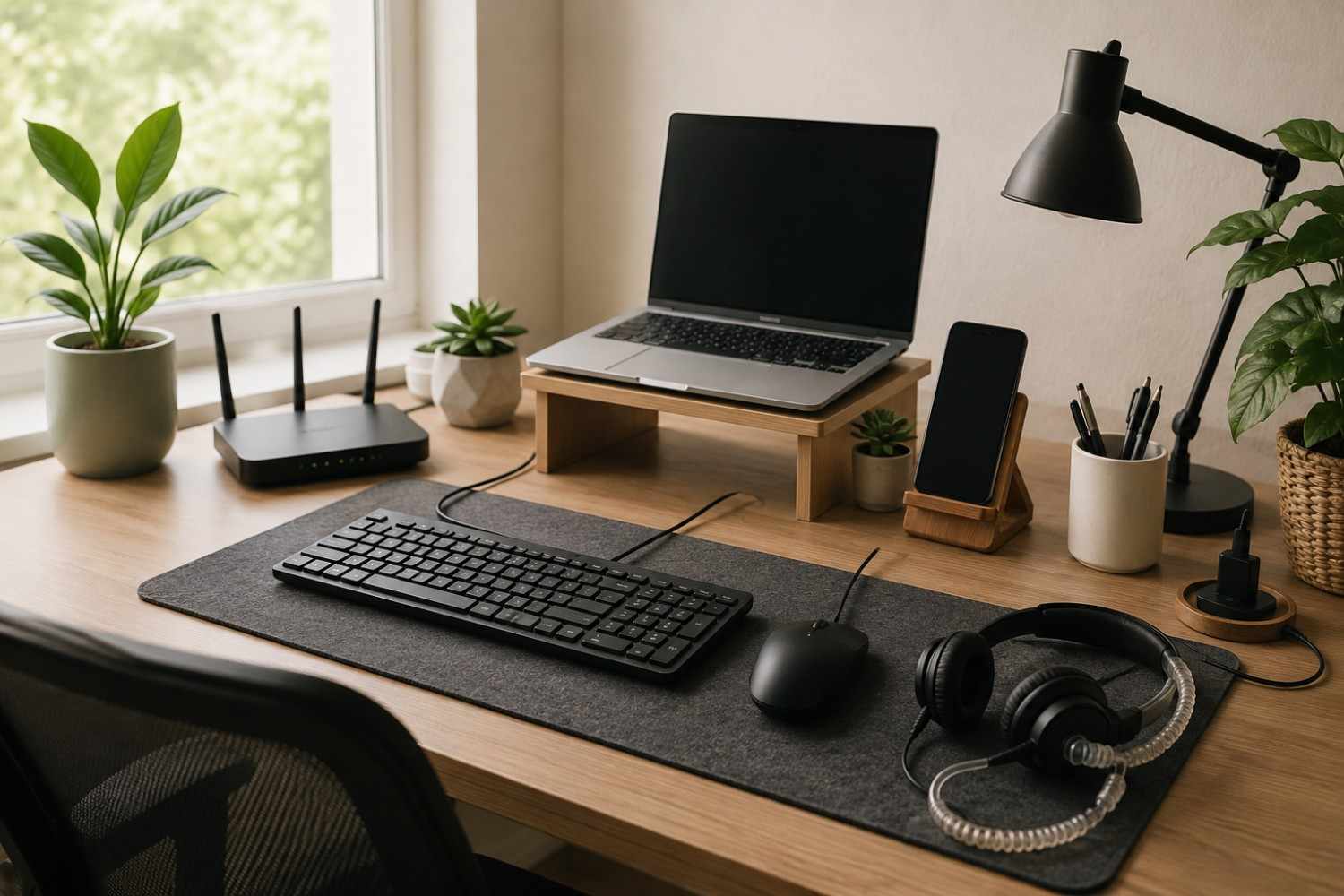
Many people naturally rest a laptop directly on their legs or position it only inches from their torso for several hours each day. Using a laptop stand or external monitor can create additional distance between you and the device while also improving posture and comfort.
If your work primarily involves typing, pairing a laptop with a wired keyboard and mouse allows the computer itself to remain farther away without affecting productivity.
Desktop Computers
Desktop computers generally remain stationary beneath or beside the desk, making them easier to position at a comfortable distance. Although they contain power supplies, processors, graphics cards, and cooling systems, they don’t typically remain in direct contact with your body like laptops often do.
If you use a desktop tower, placing it beneath the desk rather than directly beside your legs may help create a cleaner workspace while keeping cables organized.
External Monitors
Monitors have become essential for many professionals. Designers, programmers, writers, financial analysts, and gamers often spend entire workdays looking at one or more displays.
Fortunately, modern monitors are generally easy to position properly. Mounting them on adjustable arms or placing them toward the back of your desk creates a comfortable viewing distance that benefits both ergonomics and workspace organization.
Rather than pushing your chair closer to the screen, adjusting monitor placement often provides a much better solution.
Smartphones
Many people keep their phones within arm’s reach all day. Notifications, messages, emails, and social media updates constantly compete for attention.
Besides becoming a productivity distraction, a phone sitting next to your keyboard continues communicating with nearby cellular towers and Wi-Fi networks throughout the day.
Simply placing your phone several feet away on a shelf or side table allows you to hear notifications while avoiding the habit of keeping it directly beside your hands throughout the workday.
Bluetooth Accessories
Wireless keyboards, wireless mice, earbuds, speakers, and headsets have become extremely common because they reduce cable clutter.
For many people, they’re perfectly adequate. However, if your goal is reducing unnecessary wireless devices around your desk, replacing heavily used Bluetooth accessories with wired alternatives is often one of the simplest improvements you can make.
This change also eliminates charging batteries and sometimes improves reliability by avoiding wireless interference.
Charging Stations and Power Strips
Modern desks often contain a surprising number of charging devices. Phones, smartwatches, tablets, earbuds, laptops, and portable battery packs may all charge simultaneously from one power strip.
Although these accessories are necessary, they don’t all need to remain immediately beside your workspace. A well-organized charging station located a short distance away can reduce desktop clutter while keeping devices ready when needed.
Start with the Free Improvements
One of the biggest misconceptions about reducing EMF exposure is that it requires expensive purchases. In reality, many of the most practical improvements cost absolutely nothing. Before shopping for new equipment, take a close look at how your current workspace is arranged. Small adjustments often provide meaningful improvements while also making your office more comfortable and organized.
Increase Distance Whenever Possible
Distance is one of the simplest tools available when organizing your workspace.
If your Wi-Fi router sits directly beside your monitor, consider relocating it to another part of the room. If your phone remains next to your keyboard throughout the day, move it to a nearby shelf or small table instead.
These changes require no special equipment and take only a few minutes to implement.
Use Airplane Mode When Appropriate
Many people spend hours writing reports, editing spreadsheets, or working on projects that don’t require an internet connection.
During those periods, enabling airplane mode on your smartphone temporarily disables wireless communications until they’re needed again.
If you’re using downloaded documents or working offline, this can become a simple daily habit without interrupting your workflow.
Turn Off Wireless Features You Aren’t Using
Many computers automatically leave Bluetooth enabled even when no Bluetooth accessories are connected.
If you exclusively use wired devices, turning Bluetooth off eliminates one unnecessary wireless transmitter.
Likewise, if you’re connected through Ethernet, your computer may not need Wi-Fi enabled simultaneously.
Checking these settings occasionally only takes a minute and can simplify your workspace without affecting performance.
Keep Your Workspace Organized
Good organization benefits far more than appearance.
Neatly routing cables, reducing unnecessary electronics on your desk, and keeping charging stations consolidated all contribute to a workspace that feels calmer and easier to maintain.
A clutter-free desk also makes it easier to identify devices that you rarely use and may not need plugged in all day.
Take Regular Breaks
Reducing exposure isn’t only about equipment placement. Healthy work habits matter just as much.
Standing up every hour, stretching your muscles, resting your eyes, and stepping away from your workstation improves circulation, posture, and overall comfort during long workdays.
Many productivity experts recommend short movement breaks throughout the day regardless of EMF concerns because they support both physical and mental well-being.
Low-Cost Upgrades Under $25
Once you’ve made the free improvements, you may find that your workspace already feels more organized and functional. If you’re ready to invest a little money, there are several affordable upgrades that can complement those changes without putting a strain on your budget. The key is to focus on items that improve both comfort and organization while helping reduce unnecessary wireless device use when practical.
Switch to a Wired Keyboard
Wireless keyboards are convenient, but if you spend several hours typing every day, a wired model is a simple alternative that never needs charging or battery replacements. Many wired keyboards also offer excellent reliability and a consistent typing experience.
If you’re shopping for an affordable option, consider an Amazon Basics Wired Keyboard (Link to Amazon). It provides everything most users need without unnecessary extras, making it a practical choice for a home office or student workspace.
Replace a Wireless Mouse
A wireless mouse may seem like a small device, but it’s another piece of equipment that communicates continuously while in use. Replacing it with a wired version removes another wireless connection from your desk while offering dependable performance.
An Amazon Basics Wired Mouse (Link to Amazon) is an inexpensive upgrade that pairs well with a wired keyboard and requires virtually no maintenance.
Improve Cable Management
At first glance, cable management may seem unrelated to creating a better workspace, but organizing cords has several advantages. It makes your desk easier to clean, prevents cables from becoming tangled, and helps you identify equipment that doesn’t need to remain plugged in all the time.
Simple cable clips, reusable hook-and-loop ties, or an under-desk cable tray can transform even a cluttered workstation into a cleaner, more efficient setup.
Add a Longer Charging Cable
Many people keep their phones within inches of their keyboard because their charging cable isn’t long enough to reach anywhere else. Purchasing a longer charging cable allows you to place your phone on a nearby shelf or side table while it charges.
This small investment encourages better workspace habits while also reducing desktop distractions from constant notifications.
Raise Your Monitor
If your monitor currently sits too close to your face, an inexpensive monitor riser or adjustable stand can improve both posture and viewing distance.
Many people discover that a properly positioned monitor reduces neck strain and encourages a more comfortable sitting position during long work sessions.
Affiliate Advertisement

Mid-Range Improvements ($25–100)
Once you’ve addressed the simplest upgrades, a modest budget opens the door to improvements that can noticeably enhance both productivity and workspace organization. These upgrades don’t require remodeling your office or purchasing expensive specialty products. Instead, they focus on making your existing technology work more efficiently.
Use Ethernet Instead of Wi-Fi
One of the most effective improvements for many home offices is switching your primary computer to a wired internet connection.
Ethernet provides fast, stable internet without relying on Wi-Fi for that particular device. Many professionals appreciate the added reliability during video meetings, large file transfers, and online collaboration.
If running an Ethernet cable is practical in your home, this single upgrade may also reduce occasional wireless connectivity issues.
Create Better Monitor Placement
Adding a monitor arm allows you to position your display at the proper height and distance while freeing valuable desk space.
Instead of stacking books beneath your monitor or accepting an awkward viewing angle, an adjustable arm lets you customize your workspace to fit your seating position.
Many monitor arms fall comfortably within this price range and can remain useful for years.
Upgrade Your Headset
If you regularly attend virtual meetings or spend hours on conference calls, your headset is one accessory you’ll use almost every day.
Some people who are interested in reducing wireless device use prefer an air tube headset because it replaces the final section of traditional headphone wiring with hollow tubes that carry sound to the earbuds.
A popular option is the DefenderShield Air Tube Headset, which many users appreciate for work calls, online meetings, and everyday listening.
Add a Powered USB Hub
Many modern laptops have limited ports, leading users to rely on multiple wireless accessories.
A powered USB hub allows you to connect wired keyboards, mice, printers, flash drives, webcams, and other accessories through a single connection, making wired devices much easier to use.
As an added bonus, your desk often becomes much more organized because everything connects through one central location.
Improve Your Office Layout
Sometimes the best upgrade isn’t a product at all.
Take another look at your office arrangement. Could your desk face a different direction? Could your router move to another corner of the room? Is there a better location for your charging station?
Even small adjustments can create a workspace that feels more open, less cluttered, and easier to maintain over time.
Premium Upgrades ($100+)
Not everyone needs premium equipment to create a comfortable office, but if you plan to work from home for many years, some larger investments may be worthwhile. The important thing is to think of these purchases as long-term improvements rather than quick fixes.
Install Wired Internet Throughout Your Office
If your workspace is permanent, running Ethernet through walls or along neatly concealed cable channels can provide a clean, reliable internet connection for years.
Many homeowners who already perform home improvement projects find this to be one of the most satisfying upgrades because it improves internet stability while supporting a more organized office.
Purchase an EMF Meter
One of the most common questions people ask is whether they actually know where EMFs are coming from in their workspace.
An EMF meter provides measurements that can help identify stronger sources around your home or office. While measurements require some understanding and interpretation, they can be useful for people who want more information before making additional changes.
One respected option is the Safe and Sound Pro II RF Meter, which is frequently used by homeowners, inspectors, and individuals interested in measuring radiofrequency signals.
It’s worth remembering that an EMF meter is an information tool rather than a solution by itself. The readings simply help you make more informed decisions about your workspace.
Consider a Laptop Shield
If your work requires using a laptop for several hours each day, you may be interested in accessories designed specifically for laptop users.
The DefenderShield Laptop Shield is intended for people who frequently work with a laptop positioned close to their body. Many users choose it as one part of a broader strategy that also includes better posture, increased distance, and improved workspace organization.
Like any accessory, it works best when combined with sensible daily habits rather than viewed as a complete solution.
Wired vs. Wireless: Where Your Money Goes Furthest
When people begin researching EMF reduction, it’s easy to assume that expensive specialty products should come first. In reality, many experienced users recommend starting with simple, practical upgrades that reduce unnecessary wireless connections while also improving day-to-day usability.
For example, replacing Bluetooth accessories with wired alternatives often costs less than many specialty products while providing dependable performance and eliminating battery charging. Likewise, connecting your computer with Ethernet instead of Wi-Fi can improve internet reliability while reducing one wireless transmission used throughout the workday.
The goal isn’t to avoid every wireless device forever. Wi-Fi, smartphones, and Bluetooth technology are part of everyday life for most people. Instead, many individuals choose wired options whenever they’re practical and convenient, especially for devices they use continuously for several hours each day.
| Wireless Option | Wired Alternative | Additional Benefits |
| Bluetooth keyboard | Wired USB keyboard | No batteries, dependable connection |
| Bluetooth mouse | Wired USB mouse | No charging required |
| Wi-Fi internet | Ethernet cable | Faster and more stable connection |
| Bluetooth headphones | Air tube or wired headset | Ideal for long work sessions |
| Wireless printer | USB or Ethernet printer | Reliable communication and fewer connection issues |
The nice thing about these upgrades is that they don’t require replacing your entire office overnight. You can switch one accessory at a time as older equipment wears out or as your budget allows. Over the course of a year or two, those gradual improvements can transform your workspace without creating unnecessary expense.
Budget Examples for Every Workspace
One of the biggest misconceptions about creating a healthier office is that it requires an expensive shopping spree. In reality, you can improve your workspace a little at a time. Whether you have no budget at all or you’re willing to invest in long-term upgrades, thoughtful changes can make your office more comfortable, organized, and better aligned with your personal goals.
The following examples aren’t strict formulas. Instead, they show how someone might gradually improve their workspace over time while spending only what fits their budget.
A $0 Workspace
If money is tight, don’t let that discourage you. Some of the most meaningful improvements cost absolutely nothing.
Start by moving your Wi-Fi router farther away from your desk if possible. Relocate your smartphone to a nearby shelf instead of keeping it beside your keyboard throughout the day. Disable Bluetooth whenever you aren’t using wireless accessories, and enable Airplane Mode on your phone when you’re working offline.
Take a few minutes to organize your cables, unplug electronics that rarely get used, and create a habit of standing up every hour for a short stretch. None of these changes require new equipment, yet together they can make your workspace feel cleaner and more intentional.
A $50 Workspace
With a modest budget, you can replace several of the accessories you use most often.
Many people begin by purchasing an Amazon Basics Wired Keyboard (Link to Amazon.com) and an Amazon Basics Wired Mouse (Link to Amazon.com). These inexpensive upgrades remove two wireless devices from your daily setup while providing dependable performance.
If your budget allows, add reusable cable ties or an under-desk cable organizer to keep everything neat. You may also want to purchase a longer charging cable so your phone can remain several feet away instead of resting beside your hands all day.
These simple purchases create a more organized desk while supporting better daily habits.
A $150 Workspace
With a little more flexibility, you can make upgrades that improve both comfort and productivity.
Adding an Ethernet connection for your primary computer provides a fast and stable internet connection while reducing reliance on Wi-Fi for that device. If your laptop doesn’t include an Ethernet port, a compatible USB adapter can solve that problem easily.
This budget also allows room for a quality laptop stand or monitor arm to improve screen positioning and posture. If you spend hours in online meetings, consider adding the DefenderShield Air Tube Headset for conference calls and voice chats.
At this point, your office begins to feel purposefully designed instead of simply being a collection of electronics placed wherever they fit.
A $500 Workspace
A larger budget doesn’t necessarily mean buying every EMF-related product available. Instead, it allows you to invest in long-term improvements that may benefit your workspace for years.
You might decide to install permanent Ethernet wiring, upgrade your office furniture, purchase an adjustable monitor arm, improve lighting, or invest in an EMF meter such as the Safe and Sound Pro II RF Meter to better understand your environment.
If your work requires extensive laptop use, you may also consider the DefenderShield Laptop Shield as part of your overall setup.
Remember that expensive purchases work best when they’re combined with the free habits discussed earlier. Good organization, thoughtful device placement, and regular movement breaks continue to provide value regardless of how much you’ve spent.
Common Mistakes People Make
When people first begin researching EMF reduction, it’s easy to become overwhelmed by the sheer number of products, opinions, and recommendations available online. Taking a balanced approach can help you avoid unnecessary purchases while focusing on changes that are practical and sustainable.
Buying Expensive Products Before Making Free Changes
One of the most common mistakes is assuming that spending more money automatically produces better results.
Before purchasing specialized accessories, take advantage of the simple improvements that cost nothing. Increasing distance from wireless devices, reorganizing your desk, and turning off wireless features you don’t use every day are excellent starting points.
Ignoring Distance
Distance remains one of the easiest adjustments available.
Even an excellent workspace can be improved if your phone spends eight hours each day resting beside your keyboard or your Wi-Fi router sits directly next to your monitor.
Often, moving a device only a few feet away is enough to create a more comfortable setup without affecting how you work.
Keeping Every Wireless Device Turned On
Many electronics continue transmitting even when they’re not actively being used.
Bluetooth, Wi-Fi, smart speakers, tablets, and additional smartphones may all remain connected throughout the day despite serving little purpose while you work.
Review your equipment occasionally and disable features that aren’t needed.
Forgetting About Ergonomics
A healthier workspace involves more than electronics.
Poor posture, uncomfortable seating, improper monitor height, and inadequate lighting can all contribute to fatigue during long workdays.
Improving ergonomics often goes hand in hand with creating a cleaner, more organized office, making it worthwhile to consider both together.
Expecting One Product to Solve Everything
No single accessory can replace good habits.
Even the highest-quality products work best as part of a thoughtful overall strategy that includes organization, sensible device placement, regular movement, and practical technology choices.
Approaching your workspace as a complete system usually produces better long-term results than searching for one perfect solution.
Do You Need EMF Shielding Products?
After reading about workspace improvements, you may wonder whether shielding products are necessary. The answer depends on your individual goals, your workspace, and your personal preferences.
For many people, the free improvements discussed earlier may be enough. Better organization, increased distance from wireless devices, and replacing frequently used Bluetooth accessories with wired alternatives can significantly improve how a workspace feels without requiring specialized equipment.
Others may prefer adding shielding products as one part of a broader strategy. If you decide to explore that option, it’s important to view these products as complementary tools rather than complete solutions.
The most balanced approach is to build a strong foundation first. Once your workspace is organized, your equipment is positioned thoughtfully, and unnecessary wireless devices have been reduced where practical, you’ll have a much better understanding of whether additional products would provide meaningful value for your particular situation.
Final Thoughts
Creating a low EMF workspace doesn’t require replacing every electronic device or investing thousands of dollars in specialty equipment. In many cases, the biggest improvements come from thoughtful decisions that cost very little – or nothing at all. Increasing the distance between yourself and wireless devices, organizing cables, using wired accessories when practical, and developing healthier work habits can all contribute to a workspace that feels more comfortable and intentional.
If your budget allows, you can gradually build on those improvements with items such as Ethernet connections, monitor arms, air tube headsets, or EMF measurement tools. The important thing is to make changes at a pace that fits both your needs and your finances rather than feeling pressured to upgrade everything at once.
Technology is an essential part of modern life, and most of us rely on it every day. The goal isn’t to eliminate it – it’s to use it thoughtfully. By taking a practical, balanced approach and focusing on improvements that genuinely support your workspace, you can create an office that promotes productivity, comfort, and peace of mind for years to come.
Before You Go…
Get Weekly EMF Protection Tips
Enjoy this article? Join the EMFLuLu newsletter for simple weekly tips to reduce everyday EMF exposure from phones, WiFi routers, laptops, and smart home devices.
Try Our Free EMF Calculators
Curious how much EMF exposure you may experience each day?
These simple tools can help you estimate your exposure and identify possible problem areas in your home.
Try these free calculators:
Like this article? Pin it on Pinterest!

More to Explore