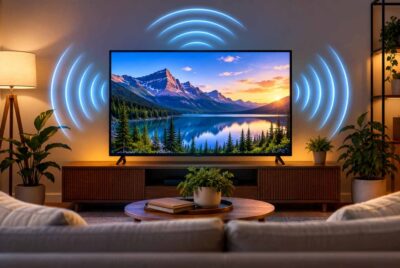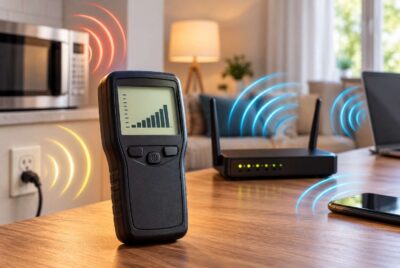
Smart technology has changed the way we live. From voice assistants that answer questions to smart thermostats that adjust the temperature automatically, connected devices have become part of everyday life. Many homes now include smart TVs, wireless security cameras, Wi-Fi routers, tablets, smartphones, streaming devices, and wearable technology, all working together to make life more convenient.
As more connected devices enter our homes, many people have started paying closer attention to smart home EMF considerations. While research into electromagnetic fields (EMFs) continues, one practical approach is organizing devices in thoughtful ways that help reduce unnecessary exposure without giving up the convenience of modern technology. Simple changes in where devices are placed, how they are used, and when they remain powered on can make your home feel more organized while encouraging healthier technology habits.
The good news is that improving your home’s organization often costs little or nothing. You do not need to replace every smart device or completely disconnect from modern technology. Instead, small adjustments can help create a cleaner, more intentional living space that balances convenience with awareness.
What Is a Smart Home EMF Environment?
Before making changes, it helps to understand what creates a smart home’s wireless environment. Nearly every connected device communicates using some form of wireless technology. Most rely on Wi-Fi, Bluetooth, Zigbee, Thread, or similar communication protocols that allow devices to interact with each other and the internet.
Common smart devices found in today’s homes include:
- Wi-Fi routers
- Mesh Wi-Fi systems
- Smart speakers
- Smart televisions
- Smart thermostats
- Video doorbells
- Indoor and outdoor security cameras
- Smart plugs
- Smart light bulbs
- Baby monitors
- Tablets
- Smartphones
- Smart watches
- Wireless printers
- Streaming devices
Each individual device typically operates within government-established safety guidelines. However, many households continue adding more connected devices every year. A home that once had a single Wi-Fi router may now have dozens of wireless products operating throughout multiple rooms.
Rather than worrying about every signal individually, many people choose to focus on organization. Good organization naturally helps create more distance from devices that do not need to be beside you throughout the day. It also encourages better technology habits that often improve sleep, productivity, and overall home organization.
Why Organization Matters More Than Many People Realize
When people think about organizing a home, they often picture closets, kitchen cabinets, or garages. Electronics deserve the same attention.
Many smart devices slowly accumulate over time. A phone charger ends up beside the bed. An old tablet remains on the kitchen counter. A smart speaker gets placed on the end table next to the sofa. Another charging station appears in the guest bedroom. Before long, electronics occupy nearly every room.
None of these decisions seem important on their own, but together they can create unnecessary clutter while keeping wireless devices much closer than they need to be.
Organizing electronics allows you to ask simple questions such as:
- Does this device need to stay here?
- Can it be moved farther away?
- Is it being used every day?
- Could several devices be stored together instead?
- Would a wired connection work just as well?
These questions encourage intentional technology use instead of simply allowing devices to spread throughout the home wherever there happens to be an available outlet.
An organized setup also makes cleaning easier, reduces tangled cables, simplifies troubleshooting, and often makes rooms feel less crowded.
Step 1: Create Dedicated Device Zones
One of the easiest ways to organize smart devices is by grouping them according to their purpose. Instead of placing electronics wherever there is empty space, create designated technology zones throughout your home.
This approach makes devices easier to manage while helping reduce unnecessary duplication. It also gives every device a logical place rather than allowing electronics to slowly spread across every available surface.
For example, you might organize your home into areas such as:
- A communication zone for phones and tablets
- A home office technology area
- An entertainment center for televisions and streaming devices
- A charging station for family electronics
- A security hub for cameras and smart home controllers
- A kitchen location for smart displays and cooking assistants
Grouping similar devices together makes it much easier to locate chargers, update equipment, replace batteries, or troubleshoot network issues.
It can also reduce the temptation to keep devices scattered throughout the home. Instead of charging a phone in three different rooms depending on convenience, everyone knows exactly where charging takes place.
Many families discover that once electronics have designated locations, they naturally spend less time carrying devices from room to room.
Step 2: Place Your Wi-Fi Router Strategically
The Wi-Fi router is one of the most important devices in a connected home. Its location affects internet performance, wireless coverage, and how close people remain to it during daily activities.
Many homeowners simply install the router wherever the internet provider places it. Unfortunately, that sometimes means it ends up beside the family couch, under a desk where someone works eight hours each day, or even on a bedroom nightstand.
A little planning can improve both network performance and home organization.
Ideally, your router should be placed in a central location that provides even coverage throughout the house while avoiding areas where people spend long periods sitting or sleeping. Elevating the router on a shelf often improves signal distribution while keeping it out of reach of children and pets.
Avoid hiding routers inside enclosed cabinets whenever possible. Furniture, metal objects, and enclosed spaces can reduce wireless performance, causing devices to work harder to maintain strong connections.
If your home allows for it, consider locating the router in a hallway, utility room, home office, or another central location that people do not occupy continuously.
Some homeowners also choose to schedule their router to automatically power down overnight if internet access is not needed while everyone is asleep. Many modern routers include scheduling features that make this process automatic.
For those interested in additional protection while maintaining normal router operation, DefenderShield EMF Radiation Protection Laptop & Router Pad can be placed beneath certain electronics to help support your EMF reduction strategy.
Rather than relying on any single product, remember that thoughtful placement, sensible use, and good organization remain the foundation of an effective low-EMF home strategy.
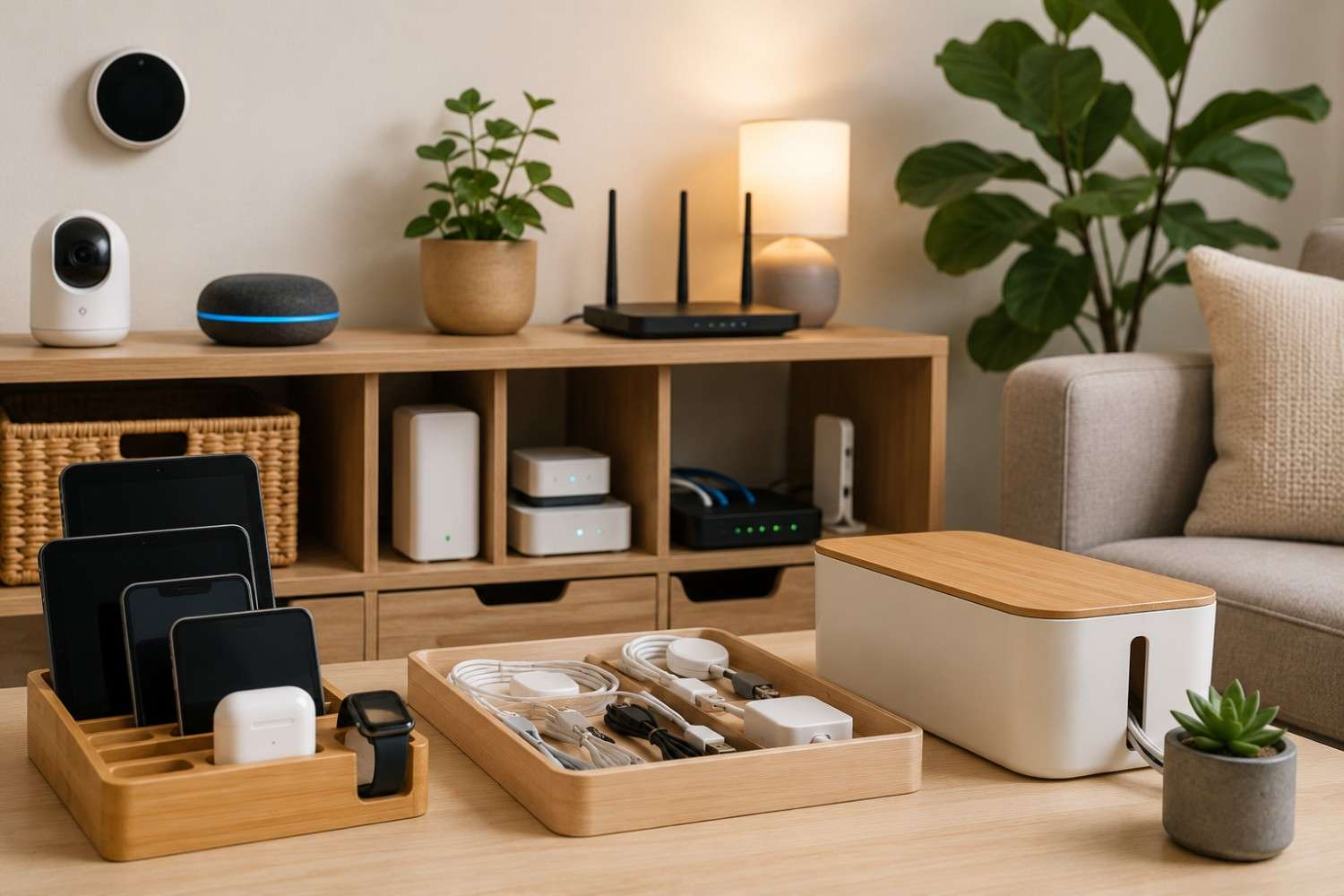
Step 3: Build a Central Charging Station
One of the simplest ways to organize electronics is by creating a single location where most portable devices are charged. Many households have charging cables scattered throughout the home, with phones charging in bedrooms, tablets on kitchen counters, smart watches in bathrooms, and headphones plugged in wherever an outlet happens to be available.
A centralized charging station brings everything together. Besides reducing clutter, it also encourages family members to leave devices in one place when they are not being used. This can naturally reduce the amount of time devices remain close to your body, especially during the evening hours.
A charging station does not have to be elaborate. A shelf in the kitchen, a cabinet near the entryway, or a countertop in a family room can all work well. The goal is to create a dedicated space that is convenient enough to use every day without encouraging devices to remain beside the bed or on the living room sofa.
When planning your charging area, consider including:
- A surge protector with enough outlets for future devices.
- Clearly labeled charging cables to prevent confusion.
- Small baskets or trays for earbuds, smart watches, and charging adapters.
- A cable organizer to keep wires neat and easy to access.
A tidy charging station also makes it easier to notice when a device is no longer being used regularly. Instead of letting outdated electronics collect dust in multiple rooms, you can recycle or donate them and simplify your home’s technology setup.
If you’re looking for an attractive way to keep multiple devices organized, a multi-device charging station (link to Amazon.com) can be a helpful addition.
While the organizer itself does not reduce EMFs, it encourages better organization and helps establish healthy habits around where devices are stored and charged.
Step 4: Reduce Technology in the Bedroom
For many people, the bedroom contains more electronics than almost any other room in the house. Phones, tablets, smart speakers, wireless chargers, smart watches, televisions, and even laptops often find permanent homes beside the bed.
Although these devices are convenient, the bedroom is one area where reducing unnecessary electronics is often relatively easy.
Ask yourself whether each device truly needs to remain there overnight. In many cases, the answer is no.
Examples of devices that can often be relocated include:
- Extra tablets
- Spare smartphones
- Bluetooth speakers
- Wireless chargers
- Smart displays
- Portable gaming systems
- Unused laptops
Many people also choose to charge their phones outside the bedroom. Besides creating a little more distance from wireless devices, this habit can reduce late-night scrolling and encourage better sleep routines.
If you use your phone as an alarm clock, consider replacing it with a traditional battery-powered alarm clock or placing your phone across the room rather than on the nightstand.
If carrying your phone during the day is unavoidable, using a quality EMF-blocking case may provide an additional layer of protection while still allowing normal phone use.
Good bedroom organization is less about eliminating technology completely and more about deciding which devices truly belong in the room.
Step 5: Manage Smart Speakers Thoughtfully
Voice assistants have become one of the most popular smart home devices. Whether you use Amazon Alexa, Google Nest, or Apple HomePod, these speakers offer convenient access to music, weather updates, reminders, timers, and home automation.
Because they are designed to respond to voice commands, people often place them very close to where they spend the most time. A smart speaker might sit on a bedside table, a coffee table next to the couch, or directly beside a favorite reading chair.
Instead of focusing only on convenience, consider whether a slightly different location would work just as well.
For example, placing a smart speaker on a bookshelf several feet away may still provide excellent voice recognition while reducing unnecessary proximity. Likewise, positioning it on a kitchen counter instead of the dining table may still allow easy access without having it directly beside family members during every meal.
If your home includes multiple smart speakers, review whether each one is actually being used. Many families discover that several devices were purchased over the years but only one or two are regularly active.
Removing or relocating unused devices can simplify your home while reducing electronic clutter.
Step 6: Organize Your Home Office
Home offices often become the most technology-heavy rooms in the house. Computers, monitors, printers, routers, docking stations, webcams, phones, chargers, and networking equipment can quickly create a crowded workspace.
An organized office is not only easier to work in – it can also help you become more aware of how your electronics are arranged.
Start by evaluating your desk layout. Keep equipment you actively use within comfortable reach while relocating devices that do not require constant access.
For example, your printer does not need to sit directly beside your chair. Moving it to a nearby shelf or cabinet may free valuable desk space while reducing clutter.
Similarly, if your internet connection allows, consider using wired Ethernet for desktop computers instead of relying entirely on Wi-Fi. Wired connections often provide faster, more reliable internet while reducing dependence on wireless communication.
Keeping your workspace organized also makes routine maintenance easier. Dusting equipment, replacing cables, and upgrading devices become much less frustrating when everything has a designated place.
Step 7: Consider Wired Connections When Practical
Wireless technology offers incredible convenience, but it is not always the only option.
Many stationary devices work perfectly well with wired connections, and in some cases, they perform even better.
Examples include:
- Desktop computers
- Gaming consoles
- Streaming devices
- Smart televisions
- Network storage devices
- Home office equipment
Using Ethernet cables where practical can reduce network congestion while providing faster and more consistent internet speeds.
This does not mean every wireless device should immediately become wired. Smartphones and tablets are designed to be portable, making wireless connectivity essential.
Instead, look for opportunities where devices rarely move. A desktop computer that always sits in the same location may be an excellent candidate for a wired connection.
As you review your home’s technology, remember that thoughtful organization often reveals simple improvements you may not have considered before. Sometimes moving one cable or relocating one device is all it takes to create a cleaner, more functional setup.
Creating a smart home EMF plan does not require dramatic changes. Small adjustments made over time can make your home feel more organized while encouraging intentional technology use.
Affiliate Advertisement

Step 8: Keep Smart Home Hubs Together
As smart homes become more advanced, many households end up with multiple devices that quietly manage automation in the background. Depending on the brands you use, you may have a Zigbee hub, a Thread border router, a smart home bridge, or another controller that allows various devices to communicate with one another.
Because these hubs typically operate continuously, it makes sense to organize them in one dedicated location rather than scattering them throughout the house.
A media cabinet, networking shelf, or small utility area often works well. Housing these devices together simplifies troubleshooting, keeps cables organized, and makes future upgrades much easier. It also prevents unnecessary electronics from occupying bookshelves, countertops, and end tables simply because an outlet happened to be available.
When organizing hubs, allow enough space around each device for ventilation. Electronics generate heat during normal operation, and adequate airflow helps maintain reliable performance and prolong the life of the equipment.
Labeling power cords and network cables is another small task that pays dividends later. If you ever replace your internet service, upgrade equipment, or move furniture, clearly labeled cables save a tremendous amount of time and frustration.
A dedicated technology area also creates a cleaner appearance throughout the rest of your home, allowing living spaces to remain focused on comfort rather than electronics.
Step 9: Don’t Overlook Cable Management
When most people think about organizing smart devices, they naturally focus on the devices themselves. However, cables deserve just as much attention.
Loose wires behind entertainment centers, tangled charging cords on kitchen counters, and power strips overflowing with adapters can quickly make even a well-designed room appear cluttered.
Good cable management improves both appearance and function. It also makes routine cleaning easier because dust and pet hair are less likely to collect in large bundles of tangled wires.
Some simple cable management ideas include:
- Using reusable hook-and-loop cable ties instead of disposable zip ties.
- Labeling charging cables so everyone knows which device they belong to.
- Hiding excess cable length behind furniture when practical.
- Using cable sleeves to bundle multiple wires together.
- Choosing surge protectors with enough outlets to avoid stacking adapters.
If you regularly add new electronics to your home, make it a habit to remove old or unused cables at the same time. Many households have drawers full of outdated charging cords that no longer serve a purpose.
A quality cable organizer can also help keep desks, entertainment centers, and home offices looking neat.
Step 10: Build Everyday Technology Habits
The best organization system is one that becomes part of your daily routine. A beautifully organized smart home will slowly return to clutter if simple habits are not maintained.
Fortunately, developing better technology habits does not require major lifestyle changes. Small, consistent actions often have the greatest long-term impact.
Consider incorporating habits such as:
- Returning phones and tablets to the central charging station each evening.
- Turning off electronics that are not being used.
- Removing unused chargers from outlets.
- Periodically reviewing smart devices to determine whether each one is still needed.
- Keeping work devices in the home office instead of carrying them into every room.
- Using airplane mode when a wireless connection is unnecessary.
- Restarting your router periodically to maintain reliable performance.
Many people find that these habits naturally reduce screen time while making their homes feel calmer and more organized.
Technology should support your daily life rather than dominate every room. By intentionally deciding where devices belong, you remain in control instead of allowing electronics to accumulate wherever they happen to be convenient.
Common Organization Mistakes
Even homeowners with the best intentions sometimes create unnecessary electronic clutter without realizing it. Fortunately, these issues are usually easy to correct.
One common mistake is placing the Wi-Fi router wherever it was first installed and never reconsidering its location. A few minutes spent evaluating router placement can often improve both wireless coverage and overall organization.
Another frequent issue is maintaining multiple charging locations throughout the house. While convenient in the short term, this often encourages devices to remain scattered across bedrooms, living rooms, bathrooms, and kitchens.
Many families also continue using older electronics that no longer provide much value. Extra tablets, outdated smart speakers, unused streaming devices, and retired smartphones often remain plugged in simply because no one has taken the time to remove them.
Cable clutter is another overlooked problem. Tangled cords not only look messy but also make cleaning and maintenance more difficult.
Finally, many people overlook the importance of reviewing their smart home every few months. As new devices are added, older organization systems may no longer make sense. A quick seasonal review can help identify electronics that should be relocated, upgraded, or removed altogether.
Conclusion
Modern technology has transformed our homes in remarkable ways. Smart devices can improve comfort, increase security, simplify daily routines, and help us stay connected with family, work, and entertainment. At the same time, taking a thoughtful approach to where these devices are placed can make your home feel cleaner, more functional, and easier to manage.
Creating a smart home EMF strategy does not require expensive renovations or eliminating every wireless device. Instead, it begins with practical decisions such as establishing a central charging station, organizing electronics into dedicated zones, relocating devices that do not need to remain nearby, managing cables neatly, and choosing wired connections when they make sense.
Over time, these small improvements add up. Your home becomes less cluttered, technology becomes easier to manage, and your everyday routines become more intentional. Rather than allowing devices to spread throughout every room, you create an environment where technology serves your needs while supporting a more organized and comfortable living space.
Before You Go…
Get Weekly EMF Protection Tips
Enjoy this article? Join the EMFLuLu newsletter for simple weekly tips to reduce everyday EMF exposure from phones, WiFi routers, laptops, and smart home devices.
Try Our Free EMF Calculators
Curious how much EMF exposure you may experience each day?
These simple tools can help you estimate your exposure and identify possible problem areas in your home.
Try these free calculators:
Like this article? Pin it on Pinterest!


More to Explore