Reducing your exposure to electromagnetic fields doesn’t have to be overwhelming. Many people think they need to replace every device in their home or live “off the grid” to stay safe. The truth is, meaningful change often happens one step at a time – or more specifically, one device at a time. That’s the idea behind the EMF Challenge, a simple but powerful approach to building a healthier home environment without drastic changes.
In this article, we’ll explore how to reduce EMF exposure one device at a time, a strategy that focuses on gradual, consistent action rather than dramatic overnight transformations. You’ll learn how to identify EMF hotspots, tackle one room at a time, and make small but powerful changes that add up to a significant reduction in your daily exposure. We’ll also look at how tools like EMF meters, DefenderShield shields, and EMF-Harmony harmonizers can make this journey even more effective.
If you’ve ever felt unsure where to start or frustrated by conflicting information, this challenge-style approach will give you a clear roadmap. By the end, you’ll have an actionable plan to protect your health and your home – without the stress.
Step 1: Finding Your EMF Hotspots – The First Step to Real Change
Before you can reduce EMF exposure, you need to know where it’s coming from. Most homes have a few “hot zones” where electromagnetic radiation is far higher than elsewhere. Identifying those areas is the crucial first step.
How to Locate EMF Hotspots in Your Home
Here’s how to methodically find EMF sources in every room:
- Invest in an EMF Meter:
A reliable EMF meter lets you see invisible radiation levels. Look for one that measures three main types:- RF (Radio Frequency): From Wi-Fi routers, smartphones, Bluetooth, etc.
- Magnetic fields: From appliances, wiring, and motors.
- Electric fields: From cords, outlets, and devices plugged in.
Tip: Models like the TriField TF2 or Safe and Sound Pro II are excellent for home use.
- Do a Full Sweep:
Turn on the meter and slowly walk through each room. Note where readings spike. Move devices closer and farther from the meter to pinpoint specific emitters. - Log Your Findings:
Keep a simple chart. List each room and the devices producing the highest readings. This will guide your priorities. - Repeat at Different Times:
EMF levels can change throughout the day depending on what’s running. Check morning, afternoon, and night for a complete picture.
Once you’ve done this, you’ll likely notice patterns: your bedroom may spike near the headboard due to a nearby Wi-Fi router, or the kitchen could surge when smart appliances are active. With this map in hand, you’re ready for the next step.
Step 2: One Room at a Time – Simplify Your Strategy
Trying to fix every EMF issue in your home all at once is a recipe for frustration. Instead, focus on one room at a time – starting with the spaces where you spend the most time or where exposure is most harmful.
Here’s how to do it effectively:
Prioritize Rooms That Matter Most
- Bedroom – Your Most Important Room:
Because we spend 6–8 hours sleeping, EMF exposure here is especially concerning. High nighttime exposure can interfere with sleep quality and melatonin production.
How to reduce EMF exposure one device at a time in the bedroom:- Wi-Fi: Move your router as far from the bedroom as possible. Ideally, turn it off at night with a simple timer plug.
- Phones: Keep your phone on airplane mode overnight or charge it in another room. If you use it as an alarm, place it at least 6 feet from your bed.
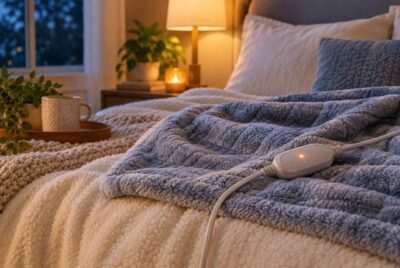
- Blankets and bedding: Consider a DefenderShield EMF-blocking blanket to reduce ambient RF fields during sleep.
- Home Office – A High-Tech Hotspot:
Laptops, routers, monitors, and smart devices cluster here, often creating a high-EMF environment.- Router: Relocate the Wi-Fi router several feet from your desk. Better yet, use a wired Ethernet connection for your computer.
- Laptop: Use a DefenderShield Laptop Shield to block EMF from reaching your body.
- Phone: Use speakerphone or a DefenderShield EMF-blocking phone case instead of holding the device against your head.
- Smart assistants: Disable voice assistants like Alexa when not needed.
- Kitchen – Hidden EMF Sources:
Many people overlook the kitchen, but modern appliances are constantly communicating via Wi-Fi and Bluetooth.- Smart appliances: Turn off wireless features if possible, or use them only when needed.
- Microwaves: Stand several feet away while operating them.
- Plug-ins: Unplug devices when not in use to reduce background EMFs.
By tackling one room at a time, you make the challenge far more manageable – and you’ll start noticing results more quickly.
Step 3: One Device at a Time – The Heart of the Challenge
Now comes the most powerful part of this journey: focusing on one device at a time. This is where consistent, realistic action transforms your environment without overwhelming you.
Here’s a step-by-step roadmap for how to reduce EMF exposure one device at a time:
A Sample 4-Week EMF Reduction Plan
Week 1: Tackle Your Smartphone
Smartphones are one of the biggest sources of personal EMF exposure. Because we keep them close for hours a day, even small changes make a huge difference.
What to do:
- Distance is your friend: Don’t carry your phone in your pocket or bra. Keep it on a desk or table whenever possible.
- Switch off wireless features: Turn off Bluetooth, Wi-Fi, and 5G when not needed.
- Airplane mode overnight: A simple nightly habit that slashes exposure.
- Use a shielded case: A DefenderShield EMF-blocking phone case can significantly reduce radiation directed toward your body.
Week 2: Focus on the Wi-Fi Router
Your router constantly emits RF radiation – even when no one is online. Because it often runs 24/7, it’s one of the highest sources in most homes.
What to do:
- Change its location: Keep it far from bedrooms and main seating areas.
- Turn it off at night: Use a simple timer plug to cut emissions during sleep.
- Switch to wired: Run Ethernet cables to key devices and disable Wi-Fi entirely when possible.
- Harmonize the signal: Install an EMF-Harmony Harmonizer for Wi-Fi Routers on the router to neutralize biological stress.
Week 3: Reduce Laptop and Tablet Exposure
Because laptops and tablets rest directly on our laps or close to our bodies, they’re another top priority.
What to do:
- Create distance: Use a laptop stand or external keyboard to keep it 12+ inches from your body.
- Use shielding: A DefenderShield Laptop Shield placed beneath your device blocks radiation from reaching your lap.
- Turn off wireless features: Disable Bluetooth and Wi-Fi when offline or using Ethernet.
- Take breaks: Step away from screens every 30–45 minutes to reduce cumulative exposure.
Affiliate Advertisement

Week 4: Address Smart Devices and Appliances
Smart gadgets often run in the background, communicating even when idle. Tackling these one by one can dramatically reduce ambient EMF.
What to do:
- Audit your devices: Identify every smart plug, voice assistant, and connected appliance.
- Disable unneeded features: If you don’t use Bluetooth pairing or voice commands, turn them off.
- Use smart selectively: Plug smart devices into a switchable power strip so you can easily cut power when not needed.
- Harmonize the environment: An EMF-Harmony Complete Bundle can balance EMFs from multiple devices simultaneously.
Additional Strategies to Supercharge Your EMF Challenge
Once you’ve tackled one room and one device at a time, these extra tips can push your results even further.
- Create EMF-Free Zones
Designate certain spaces in your home as low-EMF areas, especially bedrooms. In these spaces:
- Avoid wireless devices entirely.
- Use wired Ethernet connections.
- Keep phones on airplane mode.
Replace cordless phones with wired models.
Affiliate Advertisement

- Swap Out Problem Devices
Some older devices emit far more EMF than newer models. Consider replacing:
- Cordless phones with corded ones.
- Smart speakers with wired alternatives.
- Wi-Fi printers with USB-connected printers.
Over time, swapping devices like this can significantly reduce your home’s EMF baseline.
- Use Shielding and Harmonizers Strategically
If replacing devices isn’t possible, shielding and harmonizing solutions can offer powerful support.
- DefenderShield blankets and cases reduce direct EMF exposure from devices.
- EMF-Harmony harmonizers and wearable devices help the body adapt and reduce biological stress from unavoidable EMFs.
Use them near high-emission sources (like routers and smart TVs) or wearables for 24/7 protection.
Tracking Your Progress and Staying Consistent
Reducing EMF exposure is not a one-time project – it’s a lifestyle shift. The “one device at a time” approach helps you make changes without burnout, but consistency is key.
Here’s how to stay on track:
- Keep a simple log: Record the changes you make each week and any improvements you notice (like better sleep or less fatigue).
- Measure again: Use your EMF meter monthly to see how your levels are dropping over time.
- Set reminders: A weekly phone reminder to tackle the next device keeps momentum going.
By revisiting and refining your setup regularly, you’ll ensure your home remains a low-EMF sanctuary even as technology evolves.
Conclusion: A Healthier Home Starts with One Device
Learning how to reduce EMF exposure one device at a time is one of the most empowering things you can do for your health and peace of mind. It’s not about perfection – it’s about steady, meaningful progress. Each small change you make compounds into a safer home environment and a healthier daily life.
Start today by tackling just one hotspot or one gadget. Use tools like EMF meters to guide your priorities, and products from DefenderShield and EMF-Harmony to strengthen your protection. Before long, you’ll look back and realize you’ve transformed your entire home – one simple step at a time.
Before You Go…
Get Weekly EMF Protection Tips
Enjoy this article? Join the EMFLuLu newsletter for simple weekly tips to reduce everyday EMF exposure from phones, WiFi routers, laptops, and smart home devices.
Try Our Free EMF Calculators
Curious how much EMF exposure you may experience each day?
These simple tools can help you estimate your exposure and identify possible problem areas in your home.
Try these free calculators:
Like this article? Pin it on Pinterest!

More to Explore