5G technology has revolutionized the way we connect – giving us faster downloads, smoother video calls, and the ability to run multiple smart devices at once. But with the rise of 5G, many people have also become more concerned about electromagnetic field (EMF) radiation and how constant exposure might affect health. The question many homeowners now ask is: how to reduce 5G exposure at home without losing fast internet?
That’s exactly what this article will explore. We’ll take a realistic, science-based, and practical look at what 5G really is, how it changes your exposure levels, and what smart steps you can take today to reduce EMF in your living space without giving up the speed and convenience that 5G offers. You’ll also discover how DefenderShield and EMF Harmony products can help create a safer home environment by lowering or harmonizing EMF exposure from your devices.
Let’s separate fear from fact and learn how to reduce 5G exposure at home without losing fast internet through small, actionable changes anyone can make.
What 5G Is and How It Changes Exposure
Before we can understand how to manage exposure, it’s important to know how 5G works and why it’s different from older generations like 3G or 4G.
The Basics of 5G
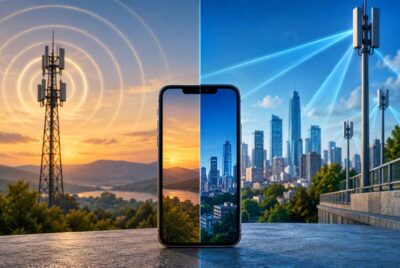
5G (short for fifth generation) wireless technology uses higher frequency bands and smaller “cells” to deliver lightning-fast internet speeds. These higher frequencies – known as millimeter waves – can carry more data, but they don’t travel as far as 4G signals. That means more antennas and access points are needed, often placed closer to homes, offices, and public spaces.
While international safety agencies such as the World Health Organization (WHO) and the International Commission on Non-Ionizing Radiation Protection (ICNIRP) currently state that 5G exposure levels are below established limits, many consumers prefer to take a precautionary approach – reducing unnecessary exposure where possible.
Why People Are Concerned
Unlike older generations of wireless, 5G signals can come from multiple directions – phones, routers, smart TVs, even street-level antennas. The concern isn’t necessarily about one device, but about cumulative exposure over time. Especially for families with children or those who work from home, limiting exposure while maintaining fast connections just makes sense.
That brings us to the heart of this guide – practical, proven steps for how to reduce 5G exposure at home without losing fast internet.
Practical Strategies to Reduce 5G/EMF Exposure While Staying Connected
Reducing 5G exposure doesn’t mean going “off the grid.” It simply means making smarter choices about how and where your devices are used. Below are the most effective ways to keep your signal strong while cutting down unnecessary EMF exposure.
Increase Distance Between You and Devices
The single most effective way to reduce exposure is distance. EMF radiation drops dramatically with every inch you move away from a source.
Here’s how to do it effectively:
- Use speakerphone or wired earbuds during calls instead of holding your phone against your head.
- Avoid keeping your phone in your pocket or bra. Place it on a nearby desk or in your bag when not in use.
- Use a laptop stand when working, and never rest your laptop directly on your lap.
- Charge phones away from the bed. Ideally, charge them in another room overnight.
Even a few extra inches can make a huge difference, so start with the habits that happen most often – phone use, laptop time, and sleep environment.
Optimize Your Home Network Setup
Many people assume turning off 5G means slow internet, but that’s not true. With the right setup, you can balance wired and wireless connections for both speed and safety.
Steps to optimize your network:
- Use wired Ethernet where possible. Connect your desktop, gaming console, or streaming TV via Ethernet cable. This eliminates EMF from WiFi for those devices while keeping blazing speeds.
- Relocate your router. Place your router away from bedrooms and main sitting areas. The ideal height is about 5-7 feet off the ground, away from walls and corners, which reduces reflection and exposure.
- Turn off WiFi at night. Use a simple outlet timer or “WiFi scheduler” setting in your router to disable the signal when you’re sleeping.
- Adjust power output. Many 5G routers allow you to lower transmission strength in settings – choose the lowest level that still covers your home effectively.
Use EMF Shielding and Harmonizing Devices
Once you’ve handled the basics (distance, setup), the next layer involves using proven EMF shielding or harmonizing technology. These products don’t block signals entirely – instead, they minimize radiation intensity or neutralize its biological impact.
Here’s a closer look at two options you can confidently consider:
DefenderShield: Physical EMF Blocking
- DefenderShield products use multi-layer shielding materials to physically deflect and absorb EMF waves.
- Best for: Laptops, tablets, phones, routers.
- How to use: Place shields between the device and your body (pad under laptop, case around phone).
- Result: Lower direct exposure while keeping connectivity fully functional.
Affiliate Advertisement

EMF Harmony: Bioenergetic Harmonizing
- EMF Harmony doesn’t block EMF; it uses bioresonance technology designed to harmonize the body’s response to EMFs.
- Best for: Whole-home and personal protection.
- How to use: Place an EMF Harmony Harmonizer on a WiFi router or laptop, or wear the personal pendant when traveling.
- Result: Reduces stress effects from EMFs without impacting signal quality.
Why use both: DefenderShield protects by reducing exposure, while EMF Harmony aims to balance your body’s reaction to remaining radiation – an excellent combo for people seeking how to reduce 5G exposure at home without losing fast internet in both technical and holistic ways.
Affiliate Advertisement
Adjust Device and Router Settings
Most people don’t realize how much control they already have over how their devices connect to 5G networks.
Here’s what to check:
- Smartphones:
- Go to “Settings > Cellular > Voice & Data” and choose 4G/LTE when 5G isn’t needed (like at home on WiFi).
- Turn on Airplane Mode when sleeping or during long calls, and connect to WiFi instead.
- Disable “WiFi calling” unless necessary – it constantly emits signal even when idle.
- Routers and modems:
- Use the 5 GHz band only for high-speed activities like streaming or downloads; the 2.4 GHz band is adequate for basic tasks.
- Some routers let you turn off 5G frequency entirely or schedule its active hours.
- Update firmware – newer updates often include “eco modes” that optimize signal strength based on device usage.
Making these small adjustments will dramatically cut unnecessary exposure while maintaining strong internet speeds.
Re-Think Where and When You Use Wireless Devices
Just because a device can be wireless doesn’t mean it always should be.
Reducing exposure often means being strategic about where and when you use technology.
Try these location-based habits:
- Bedroom: Keep your phone out of the room or at least 6 feet from your head. Use a traditional alarm clock.
- Living room: Move the WiFi router behind a wall or piece of furniture.
- Workstation: Use a wired keyboard and mouse.
- Kitchen: Avoid placing smart speakers or WiFi-enabled appliances near eating areas.
If you work from home, consider dedicating a single area for high-EMF devices, allowing the rest of your home to remain a low-radiation zone.
Balancing Connectivity and Exposure
Let’s be clear: you don’t need to go backward in technology to reduce exposure.
It’s all about balance – smart usage, proper placement, and the right protective tools.
Imagine a “connected but conscious” home where:
- WiFi and 5G are active during the day for work, study, or streaming.
- A router timer shuts off wireless signals at night automatically.
- Ethernet cables handle gaming and large downloads.
- DefenderShield pads protect during laptop sessions.
- EMF Harmony harmonizers keep the energy in your space balanced.
You maintain the same high-speed performance but eliminate hours of unnecessary exposure daily. This is the essence of how to reduce 5G exposure at home without losing fast internet – staying efficient and mindful.
Common Myths About 5G Exposure
Before wrapping up, let’s quickly clarify a few common misunderstandings about 5G and EMF safety.
Myth 1: “5G Is Proven Dangerous.”
There’s currently no conclusive scientific evidence that 5G radiation at public exposure levels causes harm. However, studies are ongoing, and it’s reasonable to take a precautionary approach – especially since total exposure from multiple devices has increased dramatically in modern life.
Myth 2: “You Have to Choose Between Fast Internet and Safety.”
False. With wired connections, router adjustments, and shielding accessories, you can enjoy both. The goal is smart usage, not disconnection.
Myth 3: “All EMF Protection Products Are Snake Oil.”
Some products make wild claims, but DefenderShield and EMF Harmony are trusted by thousands of users worldwide and have transparent technology explanations. Always look for independent testing, real reviews, and clear return policies.
The Role of Measurement
Before you make big changes, it’s worth measuring your EMF exposure using a basic handheld EMF meter. That way, you’ll know exactly which spots in your home have the strongest signals and can prioritize improvements.
How to do it:
- Walk through each room slowly with your meter.
- Note readings near your router, phone, and smart devices.
- Compare “daytime” vs. “nighttime” levels.
- Move devices or add shields and re-measure.
This simple test shows how effective your adjustments really are and keeps your decisions data-driven.
Bringing It All Together
When people ask how to reduce 5G exposure at home without losing fast internet, they’re really asking how to live smarter – using modern technology with balance and awareness.
By increasing distance, optimizing network setup, using shields or harmonizers, and adjusting device settings, you can dramatically cut exposure without sacrificing performance. These strategies don’t require giving up your smartphone or downgrading your connection – they simply involve using today’s tools intelligently.
If you want a practical starting point:
- Step 1: Move your router out of the bedroom.
- Step 2: Get a DefenderShield phone case or laptop pad.
- Step 3: Utilize an EMF Harmony Harmonizer.
- Step 4: Enjoy fast internet – and a calmer mind knowing you’ve taken control of your digital environment.
Conclusion
You don’t need to choose between health and speed. With a few smart adjustments, you can enjoy everything modern 5G has to offer while keeping your exposure low. Understanding how to reduce 5G exposure at home without losing fast internet is about empowerment – making small, effective choices every day.
Technology isn’t the enemy; it’s how we manage it that matters.
Before You Go…
Get Weekly EMF Protection Tips
Enjoy this article? Join the EMFLuLu newsletter for simple weekly tips to reduce everyday EMF exposure from phones, WiFi routers, laptops, and smart home devices.
Try Our Free EMF Calculators
Curious how much EMF exposure you may experience each day?
These simple tools can help you estimate your exposure and identify possible problem areas in your home.
Try these free calculators:
Like this article? Pin it on Pinterest!
More to Explore