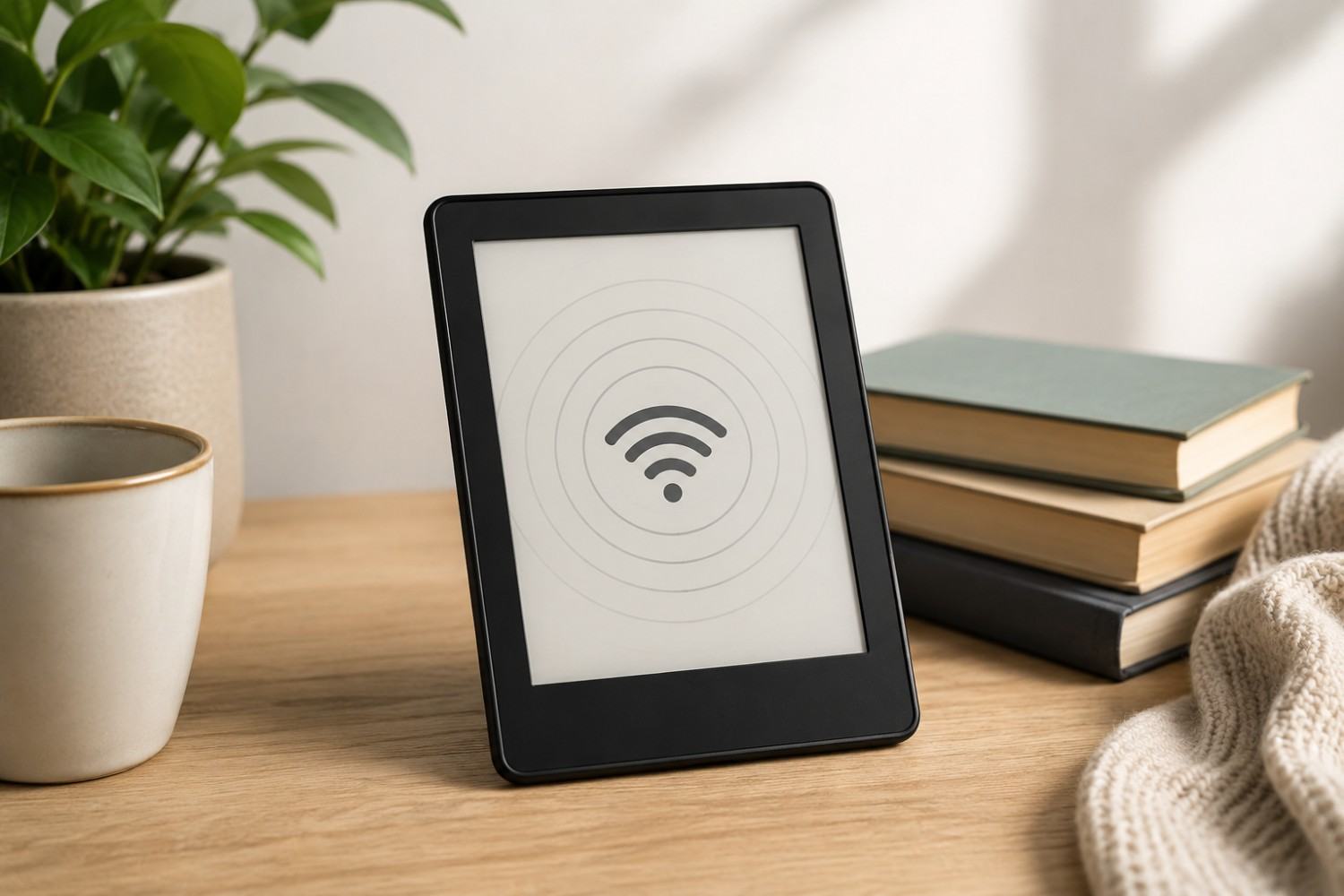
E-readers have changed the way many people enjoy books. Instead of carrying several paperbacks on vacation or filling shelves with novels, a small Kindle can hold an entire digital library. But because an e-reader looks and behaves differently from a smartphone or tablet, it raises an interesting question: does it produce electromagnetic fields too? Kindle EMF does exist because a Kindle is an electronic device and modern models use wireless technologies such as Wi-Fi and Bluetooth. However, understanding when those systems operate, what type of radiation they produce, and how easily wireless functions can be turned off provides a much more useful picture than simply labeling an e-reader as a radiation-emitting device.
The word “radiation” can also create unnecessary confusion. Radiation covers a very broad range of energy. The radiofrequency energy used by Wi-Fi and Bluetooth is non-ionizing radiation, which is fundamentally different from ionizing radiation such as X-rays and gamma rays. The purpose of this article is not to suggest that using a Kindle is inherently dangerous. Instead, we will look at where EMFs from e-readers come from, when wireless transmissions are likely to occur, how e-readers compare with phones and tablets, and what you can do if reducing unnecessary EMF exposure is personally important to you.
Do Kindles Emit EMF Radiation?
Yes, Kindles can produce electromagnetic fields.
There are two important reasons for this. First, every Kindle contains electronic components powered by a rechargeable battery. Electrical activity inside electronic equipment can create low-frequency electric and magnetic fields.
Second, modern Kindle models contain wireless technology.
For example, Amazon lists dual-band Wi-Fi, Bluetooth, and Bluetooth Low Energy connectivity for its current Kindle models. These technologies communicate using radiofrequency electromagnetic energy.
Amazon’s own safety and compliance information states that Kindle wireless technology operates below applicable FCC radiofrequency exposure limits. In other words, the presence of RF energy does not mean Amazon’s e-readers are operating outside established regulatory standards.
It is also important to understand that EMF exposure from an e-reader is not necessarily constant.
A Kindle that is actively downloading a large book over Wi-Fi is doing something different from a Kindle displaying a page from a book already stored on the device while Airplane Mode is enabled.
That difference is one of the most useful things to understand about e-readers.
Where Does Kindle EMF Come From?
Several components inside an e-reader can contribute to electromagnetic fields, although they do not all operate in the same frequency range or at the same intensity.
For most people researching EMF exposure from e-readers, the wireless transmitters are the most relevant part of the discussion. Understanding each potential source helps explain why changing a few device settings can significantly change how the Kindle communicates while you are reading.
Wi-Fi
Wi-Fi is one of the main sources of radiofrequency energy in a modern Kindle.
A Kindle may use Wi-Fi when you purchase a new book, download a title from your library, synchronize your reading progress, access the Kindle Store, download software updates, or use another feature requiring an internet connection.
Amazon’s documentation indicates that current Kindle devices support 2.4 GHz and 5 GHz Wi-Fi bands.
When Wi-Fi is enabled, the Kindle can communicate with your wireless router. That does not mean the device is necessarily transmitting continuously at maximum power. Wireless devices communicate as needed, and activity can vary considerably depending on what the device is doing.
Downloading a book, for example, involves more data transfer than simply leaving a completed book open on the screen.
Bluetooth
Many modern Kindles also include Bluetooth.
Bluetooth can be used for certain audio and accessibility functions. Amazon, for example, allows compatible Kindle models to pair with Bluetooth audio devices for features such as VoiceView and audiobook listening.
Bluetooth is another form of wireless radiofrequency communication.
If you never use Bluetooth features, there may be little reason to leave Bluetooth enabled continuously. Someone trying to minimize unnecessary wireless activity can simply turn it off when it is not needed.
Internal Electronics
Wireless transmitters are not the only electrical components inside a Kindle.
The battery, processor, power-management circuitry, display controller, memory, lighting system, and other electronic components all require electricity to operate.
These components can create electric and magnetic fields at much lower frequencies than Wi-Fi and Bluetooth.
This is an important distinction because turning Wi-Fi off does not make an e-reader entirely free of electromagnetic fields. It simply removes or reduces one important source: wireless RF communication.
Charging
Charging is another condition worth considering.
When you connect an e-reader to a USB charger, electricity flows through the charging adapter, cable, and device circuitry. The charger and its surrounding electrical components can contribute to electric and magnetic fields.
If reducing exposure is a goal, one of the easiest habits is simply to charge your e-reader when you are not using it rather than reading for hours while it remains connected to the wall.
With the long battery life available from modern e-readers, this usually isn’t difficult.
Does a Kindle Emit Radiation When Wi-Fi Is Off?
This is where e-readers become particularly interesting from an EMF perspective.
A Kindle can be used to read downloaded books without maintaining a constant internet connection. Once a book has been downloaded to the device, you normally do not need Wi-Fi simply to turn the pages and continue reading it.
Kindle devices include Airplane Mode, which disables wireless connectivity.
If you download several books while connected to Wi-Fi and then activate Airplane Mode, you can continue reading those stored books without maintaining the normal Wi-Fi connection.
That can substantially change the RF environment around the device because the wireless radio is no longer being used in the same way.
However, Airplane Mode should not be described as making a Kindle “radiation free.”
The Kindle remains an electronic device. Its display system, processor, battery, and other circuits continue operating.
The more accurate description is that Airplane Mode allows users to eliminate unnecessary wireless RF communication while reading downloaded material.
For someone specifically interested in reducing Kindle EMF exposure, that is probably the simplest and most practical step available.
Is a Kindle Lower EMF Than a Smartphone?
It is tempting to make a broad statement that a Kindle always produces less EMF than a smartphone, but that would oversimplify the comparison.
A smartphone is designed to perform many more wireless tasks.
Depending on the phone and settings, it may contain cellular radios, Wi-Fi, Bluetooth, NFC, GPS-related reception capabilities, and other wireless technologies. It is also designed to communicate frequently for messaging, email, apps, notifications, web browsing, social media, streaming, and background services.
A basic e-reader has a much narrower job.
Its primary purpose is displaying books.
Most importantly, that purpose can continue without an active internet connection after the books have been downloaded.
Imagine two people reading the same novel for two hours.
One reads it through an app on a smartphone with cellular service, Wi-Fi, Bluetooth, notifications, and background applications operating normally.
The other downloads the book to a Kindle and switches the Kindle to Airplane Mode before reading.
Those two devices are performing very different wireless functions even though both people are reading the same book.
That does not mean every Kindle automatically produces less EMF than every phone under every possible condition. Model, settings, distance, wireless activity, signal strength, and other variables matter.
But e-readers offer something particularly useful for people trying to limit wireless activity: they can perform their main job offline.
Kindle vs. Tablet: What About EMF?
Tablets are another useful comparison.
A tablet may look somewhat similar to an e-reader, but the two devices are designed for very different purposes.
Tablets are generally built for web browsing, video streaming, email, gaming, social media, video calls, cloud-based applications, and other internet-heavy activities. Many of these features work best when a Wi-Fi connection remains active.
An e-reader does not need constant internet access to display a downloaded book.
For someone who spends several hours reading each week, that difference may make an e-reader appealing.
Instead of streaming or repeatedly downloading data while reading, the user can download the desired books ahead of time and then disconnect.
This is less about trying to label one technology as “safe” and another as “unsafe” and more about understanding how they are actually used.
Does E Ink Produce Radiation?
Kindles and many competing e-readers use E Ink displays.
These displays are designed to resemble printed paper more closely than traditional backlit computer screens. One advantage of E Ink is that the display can maintain an image with very little power compared with continuously refreshing conventional displays.
That helps explain why e-readers can offer exceptionally long battery life.
However, E Ink and wireless communication are two separate technologies.
The fact that a Kindle uses an E Ink display does not mean the entire device produces no electromagnetic fields.
The display is only one part of the e-reader.
Inside the device are a battery, processor, electronic circuitry, Wi-Fi hardware, and, on many models, Bluetooth hardware.
So when researching e-reader radiation, it helps to separate two questions:
Does the display use E Ink?
And does the device contain wireless radios?
The answer to both can be yes.
An E Ink screen does not automatically mean an EMF-free device.
How to Reduce EMF Exposure While Using a Kindle
Some readers may be perfectly comfortable using an e-reader normally after learning that it complies with established RF exposure requirements. Others may prefer to reduce wireless exposure whenever it can be done easily.
Fortunately, using an e-reader in a lower-wireless configuration does not require turning reading into a complicated routine. Most of the changes involve using features that are already built into the device.
Here are some of the most practical approaches.
Download Books and Use Airplane Mode
This is probably the most useful change you can make.
Connect your Kindle to Wi-Fi when you need to download books, synchronize content, or perform updates.
Once the material you want is stored on the Kindle, switch the device into Airplane Mode while you read.
You can then enjoy the book without keeping Wi-Fi active unnecessarily.
When you need another book or want to synchronize your account, simply reconnect.
This approach is easy enough that it can become part of your normal routine.
Turn Bluetooth Off When You Don’t Need It
If you use Bluetooth headphones or accessibility features, Bluetooth obviously has a purpose.
If you do not use those features, however, there is little benefit in leaving Bluetooth active simply because the Kindle supports it.
Check your wireless settings and disable Bluetooth when it isn’t required.
Read on Battery Power
Modern Kindles are designed to run for long periods between charges.
The current Kindle Paperwhite, for example, is rated by Amazon for up to 12 weeks of battery life under its specified usage conditions.
That makes it practical to charge the device separately and unplug it before a long reading session.
You don’t need to become concerned every time you use a Kindle while charging, but reading on battery power is an easy choice for anyone who wants to reduce exposure from nearby powered charging equipment.
Create a Little Distance When Practical
Distance is one of the simplest variables you can control around many EMF sources.
An e-reader obviously needs to remain close enough for you to read comfortably, but you do not necessarily have to rest it directly against your stomach, chest, or lap for hours.
You might hold it comfortably in front of you or use a stand when reading at a table or desk.
Even small changes in positioning can prevent unnecessary direct contact with the device.
Don’t Store It Beside Your Head All Night
Many people finish reading in bed and simply place the Kindle next to their pillow.
If you are not using the device while sleeping, there isn’t much reason to keep it inches from your head.
You can place it farther across the nightstand, on a dresser, or somewhere else nearby.
Using Airplane Mode overnight is another easy option.
The goal isn’t to imply that a Kindle beside your bed is known to be dangerous. It is simply an unnecessary close-range wireless source when the device is not being used.
Affiliate Advertisement

Does Wi-Fi Signal Strength Matter?
Wireless devices and routers constantly adjust how they communicate based on conditions.
The amount of RF activity from an e-reader may therefore vary depending on what the device is doing, how much data it is transferring, network conditions, and other factors.
Amazon itself recommends moving a Kindle closer to the router when troubleshooting a weak Wi-Fi connection.
For readers worried about optimizing every possible RF variable, however, focusing excessively on signal bars probably isn’t necessary.
A much easier strategy is to connect to Wi-Fi when needed, download your content, and then turn wireless communication off.
Instead of trying to determine whether one spot in the house causes slightly more or less wireless activity, you can simply remove the need for continuous Wi-Fi during most reading sessions.
Can You Measure Kindle EMF With an EMF Meter?
If you own an EMF meter, a Kindle can actually be an interesting device to test.
However, you need to make sure the meter is capable of measuring the type of electromagnetic field you are investigating.
Some meters measure radiofrequency radiation, while others measure low-frequency electric fields or magnetic fields. Multi-function meters may measure several categories.
If your meter includes RF measurement, try comparing the Kindle under different conditions.
A useful experiment could include measurements while Wi-Fi is connected but the device is idle, while downloading a new book, while synchronizing the library, with Bluetooth enabled, and after Airplane Mode has been activated.
You can also compare readings at different distances.
Those measurements can help demonstrate an important concept: EMF exposure from wireless electronics is not necessarily a fixed number.
It changes with device activity, settings, distance, and measurement conditions.
If you want to explore EMF measurements and exposure estimates in more detail, you can also visit our EMF Calculators section for additional tools and information.
Are There Low-EMF E-Readers?
You may come across searches for “low-EMF e-readers” or even “EMF-free e-readers.”
Those terms should be approached carefully.
Rather than looking for a device that supposedly produces no electromagnetic fields, it may be more useful to look for an e-reader that gives you control over its wireless functions.
A practical lower-wireless e-reader setup should make several things easy.
You should be able to download books for offline reading, disable Wi-Fi when it isn’t required, turn Bluetooth off when you’re not using it, run the device for long periods on battery power, and continue reading normally without needing a live internet connection.
Those features are more meaningful than an unsupported marketing claim that a particular e-reader is somehow “radiation free.”
A Practical E-Reader Option
If you are already considering buying an e-reader, you do not necessarily need a specialty product marketed specifically around EMF.
The Amazon Kindle Paperwhite (link to Amazon.com) is one mainstream option that fits the usage strategy discussed throughout this article.
The current 12th-generation Paperwhite has a 7-inch glare-free display, 16 GB of storage, USB-C charging, adjustable warm lighting, Wi-Fi connectivity, Bluetooth support for features such as VoiceView, and battery life rated for up to 12 weeks under Amazon’s specified conditions.
The reason I mention it here is not because the Kindle Paperwhite should be considered an “EMF protection” device. It isn’t.
The advantage is much simpler: you can download books while connected and then use the e-reader primarily offline.
That makes it easy to enjoy digital books without maintaining an active wireless connection throughout every reading session.
If you already own a Kindle or another e-reader that provides the same offline functionality, there is no reason to replace it simply for this purpose.
Do Kindles Meet RF Safety Standards?
Amazon publishes regulatory and compliance information for its Kindle devices.
For the current Kindle generation, Amazon states that the output power of its radio technology is below FCC radiofrequency exposure limits.
Amazon also lists the wireless systems used by the device, including dual-band Wi-Fi, Bluetooth, and Bluetooth Low Energy.
This information is important because discussions about EMFs sometimes treat the simple presence of RF energy as proof of excessive exposure.
Those are not the same thing.
A wireless device can emit RF energy while still operating within established regulatory limits.
There is continuing scientific research and public discussion around long-term RF exposure and precautionary approaches. Readers who prefer to minimize exposure can certainly choose to do so.
But an accurate discussion should distinguish precaution from evidence of established harm.
That distinction is particularly easy to make with a Kindle because lowering wireless activity requires very little sacrifice.
Frequently Asked Questions About Kindle Radiation
There are several related questions people commonly have after learning that e-readers contain wireless radios. The answers below summarize the most important points without requiring you to reread the entire article.
Does a Kindle Emit Radiation?
Yes. A Kindle contains electronic components and, on modern wireless models, Wi-Fi and Bluetooth radios. Wi-Fi and Bluetooth use non-ionizing radiofrequency electromagnetic energy.
Does a Kindle Emit Radiation in Airplane Mode?
Airplane Mode disables the normal wireless connections, greatly reducing the RF communication associated with Wi-Fi and Bluetooth.
The device itself is still electronic, however, so it would not be accurate to describe a Kindle in Airplane Mode as producing absolutely no electromagnetic fields.
Does Kindle Wi-Fi Produce EMF?
Yes.
Wi-Fi works through radiofrequency electromagnetic waves. A Kindle uses these signals to communicate with your wireless router when downloading books, synchronizing data, accessing online services, and performing other internet-related tasks.
Does Kindle Bluetooth Produce EMF?
Yes.
Bluetooth is also a radiofrequency wireless technology.
If you do not use Bluetooth features, you can turn Bluetooth off and avoid that unnecessary wireless connection.
Can I Read Kindle Books Without Wi-Fi?
Generally, yes.
Once a Kindle book has been downloaded and stored on your device, you can read it without maintaining a Wi-Fi connection.
You will need to reconnect periodically for activities such as downloading additional books, synchronizing content, accessing online features, or receiving software updates.
Should I Use Airplane Mode When Reading?
You do not have to.
However, if minimizing unnecessary wireless RF exposure is one of your personal goals, enabling Airplane Mode after downloading your books is one of the easiest steps you can take.
It requires almost no change to the actual reading experience.
Is a Kindle Safer Than a Smartphone?
There isn’t enough information in that question to make a blanket medical safety comparison.
A better way to compare them is by function.
Smartphones generally contain more wireless systems and perform more continuous communications. A Kindle can often be used offline for hours or days after content has been downloaded.
That difference gives users much more control over how frequently the device communicates wirelessly.
Is an E-Reader Radiation Free?
No electronic e-reader should automatically be described as radiation free.
Even if wireless features are disabled, the battery and electronics inside the device are still operating.
What you can do is substantially reduce unnecessary wireless RF transmissions by turning off Wi-Fi and Bluetooth when they are not required.
Conclusion
Kindles and other e-readers do produce electromagnetic fields, and wireless models use radiofrequency energy when Wi-Fi or Bluetooth communicates. That does not mean that ordinary e-reader use has been established as dangerous, and Amazon states that its current Kindle radio technology operates below applicable FCC RF exposure limits.
What makes the Kindle EMF discussion especially useful is how much control the reader has. Unlike many activities performed on smartphones and tablets, reading a downloaded e-book does not require a continuous internet connection.
You can connect to Wi-Fi, download several books, turn on Airplane Mode, and keep reading for hours without maintaining the normal wireless connection. You can also disable Bluetooth when it isn’t needed, read on battery power instead of while charging, and avoid keeping the device directly against your body or beside your head when there is no reason to do so.
These are simple precautions rather than reasons to fear e-readers.
For most people, the Kindle can remain exactly what it was designed to be: a convenient way to carry and enjoy books. Understanding how its wireless features work simply gives you the ability to decide when you want those features turned on – and when you don’t.
Before You Go…
Get Weekly EMF Protection Tips
Enjoy this article? Join the EMFLuLu newsletter for simple weekly tips to reduce everyday EMF exposure from phones, WiFi routers, laptops, and smart home devices.
Try Our Free EMF Calculators
Curious how much EMF exposure you may experience each day?
These simple tools can help you estimate your exposure and identify possible problem areas in your home.
Try these free calculators:
Like this article? Pin it on Pinterest!


More to Explore