Tablets have changed the way we read, work, watch movies, play games, and browse the internet. Unlike a desktop computer, however, an iPad or other tablet is often used very close to the body. You might hold it against your stomach while sitting on the couch, rest it directly on your legs while watching a movie, or place it beside you in bed. That naturally raises questions about iPad EMF radiation and whether using a tablet directly on your lap changes your exposure.
The important thing to understand is that tablets use several electronic and wireless technologies, and the electromagnetic fields they produce are not all the same. Wi-Fi, Bluetooth, and cellular connections use radiofrequency (RF) energy, while the tablet’s electronics, battery, and charging system involve other electromagnetic fields.
This does not mean that an iPad is automatically dangerous to use. In fact, the FDA states that the weight of scientific evidence has not linked radiofrequency radiation from cell phones with health problems. Still, people who prefer to reduce unnecessary EMF exposure can make several simple changes to how they use tablets.
The good news is that most of these changes cost nothing.
What Types of EMF Do iPads and Tablets Produce?
Before considering ways to reduce exposure, it helps to understand where EMF from a tablet comes from.
An iPad is essentially a compact wireless computer. Depending on the model and how you use it, the device may communicate through Wi-Fi, Bluetooth, and cellular networks. Each of these technologies relies on radiofrequency electromagnetic energy to transmit information wirelessly.
Wi-Fi allows the tablet to communicate with your wireless router. Bluetooth may connect your tablet to headphones, speakers, keyboards, a mouse, or other accessories. Cellular-equipped iPads can also communicate with mobile networks when cellular service is enabled.
The tablet’s internal electronics also generate electric and magnetic fields at lower frequencies. These are different from the RF signals produced by wireless communication.
It is therefore more accurate to think about tablet EMF as a collection of different electromagnetic emissions rather than one single type of “radiation.”
Is iPad Radiation the Same as X-Ray Radiation?
One of the most important distinctions to make is between ionizing and non-ionizing radiation.
X-rays and gamma rays are forms of ionizing radiation. They contain enough energy to remove electrons from atoms and can damage biological tissue at sufficient doses.
Wi-Fi, Bluetooth, and cellular signals are forms of non-ionizing radiofrequency energy. They do not have enough energy to ionize atoms in the way that X-rays can.
That distinction is important because the word “radiation” can sound frightening when used without context. Technically, many different forms of energy can be described as radiation, but they do not all behave the same way or carry the same risks.
Wireless tablets use non-ionizing RF energy.
Why Does Using an iPad on Your Lap Get So Much Attention?
The issue with using a tablet on your lap is largely about proximity.
A tablet is unusual because its size encourages direct-body use. A desktop computer normally sits several feet away. Even a laptop usually has a keyboard that creates some separation between the user’s torso and portions of the computer.
A tablet may be placed directly against the body.
Imagine watching a two-hour movie with an iPad resting on your thighs. The device might be streaming continuously over Wi-Fi while remaining only a fraction of an inch from your body.
That does not establish that the exposure is harmful. It simply means the distance between the wireless device and your body is extremely small.
For someone interested in minimizing iPad EMF radiation, increasing that distance is one of the simplest changes to consider.
Instead of resting the device directly on your legs, for example, you could put it on a tablet stand, desk, table, tray, or another stable surface.
Does Distance From an iPad Matter?
Distance is an important consideration when trying to reduce exposure to electromagnetic fields.
The strength of an electromagnetic field generally decreases as you move farther away from its source, although the exact relationship depends on the source, frequency, antenna characteristics, and surrounding environment.
You don’t necessarily need to move an iPad across the room to change your exposure.
Even changing from direct physical contact to using a stand or another surface creates separation between the tablet and your body.
This is one reason distance can be such a practical EMF-reduction strategy. You don’t have to buy anything special or stop using the device. You are simply changing where you put it.
For example, if you normally watch television on your tablet while sitting on the couch, try placing the tablet on a small table or stand in front of you instead of directly on your lap.
You may actually find the position more comfortable as well.
Does an iPad Produce EMF When Wi-Fi Is Turned Off?
Turning off Wi-Fi can eliminate one source of wireless communication, but it does not necessarily mean every wireless function on the tablet has been disabled.
Bluetooth could still be enabled. A cellular-equipped iPad may also have cellular connectivity available.
This is why airplane mode can be useful when you don’t need an internet connection.
Suppose you download a movie before getting on an airplane. Once the movie is stored locally on the tablet, you don’t need an active internet connection to watch it. The same applies to many downloaded books, podcasts, games, music, and videos.
Using airplane mode during these offline activities can reduce wireless transmissions from the device. Keep in mind that some devices allow certain wireless features to be turned back on separately while airplane mode is active, so check your settings if your goal is to minimize wireless activity.
When Might a Tablet Be Communicating Wirelessly?
An iPad doesn’t necessarily transmit at exactly the same level every second you are using it. Wireless activity can change depending on what the device is doing, network conditions, available connections, and the applications running.
Activities that depend heavily on wireless data may involve more frequent communication.
Before looking at examples, it is worth emphasizing that this doesn’t mean you should avoid these activities. The purpose of understanding them is simply to identify situations in which you could choose an offline alternative when practical.
Some examples include:
- Streaming movies or television shows
- Participating in video calls
- Downloading large applications or files
- Uploading photos and videos to cloud storage
- Playing internet-connected games
- Streaming music
- Browsing websites
- Using a cellular connection when Wi-Fi isn’t available
- Connecting Bluetooth headphones, speakers, or other accessories
If you’re doing something that doesn’t require connectivity, you can consider disabling the wireless functions you aren’t using.
For example, there is little reason to keep Bluetooth enabled while reading a downloaded book if no Bluetooth accessories are connected.
Wi-Fi vs. Cellular iPads: What’s the Difference?
Not every iPad has the same wireless capabilities.
A Wi-Fi-only iPad relies primarily on Wi-Fi for internet connectivity. A Wi-Fi + Cellular model can also communicate with cellular networks when that feature is set up and enabled.
That gives cellular-equipped models an additional wireless communication option.
However, owning a cellular-capable tablet does not mean the cellular radio is transmitting at maximum power all day. Actual wireless activity depends on the device settings, network connection, signal conditions, and what you’re doing with the tablet.
The practical takeaway is simple: know which wireless connections are enabled on your device.
If you don’t need Bluetooth, turn it off. If you don’t need cellular service, disable it. If you’re doing something completely offline, airplane mode may be an option.
What About Using an iPad While It Is Charging?
Many people use their tablets while charging them, especially during long streaming sessions or video calls.
Charging adds another electrical component to the situation because the tablet is connected to a power source through its charger and cable. It can also produce heat, which is a separate issue from RF exposure.
Heat, RF energy, and lower-frequency electromagnetic fields shouldn’t all be treated as the same thing.
If you are concerned about EMF exposure, however, you can take a simple approach: charge the tablet somewhere other than directly on your body.
For example, instead of plugging the tablet in and placing it on your lap for two hours, put it on a table or stand while it charges.
Once again, increasing distance is free and requires very little effort.
What About Children Using iPads and Tablets?
Tablets are extremely popular with children. They are used for entertainment, schoolwork, reading, video calls, games, and travel.
A child may also be more likely to hold a tablet directly against the body while playing a game or watching a video.
Current FDA information regarding cell phones states that scientific evidence does not show a danger to users from RF exposure, including children and teenagers. It is important to acknowledge that when discussing wireless technology rather than presenting unproven health effects as established facts.
At the same time, parents who prefer to reduce unnecessary wireless exposure can establish some simple household habits.
A tablet can be placed on a desk or stand instead of directly against a child’s abdomen. Movies can be downloaded before a long car or airplane trip so they can be watched offline. Airplane mode can be used when connectivity isn’t necessary.
These changes do not have to interfere with a child’s ability to enjoy the device.
7 Simple Ways to Reduce EMF Exposure From an iPad
If reducing exposure is your goal, you don’t need to completely change how you use technology. A handful of practical habits can reduce unnecessary wireless activity or increase the distance between the device and your body.
The following ideas are particularly easy to incorporate into everyday tablet use.
1. Avoid Placing the Tablet Directly on Your Lap
The name “tablet” practically invites us to hold the device against the body, but that isn’t required.
Place the tablet on a table, desk, tray, or stand whenever practical.
If you frequently watch movies on the couch, a tablet stand can be particularly convenient because it creates distance while also providing a comfortable viewing angle.
2. Use Airplane Mode for Offline Activities
Airplane mode is one of the easiest options when your activity doesn’t require wireless connectivity.
Download books, podcasts, movies, television shows, or other content ahead of time. Once the content is stored on the device, switch to airplane mode while you use it.
Remember to check whether Wi-Fi or Bluetooth has been manually re-enabled after airplane mode was activated.
3. Turn Off Bluetooth When You Don’t Need It
Bluetooth is convenient for headphones, speakers, keyboards, and other accessories.
If you aren’t using any Bluetooth devices, however, you can simply disable Bluetooth until you need it again.
It takes only a few seconds to turn the feature back on.
4. Download Instead of Stream When Practical
Streaming requires an ongoing wireless connection because the tablet continually receives data while you watch or listen.
Downloading content ahead of time allows you to use that content later without maintaining the same active internet connection.
This can be particularly useful for flights, road trips, children’s entertainment, audiobooks, podcasts, and movies.
5. Don’t Sleep With an Active Tablet Against Your Body
If you use your iPad in bed, avoid falling asleep with the device resting against you.
Place it on a nightstand or another surface when you’re finished.
If you use the tablet as an alarm or for downloaded audio overnight, you can also consider airplane mode if you don’t need the tablet to remain connected.
6. Create a Dedicated Tablet Viewing Area
A small change in your environment can change your habits automatically.
For example, put a tablet stand on the table next to your favorite chair. Instead of instinctively putting the iPad on your lap, you’ll have a convenient place to position it.
This is especially useful for people who spend hours watching videos, reading recipes, following workouts, or making video calls from a tablet.
7. Consider Directional Shielding If You Frequently Use a Tablet on Your Lap
Distance and device settings are free, so those are reasonable places to start.
However, some people regularly use a tablet on their lap and may prefer an additional layer between the device and their body.
If that describes you, a purpose-built shielding case is one option to investigate.
Affiliate Advertisement

Do You Need an EMF-Blocking iPad Case?
An EMF case isn’t something every tablet owner needs to purchase.
Before spending money, consider the free changes discussed above. Move the tablet away from your body, turn off wireless connections you don’t need, and use airplane mode when you’re consuming offline content.
If you regularly use your tablet directly on your lap, however, a shielding product may interest you.
One product specifically designed for this type of use is the DefenderShield Tablet / iPad EMF Radiation Protection Case.
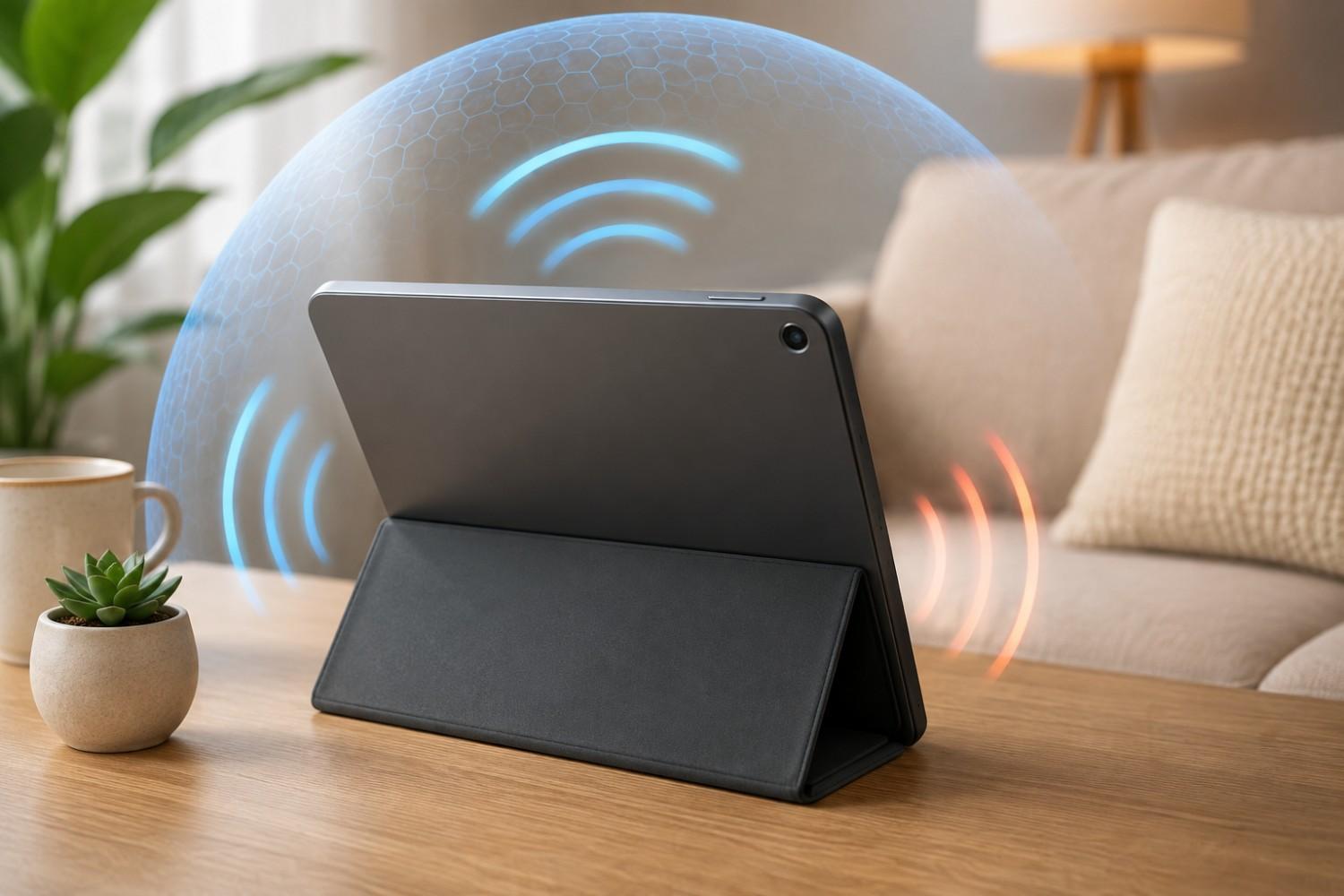
DefenderShield says the case incorporates its shielding material into both the front and rotating back covers. According to the manufacturer, the shielding is designed to reduce directional RF and lower-frequency EMF traveling through the shield toward the user’s body.
The case also functions as a tablet case and stand, with a 360-degree swivel that allows landscape or portrait positioning.
It is also important to understand the concept of directional shielding. A shield positioned between you and a tablet is not the same thing as eliminating all electromagnetic emissions from the tablet. The device still needs to communicate with Wi-Fi, Bluetooth, or cellular networks when those connections are active.
For that reason, shielding should not replace sensible habits such as increasing distance and disabling wireless features you don’t need.
Can You Measure EMF From Your Own Tablet?
If you own an EMF meter, experimenting with your tablet can be an interesting way to understand how your particular device behaves.
Measurements can vary significantly depending on the type of meter, distance from the tablet, wireless settings, network conditions, and what the tablet is doing.
Instead of taking one reading and assuming that number represents the tablet at all times, compare different conditions.
For example, you might measure the tablet while it is idle, while streaming a video, with Bluetooth enabled, with Wi-Fi disabled, and in airplane mode.
You can also take measurements at different distances.
That exercise can demonstrate an important point: EMF exposure isn’t necessarily a fixed number attached to a particular device.
How you use the device matters.
Is iPad EMF Radiation Dangerous?
It is accurate to say that iPads and other wireless tablets emit non-ionizing radiofrequency energy when their wireless transmitters are operating. However, it is not accurate to jump from that fact to a claim that normal tablet use has been proven to cause cancer, infertility, or another specific disease.
The FDA states that the weight of scientific evidence has not linked cell phone RF radiation with health problems. Wireless devices sold in the United States are also subject to FCC radiofrequency exposure requirements.
Scientific research on radiofrequency exposure continues, and people can reasonably decide they would prefer to reduce unnecessary exposure. But precaution and proof of harm are two different things.
That distinction is important.
You can take simple precautions without assuming that every Wi-Fi signal around you is dangerous.
Should You Stop Using Your iPad on Your Lap?
You don’t necessarily need to stop using an iPad or tablet simply because you are concerned about EMF.
Instead, consider whether direct-body placement is actually necessary.
If you’re watching a movie for two hours, putting the tablet on a stand may be just as convenient as resting it on your thighs. If you’re reading an e-book that has already been downloaded, airplane mode may work perfectly well. If you aren’t using Bluetooth accessories, Bluetooth doesn’t need to remain enabled.
Small changes can become habits very quickly.
This approach also avoids turning EMF reduction into something stressful or complicated.
Frequently Asked Questions About iPad EMF
People searching for information about tablets and EMF often have very specific questions. The following answers address some of the most common concerns while keeping the distinction between measurable electromagnetic emissions and proven health effects clear.
Does an iPad give off radiation?
Yes. When wireless functions are operating, an iPad can emit non-ionizing radiofrequency energy associated with technologies such as Wi-Fi, Bluetooth, and cellular connectivity on equipped models. This is different from ionizing radiation such as X-rays.
Is it safe to put an iPad on your lap?
Tablets sold in the United States are subject to applicable RF exposure requirements. If you nevertheless prefer to reduce your exposure, placing the tablet on a stand, table, or other surface instead of directly against your body is an easy precaution.
Does airplane mode stop EMF from an iPad?
Airplane mode disables wireless communication functions, although Wi-Fi or Bluetooth can sometimes be turned back on separately. It does not make the tablet completely free of every electromagnetic field because the electronics, display, battery, and other components are still operating.
Does an iPad emit radiation when Wi-Fi is off?
Turning off Wi-Fi eliminates Wi-Fi transmissions, but other wireless features may still be enabled. Bluetooth and cellular connectivity, on compatible models, should be considered separately.
Does charging an iPad increase EMF?
Charging introduces electrical current through the charging equipment and device. Rather than focusing on whether one particular measurement goes up or down, a simple precaution is to keep a charging tablet off your body.
How far should an iPad be from your body?
There isn’t one universal distance that every tablet user must maintain during ordinary use. If your goal is simply to reduce exposure, creating additional distance is generally preferable to direct contact. A tablet stand, table, or desk can accomplish that without making the device difficult to use.
Do EMF-blocking iPad cases work?
This depends on the product, materials, frequencies tested, design, and how the shield is positioned. Directional shielding is intended to reduce fields passing through the shield toward the user; it should not be interpreted as making the entire device EMF-free. Look for manufacturers that provide clear testing information and instructions for proper use.
Final Thoughts on iPad EMF Radiation
Tablets are useful devices, and there is no reason an interest in reducing EMF exposure has to turn into fear of using technology.
An iPad can use Wi-Fi, Bluetooth, and, on certain models, cellular connectivity. These technologies use non-ionizing radiofrequency energy. Current FDA information does not establish that RF exposure from cell phones within existing limits causes health problems, but some people may still prefer to minimize unnecessary exposure as a personal precaution.
Fortunately, many of the easiest ways to reduce iPad EMF radiation exposure don’t require buying anything. Avoid keeping the tablet directly against your body for long periods, increase the distance with a table or stand, turn off wireless features you aren’t using, and consider airplane mode when you’re reading or watching downloaded content.
If you regularly use a tablet directly on your lap, you can also investigate a directional shielding case, but it should complement – not replace – simple habits involving distance and connectivity.
The goal doesn’t have to be eliminating every electromagnetic field in your environment. A more practical approach is understanding where exposure comes from and making simple changes when they make sense.
Before You Go…
Get Weekly EMF Protection Tips
Enjoy this article? Join the EMFLuLu newsletter for simple weekly tips to reduce everyday EMF exposure from phones, WiFi routers, laptops, and smart home devices.
Try Our Free EMF Calculators
Curious how much EMF exposure you may experience each day?
These simple tools can help you estimate your exposure and identify possible problem areas in your home.
Try these free calculators:
Like this article? Pin it on Pinterest!

More to Explore