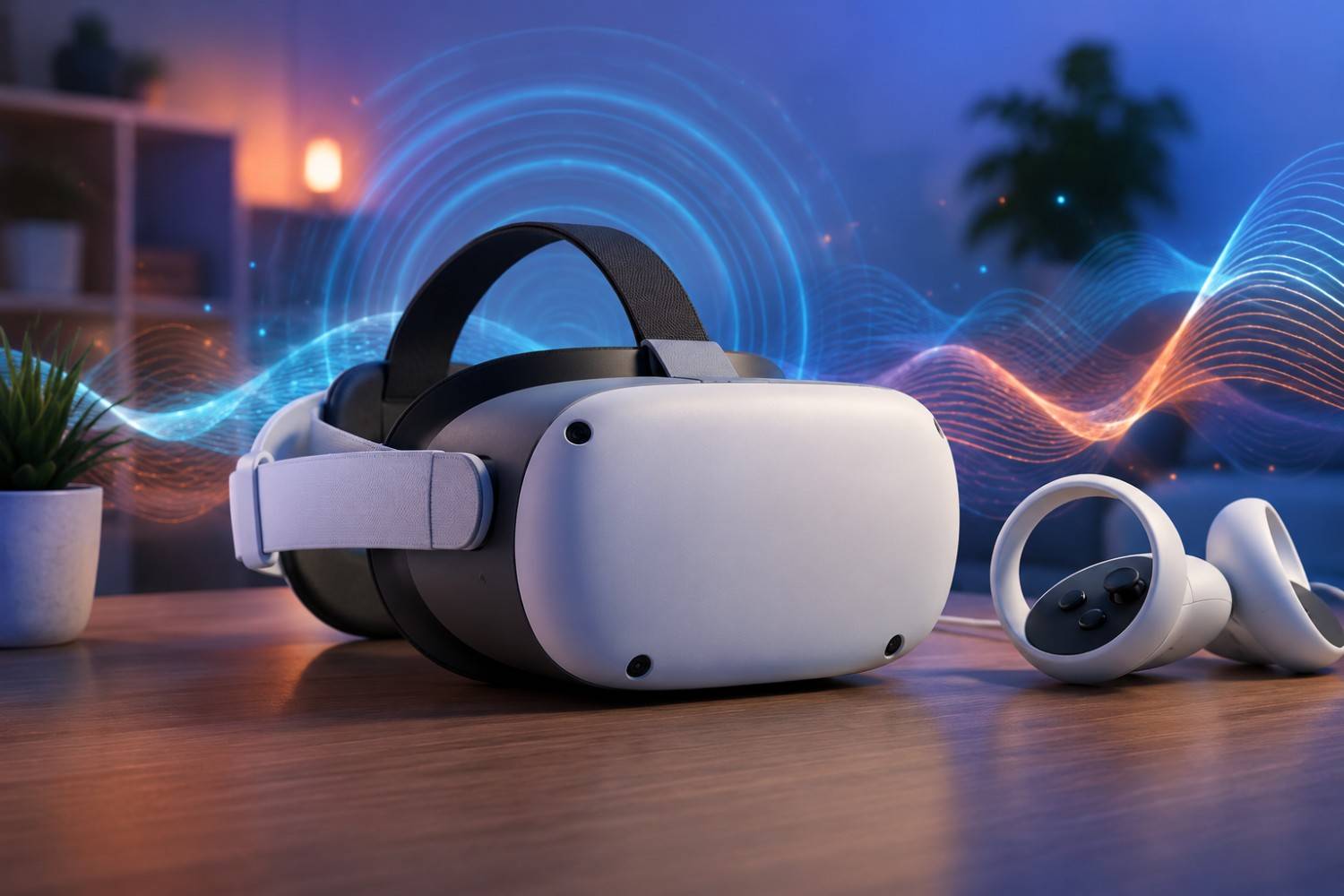
Virtual reality has quickly grown from a niche gaming technology into something used for exercise, education, workplace collaboration, and immersive entertainment. Modern VR headsets can transport users into realistic digital worlds where they can explore, learn, compete, and socialize in ways that weren’t possible just a few years ago. As these devices become more common in homes, schools, and businesses, questions naturally arise about the technology sitting only inches from a user’s eyes and brain for extended periods.
One question that has become increasingly common is whether VR headset EMF exposure should be a concern. Since these devices contain wireless radios, batteries, processors, sensors, and high-resolution displays, they do generate electromagnetic fields (EMFs) while operating. Understanding what that means, how much exposure occurs, and what practical steps users can take to reduce unnecessary exposure can help separate facts from misconceptions. Throughout this guide, we’ll explore VR headset EMF in a balanced, evidence-based way so you can make informed decisions without unnecessary fear.
What Is EMF?
Before discussing virtual reality headsets specifically, it’s helpful to understand what electromagnetic fields actually are.
EMFs are invisible areas of energy produced whenever electricity is generated, transmitted, or used. They exist all around us because modern life depends on electricity. Every home contains numerous sources of EMFs, including refrigerators, televisions, microwave ovens, Wi-Fi routers, computers, smartphones, and even the wiring hidden behind walls.
Scientists generally separate EMFs into different categories based on their frequency.
Low-frequency EMFs are produced by household electrical systems and power lines. These include the electric and magnetic fields generated whenever electricity flows through a wire or appliance.
Higher-frequency EMFs include radiofrequency (RF) energy used for wireless communication. Devices such as smartphones, tablets, wireless routers, Bluetooth accessories, smartwatches, and many virtual reality headsets use RF signals to communicate with other devices or access the internet.
One important distinction often overlooked is the difference between ionizing and non-ionizing radiation. Ionizing radiation, such as X-rays and gamma rays, carries enough energy to remove electrons from atoms and damage DNA directly. Non-ionizing radiation, which includes radio waves, Wi-Fi, Bluetooth, and the signals used by consumer electronics, does not have enough energy to cause this type of damage.
Virtual reality headsets fall into the non-ionizing category.
That distinction doesn’t mean research should stop or that people shouldn’t ask questions. Instead, it provides important context for understanding the kinds of energy these devices actually produce.
Where Does EMF Come From in a VR Headset?
Many people imagine a VR headset as producing one single type of EMF, but that’s an oversimplification. Modern headsets contain numerous electronic components, each contributing in different ways during operation.
Understanding where these fields originate can help users better appreciate how the technology works and why certain activities may generate more wireless communication than others.
Wi-Fi Communication
Most standalone VR headsets connect to the internet through Wi-Fi.
This connection allows users to:
- Download games
- Stream media
- Participate in multiplayer games
- Receive software updates
- Access cloud services
Whenever wireless data is transmitted, the headset’s radio communicates with the nearby router. Like any Wi-Fi-enabled device, this creates radiofrequency emissions during transmission.
The amount of activity depends heavily on what you’re doing. Streaming a live sporting event or downloading a large game generally creates more wireless traffic than playing an offline title that doesn’t require an internet connection.
Bluetooth Connections
Many VR systems also use Bluetooth.
Bluetooth may connect to:
- Motion controllers
- Wireless headphones
- Fitness accessories
- Hand-tracking devices
- External sensors
Bluetooth typically operates at relatively low power compared with Wi-Fi, but it still contributes to the device’s overall wireless activity.
Some users leave Bluetooth enabled continuously even when certain accessories are not connected. In situations where Bluetooth isn’t needed, disabling it may reduce unnecessary wireless transmissions while also extending battery life.
Internal Processing
Virtual reality experiences demand significant computing power.
Unlike watching a movie on a television, VR must constantly calculate:
- Three-dimensional environments
- Head movement
- Hand movement
- Object interactions
- Physics calculations
- Lighting effects
- Audio positioning
The processor performs millions of calculations every second.
As electricity moves through electronic circuits, electric and magnetic fields are naturally produced. These are generally localized inside the device and are simply part of how electronics function.
More demanding games typically require greater processing power than simpler educational or meditation applications.
Battery System
Most standalone VR headsets rely on rechargeable lithium-ion batteries.
These batteries continuously deliver electrical power to every internal component.
Charging the headset also involves electrical current flowing through the battery management system. While batteries themselves aren’t transmitting radiofrequency signals, they remain part of the overall electrical system that produces low-frequency electromagnetic fields.
Manufacturers spend considerable effort designing these systems to maximize efficiency, battery life, and safety while keeping heat generation under control.
Displays
Modern VR displays have become remarkably sophisticated.
Today’s headsets often feature:
- Fast refresh rates
- OLED or LCD panels
- High resolutions
- Eye-tracking technology
- Brightness controls
- Advanced image processing
Each display requires electrical power to illuminate millions of pixels multiple times per second.
These electronics also contribute to the headset’s overall electromagnetic environment, although much of the engineering focuses on image quality and power efficiency.
Motion Tracking Sensors
One of the most impressive aspects of virtual reality is how naturally it follows your movements.
To accomplish this, headsets often contain:
- Accelerometers
- Gyroscopes
- Cameras
- Infrared sensors
- Depth sensors
These components work together hundreds of times every second to determine exactly where your head is located in three-dimensional space.
Without these sensors, virtual reality would feel sluggish and disorienting. Instead, modern systems can respond almost instantly as users turn their heads or move around a room.
Like every electronic component inside the headset, these sensors require electricity to operate.
Does Wearing the Headset Close to Your Head Matter?
One reason virtual reality generates more discussion than many other electronic devices is simple: people wear it directly on their face.
Unlike a laptop sitting on a desk or a television across the room, a VR headset remains in constant contact with the forehead and rests only a short distance from the eyes and brain. That naturally raises questions about whether proximity changes anything regarding EMF exposure.
Distance has long been recognized as one factor affecting exposure to many types of electromagnetic fields. In general, field strength often decreases rapidly as distance from the source increases. This principle is why a Wi-Fi router several rooms away contributes less direct exposure than a wireless device being held immediately against the body.
Virtual reality changes that equation because the electronics are intentionally designed to sit very close to the user. The headset must remain stable to accurately track movement and provide an immersive visual experience. As a result, components such as displays, processors, batteries, and wireless antennas operate much closer to the body than many other consumer electronics.
That proximity understandably leads some people to ask whether longer VR sessions deserve additional consideration. While current evidence has not established that properly functioning consumer VR headsets pose a demonstrated health risk because of their EMF emissions, researchers continue studying how people interact with wireless technology over long periods. The combination of close proximity and increasing daily use makes virtual reality an area that many users simply want to understand better.
It’s also important to remember that proximity is only one part of the picture. Power output, transmission frequency, usage patterns, and how often wireless radios are actively communicating all influence overall exposure. A headset downloading a large software update may behave differently than one being used offline for a short educational session.
Rather than focusing on a single factor, it’s more helpful to consider the complete usage scenario.
What Does Current Scientific Research Say?
Whenever EMF is discussed online, it doesn’t take long before opinions become polarized. Some websites claim wireless technology is completely harmless under all circumstances, while others suggest that every electronic device represents a serious danger. Neither extreme provides readers with a balanced understanding of the available evidence.
The scientific community generally agrees on several important points.
First, consumer virtual reality headsets emit non-ionizing electromagnetic radiation rather than ionizing radiation such as X-rays. These two categories behave very differently, and it’s important not to confuse them.
Second, there are currently no large long-term studies focused specifically on virtual reality headsets because the technology is still relatively new compared with smartphones or Wi-Fi networks. Researchers have far more data on mobile phones and wireless communications than they do on extended VR use.
Third, scientists continue studying radiofrequency exposure in general. Organizations around the world regularly review available research and update safety recommendations when new evidence becomes available. Manufacturers are also required to design products that comply with applicable regulatory standards before they reach consumers.
This ongoing research reflects how science works. As technology evolves and usage patterns change, additional studies help improve our understanding over time rather than providing one final answer forever.
Factors That May Increase Exposure
While every VR headset generates some level of electromagnetic fields during operation, not every user experiences the same amount of exposure. Much depends on how the headset is being used. Understanding these factors can help you make practical choices without giving up the benefits of virtual reality.
Long Gaming Sessions
One of the biggest variables is simply the amount of time the headset is worn.
A quick 20-minute workout or educational session is very different from spending three or four hours exploring open-world games or attending virtual meetings. Longer sessions don’t necessarily mean higher EMF output at any given moment, but they do increase the total amount of time you’re near an operating electronic device.
Many VR enthusiasts become so immersed in a game that they lose track of time. Besides potential EMF concerns, extended sessions may also contribute to eye strain, neck fatigue, motion discomfort, or reduced physical activity if breaks aren’t taken regularly.
Taking periodic breaks is often recommended for overall comfort regardless of any concerns about EMF.
Continuous Wi-Fi Activity
Some VR applications require very little internet communication after they’ve been downloaded.
Others are constantly transmitting data.
Examples include:
- Multiplayer games
- Live streaming
- Cloud gaming
- Video conferencing
- Virtual classrooms
- Software updates
When wireless communication remains active throughout a session, the headset’s Wi-Fi radio continues exchanging information with the router. Although consumer devices are designed to operate within regulatory limits, reducing unnecessary wireless activity can lower overall RF transmissions.
If you’re planning to play a single-player game that doesn’t require internet access, downloading updates ahead of time and switching to offline mode—when supported—may reduce background wireless communication.
Bluetooth Accessories
Many users enjoy pairing additional accessories with their VR systems.
These might include wireless headphones, fitness trackers, external sensors, or specialized controllers.
Bluetooth generally uses relatively low transmission power, but every active wireless connection contributes to the headset’s overall wireless environment. If accessories aren’t needed for a particular session, disconnecting or disabling Bluetooth may be worthwhile.
Some users also choose wired accessories whenever compatibility allows.
High-Performance Applications
Not every VR experience places the same demands on the hardware.
Watching a relaxing virtual nature video generally requires less processing than a fast-paced action game with advanced lighting effects, detailed environments, and multiplayer networking.
Higher processing demands often lead to:
- Increased processor activity
- Greater battery usage
- More heat generation
- Additional wireless communication in online games
While this doesn’t automatically mean dramatically higher EMF levels, it does illustrate why different activities may place varying demands on the headset’s electronics.
Practical Ways to Reduce VR Headset EMF
Fortunately, reducing unnecessary EMF exposure doesn’t require giving up virtual reality altogether. Many of the most practical strategies are simple habits that can improve your overall experience while limiting unnecessary wireless activity.
Rather than searching for complicated solutions, it’s often more effective to focus on sensible everyday practices. Small adjustments made consistently can reduce wireless transmissions while also improving battery life, comfort, and overall device performance.
Download Games Before Playing
If your favorite game offers an offline mode, consider downloading updates before beginning your session.
Doing this allows much of the data transfer to occur before you put the headset on. Once everything is installed, the device may require significantly less wireless communication during gameplay.
This approach is especially useful for story-driven games, exercise programs, or educational experiences that don’t depend on live internet connections.
Turn Off Bluetooth When It Isn’t Needed
Many people leave Bluetooth enabled simply because it’s the default setting.
If you’re not using wireless headphones or Bluetooth accessories, turning it off can eliminate one source of radiofrequency communication.
The added benefit is that disabling unused wireless features often extends battery life as well.
Use Offline Modes Whenever Possible
Many newer VR games continue to work perfectly without an internet connection after installation.
Offline modes won’t eliminate every electrical field produced by the headset, since the processor, battery, and displays continue operating, but they may reduce ongoing Wi-Fi communication.
Not every application supports offline play, but when it does, it’s an easy adjustment to consider.
Limit Session Length
Moderation is helpful in many areas of technology use.
Instead of wearing a headset continuously for several hours, many experts recommend taking breaks every 30 to 60 minutes.
These breaks give your:
- Eyes time to rest
- Neck muscles an opportunity to relax
- Brain time to readjust to the surrounding environment
If reducing overall EMF exposure is part of your goal, shorter sessions naturally reduce the total time spent wearing an active headset.
Remove the Headset During Breaks
It’s surprisingly common for users to leave the headset resting on their forehead while checking messages or talking with family members.
Removing the headset completely during breaks allows the electronics to move farther away from your body while also helping the device cool down.
Sometimes the simplest habits are the easiest to overlook.
Keep Firmware Updated
Software updates often focus on security and new features, but they may also improve battery efficiency and overall system performance.
More efficient software can reduce unnecessary background activity and improve how hardware resources are managed.
Installing updates from the manufacturer helps ensure your headset is operating as intended.
Consider Wired Audio
Many users appreciate the convenience of wireless earbuds.
However, if your headset supports wired audio, choosing a wired connection eliminates the need for one active Bluetooth device.
Should Children Use VR Headsets?
Children often find virtual reality fascinating. Educational programs can take students on virtual field trips, while games encourage movement and creativity in entirely new ways.
Even so, manufacturers frequently include age recommendations for their products.
These recommendations aren’t based solely on EMF. They often consider several factors, including visual development, balance, motion sickness, neck strength, and the ability to understand virtual environments.
Research into children’s long-term use of VR technology is still developing. Because younger users may spend many years interacting with emerging technologies, parents often choose a cautious approach by encouraging moderation.
Practical ideas include:
- Following manufacturer age recommendations
- Limiting session length
- Supervising younger children
- Encouraging regular breaks
- Mixing VR with outdoor activities and traditional play
Parents don’t necessarily need to avoid virtual reality altogether, but thoughtful use is generally a sensible approach.
Affiliate Advertisement

Common Myths About VR Headset EMF
As virtual reality becomes more popular, misinformation has spread alongside legitimate questions. Separating myths from facts helps people make decisions based on evidence rather than alarming headlines or exaggerated claims.
Myth: VR Headsets Emit Dangerous Radiation
The word “radiation” often causes unnecessary concern because it covers many completely different forms of energy.
Virtual reality headsets emit non-ionizing electromagnetic energy associated with electronics and wireless communication.
This differs significantly from ionizing radiation such as X-rays or gamma rays, which carry enough energy to damage DNA directly.
Understanding this distinction helps place discussions about EMF into proper context.
Myth: EMF Protection Products Eliminate All Exposure
Some advertisements suggest that a single accessory can completely block or eliminate every electromagnetic field produced by modern electronics.
Real-world physics is far more complicated.
Most experts agree that no accessory can make an operating electronic device produce zero EMF.
Instead, products should be viewed as one possible part of a broader strategy rather than a complete solution.
Lifestyle habits such as reducing unnecessary wireless activity, taking breaks, and maintaining reasonable usage patterns are likely to have a greater impact on overall exposure than relying on any single accessory.
Myth: Newer Headsets Always Produce More EMF
Technology doesn’t always become less efficient as it becomes more powerful.
In many cases, newer processors consume less electricity while delivering better performance than previous generations.
Manufacturers continually improve:
- Battery efficiency
- Wireless chipsets
- Cooling systems
- Power management
- Display technology
As a result, newer hardware may operate more efficiently despite offering better graphics and additional features.
Efficiency improvements are one reason it’s difficult to make broad assumptions based solely on a headset’s release date.
Choosing a VR Headset If EMF Matters to You
Most people shopping for a VR headset compare display quality, comfort, tracking accuracy, and available games. If reducing unnecessary EMF exposure is also part of your decision-making process, there are a few additional features worth considering.
No manufacturer advertises a headset as “low EMF,” and there is no universal rating system that compares consumer VR devices based on electromagnetic emissions. Instead, it’s more practical to evaluate how a headset can be used.
One helpful feature is the ability to download games and applications for offline use. If much of your VR time involves local content rather than constant online play, you may be able to reduce ongoing wireless communication simply by choosing offline experiences whenever practical.
Battery efficiency is another consideration. More efficient hardware generally produces less heat and can often operate longer between charges. While efficiency alone doesn’t determine EMF levels, well-designed electronics typically manage power more effectively.
Comfort should not be overlooked either. A properly fitted headset encourages better posture and allows users to take natural breaks without unnecessary strain. Since many VR experiences involve movement, wearing a comfortable headset can make shorter, more enjoyable sessions easier to maintain.
If your headset supports wired accessories, that flexibility may also appeal to users looking to reduce the number of active wireless devices during use. Choosing wired headphones instead of Bluetooth models is one example of how small equipment choices can align with a lower-wireless approach.
Ultimately, the “best” headset depends on your intended use. Someone interested in fitness applications may prioritize different features than someone using VR for professional training or educational purposes. Thinking about how you’ll actually use the headset often leads to better purchasing decisions than focusing on specifications alone.
Practical Takeaways
After learning about virtual reality headsets and electromagnetic fields, many readers simply want practical guidance they can apply without overcomplicating their daily lives. While there’s no single action that fits every person, a few sensible habits can help you use VR more mindfully.
Some of the easiest practices include:
- Taking regular breaks during longer sessions.
- Downloading games before use when offline play is available.
- Turning off Bluetooth when accessories aren’t being used.
- Choosing wired headphones if your headset supports them.
- Keeping your headset’s software updated.
- Following manufacturer recommendations for safe operation.
- Staying informed as new scientific research becomes available.
These habits don’t require giving up technology. Instead, they focus on using it thoughtfully while balancing convenience, enjoyment, and personal comfort.
Conclusion
Virtual reality has opened exciting possibilities for gaming, education, fitness, workplace collaboration, and entertainment. Like many modern electronic devices, VR headsets generate electromagnetic fields as part of their normal operation. Batteries, processors, wireless radios, displays, and motion sensors all work together to create the immersive experiences that millions of people enjoy every day.
Current scientific evidence does not demonstrate that consumer VR headsets present a proven health risk because of their EMF emissions, but research into wireless technologies continues to evolve. For many people, understanding how these devices work—and adopting simple habits such as taking breaks, limiting unnecessary wireless activity, and using offline modes when possible—provides peace of mind without sacrificing the benefits of virtual reality.
Ultimately, learning about VR headset EMF isn’t about avoiding technology altogether. It’s about making informed decisions based on current evidence rather than fear or speculation. As researchers continue studying emerging technologies, staying informed and practicing sensible technology habits remains one of the best approaches for anyone who enjoys exploring the virtual world.
Before You Go…
Get Weekly EMF Protection Tips
Enjoy this article? Join the EMFLuLu newsletter for simple weekly tips to reduce everyday EMF exposure from phones, WiFi routers, laptops, and smart home devices.
Try Our Free EMF Calculators
Curious how much EMF exposure you may experience each day?
These simple tools can help you estimate your exposure and identify possible problem areas in your home.
Try these free calculators:
Like this article? Pin it on Pinterest!


More to Explore