Technology has become part of nearly every room in our homes. Smartphones, tablets, Wi-Fi routers, smart TVs, laptops, wireless speakers, gaming systems, and dozens of other connected devices make life more convenient than ever before. At the same time, many people are becoming more mindful of how they use those devices and are looking for simple ways to create healthier living environments. An EMF home checklist is not about eliminating technology or feeling anxious every time you plug something in. Instead, it is about building thoughtful habits that help reduce unnecessary exposure while making your home feel more organized and intentional.
The beauty of a weekly reset is that it doesn’t require expensive equipment or a complete lifestyle change. Small adjustments often become lasting habits, and those habits can make your home easier to maintain throughout the week. Rather than waiting until clutter builds up or electronic devices seem to take over every room, spending thirty to sixty minutes each weekend can help you stay ahead of the chaos.
This EMF home checklist focuses on practical actions that almost anyone can follow. Some suggestions involve simply turning devices off when they are not needed, while others encourage better placement of electronics or improved charging habits. None of these ideas are meant to replace professional medical advice or suggest that every source of electromagnetic fields presents the same level of concern. Instead, they are intended to help you become more aware of your environment and make informed decisions that fit your lifestyle.
By the end of this guide, you’ll have a repeatable weekend routine that helps you organize your technology, reduce unnecessary wireless activity where practical, and create a home that feels calmer and more intentional.
Why Create an EMF Home Checklist Every Weekend?
Many people spend time every weekend vacuuming, doing laundry, organizing closets, or preparing meals for the upcoming week. Those routines help keep a household running smoothly, yet our electronic devices often receive very little attention. Chargers pile up, unused gadgets remain plugged in, Bluetooth accessories stay connected long after they are needed, and smart devices continue operating in the background without much thought.
Creating a weekly routine for your electronics doesn’t require becoming an expert in electromagnetic fields. It simply encourages you to pause for a few minutes and ask whether each device is serving a purpose or simply consuming electricity and adding unnecessary clutter. In many cases, people discover they have several old phones sitting in drawers, wireless speakers that haven’t been used for months, or chargers occupying outlets that no longer power anything useful.
A weekend technology reset also encourages healthier habits throughout the family. Children often learn by example, and when parents regularly organize charging stations, power down devices before bed, and keep electronics from spreading throughout every room, those behaviors become part of the household routine.
Another benefit is that regular maintenance often extends the life of your electronics. Dust is removed from vents, cables become organized, software updates are installed, and overheating caused by poor airflow may be reduced. While the primary goal may be creating a healthier home environment, improved organization and better equipment care are valuable advantages as well.
Perhaps the biggest benefit is peace of mind. Rather than wondering whether your home has become overwhelmed with electronics, you’ll know that each week you’ve taken simple, practical steps to keep everything under control.
Start with the Bedrooms
Bedrooms are designed for rest, relaxation, and recovery. Unfortunately, they have gradually become one of the most technology-filled areas of many homes. Phones charge overnight beside the bed, tablets sit on nightstands, smart watches remain connected while sleeping, and televisions often stay plugged in around the clock.
Because we spend roughly one-third of our lives sleeping, the bedroom is an excellent place to begin your weekly reset. Even modest changes can make the room feel less cluttered and encourage healthier nighttime routines.
Before making any adjustments, take a slow walk around each bedroom and simply observe what electronics are present. You may notice devices that have become almost invisible because they’ve been there for so long. Chargers, wireless headphones, Bluetooth speakers, old tablets, gaming accessories, and smart home devices can quietly accumulate over time.
Once you’ve identified what is in the room, you can work through a simple checklist.
Bedroom Weekend Reset Ideas
Before looking at the individual suggestions, remember that these are intended to improve organization and reduce unnecessary wireless activity where practical. There is no expectation that every home needs to remove every electronic device. Instead, focus on the habits that fit comfortably into your family’s lifestyle.
- Charge phones several feet away from the bed whenever possible.
- Enable Airplane Mode overnight if you do not need to receive calls or notifications.
- Remove unused chargers from outlets.
- Turn off Bluetooth on devices that are not actively being used.
- Keep laptops off the bed when charging.
- Store tablets in a drawer rather than on the nightstand if they are not needed overnight.
- Unplug electronics that are rarely used.
- Keep charging cables neat to reduce clutter and improve airflow around outlets.
Many people find that simply removing unnecessary electronics from the bedroom helps create a calmer atmosphere. A cleaner nightstand with fewer blinking lights and tangled cords often feels more relaxing before bedtime.
If you frequently work from bed using a laptop, consider using a protective barrier designed specifically for that purpose. One example is the DefenderShield Universal Laptop Pad, which is intended to be placed between your laptop and your lap while working.
While accessories like this can be useful in certain situations, they should complement – not replace – good technology habits. Taking regular breaks, avoiding extended laptop use directly on your lap, and creating a dedicated workspace remain some of the most effective practices.
Another helpful habit is reviewing every outlet in the bedroom. It’s surprising how many chargers remain plugged in for devices that have long since been replaced. Removing unused adapters instantly makes the room look cleaner while simplifying your charging setup.
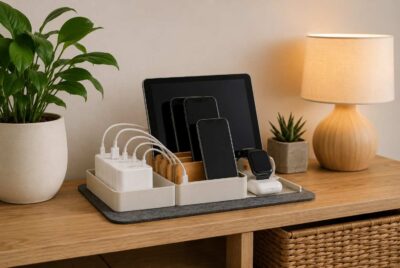
Families with children may also benefit from creating a shared charging station outside the bedrooms. Whether it’s a small shelf in the kitchen or a table in the hallway, placing everyone’s phones in one location overnight encourages healthier screen habits while reducing the temptation to scroll through social media late into the evening.
If you use a smart watch, wireless earbuds, or fitness tracker, your weekend reset is also a good opportunity to verify that they are updated, charging properly, and only connected when needed. Small maintenance tasks like these take only a few minutes but help prevent clutter from building over time.
The goal isn’t perfection. Some people rely on phones for emergency contact, health monitoring, or work responsibilities. Others may prefer to keep certain devices nearby. That’s perfectly reasonable. The purpose of this section is simply to become more intentional about what belongs in the bedroom and what has gradually found its way there without much thought.
By beginning your weekend reset in the room where you spend the most uninterrupted time, you’ll establish a strong foundation for the rest of your home. The remaining rooms become much easier to organize once you’ve addressed the space dedicated to rest and recovery.
Reset Your Home Office
For many people, the home office has become one of the busiest rooms in the house. Whether you work remotely full-time, manage household finances, enjoy gaming, or simply use the space to browse the internet, it’s common for a desk to collect a surprising amount of technology over time. Monitors, printers, routers, external hard drives, wireless keyboards, chargers, and countless cables can quickly transform a clean workspace into one that feels cluttered and overwhelming.
A weekend reset provides the perfect opportunity to evaluate everything on and around your desk. Instead of focusing only on reducing unnecessary wireless activity, think about creating a workspace that is organized, comfortable, and easier to maintain throughout the week.
Begin by looking at every electronic device with fresh eyes. Ask yourself whether it is something you use regularly or whether it has simply remained plugged in because moving it has never become a priority. Many people discover old printers, outdated networking equipment, or charging cables for devices they no longer own.
Once you’ve identified what belongs, spend a few minutes working through a simple office reset.
Home Office Weekend Reset Ideas
Before reviewing the checklist below, remember that your goal is progress rather than perfection. Even completing a handful of these suggestions each week can make your office feel noticeably cleaner while encouraging more intentional technology use.
- Shut down computers instead of leaving them running continuously when practical.
- Turn off monitors after each workday.
- Organize cables using reusable cable ties or sleeves.
- Remove chargers that are no longer needed.
- Keep Wi-Fi equipment in a location that provides good coverage without placing it directly beside your primary workstation whenever possible.
- Dust computer vents and fans regularly.
- Disconnect wireless accessories that are not currently being used.
- Recycle outdated electronics responsibly instead of storing them indefinitely.
Cable management deserves special attention because it improves both organization and safety. Loose cords not only collect dust but can also restrict airflow around electronics and create unnecessary tripping hazards. Spending just ten minutes each weekend organizing cables can make your workspace look significantly more professional.
If your office contains several power strips, take a moment to identify what each one powers. Labeling plugs with small tags or colored tape makes future maintenance much easier and prevents accidentally unplugging important equipment.
Another worthwhile habit is checking for devices that continue operating even when you’re finished using them. External speakers, webcams, Bluetooth adapters, and charging docks often remain powered throughout the day despite serving no purpose after work hours.
Kitchen and Living Room EMF Home Checklist
The kitchen and living room often serve as the central gathering places in a home. Family members stream movies, prepare meals, complete homework, browse social media, and relax together in these shared spaces. Naturally, these rooms also contain some of the largest collections of connected electronics.
Because activity changes throughout the day, these rooms are excellent candidates for a weekly review. Rather than concentrating on one specific device, think about how the entire space functions.
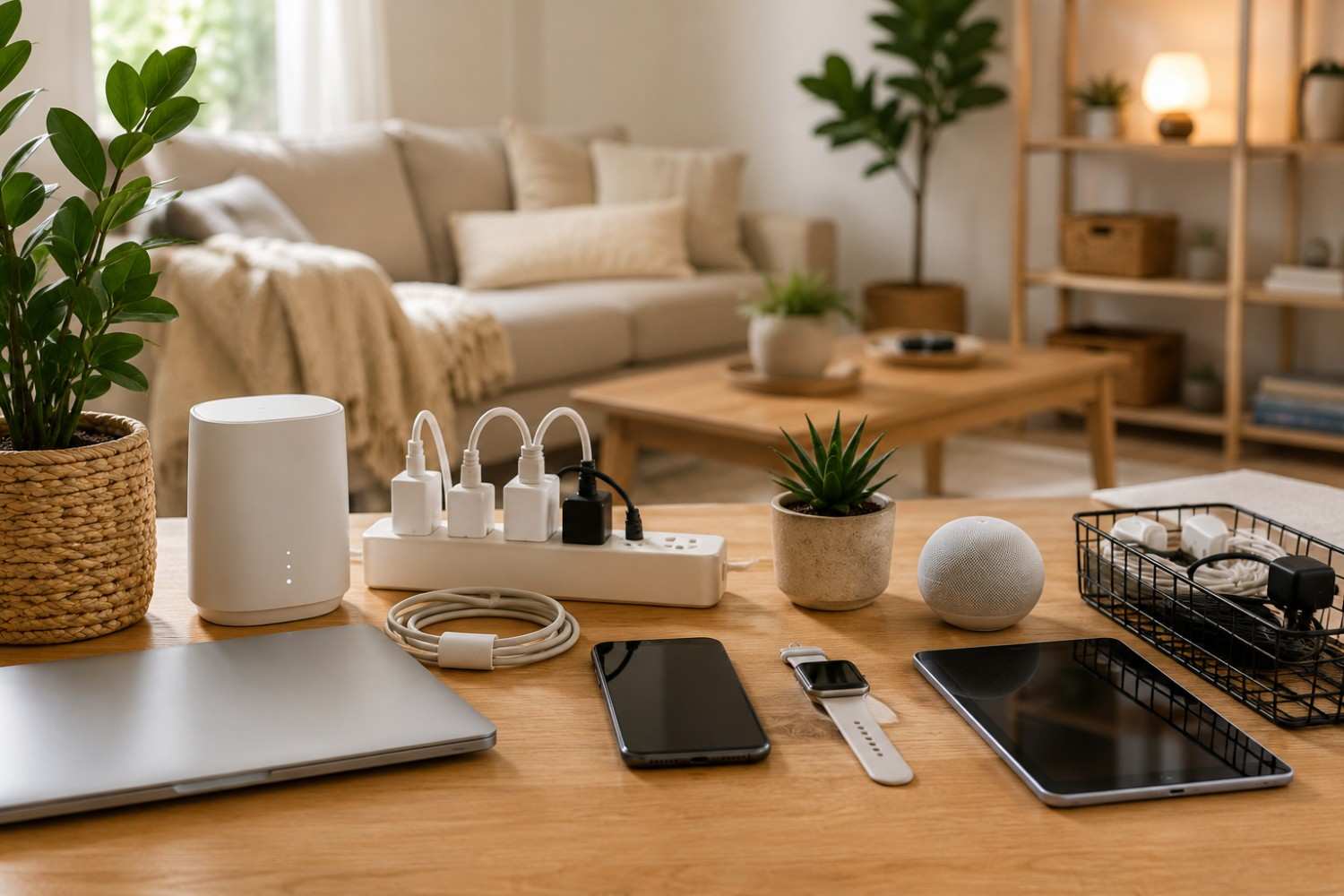
As you work through your EMF home checklist, you’ll likely notice that many electronics remain powered simply because no one remembers to turn them off. Streaming devices stay active twenty-four hours a day, gaming consoles remain in standby mode, tablets charge continuously, and smart speakers wait for voice commands around the clock.
While many of these devices are designed to stay connected, it’s worth considering whether every one of them needs to operate continuously.
Weekend Living Space Reset
Before beginning the checklist, spend a few minutes simply observing how your family uses these rooms. You’ll probably discover that certain electronics are used every day, while others rarely receive any attention.
Here are several practical habits to include in your weekend routine:
- Remove unused charging cables from kitchen counters.
- Turn off gaming consoles when gaming sessions are finished instead of relying only on standby mode.
- Keep tablets stored neatly when not in use.
- Dust behind televisions and entertainment centers to improve airflow.
- Verify that smart speakers are placed where they are actually useful.
- Organize streaming devices and remote controls.
- Review smart home devices that may no longer serve a purpose.
- Check surge protectors for overloaded outlets.
Entertainment centers often become magnets for electronics. Older DVD players, unused game systems, extra streaming sticks, and forgotten speakers frequently remain connected long after they’ve stopped being useful.
The kitchen presents its own unique opportunities for better organization. Charging phones beside coffee makers or piling tablets on the kitchen island can quickly create unnecessary clutter. Creating one designated charging area helps keep counters cleaner while reducing the number of cables spread throughout the room.
If your family uses smart displays for recipes or calendars, take a few moments during your weekend reset to remove old reminders, organize digital shopping lists, and install any available software updates. Keeping devices current improves both performance and security.
Remember that your goal isn’t to eliminate convenience. Smart home technology can make daily life easier. Instead, you’re simply making sure each device has a purpose rather than allowing electronics to accumulate unnoticed over the years.
Affiliate Advertisement

Check Your Mobile Devices
Smartphones have become one of the most frequently used pieces of technology in modern life. Many people pick up their phones dozens, if not hundreds, of times each day without realizing it. Tablets, smart watches, wireless earbuds, and Bluetooth accessories often accompany them, creating a network of devices that travel with us almost everywhere.
Your weekend reset is an excellent opportunity to evaluate how these devices fit into your daily routine.
Instead of thinking only about hardware, consider your digital habits as well. Small adjustments made consistently often have a much greater impact than dramatic one-time changes.
Weekly Mobile Device Review
Before going through this checklist, remember that every household uses technology differently. Choose the ideas that make sense for your lifestyle and build a routine that feels sustainable.
Some worthwhile habits include:
- Install software updates.
- Remove apps you no longer use.
- Review Bluetooth connections and delete old devices.
- Enable Airplane Mode when wireless connections are unnecessary.
- Keep battery health in mind by avoiding unnecessary overnight charging whenever practical.
- Organize charging cables.
- Clean charging ports carefully.
- Review privacy and location settings.
- Back up important photos and files.
Many people are surprised by how many inactive Bluetooth connections remain stored on their phones. Old rental cars, wireless speakers, headphones, and fitness equipment often stay listed long after they’re no longer used. Removing outdated connections helps keep your device organized.
Another simple habit is placing your phone on a table instead of carrying it in your pocket whenever practical. During long phone conversations, using speakerphone or a wired headset can also be a comfortable alternative depending on your surroundings.
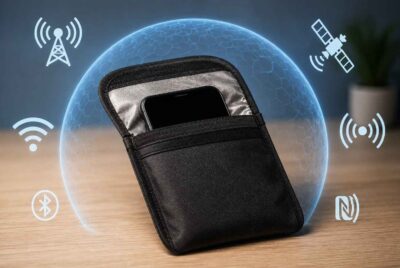
If you’re looking for an accessory that complements good phone habits, one option is the DefenderShield EMF Radiation Protection Phone Case.
Accessories like this should be viewed as one part of a broader approach rather than a complete solution. Simple habits such as reducing unnecessary screen time, avoiding prolonged calls when possible, and keeping your phone off your body when it isn’t needed remain valuable practices.
Families may also benefit from setting aside one weekend each month to review everyone’s devices together. Children often accumulate unused apps, forgotten Bluetooth accessories, or damaged charging cables that can easily be cleaned up in a single afternoon.
Perhaps the biggest advantage of a weekly review is that it prevents small issues from becoming larger ones. Instead of waiting until storage fills up, batteries deteriorate, or cables become hopelessly tangled, regular maintenance keeps your devices running efficiently while encouraging healthier technology habits.
By the time you’ve completed these steps, you’ll have addressed many of the electronics you interact with most frequently each day. In the final section, we’ll shift our attention outdoors, discuss connected devices around your property, and bring everything together into a simple weekly routine that makes your EMF home checklist easy to follow for years to come.
Don’t Forget Outdoor Technology
When people think about reducing unnecessary electronic clutter, they usually focus on what is inside the home. However, modern households often have just as much technology outside as they do indoors. Security cameras, smart doorbells, landscape lighting, Wi-Fi extenders, irrigation controllers, weather stations, and even robotic lawn equipment have become increasingly common over the past several years.
These devices offer convenience and security, but they can also be easy to forget because they operate quietly in the background. A weekend reset gives you an opportunity to make sure everything is functioning as intended while removing equipment that is no longer needed.
Rather than treating outdoor technology as an afterthought, spend a few minutes walking around your property during your weekend routine. This simple habit allows you to identify loose cables, damaged equipment, outdated devices, or electronics that may simply need a quick cleaning.
Outdoor Technology Reset Ideas
A short walk around your home can uncover small maintenance tasks before they become larger problems. The goal isn’t to disconnect every smart device but to confirm that each one still serves a useful purpose and is operating properly.
Here are several items worth reviewing during your weekly reset:
- Check that security cameras are clean and free from dirt, spider webs, or leaves.
- Verify that motion sensors are working correctly.
- Inspect outdoor extension cords for signs of wear.
- Remove seasonal electronics that are no longer needed.
- Review outdoor Wi-Fi extenders to ensure they are still positioned appropriately.
- Confirm that smart irrigation schedules still match the season.
- Check landscape lighting timers for accuracy.
- Make sure charging stations for battery-powered lawn equipment remain organized and dry.
If your home includes several outdoor smart devices, consider making a simple inventory. Knowing what equipment you own makes it easier to recognize when something stops working or is no longer necessary.
Another helpful practice is updating passwords and software for internet-connected outdoor devices whenever updates become available. While this recommendation is more about cybersecurity than EMFs, keeping your smart home secure is an important part of maintaining a well-managed home.
The same principle applies outside as it does indoors: thoughtful organization often provides benefits that extend well beyond your original goal.
Build Weekly EMF-Friendly Habits
One of the biggest reasons organization systems fail is that they become too complicated. If your weekend routine requires several hours every Saturday, chances are it won’t last very long. The best routines are the ones that fit naturally into everyday life.
Instead of viewing your weekend reset as another chore, think of it as a quick household tune-up. Spending thirty to sixty minutes each week is usually enough to keep technology organized without feeling overwhelming.
Over time, these small habits become automatic. Family members begin putting devices in designated charging areas, cables stay organized, and unnecessary electronics become much less likely to accumulate.
Your Weekly EMF Home Checklist
The following routine brings together the ideas discussed throughout this article. You don’t need to complete every item every weekend. Instead, use this list as a flexible guide and adjust it to match your home and lifestyle.
- Walk through each bedroom and remove unnecessary electronics or chargers.
- Verify that charging stations remain organized.
- Shut down computers and office equipment that are not needed.
- Dust electronics to improve airflow.
- Organize loose cables around desks and entertainment centers.
- Review Bluetooth connections on phones and tablets.
- Remove unused apps and install software updates.
- Check gaming systems, streaming devices, and smart speakers.
- Inspect outdoor technology and connected devices.
- Recycle or donate electronics you no longer use.
As your family becomes familiar with the routine, many of these tasks will take only a few minutes. Children can help organize charging cables, teenagers can update tablets and laptops, and adults can handle larger maintenance tasks around the home.
Conclusion
Technology has made our lives more connected, productive, and convenient than ever before. At the same time, it’s easy for electronic devices to multiply quietly throughout a home until they become part of the background. Chargers remain plugged in, unused gadgets collect dust, cables become tangled, and smart devices continue operating long after we’ve stopped thinking about them.
Creating a simple weekend routine helps bring those devices back under your control. Rather than making dramatic changes, you can focus on practical improvements that support better organization and more intentional technology use. Over time, these small actions become habits that are easy to maintain and can help create a calmer, more organized living environment.
Before You Go…
Get Weekly EMF Protection Tips
Enjoy this article? Join the EMFLuLu newsletter for simple weekly tips to reduce everyday EMF exposure from phones, WiFi routers, laptops, and smart home devices.
Try Our Free EMF Calculators
Curious how much EMF exposure you may experience each day?
These simple tools can help you estimate your exposure and identify possible problem areas in your home.
Try these free calculators:
Like this article? Pin it on Pinterest!


More to Explore