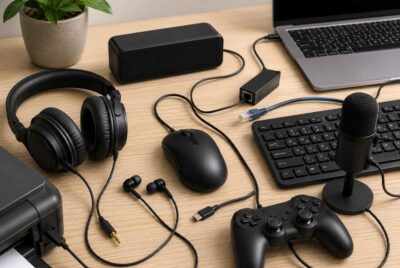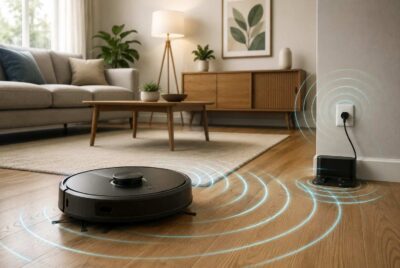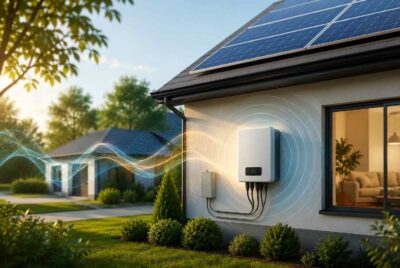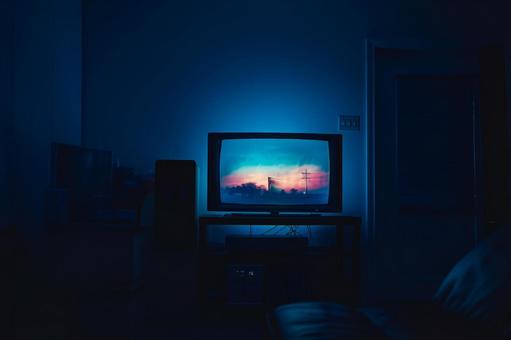
Most people think of EMF exposure coming from WiFi routers, cell phones, or laptops – but few realize just how much time is spent only inches or a few feet from the largest screen in the house: the television. Modern TVs are no longer simple “display boxes.” They are wireless hubs filled with Bluetooth chips, WiFi antennas, screen-mirroring features, microphones, and power-dense circuitry. If you want to understand how to reduce EMF exposure from TV screens at home, the good news is that small adjustments can drastically lower exposure without giving up the shows and movies you love.
Throughout this guide, we will explore the most effective, practical, and scientifically grounded methods for how to reduce EMF exposure from TV screens at home using simple room layout changes, distance techniques, disabling hidden wireless settings, upgrading your setup, and understanding where invisible EMFs actually originate. You’ll also receive EMF-conscious tips for kids, nighttime viewing, shielding strategies, and optional tools like EMF blankets or harmonizing devices.
Understanding EMF From TVs
Before learning how to reduce EMF exposure from TV screens at home, it helps to understand the types of EMF that televisions actually produce. Older TVs emitted mostly electric and magnetic fields from their internal electronics. Today’s smart TVs emit the same – but they also add wireless EMFs that simply didn’t exist two decades ago.
Types of EMF TVs Emit
Televisions release three main EMF categories:
Electric Fields
These come from wiring, internal circuits, and power supplies. Whenever electricity is flowing – even when a TV is on standby – an electric field is being generated.
- Electric fields are strongest within 1–2 feet of a device.
- They decrease rapidly with distance.
Magnetic Fields
Magnetic fields are generated by transformers, power supplies, speaker magnets, and adapters.
- Magnetic fields weaken quickly with distance but can penetrate walls and furniture.
Radiofrequency (RF) Fields
These are wireless EMFs that come from:
- WiFi connections
- Bluetooth remotes
- Screen-mirroring
- Voice assistant features
- Smart TV “always-on” background processes
RF fields are typically the strongest and most biologically active EMFs from TVs.
Smart TVs vs. Non-Smart TVs: Why EMF Levels Differ
Smart TVs essentially function like small computers, constantly pinging wireless networks – even when you’re not using apps. Non-smart TVs generally emit only low-level electric and magnetic fields. This makes smart TVs the higher-EMF option unless you intentionally adjust their settings.
The #1 Rule: Increase Distance
If you want to understand the most important principle for how to reduce EMF exposure from TV screens at home, it’s this:
The farther you sit from a TV, the lower your EMF exposure.
This is due to the inverse-square law, a scientific principle showing that EMF intensity drops dramatically with every foot of distance. Doubling your distance can reduce EMF by 75% or more.
Recommended Minimum Distances by TV Size
Here are practical seating distances that dramatically reduce exposure without compromising viewing comfort:
- 32-inch TV: 6–7 feet
- 55-inch TV: 8–10 feet
- 65-inch+ TV: 10–12 feet
These distances also reduce eye strain, and align with visual health guidelines.
How to Rearrange a Room for Safer Viewing
Before listing steps, it’s helpful to understand why room layout matters. The closer a sofa is to a wall outlet, power strip, or entertainment system, the more EMF your body absorbs. A few inches of distance can change your exposure significantly.
Here is exactly how to optimize your setup:
Room Rearrangement Steps
- Pull the sofa back by 1–3 feet.
Even a small change reduces EMF dramatically due to the inverse-square law.
How to do it:
- Slide furniture legs onto felt pads
- Move the couch back slowly
- Confirm clear viewing angle, then adjust pillows for comfort
- Elevate the TV slightly higher on the wall.
Mounting the TV 6–12 inches higher naturally increases viewing distance without moving furniture. - Keep the entertainment center out of corners.
Corners amplify EMF reflections (similar to sound waves).
Move the TV to a flat wall for cleaner EMF dispersion. - Avoid seating directly behind a wall-mounted TV.
If someone sleeps or sits on the opposite side of that wall, they may be exposed to fields from the TV’s power supply.
Turn Off Hidden Wireless Settings
One of the easiest strategies for how to reduce EMF exposure from tv screens at home is simply disabling the wireless features that run quietly in the background.
Before the list, here’s why this matters:
Smart TVs are designed to remain connected to WiFi, Bluetooth, and voice assistants – even when you’re not using them. These features emit radiofrequency EMFs continuously.
Disable These Wireless Features
- Turn off Bluetooth.
Bluetooth remotes and accessories constantly search for connections.
How to disable:
- Go to Settings → Bluetooth → “Off”
- Replace with an infrared (IR) remote if available
- Turn off WiFi when watching cable, DVDs, or streaming through a wired device.
WiFi antennas send signals several times per second.
How to disable:
- Settings → Network → WiFi → “Off”
- Or connect via Ethernet and WiFi will auto-disable on many models
- Disable voice assistant microphones.
These remain active even when unused.
How:
- Settings → Preferences → Voice → “Off”
- Some TVs allow you to turn off mic permissions per-app
- Turn off screen mirroring and casting.
Even idle mirroring modes emit RF.
Use Hard-Wired Streaming Instead of Wireless
Using wired connections is one of the best upgrades for how to reduce EMF exposure from TV screens at home because it removes the need for WiFi or Bluetooth entirely.
Here is exactly what to do:
- Connect your TV to your router using an Ethernet cable.
- Use wired HDMI streaming devices (Roku, Apple TV, Fire Stick in hardwired mode).
- Disable all wireless settings after connecting the cable.
This method not only reduces EMF – it also speeds up streaming and reduces buffering.
Affiliate Advertisement

Reduce EMF From TV Peripherals
Many people forget that the entertainment system around the TV generates EMFs too. Before listing examples, it helps to understand the concept:
Your TV may not be the biggest EMF source – your accessories might be.
Common High-EMF Peripherals
- Soundbars
Most use Bluetooth and constantly broadcast pairing signals.
Fix: Switch to optical or HDMI wired mode. - Gaming Consoles
PlayStation, Xbox, and Nintendo Switch emit strong RF in standby mode.
Fix: Disable WiFi, use Ethernet, turn off “instant on” or “fast startup”, unplug when not used frequently. - WiFi Extenders
If yours is in the living room, it’s blasting RF in the same space as your body.
Fix: Relocate to a hallway or office. - Bluetooth Remotes & Controllers
Switch to wired controllers when possible (especially for kids).
Practical Shielding Strategies
Shielding isn’t required for everyone, but some people – especially those with EMF sensitivity – prefer added layers of protection. This section introduces realistic solutions without going extreme.
EMF Shielding Blankets
An EMF shielding blanket can reduce exposure when sitting close to the TV – especially for kids who naturally sit closer.
Recommended product:
DefenderShield EMF Protection Blanket
How to use it:
- Drape the blanket over your lap
- Place it over the lower torso if sitting close
- Use for kids during long TV or gaming sessions
The blanket has metallic fibers that help block or absorb incoming RF energy.
EMF-Harmony Home Harmonizing System
Instead of blocking EMF, this system supports your body’s natural balance when exposed to EMF.
Product link:
Home & Office Kit
How it works:
- Turn your whole house into an EMF protected zone
- Protects people, pets as well as plants in the home
- Helps reduce stress responses in EMF-sensitive individuals watching TV
This is beneficial for people who spend long hours in front of screens.
Shielding Fabrics Behind or Beneath the TV
Some users like to place a piece of conductive fabric:
- behind a wall-mounted TV
- under the entertainment center
- behind a power strip
How to do it safely:
- Cut a small panel of fabric
- Tape it flat to minimize reflectivity
- Leave ventilation gaps
- Never wrap or enclose the TV or wires (fire hazard)
This method subtly lowers EMF projecting outward into the room.
Affiliate Advertisement
Optimize Your Room Layout for EMF Safety
EMF intensity decreases rapidly with distance, but increases when you sit near power cords, outlets, or routers – even if the TV itself is farther away.
Room Layout Tips
- Keep power strips at least 3–6 feet from seating.
Route extension cords along baseboards, not across carpets under your legs. - Move routers and extenders out of the living room.
Relocating a router just 10–20 feet away can reduce exposure massively. - Mount the TV on a flat wall – not a corner.
Corners trap RF waves. - Avoid sharing a wall with your bed.
If the TV hangs on your bedroom wall and you sleep on the other side, move it.
Nighttime Viewing Tips
Nighttime is when EMF + blue light have the biggest impact on circadian rhythm, melatonin, and cellular recovery.
Specific Nighttime Recommendations
- Switch your TV to Ethernet-only mode after 8pm.
This turns off RF emissions from WiFi. - Turn off the TV completely
Standby mode still emits EMF. Use a power strip with a switch. - Use warm lighting or blue-light reduction mode.
This reduces stress, headaches, and sleep disruption. - Turn off your router at night.
Use a $10 outlet timer to automate.
Kids & EMF Around the TV
Children absorb more EMF because their tissues contain more water and their skulls are thinner. Kids also tend to sit closer the TV, use wireless controllers, and often place devices on their laps – all of which increase exposure dramatically.
Kid-Specific Tips
- Set a “minimum distance rule.”
Start with 7–10 feet. Mark the floor subtly with a rug. - Prefer wired controllers.
Wireless controllers emit RF continuously. - Use an EMF shielding blanket during gaming or movie nights.
Especially helpful if kids sit cross-legged close to the TV. - Reduce EMF exposure in bedrooms.
No TV mounted behind a child’s bed.
Quick Checklist: Practical Steps to Reduce TV EMF
Checklist
- Sit 6–12 feet away from the TV
- Turn off WiFi and Bluetooth when not using them
- Use Ethernet instead of wireless streaming
- Unplug gaming consoles in standby mode
- Relocate WiFi extenders out of the living room
- Use EMF shielding blankets for close viewers
- Turn off the router at night
- Avoid placing seating near power strips
Conclusion
Reducing EMF exposure from your television doesn’t require extreme lifestyle changes. By increasing distance, turning off unnecessary wireless features, optimizing your room layout, and optionally using shielding tools, you can make your viewing habits significantly safer. Whether your goal is to protect an EMF-sensitive household, reduce RF intensity for kids, or simply make your living room healthier, the steps above offer an easy, science-backed approach for how to reduce EMF exposure from tv screens at home.
Before You Go…
Get Weekly EMF Protection Tips
Enjoy this article? Join the EMFLuLu newsletter for simple weekly tips to reduce everyday EMF exposure from phones, WiFi routers, laptops, and smart home devices.
Try Our Free EMF Calculators
Curious how much EMF exposure you may experience each day?
These simple tools can help you estimate your exposure and identify possible problem areas in your home.
Try these free calculators:
Like this article? Pin it on Pinterest!
More to Explore