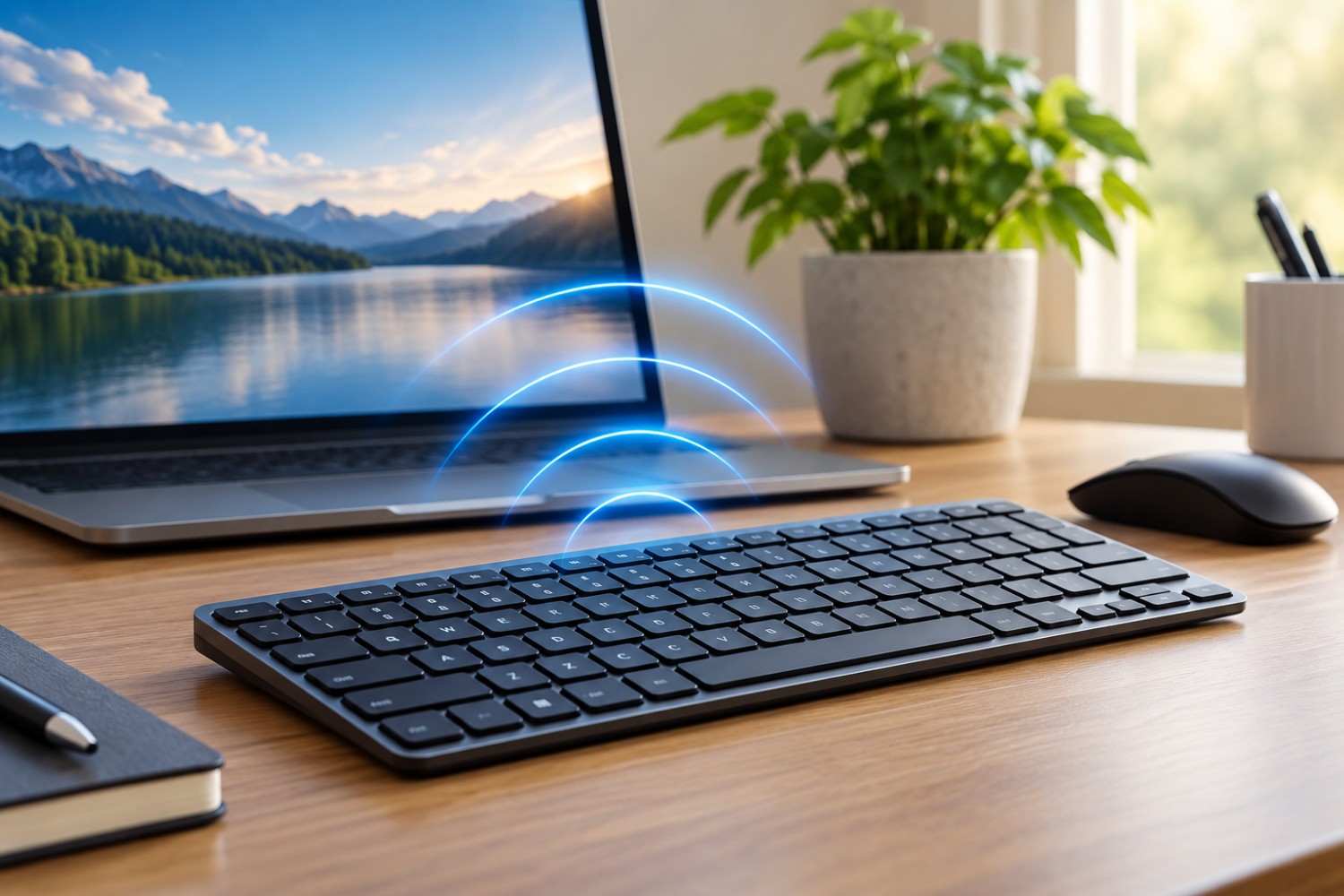
Wireless keyboards have become a standard part of home offices, workplaces, gaming setups, and even living-room computers. They eliminate cables, reduce desk clutter, and make it easier to position a keyboard exactly where you want it. But because these keyboards communicate without a physical connection, you may wonder what is happening between the keyboard and your computer. Does a Bluetooth keyboard emit EMF? And is wireless keyboard radiation something you should actually be concerned about?
The short answer is yes: a wireless keyboard uses radiofrequency (RF) signals to communicate, so it does produce RF electromagnetic fields while operating wirelessly. That does not mean, however, that using a Bluetooth keyboard has been shown to be dangerous. Bluetooth keyboards are generally low-power, short-range wireless devices. Understanding the difference between detecting RF energy and demonstrating a health risk is important when deciding whether you need to change anything about your computer setup.
In this article, we’ll look at what type of EMF wireless keyboards produce, how Bluetooth communication works, whether a keyboard continues transmitting when you’re not typing, and how wireless keyboards compare with wired alternatives. We’ll also look at some simple steps you can take if reducing unnecessary wireless signals in your home or office is one of your goals.
What Type of EMF Does a Wireless Keyboard Emit?
A wireless keyboard needs a way to transmit your keystrokes to a computer, tablet, smart TV, or other compatible device. Instead of sending that information through a cable, the keyboard uses radiofrequency communication.
Bluetooth is one of the most common technologies used for this purpose. Bluetooth devices generally operate within the 2.4 GHz frequency band. Some wireless keyboards that use their own USB receiver also operate around 2.4 GHz, even though they may not technically use Bluetooth.
Radiofrequency energy belongs to the non-ionizing portion of the electromagnetic spectrum. This distinction is important.
Ionizing radiation, which includes X-rays and gamma rays, carries enough energy to ionize atoms and can directly damage DNA. The RF signals used by Bluetooth keyboards, Wi-Fi routers, cell phones, and other consumer wireless devices are non-ionizing. They do not have enough photon energy to ionize atoms in the way X-rays can.
That doesn’t mean researchers never study the biological effects of radiofrequency exposure. They do. It simply means that describing a Bluetooth keyboard as producing “radiation” can sound much more alarming than the physics warrants if no additional context is provided.
A better way to think about it is that your wireless keyboard is a small radio transmitter. It sends information over a short distance so your computer knows which keys you pressed.
How Does a Bluetooth Keyboard Actually Communicate?
When you pair a Bluetooth keyboard with a computer, the two devices establish a wireless connection. The keyboard can then transmit information to the computer without requiring a USB cable.
Press the letter “A,” for example, and the keyboard electronically detects that keypress. It then sends information through its wireless connection, allowing the computer to interpret and display the letter.
This communication happens quickly enough that it usually feels instantaneous.
The keyboard doesn’t need the same communication range or transmission capabilities as a cell phone communicating with a distant cellular tower. Bluetooth was designed for relatively short-range communication between nearby devices.
This is one reason it is misleading to group every RF-producing device into the same category. A wireless keyboard, smartphone, Wi-Fi router, Bluetooth headset, and cellular tower can all involve radiofrequency energy, but they operate under very different conditions.
The presence of an RF signal tells you that wireless communication is taking place. It does not tell you by itself how significant your exposure is or whether that exposure presents a health concern.
Bluetooth Keyboard vs. 2.4 GHz Wireless Keyboard
You may have seen keyboards advertised as either “Bluetooth” or “2.4 GHz wireless.” This can create the impression that the two technologies necessarily operate at completely different frequencies.
In reality, Bluetooth itself commonly operates in the 2.4 GHz band.
The major difference for the average keyboard user is usually how the keyboard connects to the computer.
A Bluetooth keyboard can typically connect directly to a computer, tablet, or phone that supports Bluetooth. Another type of wireless keyboard may come with a small USB receiver that you plug into your computer. The keyboard communicates with that receiver using the manufacturer’s wireless system.
Both approaches eliminate the keyboard cable, and both require wireless RF communication.
You therefore shouldn’t assume that a keyboard is automatically “lower EMF” simply because the packaging says Bluetooth rather than 2.4 GHz wireless, or vice versa. Actual RF characteristics can depend on the keyboard’s design, transmission protocol, power output, connection conditions, activity, and other factors.
If minimizing RF transmissions is your primary objective, the clearest distinction isn’t necessarily Bluetooth versus another wireless protocol.
It is wireless versus wired.
How Much Radiation Does a Wireless Keyboard Produce?
There is no single number that accurately represents the RF emissions of every wireless keyboard.
Different manufacturers use different components and communication systems. The keyboard’s activity can also matter. A keyboard sitting untouched on your desk isn’t necessarily behaving exactly the same way as one being actively used.
This makes blanket statements about wireless keyboard radiation levels problematic.
If you attempt to measure a keyboard yourself, several factors can influence the result. These include the distance between the meter and keyboard, the sensitivity and frequency range of the measuring equipment, nearby wireless devices, whether you’re actively typing, and the specific keyboard being tested.
Distance is particularly important when comparing measurements. A meter positioned extremely close to a transmitter may produce a very different reading from the same meter positioned farther away.
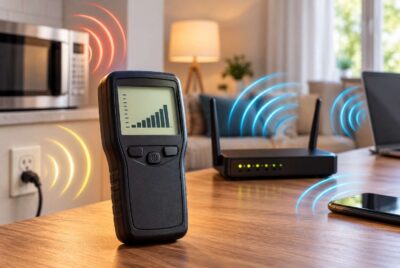
The environment matters too. Your computer, Wi-Fi router, phone, smartwatch, wireless mouse, Bluetooth headphones, and nearby devices may all be producing RF signals. A broadband RF meter may detect more than one source.
For that reason, a number appearing on an EMF meter should not automatically be interpreted as a measure of health risk.
A meter can be useful for identifying RF sources and comparing conditions. Health conclusions require considerably more than simply detecting a signal.
Does a Wireless Keyboard Emit EMF When You’re Not Typing?
A common question is whether a Bluetooth keyboard stops producing RF signals as soon as you stop typing.
The answer depends partly on the keyboard.
Modern wireless keyboards are generally designed to conserve battery power. Many use low-power or sleep states when they have been inactive. However, being connected to another device can still require occasional communication, and different keyboards may handle idle connections differently.
A keyboard may also communicate while establishing a connection, reconnecting after sleep, or performing other wireless functions.
This is why you shouldn’t assume that a wireless keyboard is continuously transmitting at exactly the same level every second that it is turned on.
If you’re interested in the behavior of your specific keyboard, an RF meter can be useful for experimentation. You could compare readings when the keyboard is off, on but idle, actively being used, and reconnecting to your computer.
Just remember that you’re observing RF activity—not performing a medical safety test.
Is Bluetooth Keyboard Radiation Dangerous?
This is probably the most important question for anyone researching Bluetooth keyboards and EMF.
A Bluetooth keyboard does produce non-ionizing RF energy, but that fact alone doesn’t establish that normal keyboard use is dangerous.
The World Health Organization notes that the established health effect from sufficiently intense RF exposure is tissue heating and that wireless-network exposures are generally much lower than levels associated with established adverse effects. Bluetooth keyboards are also designed as low-power, short-range communication devices.
There is an important principle worth remembering when reading about EMF:
Measurable does not automatically mean dangerous.
Modern instruments can detect extremely small amounts of electromagnetic energy. Seeing a reading on an RF meter therefore doesn’t prove that the signal is harming your body.
At the same time, some people prefer to follow a precautionary approach and reduce wireless sources that aren’t necessary for them. That is a personal decision, and reducing an unnecessary RF source can often be simple.
Those two positions aren’t contradictory.
You can recognize that current evidence does not establish that normal Bluetooth-keyboard use is a significant health hazard while still deciding that you would rather use a wired keyboard.
At EMFLuLu, that distinction is important. Practical exposure reduction shouldn’t depend on making frightening claims that the available evidence cannot support.
Wireless Keyboard vs. Wired Keyboard: Which Produces Less RF?
If your only question is which option eliminates the RF transmitter needed for wireless keyboard communication, the answer is straightforward: a wired keyboard.
A conventional USB keyboard sends information through its cable. It doesn’t need Bluetooth or another wireless connection to communicate your keystrokes to the computer.
That doesn’t mean a wired keyboard creates an EMF-free environment. Electronic devices and wiring can involve other electromagnetic fields. Your computer and surrounding electronics also remain part of your overall environment.
But switching from a wireless keyboard to a wired keyboard removes the need for that particular wireless RF connection.
For someone building a lower-RF computer workstation, this is one of the simplest changes available. A basic wired keyboard is inexpensive, requires no batteries or charging, and doesn’t need to be paired with your computer.
You don’t need a special “EMF protection keyboard.” A normal wired USB keyboard accomplishes the basic goal of eliminating the keyboard’s wireless transmitter.
Should You Replace Your Bluetooth Keyboard?
For most people, there is no reason to panic and throw away a perfectly functional Bluetooth keyboard.
If you like the convenience of wireless accessories, the available evidence doesn’t justify treating your keyboard as an emergency health threat.
The decision changes somewhat if you’re deliberately trying to reduce the number of wireless devices around your desk.
In that situation, ask a simple question:
Do I actually benefit from having this particular device be wireless?
For a phone, wireless communication is central to how the device is used. For a keyboard sitting in essentially the same position on your desk every day, the benefits may be less significant.
If your keyboard never moves, plugging in a USB cable may make very little difference to your daily routine.
That makes a wired keyboard an easy precautionary choice – not because you’ve proven that the Bluetooth keyboard is dangerous, but because you can eliminate an unnecessary wireless signal with almost no inconvenience.
6 Simple Ways to Reduce Wireless RF Around Your Computer
If reducing RF exposure around your desk is important to you, focusing exclusively on the keyboard may miss the bigger picture. A typical workstation can contain several wireless devices operating at the same time. Rather than worrying about one source, look at the entire setup and decide which wireless connections you actually need.
Here are six practical changes worth considering.
1 – Use a Wired Keyboard
Replacing a Bluetooth keyboard with a conventional USB keyboard eliminates the wireless RF communication required by the keyboard.
For a permanent desktop workstation, this may be one of the easiest changes you can make. There is also no battery to replace or recharge.
2 – Consider a Wired Mouse
The same principle applies to your mouse.
If you’re comfortable using a wired mouse, you can eliminate another wireless connection from the immediate desk area. Someone who strongly prefers the convenience of a wireless mouse can simply keep it. The goal should be practical reduction rather than making your workstation difficult to use.
3 – Use Ethernet When Practical
A wired Ethernet connection can allow a computer to access your home network without relying on Wi-Fi.
Before assuming that plugging in Ethernet solves everything, however, check whether Wi-Fi remains enabled on the computer. Depending on the device and settings, connecting an Ethernet cable doesn’t necessarily turn the wireless radio off automatically.
4 – Don’t Keep Your Phone Directly Beside the Keyboard
Your smartphone can communicate through cellular networks, Wi-Fi, Bluetooth, and other wireless services.
If you don’t need the phone sitting directly beside your hands while you’re working, simply placing it farther away is an easy habit to adopt.
You don’t necessarily need shielding products or complicated accessories. Sometimes distance is the simplest change.
5 – Think About Router Placement
A Wi-Fi router doesn’t need to sit directly beside you simply because your computer is on your desk.
If practical, place the router where it provides good coverage without unnecessarily positioning it inches from where you spend hours working.
Router placement is a whole-home networking decision, so don’t move it somewhere that destroys your Wi-Fi performance simply for the sake of distance. Look for a sensible balance.
6 – Turn Off Wireless Features You Don’t Use
Many devices have wireless capabilities enabled even when you rarely use them.
If your desktop computer uses Ethernet every day, for example, you may decide that you don’t need Wi-Fi enabled. If you never use Bluetooth accessories, Bluetooth may not need to remain active.
The idea isn’t to disable every wireless feature in your home. It is simply to avoid running connections you don’t actually use.
Affiliate Advertisement

Can You Measure a Wireless Keyboard With an EMF Meter?
Yes, provided that you’re using a meter designed to detect the relevant radiofrequency signals.
This distinction matters because “EMF meter” is a broad term. Different meters are designed to measure different parts of the electromagnetic spectrum. A meter designed primarily for extremely low-frequency magnetic fields isn’t necessarily the appropriate tool for measuring a 2.4 GHz Bluetooth signal.
For testing wireless keyboards, Wi-Fi routers, phones, and similar wireless devices, you would generally be looking for an RF meter that covers the appropriate frequency range.
One option is the Safe Living Technologies Safe and Sound Pro II RF Meter. The manufacturer lists an effective detection range from 200 MHz to 8 GHz, with its specified true-response range from 400 MHz to 7.2 GHz. That range includes the 2.4 GHz band used by Bluetooth and many other wireless devices.
An RF meter is absolutely not necessary just because you own a wireless keyboard. At several hundred dollars, a professional-style meter would make little sense if your only goal is deciding whether to spend $20 or $30 on a wired keyboard.
It becomes more useful for someone who wants to investigate multiple RF sources throughout a home and learn how the RF environment changes with distance, device activity, router placement, and other variables.
If you do experiment with a meter, try changing one variable at a time. Measure the background environment first. Then turn the keyboard on and off, type on it, let it sit idle, and test at several distances.
That type of experiment can help you understand your equipment.
It still doesn’t transform the meter into a device that diagnoses health risk.
What Matters More: The Keyboard or Your Entire Workstation?
This is an easy point to overlook.
Someone concerned about a tiny Bluetooth keyboard transmitter may simultaneously have a smartphone sitting against the laptop, a Wi-Fi router on the desk, Bluetooth earbuds in use, a smartwatch on the wrist, and several other wireless devices nearby.
Focusing entirely on wireless keyboard radiation can therefore create a distorted picture of your overall RF environment.
If you’re interested in reducing exposure, look at the entire workstation.
Identify which devices communicate wirelessly. Decide which ones actually need to. Consider where the strongest or most frequently transmitting sources are located. Then make the easiest changes first.
You might decide that keeping your Bluetooth keyboard is worthwhile while moving your Wi-Fi router farther from your desk.
Someone else might keep Wi-Fi but switch to a wired keyboard and mouse.
There is no requirement that a lower-RF workstation be completely wireless-free.
The goal can simply be to make reasonable changes without turning everyday technology into something to fear.
Frequently Asked Questions About Wireless Keyboards and EMF
There are several related questions people often have once they discover that a Bluetooth keyboard communicates using RF energy. The following answers provide some additional context without treating every wireless device as though it produces the same type or amount of exposure.
Does a Bluetooth keyboard emit radiation?
Yes. A Bluetooth keyboard uses radiofrequency electromagnetic energy to communicate wirelessly with another device. RF energy is a form of non-ionizing radiation. That is very different from ionizing radiation such as X-rays.
Does a wireless keyboard emit EMF?
Yes. A wireless keyboard can produce RF electromagnetic fields as part of its wireless communication. Other electronic components may also be associated with electromagnetic fields, but the intentional wireless transmission is generally the part people mean when asking about keyboard EMF.
Is a wired keyboard lower RF than a Bluetooth keyboard?
For the keyboard’s communication function, yes. A wired USB keyboard doesn’t require an RF transmitter to send keystrokes to the computer.
That makes a wired keyboard a straightforward choice for someone specifically trying to eliminate wireless RF communication from the keyboard.
Does a wireless keyboard transmit when you’re not typing?
Wireless behavior varies by model and operating state. Many battery-powered keyboards use power-saving features when idle, but a connected wireless device may still communicate periodically or during connection and reconnection events.
Don’t assume that the keyboard transmits continuously at one fixed level.
Is Bluetooth the same as 2.4 GHz?
Bluetooth commonly operates in the 2.4 GHz band, but Bluetooth is a communication technology rather than simply another name for the frequency.
Other technologies also use the 2.4 GHz band, including Wi-Fi and many proprietary wireless accessories.
Is Bluetooth keyboard EMF ionizing radiation?
No. Bluetooth uses non-ionizing radiofrequency electromagnetic energy. It doesn’t have enough photon energy to ionize atoms in the way X-rays and gamma rays can.
Can an EMF meter detect my Bluetooth keyboard?
An appropriate RF meter covering the Bluetooth frequency range may detect RF transmissions associated with the keyboard.
Measurement results depend on the meter, keyboard, distance, background RF environment, and device activity. A detected signal doesn’t automatically indicate a hazardous exposure.
Should I turn my wireless keyboard off at night?
You can, especially if you want to conserve battery power or reduce wireless devices that aren’t being used.
But there is no need to treat shutting off a Bluetooth keyboard at bedtime as an emergency health precaution. If turning it off is easy and fits your routine, there is little downside.
Do I need an EMF-blocking product for my keyboard?
Probably not.
If you don’t want the keyboard transmitting wirelessly, the simplest solution is to use a wired keyboard.
Trying to place shielding materials around a wireless keyboard can also interfere with the very signal the keyboard needs in order to work. A cable solves the underlying issue far more directly.
Conclusion: Should You Worry About Wireless Keyboard Radiation?
Bluetooth and other wireless keyboards do produce radiofrequency electromagnetic energy because wireless communication requires a radio signal. So, technically, wireless keyboard radiation exists and can potentially be detected with appropriate equipment.
That fact needs context.
Bluetooth keyboards use non-ionizing RF communication, and simply detecting an electromagnetic field does not establish that normal use presents a health hazard. There is no good reason to panic about using a Bluetooth keyboard simply because it transmits an RF signal.
If you’re comfortable with your wireless keyboard, you don’t necessarily need to replace it.
If your goal is to reduce unnecessary wireless sources around your desk, however, a wired keyboard is one of the easiest changes you can make. You don’t need expensive shielding or a specialty keyboard. A standard USB keyboard eliminates the need for that wireless connection.
Most importantly, keep the keyboard in perspective. Your workstation may also include Wi-Fi, a smartphone, wireless headphones, a smartwatch, a wireless mouse, and other RF sources.
Rather than fearing one device, take a practical look at the entire environment. Keep the wireless technology that makes your life easier, eliminate connections you don’t need, and make simple changes where they make sense.
Before You Go…
Get Weekly EMF Protection Tips
Enjoy this article? Join the EMFLuLu newsletter for simple weekly tips to reduce everyday EMF exposure from phones, WiFi routers, laptops, and smart home devices.
Try Our Free EMF Calculators
Curious how much EMF exposure you may experience each day?
These simple tools can help you estimate your exposure and identify possible problem areas in your home.
Try these free calculators:
Like this article? Pin it on Pinterest!


More to Explore