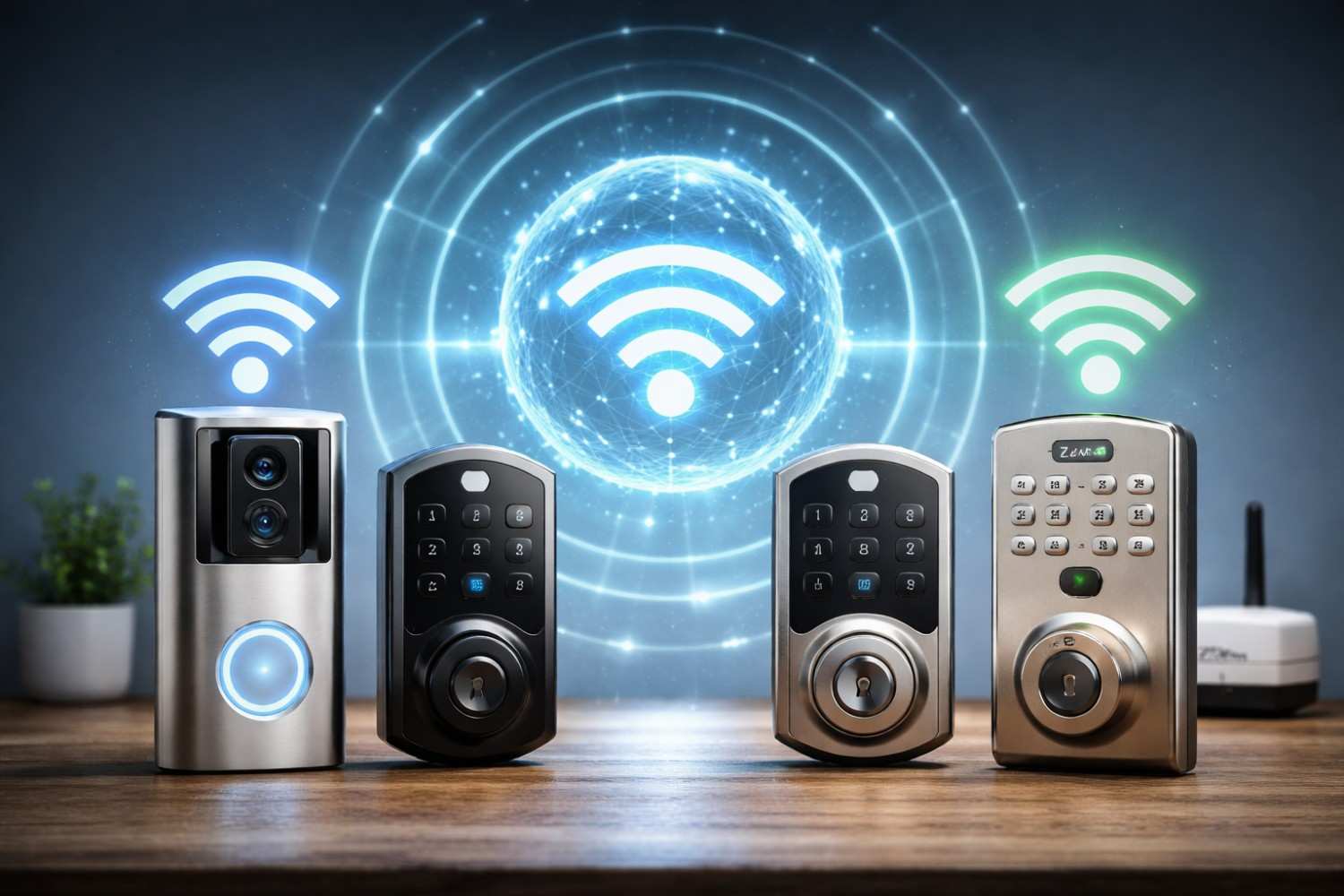
Smart locks are quickly becoming a standard feature in modern homes. From fingerprint-enabled deadbolts to app-controlled locks that integrate with full smart-home ecosystems, convenience and security are obvious benefits. But as more homeowners adopt these devices, a quieter question keeps surfacing: what about EMF exposure?
This article takes a practical, evidence-based look at Z-Wave vs Zigbee vs WiFi smart lock EMF exposure, cutting through confusion, marketing language, and fear-driven claims. Rather than exaggerating risk or dismissing concerns entirely, the goal here is to explain how these technologies actually work, how much radiofrequency (RF) energy they emit, and – most importantly – what realistic steps homeowners can take to reduce unnecessary exposure without abandoning smart technology altogether.
If you’re deciding between a WiFi smart lock, a Z-Wave lock paired to a hub, or a Zigbee-based system, this guide will help you understand the real EMF trade-offs behind each option.
What EMF Means in the Context of Smart Locks
Before comparing technologies, it’s important to clarify what “EMF” means in practical terms. In discussions about smart locks, EMF almost always refers to radiofrequency electromagnetic fields, the same type of emissions produced by WiFi routers, Bluetooth devices, and cell phones. These are non-ionizing frequencies, meaning they do not damage DNA in the way X-rays or gamma rays do.
Smart locks emit RF energy only when they communicate. That communication may occur when you unlock the door, when the lock checks in with a hub, or when the system sends a status update to the cloud. Unlike devices such as smartphones, which are often carried directly against the body, smart locks are mounted at fixed distances and usually transmit for short durations.
The key factors that determine EMF exposure from any smart lock include distance from the device, how often it transmits, how much data it sends, and the strength required to maintain a reliable connection. These factors vary significantly depending on whether the lock uses WiFi, Zigbee, or Z-Wave.
How Smart Locks Communicate With the Rest of Your Home
At a high level, all smart locks perform the same task: they send and receive small packets of data related to lock status, commands, and security authentication. The difference lies in how that data travels.
WiFi smart locks connect directly to your home router, often communicating with cloud servers multiple times per day. Zigbee and Z-Wave locks, by contrast, usually communicate with a local hub, which then relays data outward if needed. This architectural difference plays a large role in EMF output patterns.
Understanding this difference helps frame the discussion around Z-Wave vs Zigbee vs WiFi smart lock EMF exposure, because power levels, transmission frequency, and data volume vary widely across these protocols.
WiFi Smart Locks: Convenience With Higher Transmission Demands
WiFi-based smart locks are popular because they don’t require an additional hub. They connect directly to your router and often integrate seamlessly with mobile apps and cloud-based features such as remote access logs and real-time alerts.
From an EMF standpoint, WiFi locks tend to transmit at higher power levels than Z-Wave or Zigbee devices. WiFi operates primarily in the 2.4 GHz band for smart home devices, which is the same band used by many routers, baby monitors, and Bluetooth devices. While still considered low-power and regulated by safety standards, WiFi transmissions are typically stronger because they are designed to cover longer distances and handle more data.
Another factor to consider is transmission frequency. WiFi smart locks may check in with cloud servers periodically, even when not actively used. If the WiFi signal at the door is weak, the lock may transmit more frequently or at higher power to maintain a stable connection. This doesn’t mean WiFi locks are inherently dangerous, but it does mean their RF activity profile is more similar to that of other always-connected smart devices.
Zigbee Smart Locks: Short-Range Mesh Communication
Zigbee smart locks use a low-power mesh networking protocol that operates primarily in the 2.4 GHz band. Instead of connecting directly to your router, Zigbee locks communicate with a hub or nearby Zigbee devices, passing data along short hops until it reaches its destination.
Because Zigbee is designed for sensor networks, it typically uses much lower transmission power than WiFi. Zigbee devices are optimized for short bursts of communication rather than continuous connectivity. In practical terms, this means a Zigbee lock may transmit less frequently and at lower power levels than a WiFi lock.
However, Zigbee shares spectrum with WiFi, which can sometimes lead to interference. In environments with heavy WiFi congestion, Zigbee devices may retransmit more often to ensure reliability. Even so, overall RF output from a Zigbee lock is generally lower than that of a WiFi-connected lock, particularly when paired with a well-placed hub.
Z-Wave Smart Locks: Lower Frequency, Lower Power
Z-Wave smart locks operate on a different frequency band altogether. In the United States, Z-Wave uses the sub-GHz range around 900 MHz. This lower frequency allows signals to travel through walls more easily while requiring less transmission power.
Z-Wave devices are specifically designed for smart home control, not high-bandwidth data transfer. As a result, Z-Wave locks typically transmit very small packets of data at infrequent intervals. Communication is usually limited to lock/unlock events, battery status updates, and occasional system checks.
From an EMF perspective, Z-Wave is often considered the “quietest” of the three options. Lower frequency does not automatically mean safer, but it does mean different propagation characteristics and typically lower power requirements. For homeowners concerned about minimizing unnecessary RF emissions, Z-Wave locks paired with a centrally located hub are often an attractive option.
Comparing EMF Exposure Across Protocols
To fairly compare these technologies, it helps to step back and look at the overall exposure picture rather than focusing on raw frequency numbers. The question is not simply which protocol emits RF, but how often, how strongly, and how close that emission is to people.
When evaluating Z-Wave vs Zigbee vs WiFi smart lock EMF exposure, several consistent patterns emerge. WiFi locks tend to transmit more data and maintain more frequent cloud communication. Zigbee locks use low-power bursts but operate in a crowded frequency band. Z-Wave locks communicate less frequently and at lower power, using a band specifically allocated for smart home devices.
None of these options operate continuously at high power, and all comply with regulatory limits. The difference lies in cumulative exposure over time and proximity to living spaces.
Affiliate Advertisement

Where EMF Exposure Actually Occurs in a Home
One overlooked aspect of this discussion is where exposure matters most. Smart locks are usually mounted on exterior doors, which places them several feet away from occupants for most of the day. In contrast, smartphones, laptops, and tablets are often held inches from the body for hours at a time.
That context matters. A smart lock that transmits briefly when someone enters or exits the home contributes far less exposure than a phone streaming data continuously in a pocket or hand. In many homes, the WiFi router itself is the dominant source of RF exposure, not the lock on the door.
This perspective doesn’t invalidate concerns about smart locks, but it helps prioritize mitigation efforts where they have the greatest impact.
Practical Ways to Reduce EMF Exposure From Smart Locks
Rather than focusing on worst-case scenarios, it’s more productive to look at realistic steps homeowners can take to minimize unnecessary RF exposure. The following strategies are effective because they address how devices behave in real-world environments.
Reducing Unnecessary Transmissions
Smart locks often include features that increase communication frequency, such as detailed activity logs or constant status updates. Reviewing app settings and disabling non-essential features can significantly reduce how often the lock transmits. For WiFi locks, reducing cloud-based notifications can lower overall RF activity.
Improving Signal Quality
Poor signal strength forces devices to work harder. Ensuring your hub or router is positioned to provide a strong, stable signal to the lock can reduce retransmissions. This does not mean increasing router power; rather, it involves better placement and, if necessary, using wired access points or mesh nodes placed thoughtfully.
Choosing the Right Protocol for Your Setup
For homeowners starting from scratch, protocol choice matters. Z-Wave and Zigbee locks paired with a hub often result in lower overall RF output compared to WiFi locks, especially in homes with multiple smart devices. This is one reason many people researching Z-Wave vs Zigbee vs WiFi smart lock EMF exposure ultimately lean toward hub-based systems.
Increasing Distance Where Possible
Distance remains one of the most effective ways to reduce RF exposure. Avoid placing WiFi routers or smart hubs directly on the other side of walls where people sleep or spend long periods. Small changes in placement can meaningfully reduce exposure without sacrificing functionality.
Affiliate Advertisement
Measuring Instead of Guessing
For those who want concrete data rather than assumptions, RF meters can provide useful insight. Measuring baseline levels near entryways, then observing spikes during lock operation, can help homeowners understand their actual exposure. Measurements often reveal that routers, phones, and laptops contribute far more RF energy than smart locks.
This data-driven approach helps prevent overreaction and allows targeted improvements where they matter most.
EMF-Focused Products That May Help
While configuration and placement should always be the first line of defense, some homeowners choose additional EMF-focused products as part of a layered approach. Two options commonly used in smart-home environments include:
EMF Harmonizer Ultra for Wi-Fi Routers
This product is designed for placement on routers, which are often the largest contributors to household RF exposure. Addressing router emissions can indirectly reduce overall exposure from smart devices connected to it.
DefenderShield EMF Protection & Anti-Radiation Faraday Blanket
This blanket is useful for reducing exposure from close-contact devices such as laptops and tablets, which typically produce higher personal exposure than fixed smart home devices.
As with any EMF-related product, it’s wise to pair use with measurement and realistic expectations.
Frequently Asked Questions
Many readers researching smart lock EMF concerns have similar questions. Addressing them directly helps clarify lingering uncertainty.
A WiFi smart lock generally transmits more frequently than a Z-Wave or Zigbee lock, particularly if cloud features are enabled. However, distance from occupants usually keeps exposure low.
Z-Wave operates at a lower frequency and typically uses lower power than WiFi, which is why it’s often favored by people seeking minimal RF activity.
Turning off non-essential features and improving signal quality can reduce RF output more effectively than switching brands alone.
Final Thoughts
Smart locks are not inherently hazardous, but they are part of an increasingly wireless home environment. The real issue is not fear of a single device, but understanding how dozens of small RF sources add up over time.
When evaluated carefully, Z-Wave vs Zigbee vs WiFi smart lock EMF exposure is less about panic and more about informed design choices. Selecting efficient protocols, configuring devices thoughtfully, improving signal quality, and maintaining distance where practical can significantly reduce unnecessary exposure while preserving the convenience of modern smart homes.
For most homeowners, the smartest approach is balance: embrace technology, understand how it works, and make adjustments that align with both comfort and peace of mind.
Before You Go…
Get Weekly EMF Protection Tips
Enjoy this article? Join the EMFLuLu newsletter for simple weekly tips to reduce everyday EMF exposure from phones, WiFi routers, laptops, and smart home devices.
Try Our Free EMF Calculators
Curious how much EMF exposure you may experience each day?
These simple tools can help you estimate your exposure and identify possible problem areas in your home.
Try these free calculators:
Like this article? Pin it on Pinterest!

More to Explore